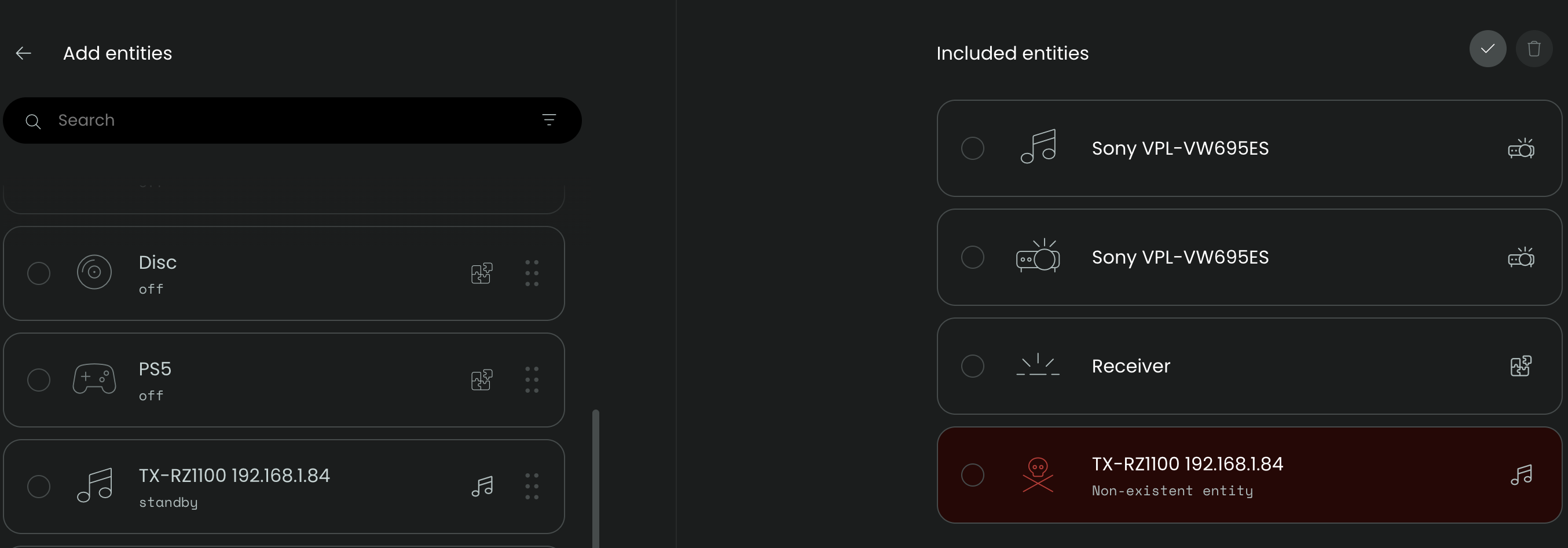
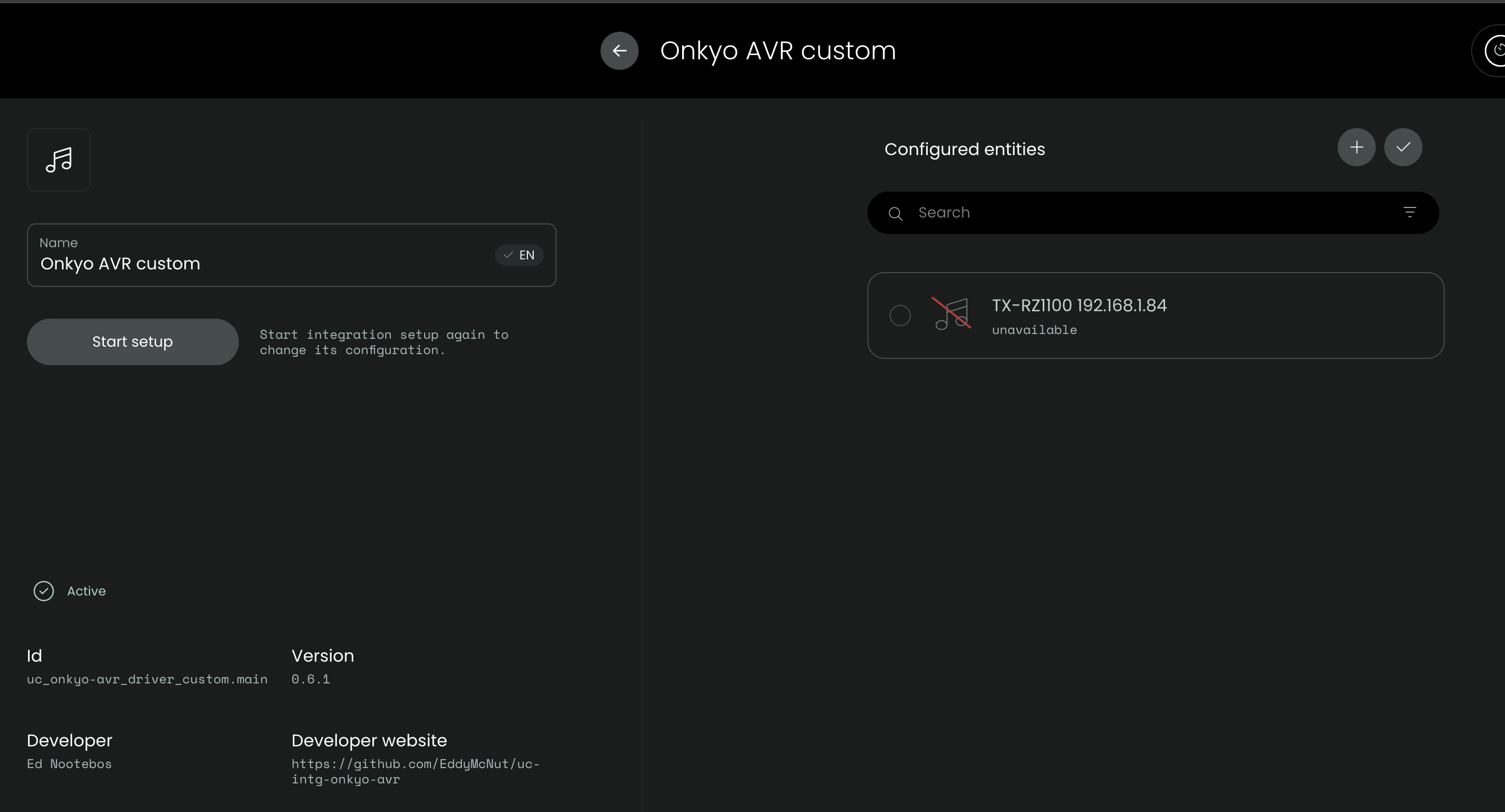
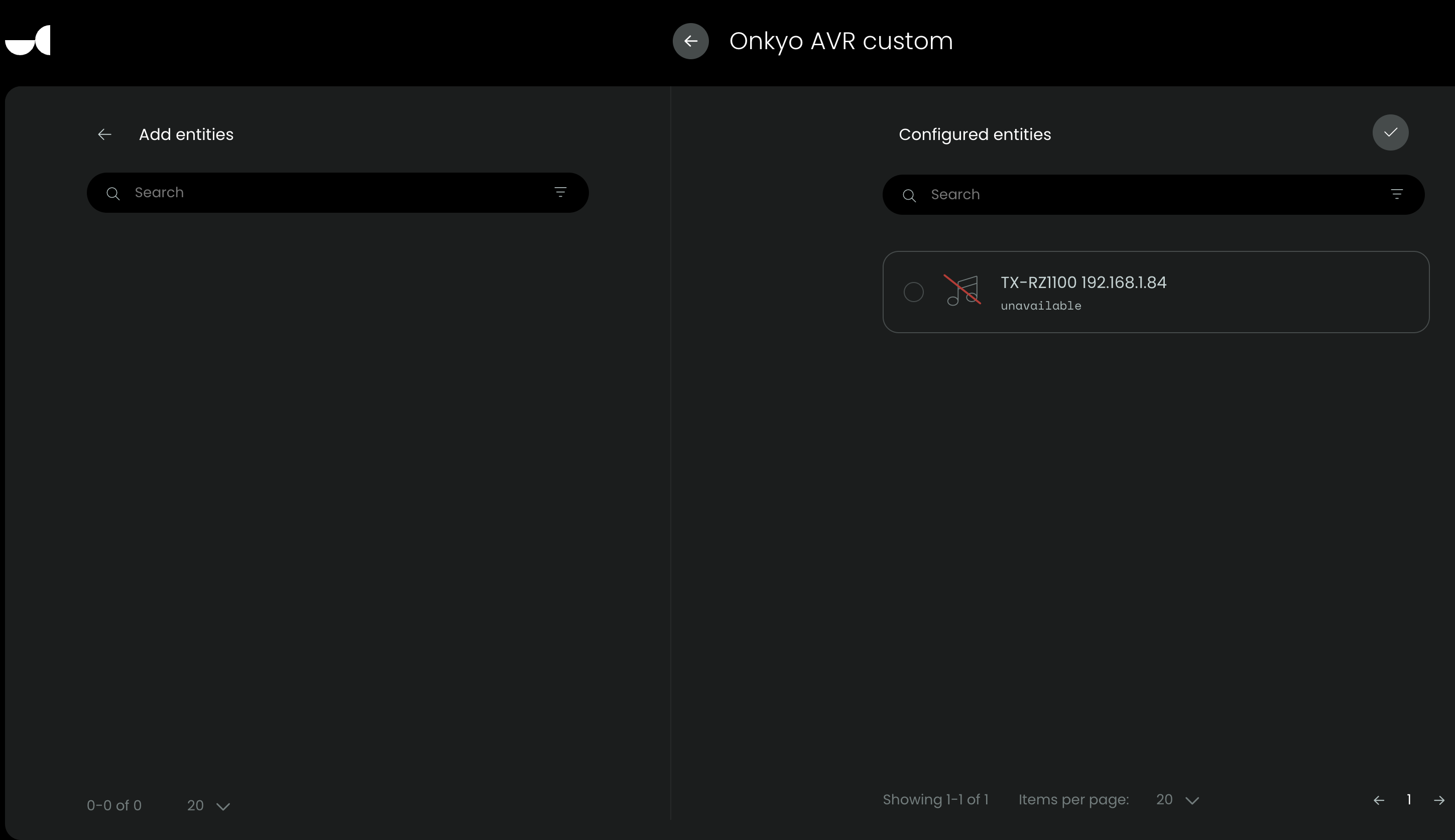
A bit more context. I rebooted the remote and had the Test Onkyo activity fail. I dumped the logs selecting only “Core” and Onkyo integration. Here is the log starting from when the Onkyo configures itself…then towards the top you’ll see the activity fail.
2025-10-28 17:12:39.869080 +00:00 core NOTICE No dock updates available
2025-10-28 17:12:39.255333 +00:00 core NOTICE Removed standby inhibitor: activity ‘Test Onkyo’ (on) (max 65s)
2025-10-28 17:12:39.254935 +00:00 core ERROR [Test Onkyo] error executing activity command uc_onkyo-avr_driver_custom.main.TX-RZ1100 192.168.1.84:media_player.on (ignore error: false): No information found
2025-10-28 17:12:39.249604 +00:00 core NOTICE [Test Onkyo] activity command: uc_onkyo-avr_driver_custom.main.TX-RZ1100 192.168.1.84:media_player.on
2025-10-28 17:12:39.249464 +00:00 core NOTICE Added standby inhibitor: activity ‘Test Onkyo’ (on) (max 65s)
2025-10-28 17:12:39.249266 +00:00 core NOTICE Started activity ‘Test Onkyo’ (uc.main.770bdf25-57b0-4711-a02f-7eaa6a7572f4) with timeout of 60s
2025-10-28 17:12:39.248910 +00:00 core NOTICE Starting activity ‘Test Onkyo’ (uc.main.770bdf25-57b0-4711-a02f-7eaa6a7572f4) in activity group: ‘Default’ (default)
2025-10-28 17:12:39.244247 +00:00 core NOTICE Created Dock IR emitter: dock_id=UCD3-0C8AB0, name=‘Charger’, model=UCD3, active=true, port_mask=0
2025-10-28 17:12:39.243522 +00:00 core NOTICE Contacting OTA server for dock update check. Channel=testing, model=UCD3, version=0.8.0
2025-10-28 17:12:39.186740 +00:00 core NOTICE Check OTA server for UCD3 firmware update: UCD3-0C8AB0
2025-10-28 17:12:39.144563 +00:00 core NOTICE Setting rgb button backlight to: (191, 191, 191)
2025-10-28 17:12:39.143324 +00:00 core NOTICE Enter normal mode: standby in 1800s
2025-10-28 17:12:38.782934 +00:00 core NOTICE No dock updates available
2025-10-28 17:12:38.282189 +00:00 core NOTICE Created Dock IR emitter: dock_id=UCD3-0C8AB0, name=‘Charger’, model=UCD3, active=true, port_mask=0
2025-10-28 17:12:38.036417 +00:00 core NOTICE Added standby inhibitor: Web configurator
2025-10-28 17:12:38.035772 +00:00 core NOTICE Contacting OTA server for dock update check. Channel=testing, model=UCD3, version=0.8.0
2025-10-28 17:12:37.951810 +00:00 core NOTICE Check OTA server for UCD3 firmware update: UCD3-0CBB00
2025-10-28 17:12:37.951202 +00:00 core NOTICE Created Dock IR emitter: dock_id=UCD3-0CBB00, name=‘Closet’, model=UCD3, active=true, port_mask=4
2025-10-28 17:12:37.949593 +00:00 core NOTICE [UCD3-0C8AB0] Authenticated (features=3)
2025-10-28 17:12:37.664478 +00:00 core NOTICE [UCD3-0C8AB0] Connected to: ws://192.168.1.29/ws
2025-10-28 17:12:36.148340 +00:00 core NOTICE Sent get_entity_states to uc_appletv_driver: Ok(())
2025-10-28 17:12:35.317503 +00:00 core NOTICE Sent get_entity_states to uc_appletv_driver: Ok(())
2025-10-28 17:12:35.302010 +00:00 core NOTICE [uc_appletv_driver] SessionAuthenticated msg
2025-10-28 17:12:35.301793 +00:00 core NOTICE [uc_appletv_driver] Session state change: Authenticated
2025-10-28 17:12:35.300085 +00:00 core NOTICE [uc_appletv_driver] Session became active: sending subscribe_events, get_driver_version, connect
2025-10-28 17:12:35.299565 +00:00 core NOTICE [uc_appletv_driver] SessionAuthenticated msg
2025-10-28 17:12:35.299260 +00:00 core NOTICE [uc_appletv_driver] Session state change: Authenticated
2025-10-28 17:12:35.293458 +00:00 core NOTICE [uc_appletv_driver] Connected to: ws://127.0.0.1:8097
2025-10-28 17:12:35.136143 +00:00 core NOTICE No session state has been found for a valid session key, creating a new empty session.
2025-10-28 17:12:35.082316 +00:00 core NOTICE No session state has been found for a valid session key, creating a new empty session.
2025-10-28 17:12:35.067664 +00:00 core NOTICE No session state has been found for a valid session key, creating a new empty session.
2025-10-28 17:12:35.065971 +00:00 core ERROR Error encountered while processing the incoming HTTP request: AuthError(“Authentication error”)
2025-10-28 17:12:35.064204 +00:00 core NOTICE No session state has been found for a valid session key, creating a new empty session.
2025-10-28 17:12:34.884631 +00:00 core NOTICE No session state has been found for a valid session key, creating a new empty session.
2025-10-28 17:12:34.057235 +00:00 core NOTICE Setting rgb button backlight to: (0, 0, 0)
2025-10-28 17:12:34.055967 +00:00 core NOTICE Enter idle mode: standby in 1785s
2025-10-28 17:12:33.260095 +00:00 core NOTICE [UCD3-0C8AB0] Reconnecting in: 4.068s
2025-10-28 17:12:33.256358 +00:00 core ERROR [UCD3-0C8AB0] Error connecting to dock ws://192.168.1.29/ws: ServiceUnavailable(“Failed to connect to host: No route to host (os error 113)”)
2025-10-28 17:12:31.212303 +00:00 core ERROR [uc_appletv_driver] Error connecting to driver ws://127.0.0.1:8097: ServiceUnavailable(“Failed to connect to host: Connection refused (os error 111)”)
2025-10-28 17:12:31.134510 +00:00 core WARN [UCD3-0CBB00] Can’t handle dock TryReconnect command in state: Active
2025-10-28 17:12:31.134105 +00:00 core WARN [UCD3-0CBB00] No transition for: state=Active, event=TryReconnect
2025-10-28 17:12:31.121478 +00:00 core WARN [UCD3-0C8AB0] Can’t handle dock TryReconnect command in state: Connecting
2025-10-28 17:12:31.120577 +00:00 core WARN [UCD3-0C8AB0] No transition for: state=Connecting, event=TryReconnect
2025-10-28 17:12:30.535334 +00:00 core NOTICE Created Dock IR emitter: dock_id=UCD3-0CBB00, name=‘Closet’, model=UCD3, active=true, port_mask=4
2025-10-28 17:12:30.459342 +00:00 core NOTICE [UCD3-0CBB00] Authenticated (features=3)
2025-10-28 17:12:31.342129 +00:00 core NOTICE [UCD3-0CBB00] Connected to: ws://192.168.1.79/ws
2025-10-28 17:12:31.184597 +00:00 core NOTICE [UCD3-0CBB00] WiFi connected: connecting dock
2025-10-28 17:12:31.184308 +00:00 core NOTICE [UCD3-0C8AB0] WiFi connected: connecting dock
2025-10-28 17:12:31.183938 +00:00 core NOTICE WiFi interface is up and routable, sending connected event
2025-10-28 17:12:31.183041 +00:00 core NOTICE Network changed: link_name: wlan0, operational_state: routable, address_state: routable, ipv4_address_state: routable, online_state: online
2025-10-28 17:12:30.549594 +00:00 core NOTICE Ignoring connected event from WiFi driver, using operational state instead
2025-10-28 17:12:30.432775 +00:00 core NOTICE Network changed: link_name: wlan0, operational_state: carrier, carrier_state: carrier
2025-10-28 17:12:30.360258 +00:00 core NOTICE Network changed: link_name: wlan0, operational_state: dormant, carrier_state: dormant
2025-10-28 17:12:29.662373 +00:00 core NOTICE Sent get_entity_states to uc_onkyo-avr_driver_custom: Ok(())
2025-10-28 17:12:29.660730 +00:00 node-intg-uc_onkyo-avr_driver_custom INFO Onkyo-Integration: [TX-RZ1100 192.168.1.84] Already connected to AVR, re-registering entity
2025-10-28 17:12:29.659734 +00:00 node-intg-uc_onkyo-avr_driver_custom INFO Onkyo-Integration: Discovered 0 AVR(s) via autodiscovery
2025-10-28 17:12:29.658120 +00:00 node-intg-uc_onkyo-avr_driver_custom INFO [EiscpDriver] UDP socket closed
2025-10-28 17:12:29.054385 +00:00 core ERROR [uc_appletv_driver] Error connecting to driver ws://127.0.0.1:8097: ServiceUnavailable(“Failed to connect to host: Connection refused (os error 111)”)
2025-10-28 17:12:28.984102 +00:00 core NOTICE [UCD3-0CBB00] Reconnecting in: 3.13s
2025-10-28 17:12:28.983814 +00:00 core ERROR [UCD3-0CBB00] Error connecting to dock ws://192.168.1.79/ws: ServiceUnavailable(“Failed to connect to host: Network is unreachable (os error 101)”)
2025-10-28 17:12:28.970161 +00:00 core NOTICE [UCD3-0C8AB0] Reconnecting in: 3.13s
2025-10-28 17:12:28.969823 +00:00 core ERROR [UCD3-0C8AB0] Error connecting to dock ws://192.168.1.29/ws: ServiceUnavailable(“Failed to connect to host: Network is unreachable (os error 101)”)
2025-10-28 17:12:28.848742 +00:00 core NOTICE Sent get_entity_states to uc_onkyo-avr_driver_custom: Ok(())
2025-10-28 17:12:28.841015 +00:00 node-intg-uc_onkyo-avr_driver_custom INFO Onkyo-Integration: [TX-RZ1100 192.168.1.84] Connected to AVR: model=TX-RZ1100, ip=192.168.1.84, port=60128
2025-10-28 17:12:28.833440 +00:00 node-intg-uc_onkyo-avr_driver_custom INFO Onkyo-Integration: [TX-RZ1100] Connecting to AVR at 192.168.1.84:60128
2025-10-28 17:12:28.833440 +00:00 node-intg-uc_onkyo-avr_driver_custom INFO Onkyo-Integration: Discovered 0 AVR(s) via autodiscovery
2025-10-28 17:12:28.827068 +00:00 node-intg-uc_onkyo-avr_driver_custom INFO [EiscpDriver] UDP socket closed
2025-10-28 17:12:28.341872 +00:00 core NOTICE WifiEvent: NETWORK_NOT_FOUND
2025-10-28 17:12:26.650247 +00:00 core ERROR [uc_appletv_driver] Error connecting to driver ws://127.0.0.1:8097: ServiceUnavailable(“Failed to connect to host: Connection refused (os error 111)”)
2025-10-28 17:12:26.583190 +00:00 core NOTICE [UCD3-0CBB00] Reconnecting in: 2.408s
2025-10-28 17:12:26.582737 +00:00 core ERROR [UCD3-0CBB00] Error connecting to dock ws://192.168.1.79/ws: ServiceUnavailable(“Failed to connect to host: Network is unreachable (os error 101)”)
2025-10-28 17:12:26.559826 +00:00 core NOTICE [UCD3-0C8AB0] Reconnecting in: 2.408s
2025-10-28 17:12:26.559594 +00:00 core ERROR [UCD3-0C8AB0] Error connecting to dock ws://192.168.1.29/ws: ServiceUnavailable(“Failed to connect to host: Network is unreachable (os error 101)”)
2025-10-28 17:12:25.656389 +00:00 core NOTICE Sent get_entity_states to sonyadcp: Ok(())
2025-10-28 17:12:25.596019 +00:00 core NOTICE [sonyadcp] SessionAuthenticated msg
2025-10-28 17:12:25.595878 +00:00 core NOTICE [sonyadcp] Session state change: Authenticated
2025-10-28 17:12:25.595504 +00:00 core NOTICE [sonyadcp] Session became active: sending subscribe_events, get_driver_version, connect
2025-10-28 17:12:25.595080 +00:00 core NOTICE [sonyadcp] SessionAuthenticated msg
2025-10-28 17:12:25.594824 +00:00 core NOTICE [sonyadcp] Session state change: Authenticated
2025-10-28 17:12:25.583445 +00:00 core NOTICE [sonyadcp] Connected to: ws://127.0.0.1:9001
2025-10-28 17:12:24.916813 +00:00 core ERROR [sonyadcp] Error connecting to driver ws://127.0.0.1:9001: ServiceUnavailable(“Failed to connect to host: Connection refused (os error 111)”)
2025-10-28 17:12:24.795073 +00:00 core ERROR [uc_appletv_driver] Error connecting to driver ws://127.0.0.1:8097: ServiceUnavailable(“Failed to connect to host: Connection refused (os error 111)”)
2025-10-28 17:12:24.718725 +00:00 core NOTICE [UCD3-0CBB00] Reconnecting in: 1.853s
2025-10-28 17:12:24.718417 +00:00 core ERROR [UCD3-0CBB00] Error connecting to dock ws://192.168.1.79/ws: ServiceUnavailable(“Failed to connect to host: Network is unreachable (os error 101)”)
2025-10-28 17:12:24.705414 +00:00 core NOTICE [UCD3-0C8AB0] Reconnecting in: 1.853s
2025-10-28 17:12:24.705067 +00:00 core ERROR [UCD3-0C8AB0] Error connecting to dock ws://192.168.1.29/ws: ServiceUnavailable(“Failed to connect to host: Network is unreachable (os error 101)”)
2025-10-28 17:12:24.660196 +00:00 node-intg-uc_onkyo-avr_driver_custom INFO }
2025-10-28 17:12:24.660196 +00:00 node-intg-uc_onkyo-avr_driver_custom INFO port: 60128
2025-10-28 17:12:24.660196 +00:00 node-intg-uc_onkyo-avr_driver_custom INFO address: ‘255.255.255.255’,
2025-10-28 17:12:24.660196 +00:00 node-intg-uc_onkyo-avr_driver_custom INFO syscall: ‘send’,
2025-10-28 17:12:24.660196 +00:00 node-intg-uc_onkyo-avr_driver_custom INFO code: ‘ENETUNREACH’,
2025-10-28 17:12:24.660196 +00:00 node-intg-uc_onkyo-avr_driver_custom INFO errno: -101,
2025-10-28 17:12:24.660196 +00:00 node-intg-uc_onkyo-avr_driver_custom INFO at process.processTicksAndRejections (node:internal/process/task_queues:91:21) {
2025-10-28 17:12:24.660196 +00:00 node-intg-uc_onkyo-avr_driver_custom INFO at afterDns (node:dgram:699:5)
2025-10-28 17:12:24.660196 +00:00 node-intg-uc_onkyo-avr_driver_custom INFO at defaultTriggerAsyncIdScope (node:internal/async_hooks:464:18)
2025-10-28 17:12:24.660196 +00:00 node-intg-uc_onkyo-avr_driver_custom INFO at doSend (node:dgram:760:16)
2025-10-28 17:12:24.660196 +00:00 node-intg-uc_onkyo-avr_driver_custom INFO [EiscpDriver] UDP send error: Error: send ENETUNREACH 255.255.255.255:60128
2025-10-28 17:12:24.609427 +00:00 core NOTICE Added standby inhibitor: charger
2025-10-28 17:12:24.609089 +00:00 core NOTICE Changed battery status: 92% Discharging, 3943mV, charger: false
2025-10-28 17:12:24.555180 +00:00 core NOTICE [uc_onkyo-avr_driver_custom] SessionAuthenticated msg
2025-10-28 17:12:24.555047 +00:00 core NOTICE [uc_onkyo-avr_driver_custom] Session state change: Authenticated
2025-10-28 17:12:24.535995 +00:00 core NOTICE [uc_onkyo-avr_driver_custom] Session became active: sending subscribe_events, get_driver_version, connect
2025-10-28 17:12:24.535608 +00:00 core NOTICE [uc_onkyo-avr_driver_custom] SessionAuthenticated msg
2025-10-28 17:12:24.535132 +00:00 core NOTICE [uc_onkyo-avr_driver_custom] Session state change: Authenticated
2025-10-28 17:12:24.517447 +00:00 core NOTICE [uc_onkyo-avr_driver_custom] Connected to: ws://127.0.0.1:9002
2025-10-28 17:12:24.421498 +00:00 core ERROR Error starting custom integration session: Failed to connect to host: Connection refused (os error 111)
2025-10-28 17:12:24.415428 +00:00 core ERROR [sonyadcp] Error connecting to driver ws://127.0.0.1:9001: ServiceUnavailable(“Failed to connect to host: Connection refused (os error 111)”)
2025-10-28 17:12:23.835634 +00:00 node-intg-uc_onkyo-avr_driver_custom INFO }
2025-10-28 17:12:23.835634 +00:00 node-intg-uc_onkyo-avr_driver_custom INFO port: 60128
2025-10-28 17:12:23.835634 +00:00 node-intg-uc_onkyo-avr_driver_custom INFO address: ‘255.255.255.255’,
2025-10-28 17:12:23.835634 +00:00 node-intg-uc_onkyo-avr_driver_custom INFO syscall: ‘send’,
2025-10-28 17:12:23.835634 +00:00 node-intg-uc_onkyo-avr_driver_custom INFO code: ‘ENETUNREACH’,
2025-10-28 17:12:23.835634 +00:00 node-intg-uc_onkyo-avr_driver_custom INFO errno: -101,
2025-10-28 17:12:23.835634 +00:00 node-intg-uc_onkyo-avr_driver_custom INFO at process.processTicksAndRejections (node:internal/process/task_queues:91:21) {
2025-10-28 17:12:23.835634 +00:00 node-intg-uc_onkyo-avr_driver_custom INFO at afterDns (node:dgram:699:5)
2025-10-28 17:12:23.835634 +00:00 node-intg-uc_onkyo-avr_driver_custom INFO at defaultTriggerAsyncIdScope (node:internal/async_hooks:464:18)
2025-10-28 17:12:23.835634 +00:00 node-intg-uc_onkyo-avr_driver_custom INFO at doSend (node:dgram:760:16)
2025-10-28 17:12:23.835634 +00:00 node-intg-uc_onkyo-avr_driver_custom INFO [EiscpDriver] UDP send error: Error: send ENETUNREACH 255.255.255.255:60128
2025-10-28 17:12:23.744519 +00:00 node-intg-uc_onkyo-avr_driver_custom INFO Onkyo-Integration: Initializing…
2025-10-28 17:12:23.695148 +00:00 node-intg-uc_onkyo-avr_driver_custom INFO }
2025-10-28 17:12:23.695148 +00:00 node-intg-uc_onkyo-avr_driver_custom INFO ]
2025-10-28 17:12:23.695148 +00:00 node-intg-uc_onkyo-avr_driver_custom INFO }
2025-10-28 17:12:23.695148 +00:00 node-intg-uc_onkyo-avr_driver_custom INFO useHalfDbSteps: true
2025-10-28 17:12:23.695148 +00:00 node-intg-uc_onkyo-avr_driver_custom INFO volumeScale: 100,
2025-10-28 17:12:23.695148 +00:00 node-intg-uc_onkyo-avr_driver_custom INFO albumArtURL: ‘album_art.cgi’,
2025-10-28 17:12:23.695148 +00:00 node-intg-uc_onkyo-avr_driver_custom INFO queueThreshold: 100,
2025-10-28 17:12:23.695148 +00:00 node-intg-uc_onkyo-avr_driver_custom INFO port: 60128,
2025-10-28 17:12:23.695148 +00:00 node-intg-uc_onkyo-avr_driver_custom INFO ip: ‘192.168.1.84’,
2025-10-28 17:12:23.695148 +00:00 node-intg-uc_onkyo-avr_driver_custom INFO model: ‘TX-RZ1100’,
2025-10-28 17:12:23.695148 +00:00 node-intg-uc_onkyo-avr_driver_custom INFO {
2025-10-28 17:12:23.695148 +00:00 node-intg-uc_onkyo-avr_driver_custom INFO avrs: [
2025-10-28 17:12:23.695148 +00:00 node-intg-uc_onkyo-avr_driver_custom INFO Loaded config at startup: {