Started work on an 'Onkyo AVR / Pioneer AVR / Integra AVR' custom integration

Hi All,

Is there a setting to set up to avoid the .gz to be removed.

I have difficulties with that.

Even with Edge, it almost always remove the .gz.

I tried to download to my synology. On it, I can the .gz, but where I use it from my PC, the .gz is removed…

It is a pain somewhere ….

Hi, Im currently using Chrome and that does not remove it for me. But I dont know if it is a setting or something in the browser or OS.

I had it with chrome on Windows 11.

Ralf

Hi,

I just updated my windows explorer setting with an option “display name file extension” and now file are shown with .GZ.

But still having a lot errors (invalid archive, network issue etc ….) while trying to upload integration.

Oh :joy: well then I just dont know…

I think you’re downloading the wrong file.

Go here:

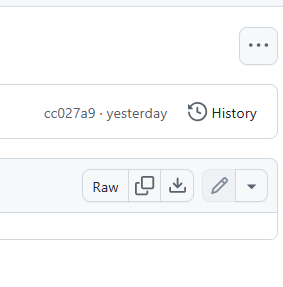
Click the 3 dots in the upper right:

Click download.

Hi,

For the Onkyo one, I finally manage to get it, but with others, still struggling …

I ask on another post about the ADB one, for which I keep received a time out error for instance

1 Like

Hi, for the models that support Spotify, added an example of how you could configure an activity for it: GitHub - EddyMcNut/uc-intg-onkyo-avr: Onkyo AVR custom integration for Unfolded Circle Remotes.

Use your spotify app to send music to the AVR and enjoy.

1 Like

Hi all, version 0.5.6 is now available:

  • show RDS info for FM radio stations (when mediawidget for the AVR is placed in user interface).
  • queuing and overshoot now set by config parameter Message queue Threshold during setup. The default value is 100 which gives a smooth effect on long pressing volume. If you have overshoot issues, set it to 500 and move up or down from there to find the sweet spot. On my TX-RZ50 setting it to 100 works fine.
  • rearranged the docs and added some more screenshots

Is there an easy way to update the version in the web config system without removing the old version and adding the new one?

Hi, unfortunately at this moment you first need to delete the old version twice so it’s really not showing up anymoren in the overview. Then you can upload a new version.

If you keep the model(name) and ip of the selected AVR in the new version exactly the same as in the old version, all the mappings in your activities will still work after the update.

Hi all, version 0.5.7 is now available:

  • updated docs (how to update integration, activity examples)
  • faster fetching of updated albumart (where applicable, for example when you press next song in spotify)
  • updated list of input-selector options (input-selector tv does now work for example so no need for raw command)

Cheers,
Ed

Hi, version 0.6.0 is available now:

  • deal with multiple AVRs in the network
  • release done through Github workflow
  • updated documentation

Kind regards,

Ed

1 Like

Hi, I specifically registered just to say thank you for this!

I was able to integrate my Onkyo TX RZ-730 and really appreciate your work.

Thank you @j_o_e for your kind words! :clinking_beer_mugs:

1 Like

@eddy A HUGE thank you for this! I’ve been running my RZ1100 off of IR but would much prefer to use IP! If you don’t mind, I have a quick question.

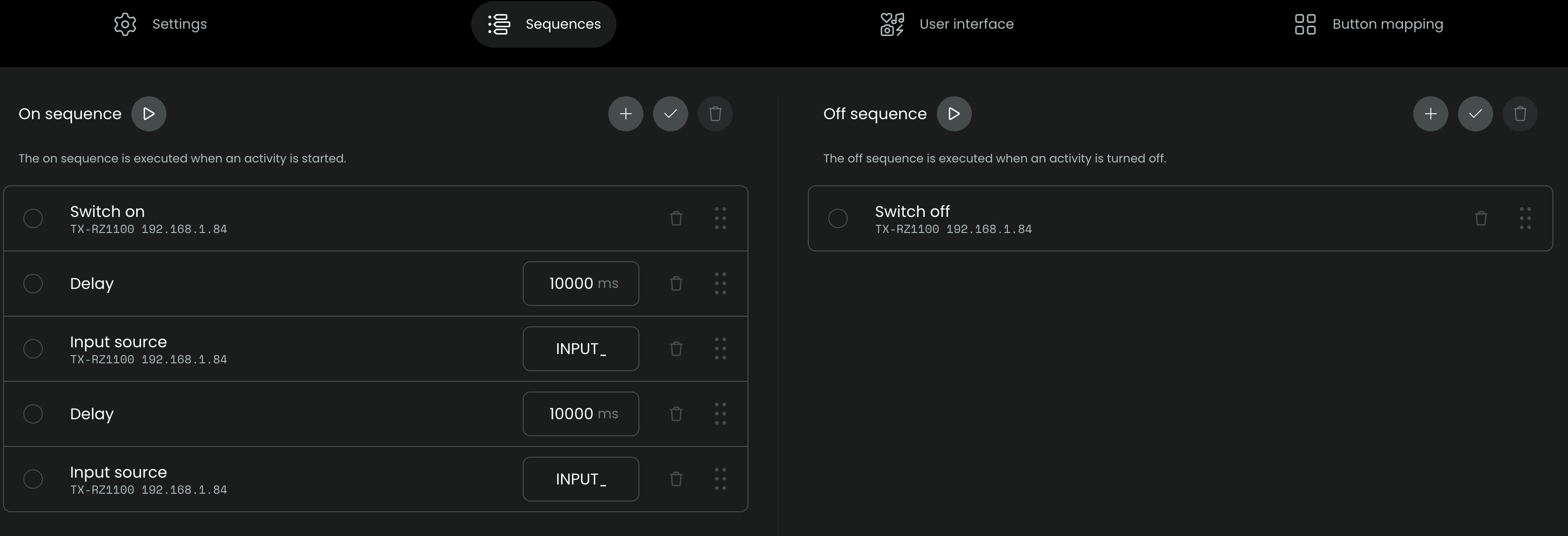
Input switching. I set up an Activity like is shown in the screenshot below just to check that the IP control and input switching works. Everything else (power on/off, volume, etc) worked great but the inputs didn’t change. I used the INPUT_3 nomenclature that the IR commands use. I also changed it to the nomenclature on the front screen of the AVR (e.g. BD/DVD) and still nothing. Is there a different wording format I should be using? Thanks!!!

You ned to use the format “input-selector [INPUT]” to work. You can find the available inputs in the JSON file here: uc-intg-onkyo-avr/src/eiscp-commands.ts at main · EddyMcNut/uc-intg-onkyo-avr · GitHub

Search for “input-selector” in this file and you will see all available input descriptions. You will see that INPUT_3 is not in the list, so you may need to determine the correct input from the list (e.g. “video3”)?

Thanks @j_o_e !

Hi @PNWUC , the file that j_o_e pointed out indeed mentions the known commands.

A bit more info can be found in this doc:

https://github.com/EddyMcNut/uc-intg-onkyo-avr/blob/main/docs/cheats.md

Kind regards,

Ed

Thank you so much for the clarity. It took a bit of trial and error, but finally have it up and running!

Great, thanks for confirming! :smiling_face_with_sunglasses: