Thanks M.a.S.e
I’ve downloaded and tested the 1.1.1 version. Still the same result I’m afraid.
Not to worry. My Home Assistant Integration works and displays the artwork and channel information so I have a fallback.
Thanks for trying.
Thanks M.a.S.e
I’ve downloaded and tested the 1.1.1 version. Still the same result I’m afraid.
Not to worry. My Home Assistant Integration works and displays the artwork and channel information so I have a fallback.
Thanks for trying.
For some reason the image and title are null as per the logs:
2025-11-01 23:52:36.453063 +00:00 ui WARN uc.ui.resources: Empty ID passed to getIcon()
2025-11-01 23:52:36.443032 +00:00 ui INFO qml: Setting up button mappings for activity: Watch SKY TV
2025-11-01 23:52:36.398267 +00:00 ui WARN uc.ui.resources: Empty ID passed to getIcon()
2025-11-01 23:52:36.398058 +00:00 ui WARN qrc:/components/entities/activity/deviceclass/Activity.qml:586: TypeError: Cannot read property ‘icon’ of null
2025-11-01 23:52:36.397639 +00:00 ui WARN qrc:/components/entities/activity/deviceclass/Activity.qml:592: TypeError: Cannot read property ‘name’ of null
2025-11-01 23:52:36.395162 +00:00 ui WARN uc.ui.resources: Empty ID passed to getIcon()
2025-11-01 23:52:36.394930 +00:00 ui WARN qrc:/components/entities/activity/deviceclass/Activity.qml:586: TypeError: Cannot read property ‘icon’ of null
2025-11-01 23:52:36.394517 +00:00 ui WARN qrc:/components/entities/activity/deviceclass/Activity.qml:592: TypeError: Cannot read property ‘name’ of null
2025-11-01 23:52:36.378920 +00:00 ui WARN uc.ui.resources: Empty ID passed to getIcon()
2025-11-01 23:52:36.378633 +00:00 ui WARN qrc:/components/entities/activity/deviceclass/Activity.qml:586: TypeError: Cannot read property ‘icon’ of null
2025-11-01 23:52:36.377534 +00:00 ui WARN qrc:/components/entities/activity/deviceclass/Activity.qml:592: TypeError: Cannot read property ‘name’ of null
2025-11-01 23:52:36.358680 +00:00 ui WARN uc.ui.resources: Empty ID passed to getIcon()
2025-11-01 23:52:36.358393 +00:00 ui WARN qrc:/components/entities/activity/deviceclass/Activity.qml:586: TypeError: Cannot read property ‘icon’ of null
2025-11-01 23:52:36.357947 +00:00 ui WARN qrc:/components/entities/activity/deviceclass/Activity.qml:592: TypeError: Cannot read property ‘name’ of null
2025-11-01 23:52:36.355731 +00:00 ui WARN uc.ui.resources: Empty ID passed to getIcon()
2025-11-01 23:52:36.355517 +00:00 ui WARN qrc:/components/entities/activity/deviceclass/Activity.qml:586: TypeError: Cannot read property ‘icon’ of null
2025-11-01 23:52:36.354378 +00:00 ui WARN qrc:/components/entities/activity/deviceclass/Activity.qml:592: TypeError: Cannot read property ‘name’ of null
2025-11-01 23:52:36.325893 +00:00 ui WARN uc.ui.resources: Empty ID passed to getIcon()
2025-11-01 23:52:36.325722 +00:00 ui WARN qrc:/components/entities/activity/deviceclass/Activity.qml:586: TypeError: Cannot read property ‘icon’ of null
2025-11-01 23:52:36.325352 +00:00 ui WARN qrc:/components/entities/activity/deviceclass/Activity.qml:592: TypeError: Cannot read property ‘name’ of null
2025-11-01 23:52:36.325249 +00:00 ui WARN qrc:/components/entities/activity/MediaComponent.qml:271: TypeError: Cannot read property ‘hasFeature’ of null
2025-11-01 23:52:36.325137 +00:00 ui WARN qrc:/components/entities/activity/MediaComponent.qml:283: TypeError: Value is null and could not be converted to an object
2025-11-01 23:52:36.325037 +00:00 ui WARN qrc:/components/entities/activity/MediaComponent.qml:314: TypeError: Value is null and could not be converted to an object
2025-11-01 23:52:36.324938 +00:00 ui WARN qrc:/components/entities/activity/MediaComponent.qml:262: TypeError: Value is null and could not be converted to an object
2025-11-01 23:52:36.324833 +00:00 ui WARN qrc:/components/entities/activity/MediaComponent.qml:254: TypeError: Value is null and could not be converted to an object
2025-11-01 23:52:36.324730 +00:00 ui WARN qrc:/components/entities/activity/MediaComponent.qml:249: TypeError: Cannot read property ‘hasAllFeatures’ of null
2025-11-01 23:52:36.324593 +00:00 ui WARN qrc:/components/entities/activity/MediaComponent.qml:231: TypeError: Value is null and could not be converted to an object
2025-11-01 23:52:36.324412 +00:00 ui WARN qrc:/components/entities/activity/MediaComponent.qml:221: TypeError: Value is null and could not be converted to an object
2025-11-01 23:52:36.324311 +00:00 ui WARN qrc:/components/entities/activity/MediaComponent.qml:113: TypeError: Cannot read property ‘state’ of null
2025-11-01 23:52:36.324205 +00:00 ui WARN qrc:/components/entities/activity/MediaComponent.qml:112: TypeError: Value is null and could not be converted to an object
2025-11-01 23:52:36.324087 +00:00 ui WARN qrc:/components/entities/activity/MediaComponent.qml:92: TypeError: Value is null and could not be converted to an object
2025-11-01 23:52:36.323974 +00:00 ui WARN qrc:/components/TouchSlider.qml:162: TypeError: Cannot read property ‘name’ of null
2025-11-01 23:52:36.323826 +00:00 ui WARN qrc:/components/TouchSlider.qml:149: TypeError: Cannot read property ‘volume’ of null
2025-11-01 23:52:36.323656 +00:00 ui WARN qrc:/components/TouchSlider.qml:120: TypeError: Cannot read property ‘volume’ of null
2025-11-01 23:52:36.323311 +00:00 ui WARN qrc:/components/entities/activity/deviceclass/Activity.qml:672: TypeError: Cannot read property ‘hasFeature’ of null
2025-11-01 23:52:36.290711 +00:00 ui WARN uc.ui.resources: Empty ID passed to getIcon()
2025-11-01 23:52:36.288943 +00:00 ui WARN uc.ui.resources: Empty ID passed to getIcon()
2025-11-01 23:52:36.223606 +00:00 ui WARN uc.ui.resources: Empty ID passed to getIcon()
2025-11-01 23:52:36.206719 +00:00 ui WARN qrc:/components/TouchSlider.qml:36: TypeError: Value is null and could not be converted to an object
2025-11-01 23:52:36.201406 +00:00 ui WARN uc.ui.resources: Empty ID passed to getIcon()
2025-11-01 23:52:36.198057 +00:00 intg-sonos INFO sonos:debug [RINCON_48A6B8B0B20B01400] Volume changed: 19. Muted changed: false
2025-11-01 23:52:36.190242 +00:00 custom-intg-uc_intg_skyq INFO 2025-11-01 23:52:36,189 DEBUG [ucapi.api] [(‘127.0.0.1’, 46960)] =>: {‘kind’: ‘event’, ‘msg’: <WsMsgEvents.ENTITY_CHANGE: ‘entity_change’>, ‘msg_data’: {‘entity_id’: ‘skyq_media_skyq_192_168_0_150_9006’, ‘entity_type’: <EntityTypes.MEDIA_PLAYER: ‘media_player’>, ‘attributes’: {<Attributes.STATE: ‘state’>: <States.PLAYING: ‘PLAYING’>, <Attributes.VOLUME: ‘volume’>: 50, <Attributes.MUTED: ‘muted’>: False, <Attributes.MEDIA_TITLE: ‘media_title’>: ‘Virgin One HD: Living with Lucy’, <Attributes.MEDIA_IMAGE_URL: ‘media_image_url’>: ‘https://imageservice.sky.com/pd-image/4c34618e-b77e-469d-9adb-f730bc46a61f/16-9/1024?territory=GB&provider=SKY&proposition=SKYQ’, <Attributes.MEDIA_TYPE: ‘media_type’>: ‘channel’, <Attributes.MEDIA_DURATION: ‘media_duration’>: 0, <Attributes.MEDIA_POSITION: ‘media_position’>: 0}}, ‘cat’: <EventCategory.ENTITY: ‘ENTITY’>}
2025-11-01 23:52:36.188931 +00:00 custom-intg-uc_intg_skyq INFO 2025-11-01 23:52:36,188 DEBUG [ucapi.entities] [configured]: entity ‘skyq_media_skyq_192_168_0_150_9006’ attributes updated
2025-11-01 23:52:36.188254 +00:00 intg-sonos INFO sonos:msg [RINCON_48A6B8B0B20B01400] → [{“namespace”:“groupVolume”,“householdId”:“HHID_PvBUkCkdAlNmzr5gRP0b5gWsSzd.nVyXy9ifD3H04fhMR_eF”,“locationId”:“lc_e93b10564af044faaec52e20ba91ac0a”,“groupId”:“RINCON_48A6B8B0B20B01400:319718153”,“name”:“groupVolume”,“type”:“groupVolume”},{“_objectType”:“groupVolume”,“volume”:19,“muted”:false,“fixed”:false}]
2025-11-01 23:52:35.993043 +00:00 ui INFO qml: Watch SKY TV button mapping short press: NEXT → {“cmd_id”:“fastforward”,“entity_id”:“uc_intg_skyq.main.skyq_remote_skyq_192_168_0_150_9006”,“params”:{}}
2025-11-01 23:52:35.992928 +00:00 ui INFO qml: Watch SKY TV button mapping short press: PLAY → {“cmd_id”:“play”,“entity_id”:“uc_intg_skyq.main.skyq_remote_skyq_192_168_0_150_9006”,“params”:{}}
2025-11-01 23:52:35.992775 +00:00 ui INFO qml: Watch SKY TV button mapping short press: STOP → {“cmd_id”:“stop”,“entity_id”:“uc_intg_skyq.main.skyq_remote_skyq_192_168_0_150_9006”,“params”:{}}
2025-11-01 23:52:35.992651 +00:00 ui INFO qml: Watch SKY TV button mapping short press: PREV → {“cmd_id”:“rewind”,“entity_id”:“uc_intg_skyq.main.skyq_remote_skyq_192_168_0_150_9006”,“params”:{}}
2025-11-01 23:52:35.992443 +00:00 ui INFO qml: Watch SKY TV button mapping short press: MENU → {“cmd_id”:“i”,“entity_id”:“uc_intg_skyq.main.skyq_remote_skyq_192_168_0_150_9006”,“params”:{}}
2025-11-01 23:52:35.992319 +00:00 ui INFO qml: Watch SKY TV button mapping short press: RECORD → {“cmd_id”:“record”,“entity_id”:“uc_intg_skyq.main.skyq_remote_skyq_192_168_0_150_9006”,“params”:{}}
2025-11-01 23:52:35.992178 +00:00 ui INFO qml: Watch SKY TV button mapping short press: MUTE → {“cmd_id”:“MUTE_TOGGLE”,“entity_id”:“uc.main.81b51c28-56a2-47ca-a973-5da3ada03e81”,“params”:{}}
2025-11-01 23:52:35.992063 +00:00 ui INFO qml: Watch SKY TV button mapping short press: CHANNEL_DOWN → {“cmd_id”:“channeldown”,“entity_id”:“uc_intg_skyq.main.skyq_remote_skyq_192_168_0_150_9006”,“params”:{}}
2025-11-01 23:52:35.991913 +00:00 ui INFO qml: Watch SKY TV button mapping short press: CHANNEL_UP → {“cmd_id”:“channelup”,“entity_id”:“uc_intg_skyq.main.skyq_remote_skyq_192_168_0_150_9006”,“params”:{}}
2025-11-01 23:52:35.991794 +00:00 ui INFO qml: Watch SKY TV button mapping short press: DPAD_DOWN → {“cmd_id”:“down”,“entity_id”:“uc_intg_skyq.main.skyq_remote_skyq_192_168_0_150_9006”,“params”:{}}
2025-11-01 23:52:35.991611 +00:00 ui INFO qml: Watch SKY TV button mapping short press: DPAD_RIGHT → {“cmd_id”:“right”,“entity_id”:“uc_intg_skyq.main.skyq_remote_skyq_192_168_0_150_9006”,“params”:{}}
2025-11-01 23:52:35.991403 +00:00 ui INFO qml: Watch SKY TV button mapping short press: DPAD_MIDDLE → {“cmd_id”:“select”,“entity_id”:“uc_intg_skyq.main.skyq_remote_skyq_192_168_0_150_9006”,“params”:{}}
2025-11-01 23:52:35.991252 +00:00 ui INFO qml: Watch SKY TV button mapping short press: DPAD_LEFT → {“cmd_id”:“left”,“entity_id”:“uc_intg_skyq.main.skyq_remote_skyq_192_168_0_150_9006”,“params”:{}}
2025-11-01 23:52:35.991105 +00:00 ui INFO qml: Watch SKY TV button mapping short press: DPAD_UP → {“cmd_id”:“up”,“entity_id”:“uc_intg_skyq.main.skyq_remote_skyq_192_168_0_150_9006”,“params”:{}}
2025-11-01 23:52:35.990949 +00:00 ui INFO qml: Watch SKY TV button mapping short press: VOLUME_DOWN → {“cmd_id”:“media_player.volume_down”,“entity_id”:“hass.main.media_player.lg_webos_tv_oled55c34la”,“params”:{}}
2025-11-01 23:52:35.990782 +00:00 ui INFO qml: Watch SKY TV button mapping short press: VOLUME_UP → {“cmd_id”:“media_player.volume_up”,“entity_id”:“hass.main.media_player.lg_webos_tv_oled55c34la”,“params”:{}}
2025-11-01 23:52:35.990575 +00:00 ui INFO qml: Watch SKY TV button mapping long press: POWER → {“cmd_id”:“macro.run”,“entity_id”:“uc.main.d9f958c1-b6ee-4256-877b-7fdb975b53a2”,“params”:{}}
2025-11-01 23:52:35.990290 +00:00 ui INFO qml: Watch SKY TV button mapping short press: HOME → {“cmd_id”:“home”,“entity_id”:“uc_intg_skyq.main.skyq_remote_skyq_192_168_0_150_9006”,“params”:{}}
2025-11-01 23:52:35.989926 +00:00 ui INFO qml: Watch SKY TV button mapping short press: BACK → {“cmd_id”:“backup”,“entity_id”:“uc_intg_skyq.main.skyq_remote_skyq_192_168_0_150_9006”,“params”:{}}
2025-11-01 23:52:35.927557 +00:00 intg-sonos INFO sonos:debug [RINCON_48A6B8B0B20B01400] Volume changed: 10. Muted changed: false
2025-11-01 23:52:35.927557 +00:00 intg-sonos INFO sonos:msg [RINCON_48A6B8B0B20B01400] → [{“namespace”:“groupVolume”,“householdId”:“HHID_PvBUkCkdAlNmzr5gRP0b5gWsSzd.nVyXy9ifD3H04fhMR_eF”,“locationId”:“lc_e93b10564af044faaec52e20ba91ac0a”,“groupId”:“RINCON_48A6B8B0B20B01400:319718153”,“name”:“groupVolume”,“type”:“groupVolume”},{“_objectType”:“groupVolume”,“volume”:10,“muted”:false,“fixed”:false}]
2025-11-01 23:52:35.842227 +00:00 ui WARN uc.ui.resources: Empty ID passed to getIcon()
These errors relate to activity per the logs, not the integration. Do me a favor, put the media player full screen on the remote outside of an activity, eg: create a new main page, add the remote and media player, open media player, does it show or work? You the only user reported this issue, and I can see the error relate to an activity not the integration., possibly.
It is working for me.
Good to hear. Not sure what I am doing wrong. As I said I can use the Home Assistant Integration to collect the image art so it’s not a problem.Everything else works great and means I have direct IP control. I’ll try and delete the integration again and perhaps the media player and start from scratch again when I have time.
So having played around late last night I got the media art and channel information to display from the integration via the media widget. I did a complete uninstall of version 1.1.1 including any button mapping.
I reinstalled the integration and tested. Same issues as before. So that wasn’t the fix.
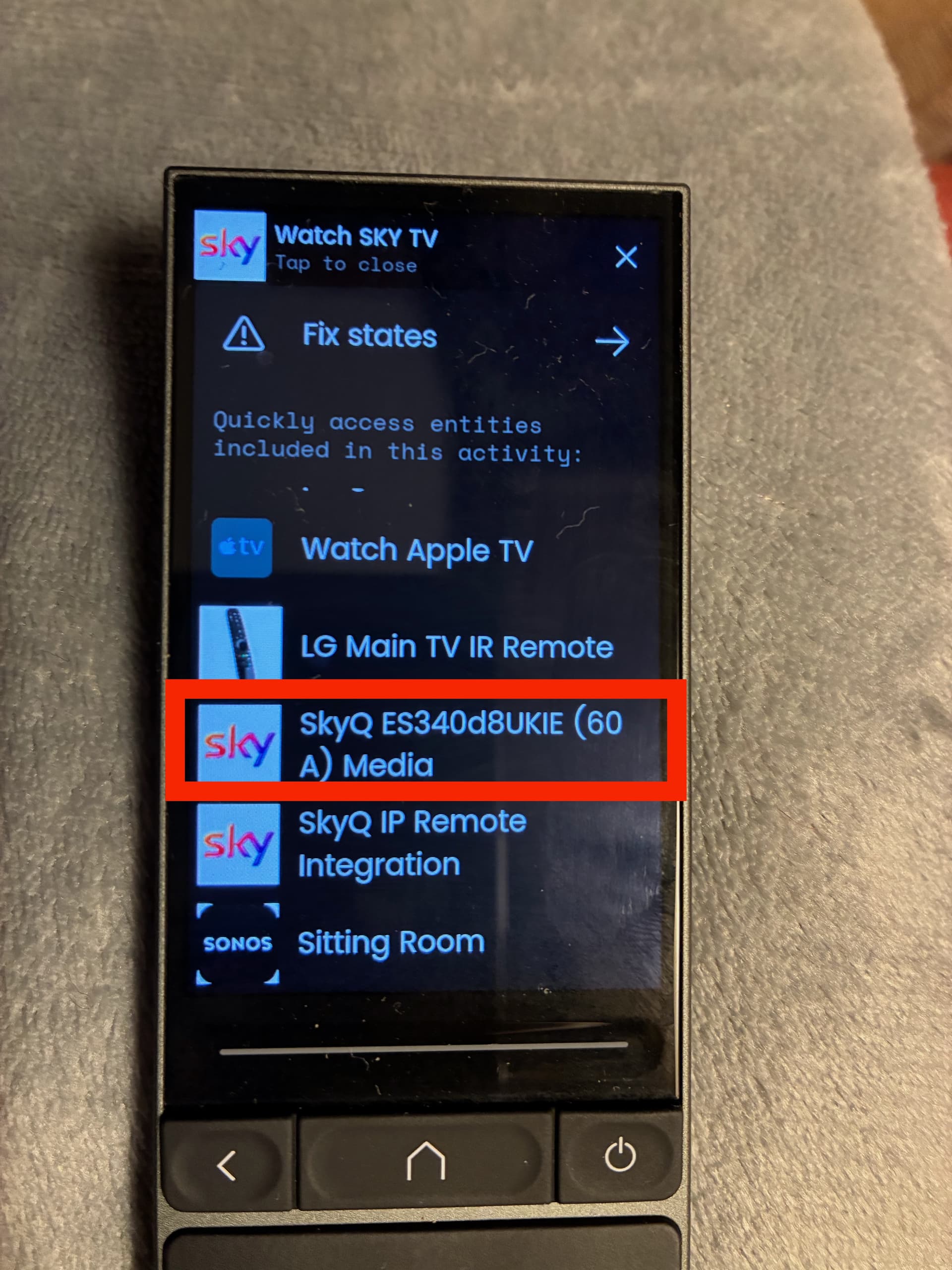
So what did the trick? I used the fix buttons option on the top of the running Activity (Watch SkyQ) to open the options. From the options available I selected the SkyQ Integration option that hosts the Media Player and voila, up popped the media art??? Very odd. I only display this media widget within this activity. I keep things simple for my family to use the remote and so only have two activities set up and everything runs off these.
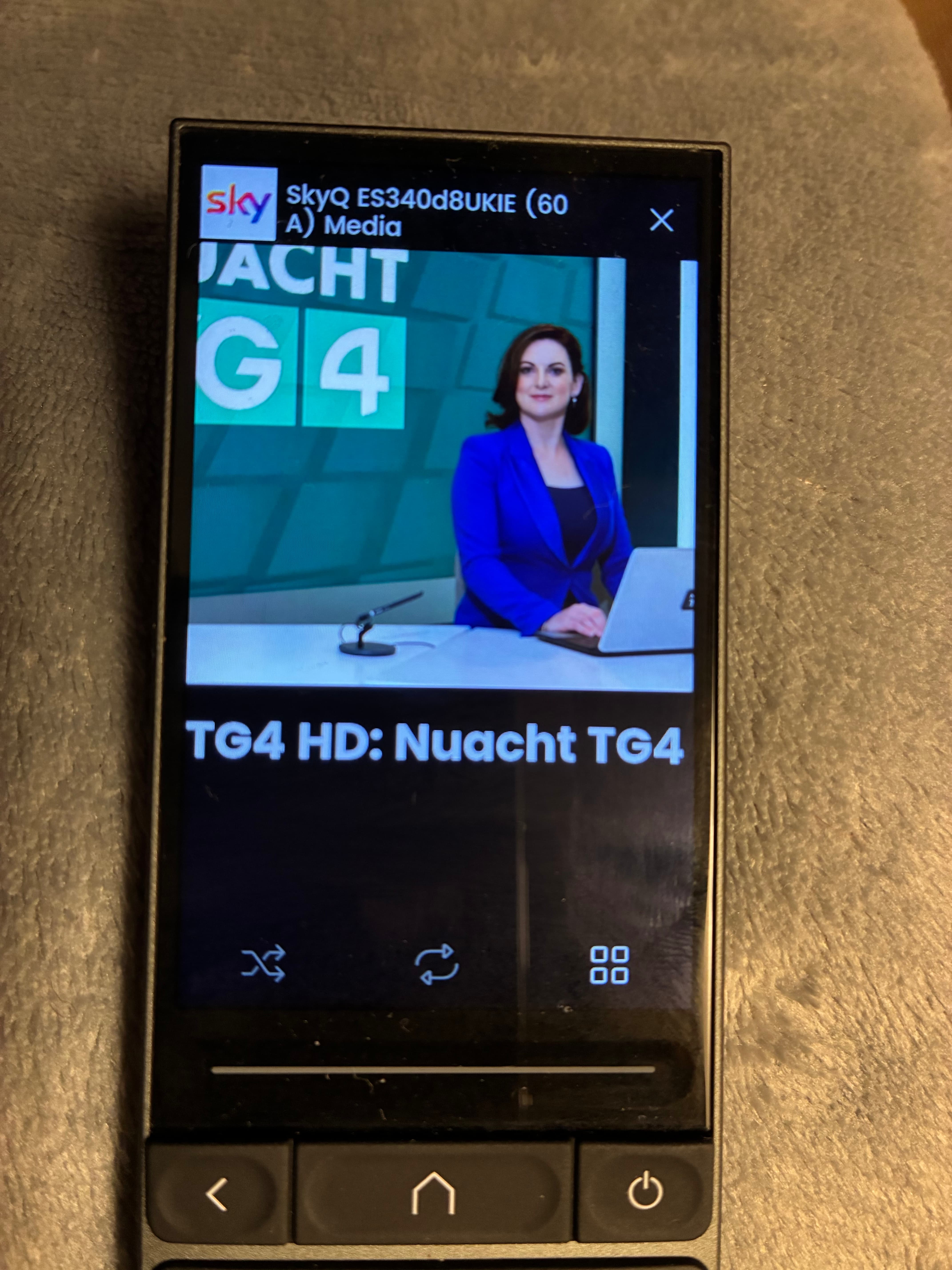
Once I closed this screen and went back to my Watch SkyQ activity the artwork and title were there.
I thought I should document this in case others run into the same issue. It might be a bug on the UC side. I’m running beta 2.7 but I had the same issues with 2.6.12.
By the way Meir, thank you so much for the integration. Its is fantastic. I have reverted back to version 1.1.0 in the interim, because the changes you made on my behalf added too much delay to button presses. I notice from the change logs that this is what you thought might be my issue. Version 1.1.0 is much snappier for me.
Thanks again. You are helping users in ways you don’t appreciate. UC should pay you for your time and effort.
I second this!
Hey, thank you!
First - glad it worked out finnally thats awesome.
Second - can you explain in more details what you did? i am very curious, maybe some screenshots?
Third - so you think we should completely revert back to 110? or continue to debug to figure it out… as u know, endless trial and error since i cant really test lol.
4th: thank you for the kind words!
Hi Meir.
So here are the steps I followed.
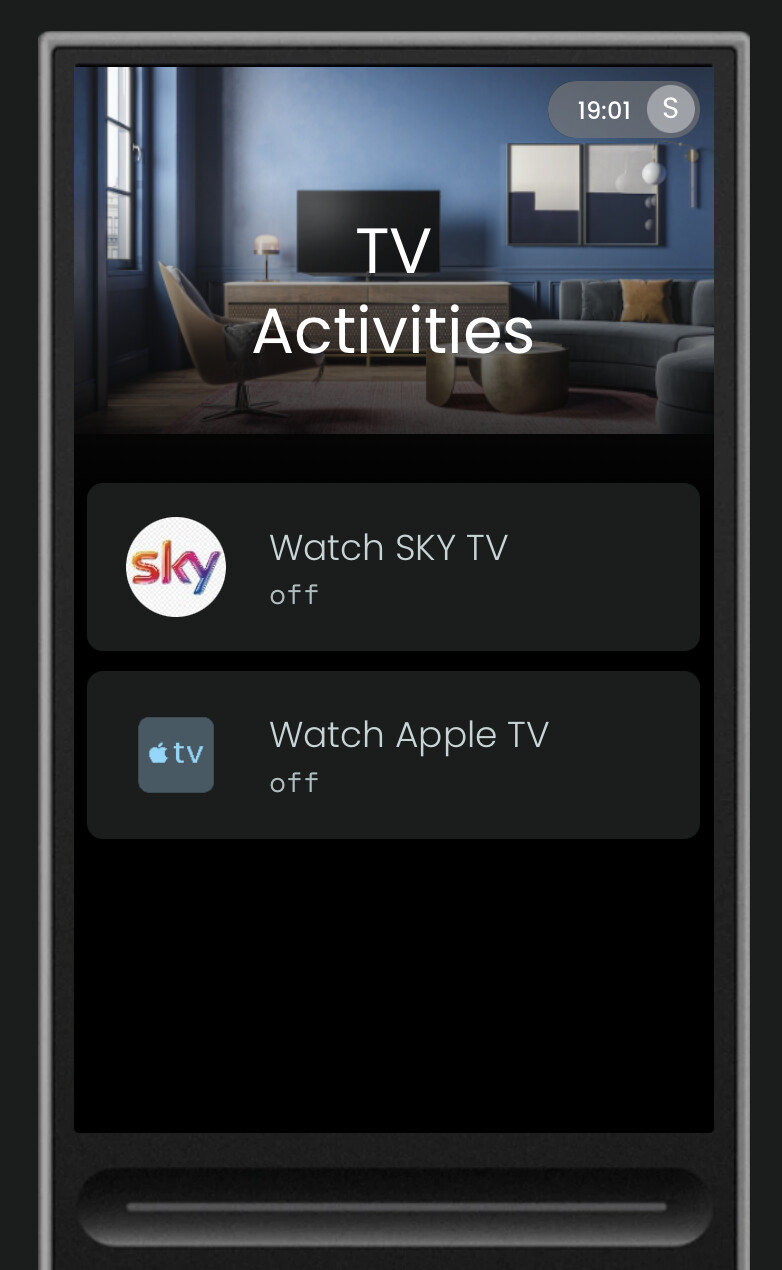
I have two activities set up. These initiate everything.
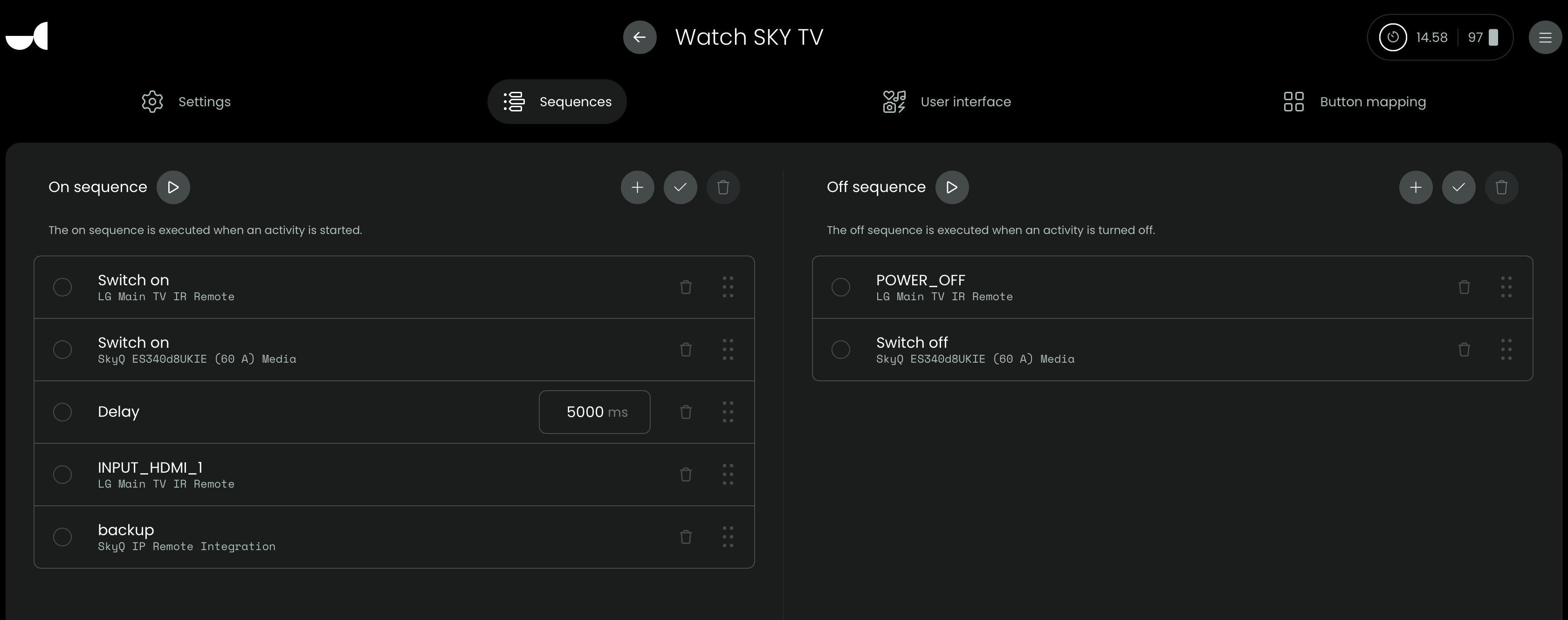
When I commence the “Watch Sky TV” activity this turns on my LG TV, sets the HDMI input and turns on the SkyQ box.
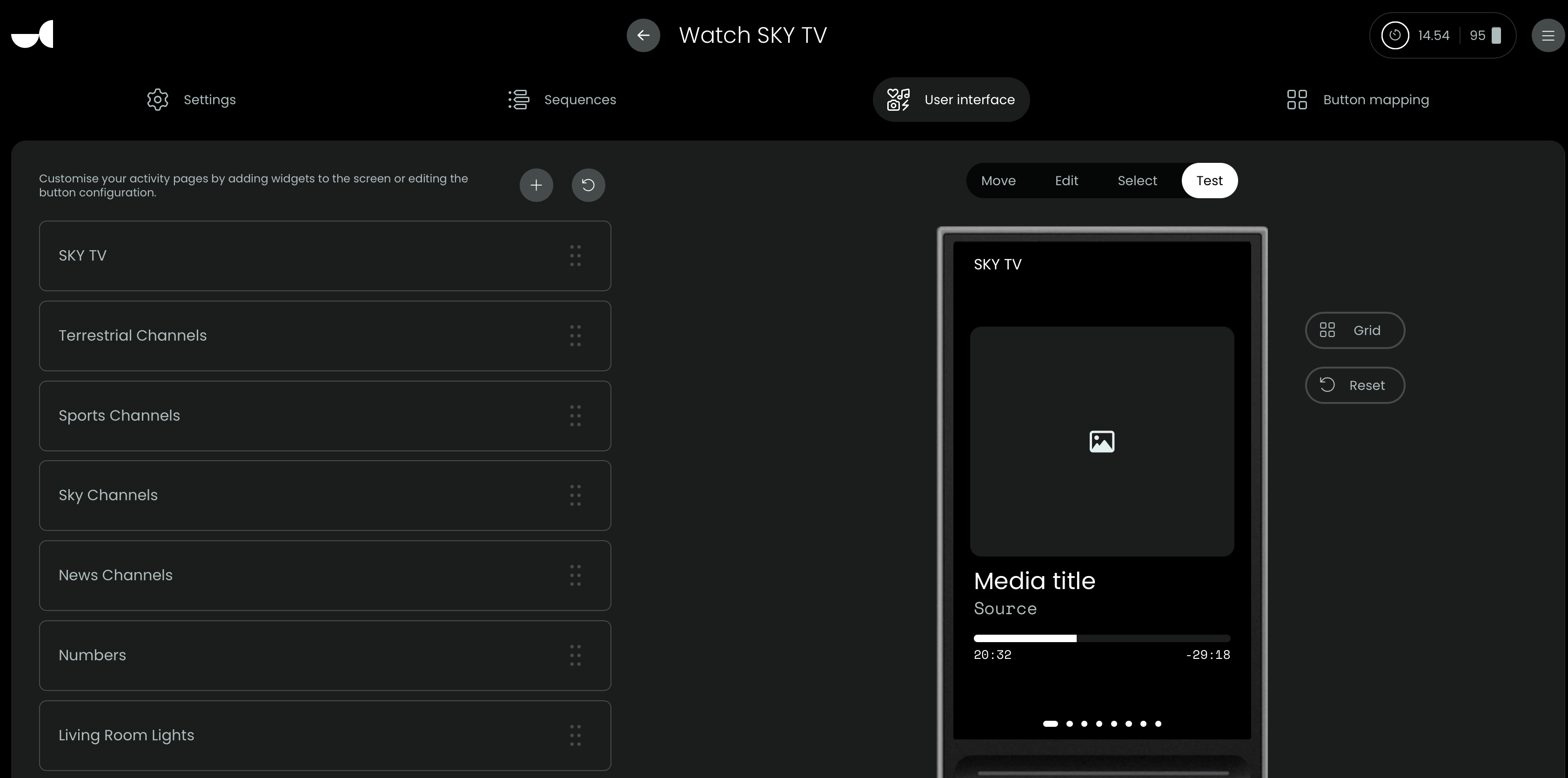
Initially the media widget did not display any content and was blank on the screen. I can’t display this now as the widget is now displaying the correct art but take it from me, this was just a blank screen in version 1.1.0
After upgrading to version 1.1.1, removing version 1.1.1 and re-installing it, the same scenario was seen. Just a blank screen was observed here.
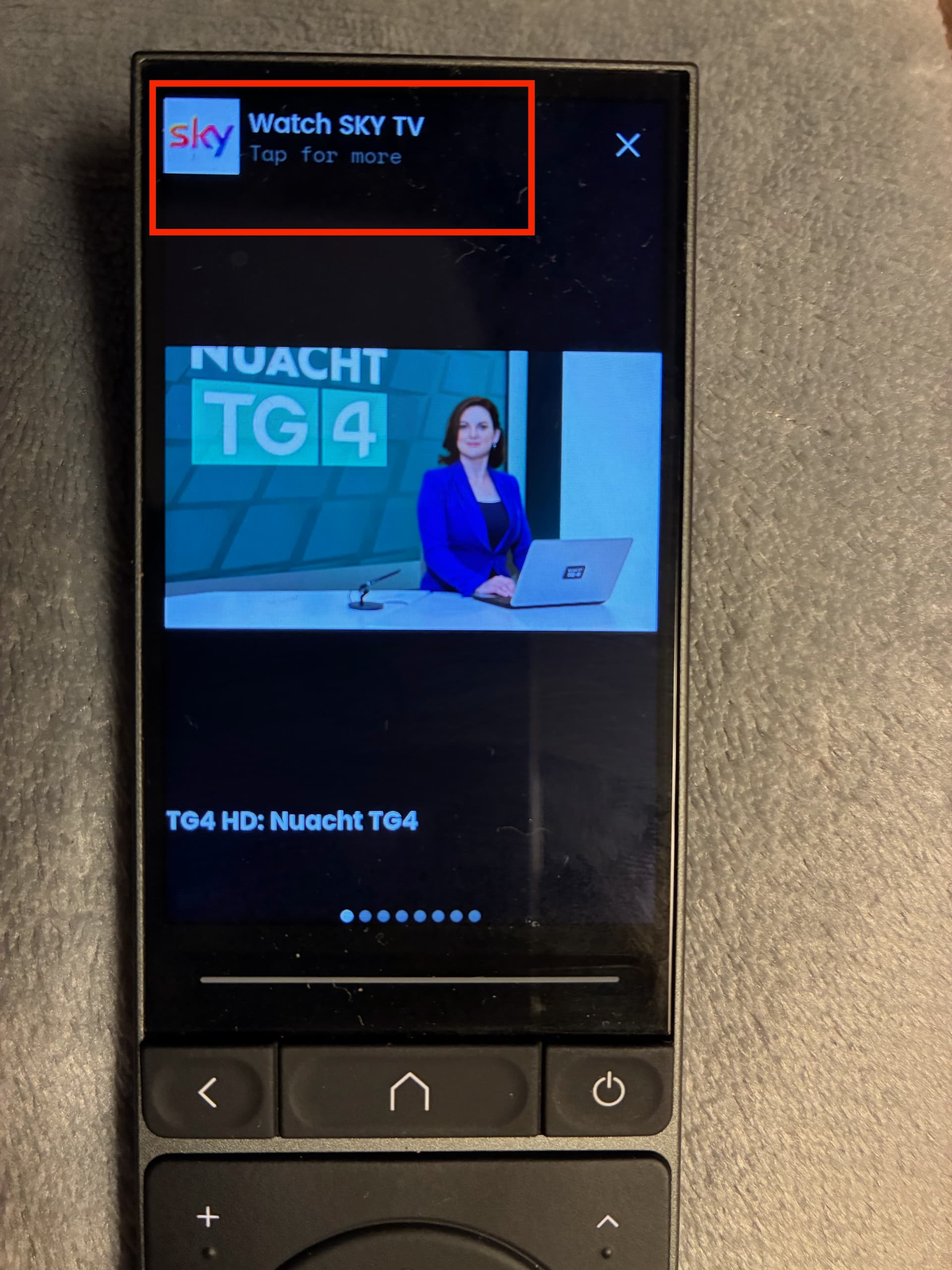
So I tried the”Tap for more” option on the top of the Watch Sky TV activities page.
From the available options I selected the SkyQ Integration (not the remote, the media player)
This opened the media widget and voila, the channel art and detail was displayed.
Once I closed the screen and entered back into the “Watch Sky TV” activity the widget was working as expected. So far so good and it is still initialising as expected without having to go through these steps.
Hope this explains the fix. It seems to me to be some sort of issue with initialisation of the widget when starting an activity for the first time.
AS far as reverting back to 1.1.0, that would be my preference and I have since done so as it is much more responsive. I can’t speak for any other users.
KR Ross
wow , thats some great troubleshooting steps! it also tell me this could be a potential bug with unfolded OS and not integration as the steps you had to take are essentially like forcing the remote to “refresh” of sort. Incredible job on explaninng the workaround fix, i am confident it will be very useful! and if 110 work better, its best i just revert back to that one and mark it latest.
Agreed. I think it is an OS issue. The logs show nothing I can see of issue. It’s just curious because I didn’t have this problem with the Apple TV media widget.
It’s an easy fix for other users if they follow my steps. Might be an idea to update the ReadMe to reflect this issue.
I’m going to stay on 1.1.0
To also mention for others this is working on UC version 2.7 beta.
yeah, i will add this to the README and i will revert the code back to 110 stable. thank you for all the help.
@M.a.S.e @harvey28 Hey both, I see the new remote beta software includes voice functionality. Do you think it would be possible to use that function in the SkyQ integration? The first party remote has voice search functionality, just not sure if the API can access that.
We’ll have to wait for M.a.S.e. to return from 2 weeks of snowboarding.
He’s the brains behind the integration. I just test, log and help any way I can from 4600 miles away.
I’d love to see this happen!
So would I - already mentioned it to M.a.S.e but as you say hes having a break!
I have download the version 2.0.2 from the portal (which now seems to now not show the Sky Integration ?), however looking at you readme, i get nothing the options (color buttons, no questions asking how many Sky Q boxes amongst others), any clues?. Also i have seen 3 types of Sky box option (Sky, Sky Italia and Sky Digital), which one is Sky q applicable to?
I apologies, i dont think i fully follow. version 2.0.2 was confirmed to be working by others. This is a complete re write of the original integration. Can you share more information on what you mean “not show the skyq integration” . not sure i follow.
I should be me apologizing , I have a R3 and i am reading your Readme for version 2.0.2 and that’s where i am confused. It mentions Device count selection (i did’nt get this in setup), also how do i get the screen setup (as per Watch TV 2 screenshot)?. I must admit , the software and support from UC appears to be seriously lacking , this setup should not be taking this long and having to depend on outside developers like yourself to get basic functions to work. Thanks for taking the time to reply.
Which version(s) of the Sky Boxes are you trying to configure this integration for? Are you using a Sky Q box and a Sky Q mini or something else? To my knowledge SkyQ is not the same as any of the 3 ‘boxes’ you mention in your above post so if you are using any of those this integration may not work for you. Sky Digital is the old Sky box which was sold until around 2010. Sky Italia I think is just the Italian Sky service and not a specific box type and ‘Sky’ box is just a generic term used to loosely reference any sky box type. This integration is designed specifically to work with SkyQ. If you have any of the older style boxes you will need to control them using IR.
It’s a Sky Q box model ES240 , gen 2. I actually still have one of the Sky digital boxes in the loft (unplugged)