Wish I could help better in this case, I don’t own a skyq, I also live in the US and I wrote this integration blindly and made it work base on user feedback. So sadly I cant say for sure if your box will work other then say “try”. To answer your second question, that screenshot is from the activity setup, it’s an example on how to create a custom button to go to a specific channel on the box 
OK does your SkyQ box have a static IP address? Also just double checking but is it on the same subnet as the remote and I assume you have no firewall rules blocking the required ports?
On my R3, I still have an older version of the integration running and I vaguely remember that during the setup there was a step to enter the number of receivers. Just as a test, I installed the latest version of the integration on my R2 and that step seems to be gone but the setup worked without a problem (with a ESd-160c receiver).
Were you able to complete the setup of the integration? Once completed you should see six entities (a media player, a remote entity and four sensors). These can then be used to create e.g. activities like shown in the readme file of the integration.
I have the six entities , the next part of associating the buttons to the User Interface (as per the readme screenshot in the readme notes is the part i’m having difficulty with.
1 Like
Static IP address and connected via ethernet. No firewall rules. I have the six entities, but i can’t see a way to get the settings (buttons etc) onto the remote. It’s a good thing that i have plenty of free time !
OK so when you go in to the integration I assume you have setup the associated entities so you have a screen that looks something like this?
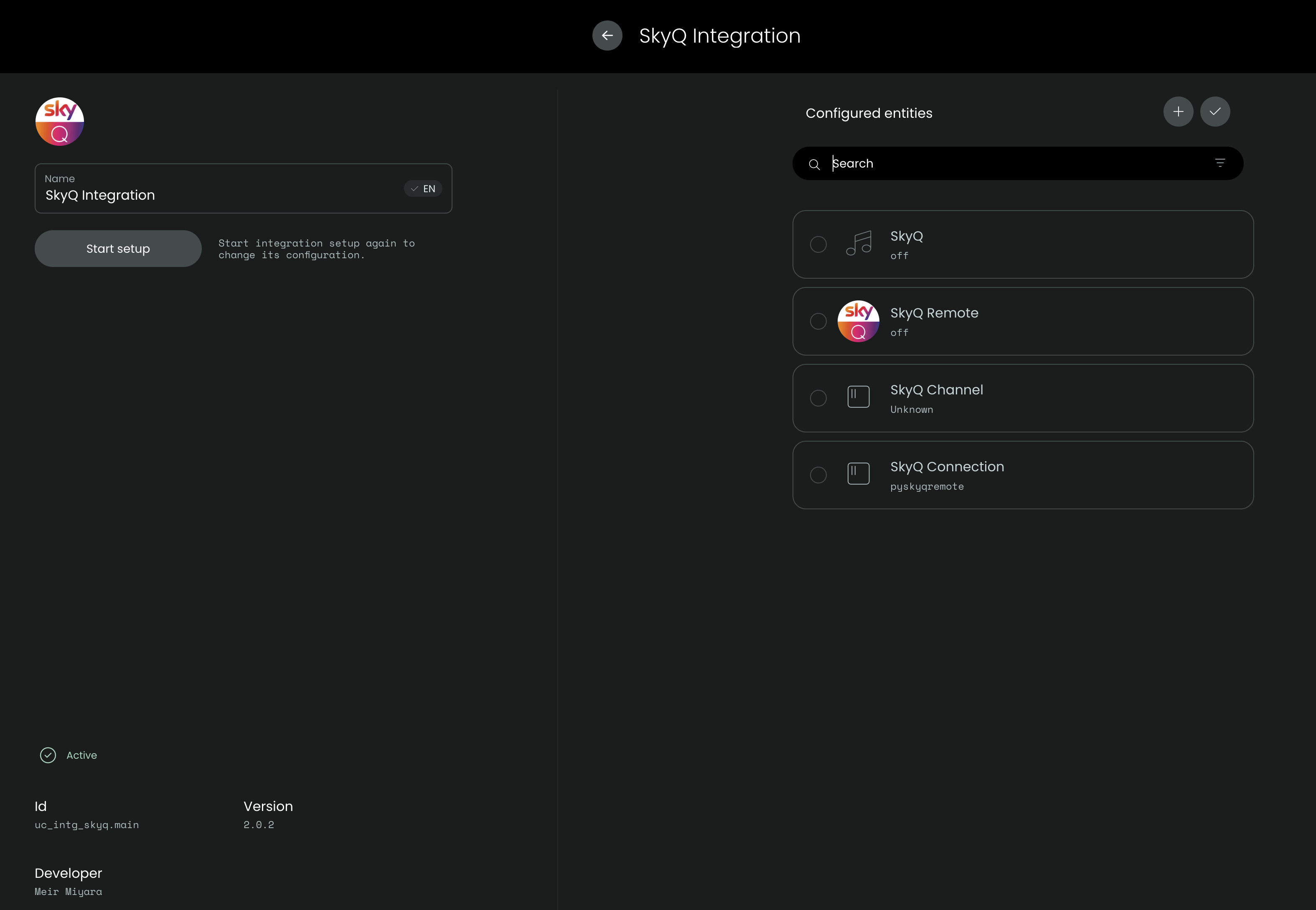
If so then you should be able to define the required On / Off sequences in your activity and also assign buttons both on the remote keyboard and on the screen through the UI.
You obviously have to add the entities in to your activity before you can use them there. Here is a screenshot for my activity - your will clearly be different based on the devices you are using in your activity but you should have the SkyQ entities included in your list.
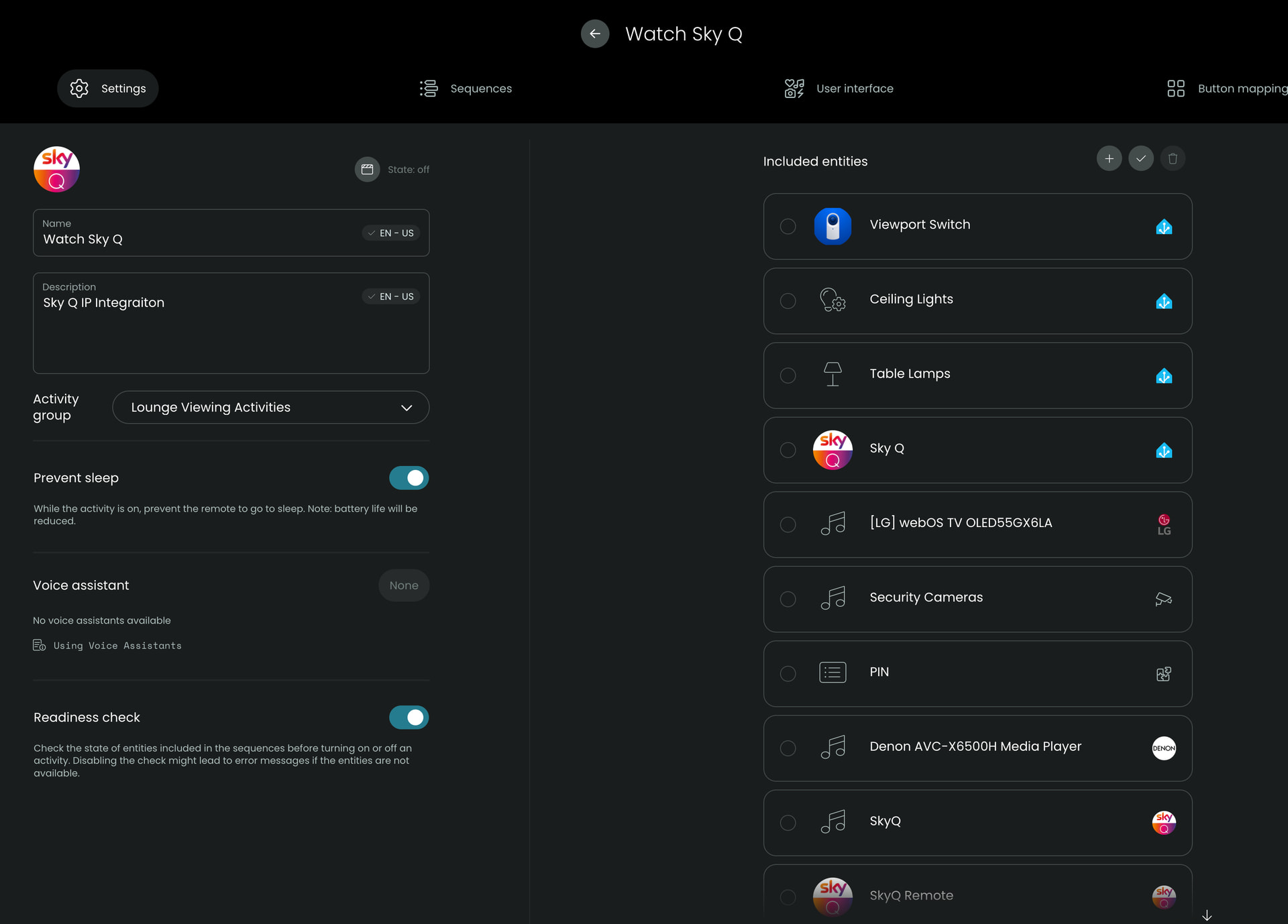
Great. For creating an activity @iordish has provided some information already. There is also a support article on the unfolded website which might be helpful. The screenshots will probably looked a bit different but apart from that, the workflow is still the same:
https://support.unfoldedcircle.com/hc/en-us/articles/13269248303516-How-to-create-an-activity
Thanks to both of you, i’ll read and digest. Probably have further questions. I find i have to take time off from setup as it’s the most frustrating setup process i have ever done. It’s also the only hardware purchase where i have kept the packaging just in case i sell it.
1 Like
You should really join discord. There is a fantastic YouTube series done by one of the community members. I’ll try to find it for you
1 Like
Agree. It is much more lively over there.
But I believe you need to enjoy the journey of setting up the remote. It made me look into this like Home Assistant etc. and I learnt a lot along the way. If you want a remote that is easy to set up and just works, it can be quite frustrating .
I am actually watching the 90 minute Thrillcat Cinema one now. It’s starting to come together - Thanks for the help sofar.
1 Like
New update out.
Will this update require recreating an existing Sky Q Activity?
No I assume you’re already on v2.0.0 or v2.0.1? If so the activity will be retained. You will need to re-add the entities. You can backup the the config before you upgrade and restore it in the setup process in which case entities will also be maintained. This can be done manually or using the Integration Manager provided by Jack Powell.
Thanks for the info.