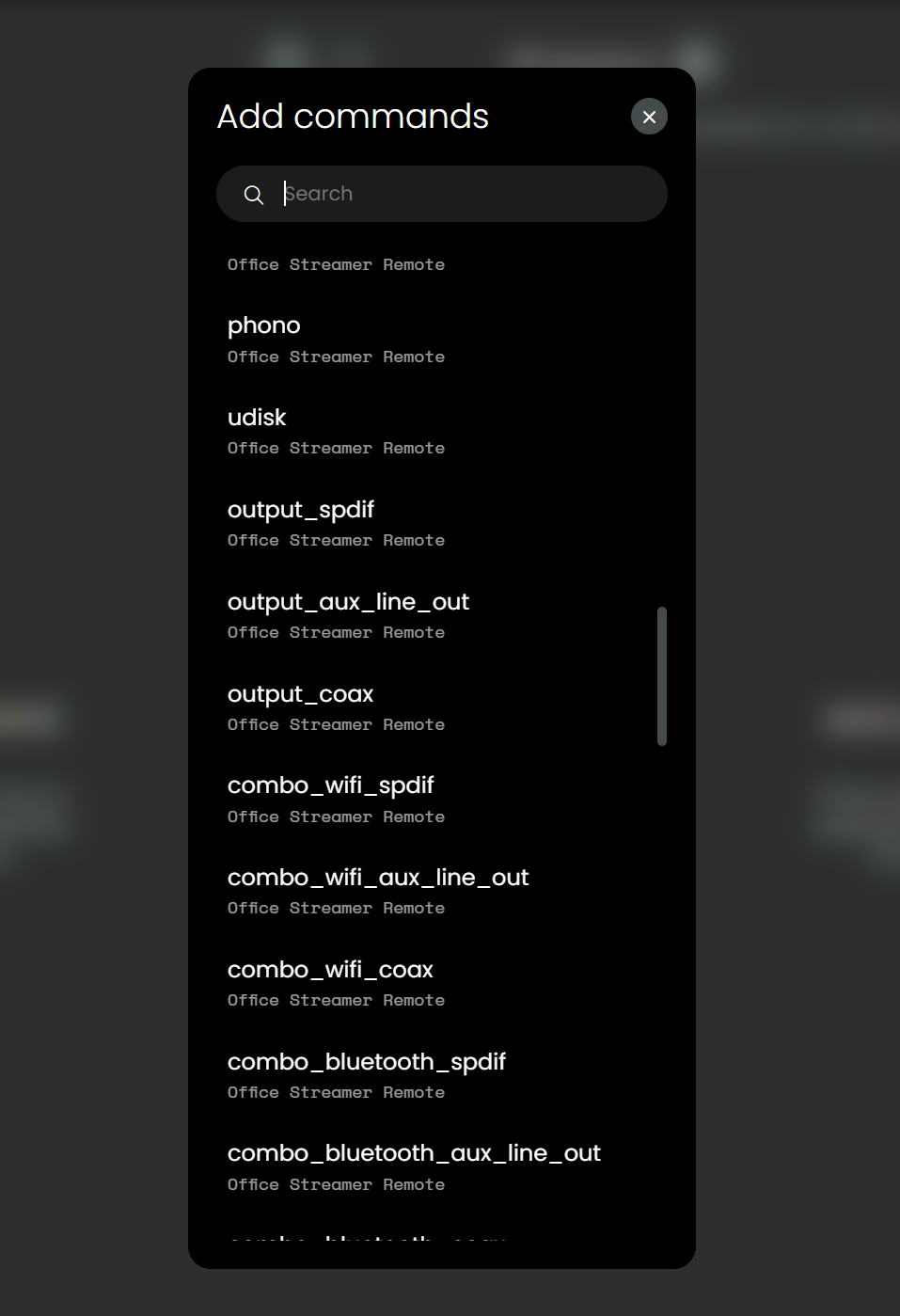
OK, I’ll try all line-… I can find.
I use a WiiM Pro Plus
Btw, the integratin crashed again. It happened, when I switch from the running WiiM activity to watch TV activity.
Log see below: (I think, attaching a text file is not possible)
2025-08-31 14:08:51.001916 +00:00 custom-intg-uc-intg-wiim INFO 2025-08-31 16:08:51,001 - ucapi.api - DEBUG - [(‘127.0.0.1’, 41346)] <-: {“kind”:“event”,“msg”:“exit_standby”,“cat”:“REMOTE”,“ts”:“2025-08-31T14:08:50.993418708Z”,“msg_data”:null}
2025-08-31 14:02:28.590950 +00:00 custom-intg-uc-intg-wiim INFO 2025-08-31 16:02:28,589 - ucapi.api - DEBUG - [(‘127.0.0.1’, 41346)] <-: {“kind”:“event”,“msg”:“enter_standby”,“cat”:“REMOTE”,“ts”:“2025-08-31T14:02:28.576116115Z”,“msg_data”:null}
2025-08-31 14:00:51.726686 +00:00 custom-intg-uc-intg-wiim INFO 2025-08-31 16:00:51,726 - ucapi.api - DEBUG - [(‘127.0.0.1’, 41346)] =>: {‘kind’: ‘event’, ‘msg’: <WsMsgEvents.DEVICE_STATE: ‘device_state’>, ‘msg_data’: {‘state’: <DeviceStates.ERROR: ‘ERROR’>}, ‘cat’: <EventCategory.DEVICE: ‘DEVICE’>}
2025-08-31 14:00:51.726686 +00:00 custom-intg-uc-intg-wiim INFO 2025-08-31 16:00:51,725 - main - ERROR - Failed to connect to WiiM device at 192.168.178.69
2025-08-31 14:00:51.725413 +00:00 custom-intg-uc-intg-wiim INFO 2025-08-31 16:00:51,724 - uc_intg_wiim.client - ERROR - API request error: Cannot connect to host 192.168.178.69:443 ssl:default [Connect call failed (‘192.168.178.69’, 443)]
2025-08-31 14:00:49.089155 +00:00 custom-intg-uc-intg-wiim INFO 2025-08-31 16:00:49,088 - main - INFO - Remote Two connected
2025-08-31 14:00:49.085111 +00:00 custom-intg-uc-intg-wiim INFO 2025-08-31 16:00:49,084 - main - INFO - Entities subscribed: [‘FF98FCDE71A1360BDF0CD0FD_media_player’, ‘FF98FCDE71A1360BDF0CD0FD_remote’]
2025-08-31 14:00:49.083552 +00:00 custom-intg-uc-intg-wiim INFO 2025-08-31 16:00:49,081 - ucapi.api - DEBUG - [(‘127.0.0.1’, 41346)] <-: {“id”:3,“kind”:“event”,“msg”:“connect”}
2025-08-31 14:00:49.075264 +00:00 custom-intg-uc-intg-wiim INFO 2025-08-31 16:00:49,070 - ucapi.api - DEBUG - [(‘127.0.0.1’, 41346)] ->: {‘kind’: ‘resp’, ‘req_id’: 2, ‘code’: 200, ‘msg’: <WsMsgEvents.DRIVER_VERSION: ‘driver_version’>, ‘msg_data’: {‘name’: ‘WiiM Integration’, ‘version’: {‘api’: ‘0.3.1’, ‘driver’: ‘1.0.1’}}}
2025-08-31 14:00:49.070145 +00:00 custom-intg-uc-intg-wiim INFO 2025-08-31 16:00:49,067 - ucapi.api - DEBUG - [(‘127.0.0.1’, 41346)] <-: {“id”:2,“kind”:“req”,“msg”:“get_driver_version”}
2025-08-31 14:00:49.064447 +00:00 custom-intg-uc-intg-wiim INFO 2025-08-31 16:00:49,062 - ucapi.api - DEBUG - [(‘127.0.0.1’, 41346)] ->: {‘kind’: ‘resp’, ‘req_id’: 1, ‘code’: 200, ‘msg’: ‘result’, ‘msg_data’: {}}
2025-08-31 14:00:49.060921 +00:00 custom-intg-uc-intg-wiim INFO 2025-08-31 16:00:49,060 - ucapi.api - WARNING - WARN: cannot subscribe entity FF98FCDE71A1360BDF0CD0FD_remote: entity is not available
2025-08-31 14:00:49.060295 +00:00 custom-intg-uc-intg-wiim INFO 2025-08-31 16:00:49,059 - ucapi.entities - DEBUG - [available]: entity not found: ‘FF98FCDE71A1360BDF0CD0FD_remote’
2025-08-31 14:00:49.059670 +00:00 custom-intg-uc-intg-wiim INFO 2025-08-31 16:00:49,055 - ucapi.api - WARNING - WARN: cannot subscribe entity FF98FCDE71A1360BDF0CD0FD_media_player: entity is not available
2025-08-31 14:00:49.055699 +00:00 custom-intg-uc-intg-wiim INFO 2025-08-31 16:00:49,055 - ucapi.entities - DEBUG - [available]: entity not found: ‘FF98FCDE71A1360BDF0CD0FD_media_player’
2025-08-31 14:00:49.049614 +00:00 custom-intg-uc-intg-wiim INFO 2025-08-31 16:00:49,049 - ucapi.api - DEBUG - [(‘127.0.0.1’, 41346)] <-: {“kind”:“req”,“id”:1,“msg”:“subscribe_events”,“msg_data”:{“entity_ids”:[“FF98FCDE71A1360BDF0CD0FD_media_player”,“FF98FCDE71A1360BDF0CD0FD_remote”]}}
2025-08-31 14:00:49.040440 +00:00 custom-intg-uc-intg-wiim INFO 2025-08-31 16:00:49,037 - ucapi.api - DEBUG - [(‘127.0.0.1’, 41346)] ->: {‘kind’: ‘resp’, ‘req_id’: 0, ‘code’: 200, ‘msg’: <WsMessages.AUTHENTICATION: ‘authentication’>, ‘msg_data’: {}}
2025-08-31 14:00:49.031765 +00:00 custom-intg-uc-intg-wiim INFO 2025-08-31 16:00:49,031 - ucapi.api - INFO - WS: Client added: (‘127.0.0.1’, 41346)
2025-08-31 14:00:49.025593 +00:00 custom-intg-uc-intg-wiim INFO 2025-08-31 16:00:49,021 - websockets.server - INFO - connection open
2025-08-31 14:00:48.627070 +00:00 custom-intg-uc-intg-wiim INFO 2025-08-31 16:00:48,623 - websockets.server - INFO - server listening on 127.0.0.1:9002
2025-08-31 14:00:48.611366 +00:00 custom-intg-uc-intg-wiim INFO 2025-08-31 16:00:48,609 - main - INFO - Connecting to WiiM device…
2025-08-31 14:00:48.605711 +00:00 custom-intg-uc-intg-wiim INFO 2025-08-31 16:00:48,602 - main - INFO - Device already configured, starting connection…
2025-08-31 14:00:48.605711 +00:00 custom-intg-uc-intg-wiim INFO 2025-08-31 16:00:48,601 - ucapi.api - INFO - Driver is up: uc-intg-wiim, version: 1.0.1, api: 0.3.1, listening on: 127.0.0.1:9002
2025-08-31 14:00:48.595847 +00:00 custom-intg-uc-intg-wiim INFO 2025-08-31 16:00:48,595 - uc_intg_wiim.config - INFO - Configuration loaded successfully
2025-08-31 14:00:48.582414 +00:00 custom-intg-uc-intg-wiim INFO 2025-08-31 16:00:48,581 - uc_intg_wiim.config - INFO - Configuration directory: /etc/custom-intg/uc-intg-wiim
2025-08-31 14:00:48.580040 +00:00 custom-intg-uc-intg-wiim INFO 2025-08-31 16:00:48,578 - main - INFO - Starting WiiM Integration Driver