I have a TX-nr646 AVR. I have the 0.6.5 integration installed. It is showing as connected on the integration tab. The AVR was using IR for control and when I click into the Onkyo entity I see IR settings. I’m also using an Apple TV integration and when I click in that entity, it says there are no other settings. I’m assuming that’s because the integration is controlling the AppleTV and it doesn’t need any other settings. the Onkyo is working well with IR, but I would like to see how it does with the integration. Should I delete the Onkyo entity that shows all the IR settings to see if that forces the remote to use the integration instead of IR? I just don’t want to lose all of my IR trained buttons if the integration ends up not working.
EDIT: when I go to add a new entity and scroll down to Eddy’s Onkyo integration, is says “no integration discovered”. Does that mean that the integration doesn’t work with my AVR even though it showed as connected on the 0.6.5 setup screen?
If so, was your AVR autodiscovered or did you have to manually give model and IP address? Did you then add your AVR as configured entity in the integration?
It looks like a missed a few steps. Let me uninstall and reinstall when I get home. I’ll reply if I’m still having issues. If I get it to work, why would I still need the IR settings? Couldn’t that cause an issue with the integration?
If you are happy with the integration, then there is no need to keep the IR and you can remove it. But keeping IR while you are playing with the integration for example is no problem, they can live next to each other.
Ok, I got the AVR to autodetect and it’s working correctly. We typically keep it on STRM BOX for the AppleTV, but I want to be able to play the Playstation on BD/DVD input. I’m trying to setup an activity to switch to BD/DVD, but I can’t find how to sequence the AVR to do that. The Inputs are not a selectable action. Can you help with that?
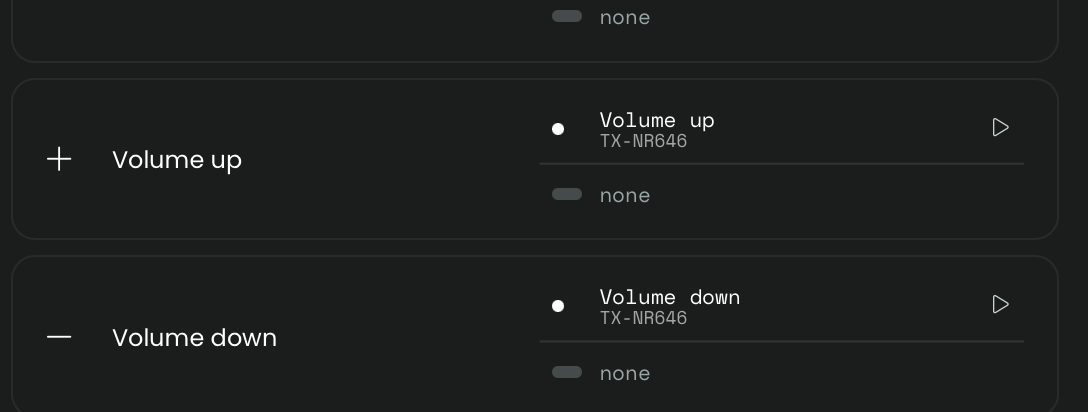
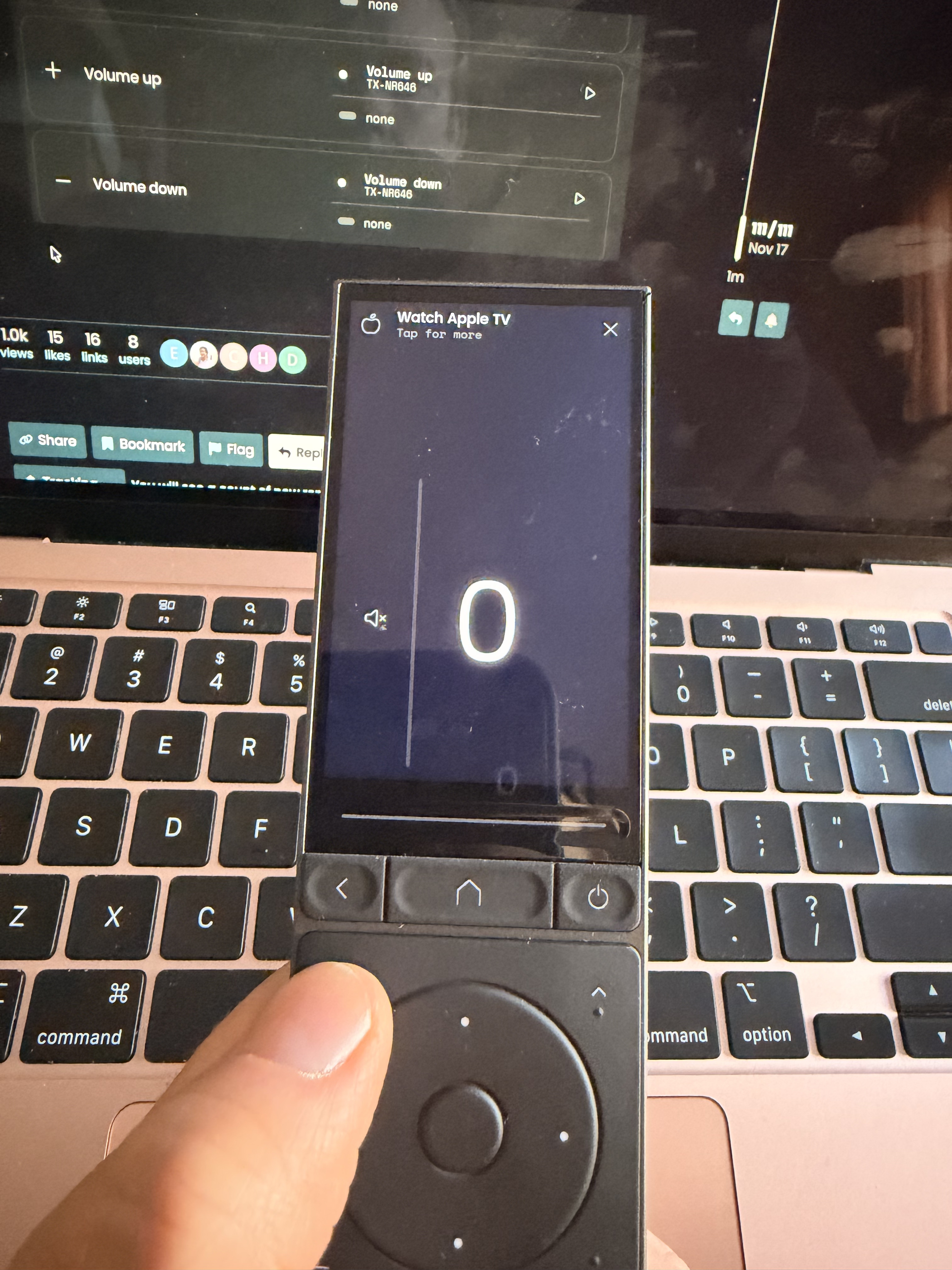
Also, my volume up and down buttons no longer work. I have them mapped to my new Onkyo integration, but when I press them, there is a big “0” on the remote screen and nothing happens. The volume buttons worked with the IR connection I used previously. The mute button now works with the integration and that didn’t work with IR, so that’s nice. But I need the volume buttons to work in the activity. I took a video of the issue, but I can’t upload it.
in short: no dropdown because the integration uses that inputsource field to send whatever command you want to your AVR, so maximum flexibility for you and less work for me
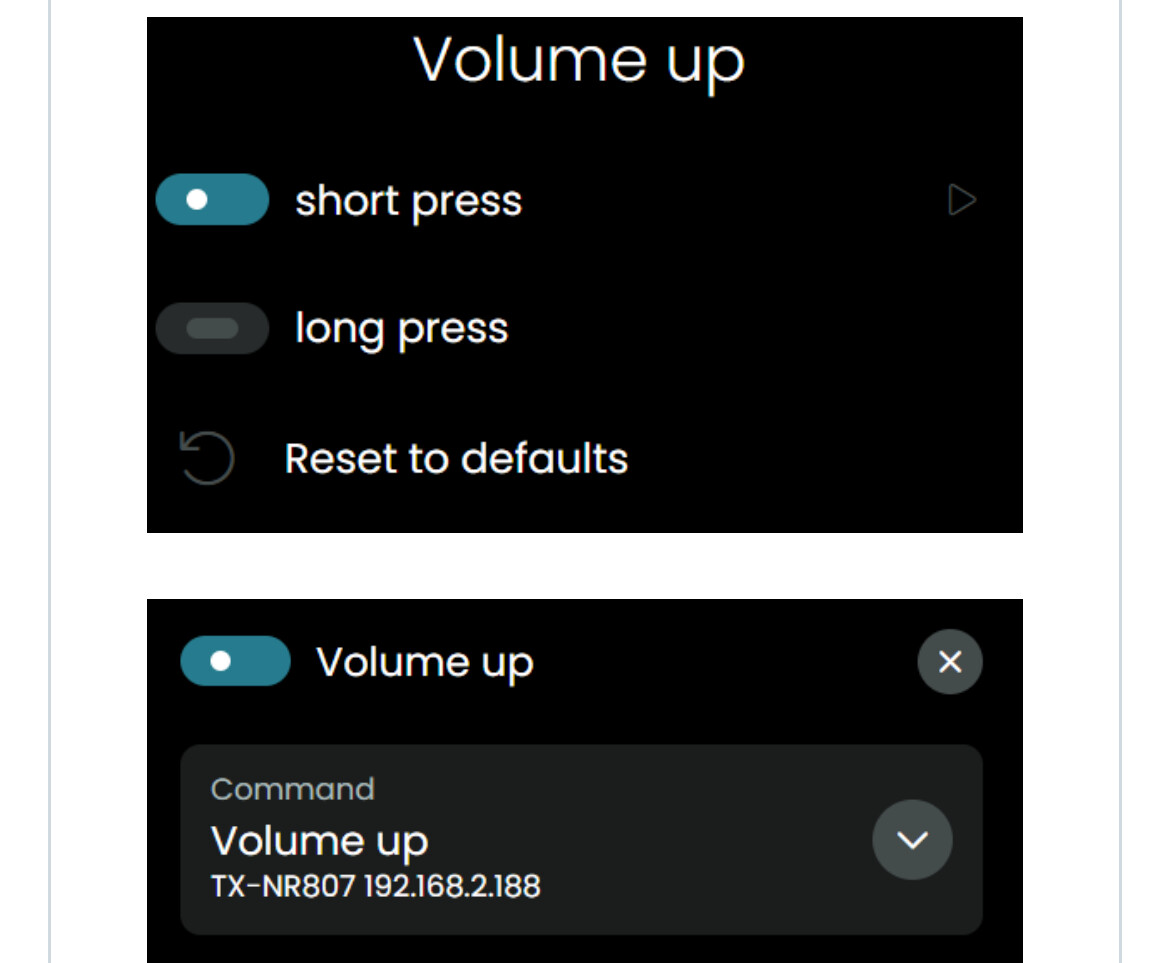
Correct, I didn’t do the long press because I saw in the known issues that that can cause issues. I just have the short press mapped to the integration actions.
No, that doesn’t fix it. I created volume text buttons to change it to exactly 10, 20, and 35 to get around the need for specific volume control for now and when I select 35 and push the volume up button, is flashes 18 then goes to 0. So it may be a secondary issue, but the remote is 1/2 of the volume of the avr display. I did setup and made sure it was set to 1-80, not divided by 2, then saved and the integration shows as “active”. I closed out of the activity and reentered, still an issue. I rebooted the remote and still the issue. No volume controls. Not using beta, using 2.6.12. I was able to get the volume slider to work (but remote was half the value of the avr screen) on my switch activity. I can’t get the slider to work with the appletv. It’s not very useful as a slider anyway because it isn’t always responsive to my finger sliding on it.
I followed your instructions and the volume still doesn’t work. I set the limit to 1-80 and turned off divide by 2. I still only see a big “0” on the screen when I push up or down. If I push my “volume 35” button then the volume up, it now shows “44” (instead of 18 like it was previously) then goes to “0”. Setting to “volume 10” then pushing up shows “13”. So, the remote is showing 1.25-30x the volume on the AVR. After running setup again with 1-80 and turning on divide by 2, it still shows 44 and 13 then 0.
Also, I wanted to see if I could get the volume slider to change the AVR volume, but when I used it on my ApplyTV activity, the slider was attached to the AppleTV. I followed your instructions to put an AVR media widget at the bottom of the screen closest to the slider, but it still wants to attach the slider to the AppleTV. I was only able to get the slider to control the AVR if I removed the widget for Appletv and the AVR was the only widget. Once I bring the AppleTV widget back, no matter where the AVR widget is, the slider reverts back to controlling the AppleTV. I want the AppleTV widget, but testing without it, I found that no matter if I setup the integration to be 1-100 or 1-80, the slider number never matched the AVR volume. 10 on the remote is 8 on the AVR. 20 is 16. 30 is 24. so the AVR is 80% of the remote level.
To be honest I dont think this is something with the integration, reading all issues you see for example with slider but I will have a look at the logs tonight when I get home.