I’d like to use this thread to neatly list all the possible ways to get the Remote3 working properly after all.
There’s a lot of help, ideas, and suggestions here in the forum, but unfortunately, they’re a bit scattered.
Is there anyone out there for whom everything is working perfectly?
My issues are as follows:
Wi-Fi connection drops (only restarting the Remote 3 fixes the problem)
Connection to the Dock 3 drops
Integrations suddenly stop working
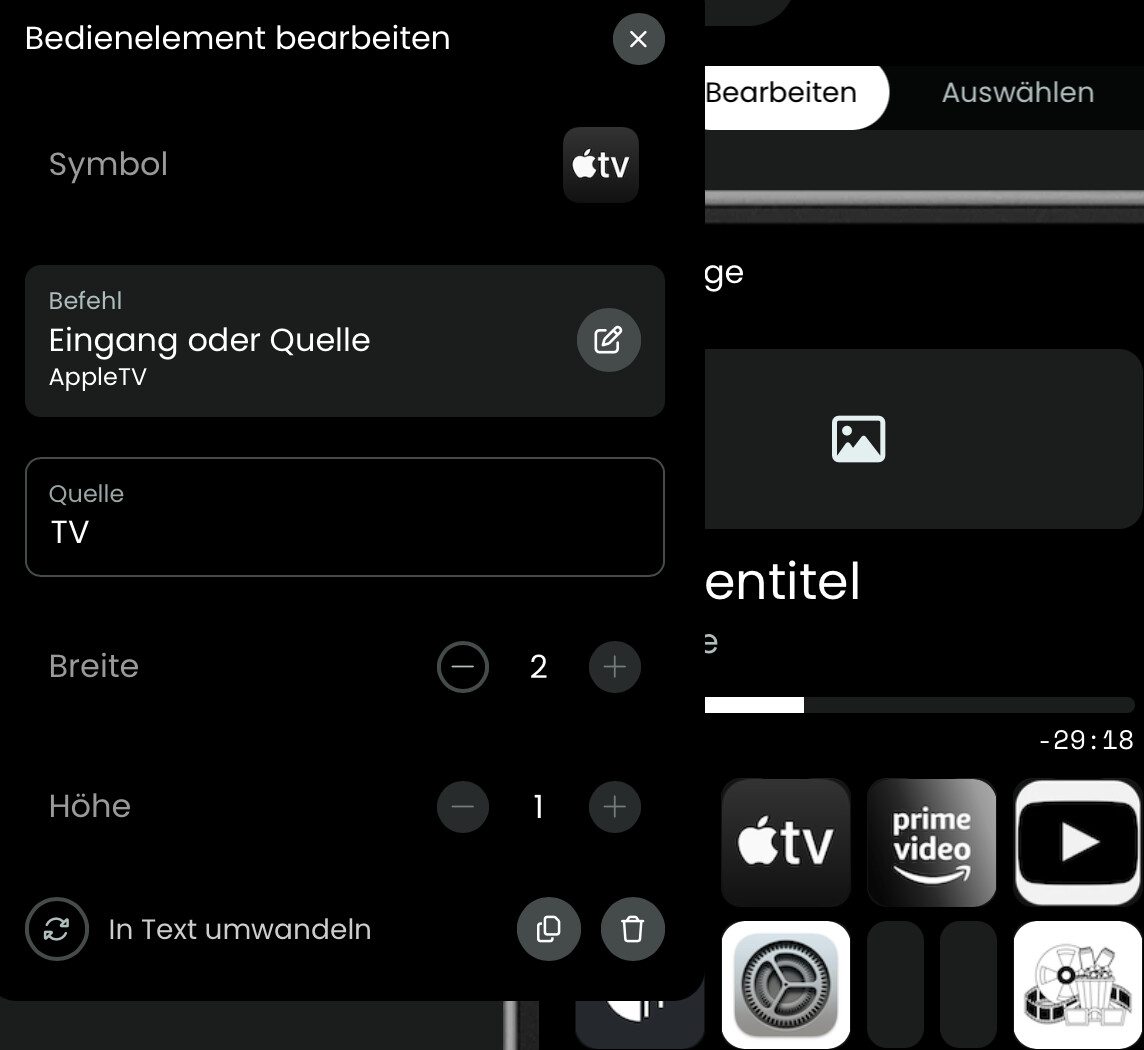
Apple TV integration no longer works as it used to (app selection no longer works)
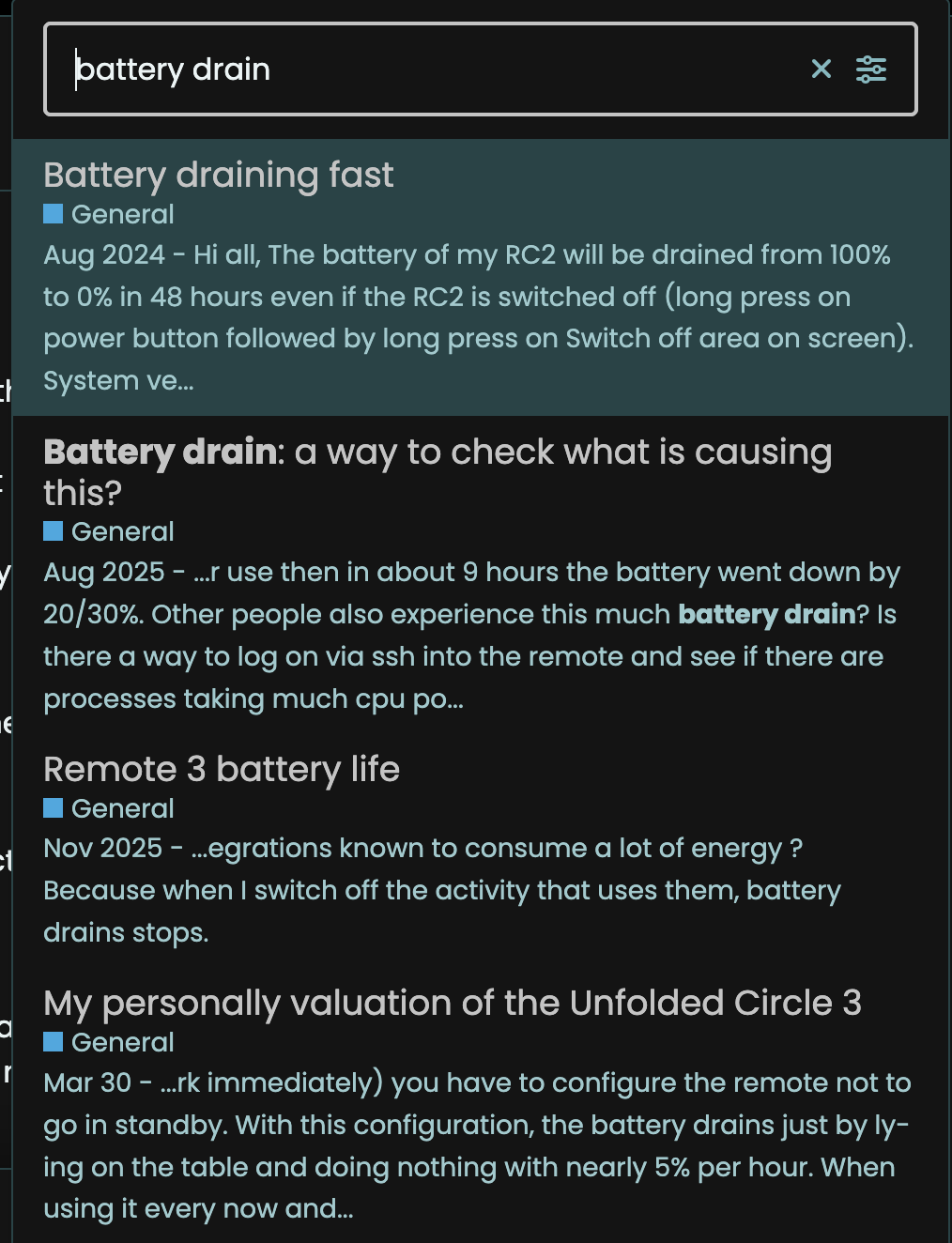
The battery drains very quickly (half a day with full use)
This thread isn’t meant to be just another “complaint,” but rather a request for help so that my wife can eventually be happy with the remote too. (Right now, we’re both unhappy…)
Post your tips here, and I’ll try to organize them at the top. Ideally, I’ll only include tips that other users have confirmed or that I know actually work.
So you need to potentially post more information about your setup but it sounds more like a support thread for your issues than a tips and tricks thread.
My circle unfolded 3 has been my daily driver for the last 5 months. I still own a logitech ultimate from time to time that is REALLY reliable and responsive.
I had some battery drain in the past and they were down to usually 2 things:
Every now and then it needs a reboot, i’d say once a week in my case but YMM
3rd party integrations can absolutely murder your battery. Look at home assistant to figure out the patterns, this should help
I do not experience any wifi drops but i have investigated a lot of time in my setup to cover/mesh these issues. Lacking data so I cannot form an opinion of why that is. I have also upped the settings to keep connected
Connection to the dock drops for me too, I use PoE, unsure if that’s related but the windows fix works (restart)
Integrations suddenly stop working is not a thing I see unless I upgrade them but the remote tells you to reconfigure. Bit of a pain every now and then but it works.
I use apple TV integration to just use the remote buttons so unsure what issue you have
what do you call full use. Do you leave it just on the couch until next use or?
Overall, very happy with the remote, the general experience is better than logitech in terms of features. My only pet peeve is the reactivity compared to any solution, it is pretty slow. Firmware updates have definitely helped though.
yes, you are right, it looks like a support-request-thread for me. but i think, if we can write some things way more better “down”, this thread could be good for other users too…
i use the remote3 only at the moment, there is no other remote then this. sometimes it works like a charme, and sometimes it works like “shit”. thats the problem.. at the moment my wife has given up and i’m very frustrated sometimes..
here is my setup:
remote 3 is conncected via wifi 2.4ghz (remote is connected via lan) booth with fix ip-adresses (firmware is up2date and integration manager is installed and used)
wifi (standard fritzbox with 2.4ghz and 5ghz network with same id and pass - i wouldn’t change things on this part, because my network runs like a charme.)
devices:
Beamer (IR and BT), AppleTV, Wiim, Marantz Receiver (integrated with the Denon Integration), Roon
For these integrations, roon and wiim integrations only works for a while after a full restart from remote and the dock.
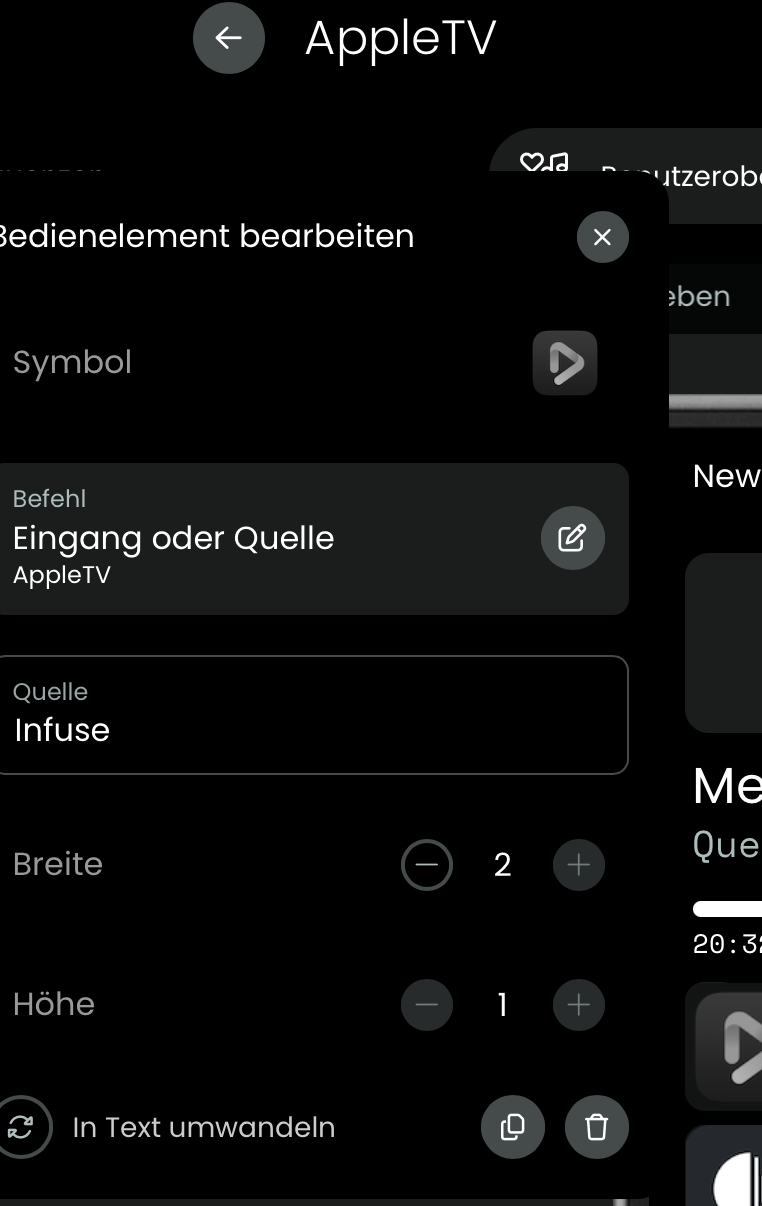
the apple tv integration works ok but sometimes it hangs or works very slowly and at the moment, the app-part doesnt work. i show you a picture for what i mean with the app part. before i could use the shortcuts to switch between the given apps, but it doesn’t work anoymore. →
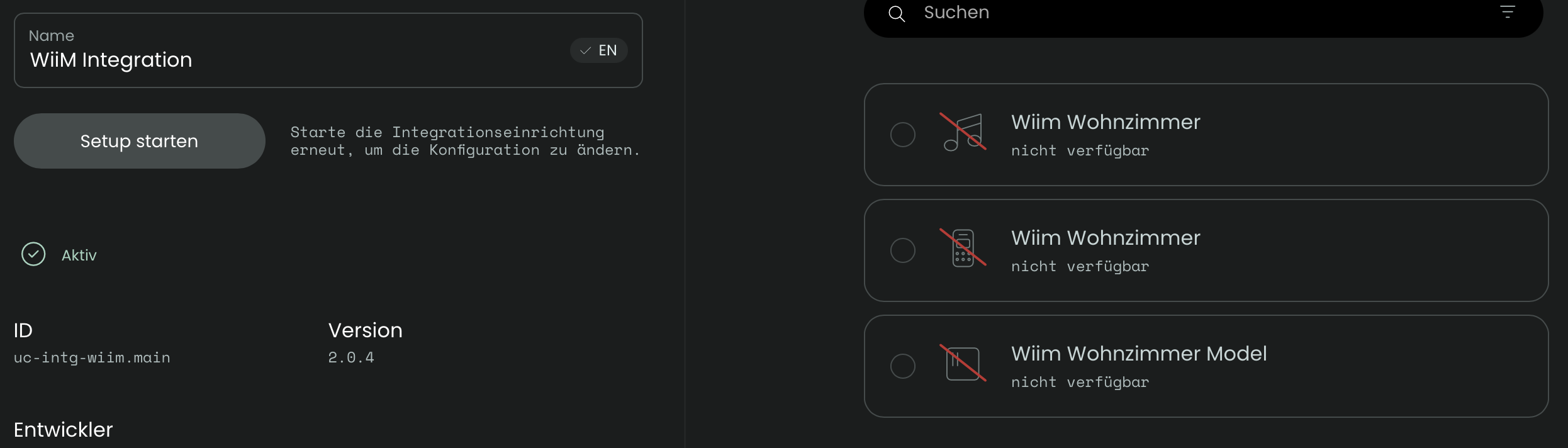
at the moment, the wiim integration has lost the connection again to my device and i don’t know why. (if i install the integration again it works a few days and then it lost the connection again.)
with full use i mean, i use this remote all the day, for tv / audio / lamps and so on. but i need to charge it every 5-8hours. thats very sad… and yes, every evening i put the remote in a charging cradle.
network problems: i don’t know why, but sometimes the remote lost wifi connection (standby is deactivated) and if (sometimes not) they geht the wifi connection back, the commands are very slowly and buggy or the dock3 isn connected and so on…
another interessting part is, sometimes the IR commands doesn’t work too and i don’t know why. they work 2 weeks or longer and then bäääm.. they doesn’t work..
here are the ideas i have found in this forum and used on my setup:
dock3 wired
ip’s fixed
standby deactivated
firmware up2date
wifi 2,4ghz fixed
integrations up2date
charging cradle at every time i don’t use the remote (pain in the ass)
Thanks for you reply. I also agree that capturing solutions in the thread is good, this is why i am on forums
I would separate the 3rd party integrations from the official ones. I cannot provide much feedback about the Apple one because it just works for me. Whatever i am watching shows in the activity and I can use all the remote keys with no slow down.
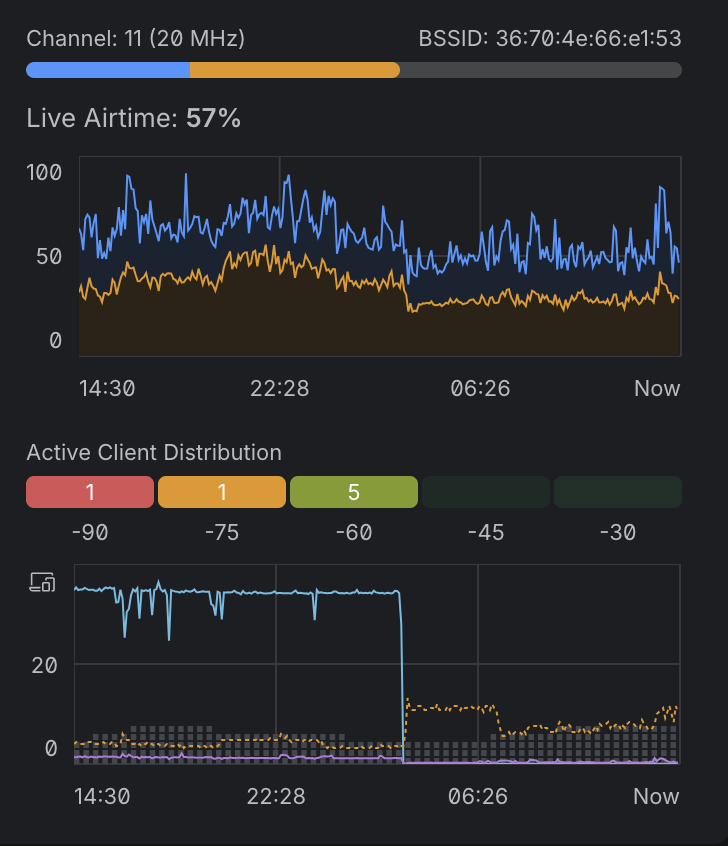
I understand you are reluctant to to touch anything on your wifi but it could be interesting to see if that is related to your troubles. I live in an area where we have very high wifi density and 2.4Ghz is properly saturated. I am also on 2.4 and for instance, here is a screenshot of my current signals and interference on that channel. These might work but they can heavily impact reconnects, etc…
Do you use the beta function whereby you enable IR on the remote or are you only using the dock? I had to enable the beta function to use the remote too as my anthem AV was not playing ball.
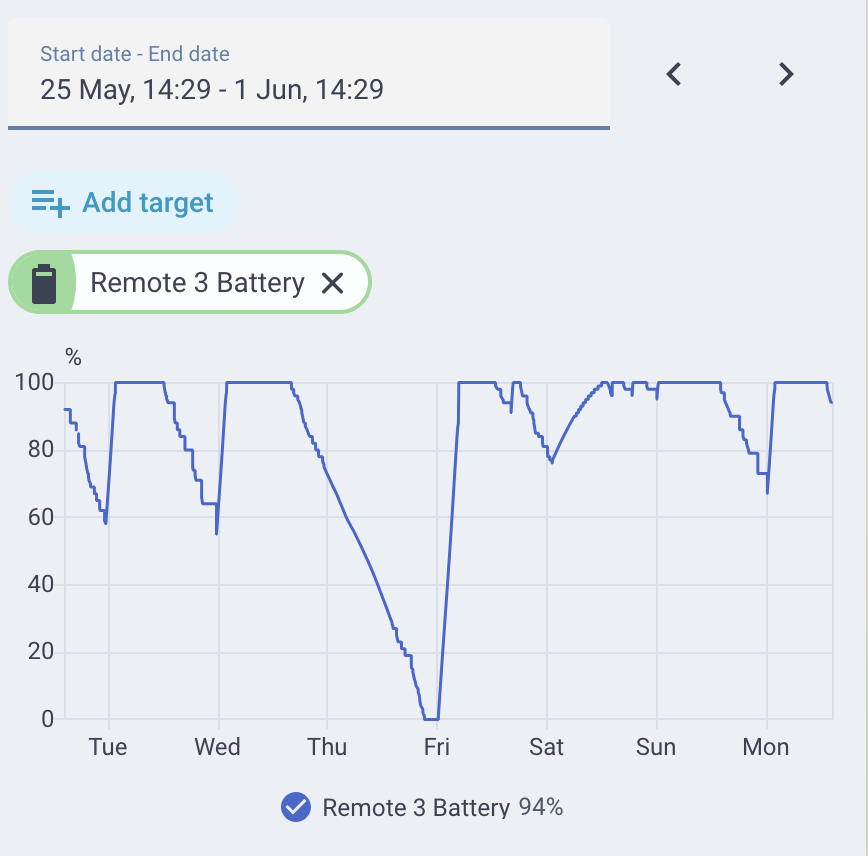
Check out in HASS what the drain is. I checked my last 7 days of battery and the drain happened once. It used to happen more but i removed a few 3rd party integrations. As you can see below, the day where it went to 0, the drain took 12h.
ok you are right about the 3rd part integrations.
i will check my wifi over the next days and let you know. and yes, i think my 2.4ghz channel is very crowded here.
at the moment i don’t use any beta-firmware. because i don’t want more problems because of the beta-status. this remote is no toy for me, i work with it. :)) on my dock i use 2 ir-blaster.
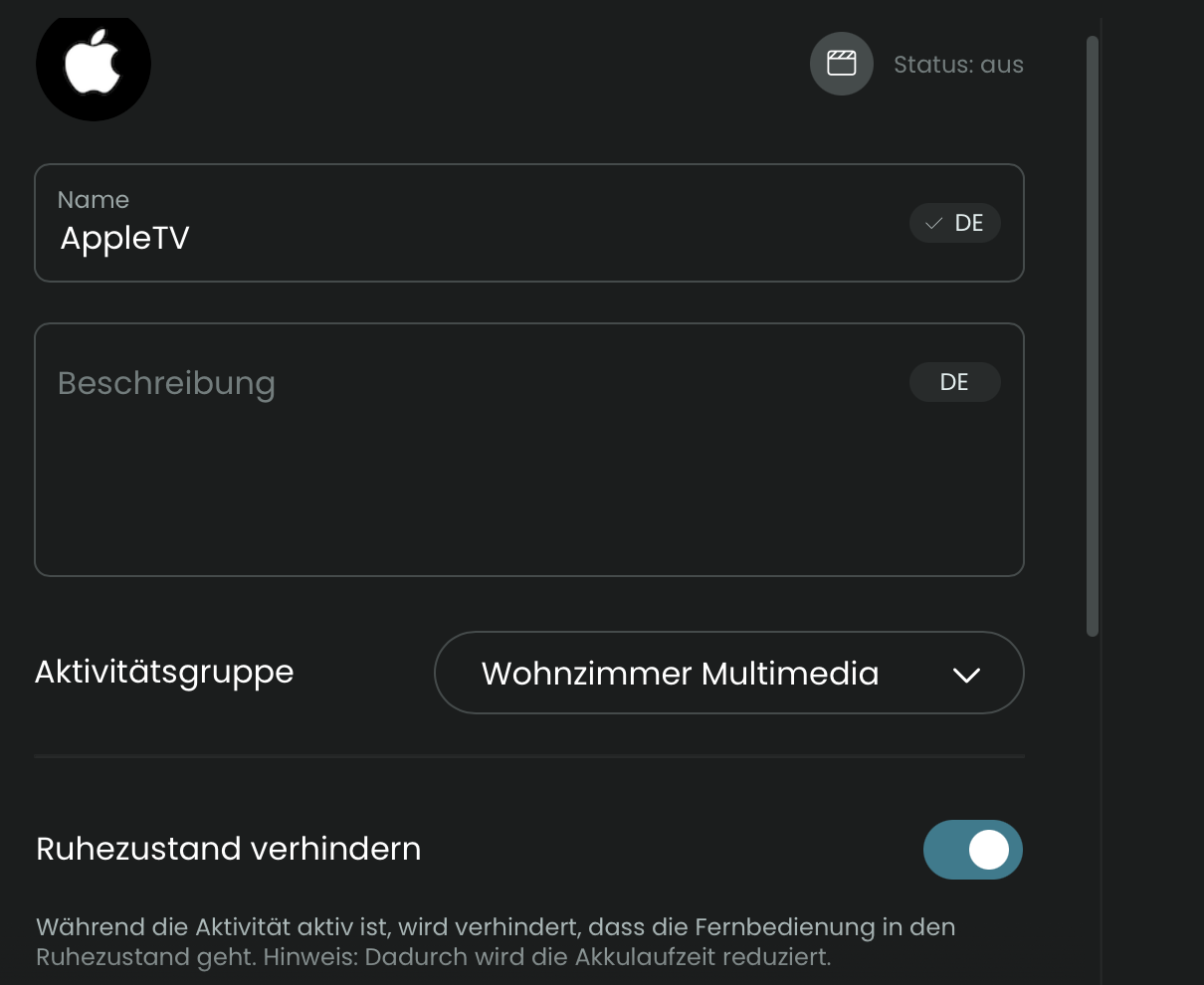
the battery drain is very easy → its the “deactivated standby” function, for example. if this is active i can watch the battery drain. but “deactivated standby” is the best way for a fast usability.
I guess you mean “Keep wifi connected while in standby” Yes, Mine is disabled too.
If you have a spare wifi access point, you could try to dedicate it to the remote in the same room and play with channels. I have a spare one for such testing at times.
has someone them same problems with the apple-tv integration?
normally i can switch between the apps by pushing the icons on the display, but this feature doesn’t work anymore? it works like a charme a long time, but since a few days/weeks it stopped working.
if a media file is running on apple tv (movie or youtube) and i push the play/pause button.. it takes a few seconds before it stops. this behavioure is since a few days/weeks too.
it looks there is something wrong with the apple-integration or?
Which firmware and tvOS? There was regression with tvOS 26.5 that was fixed with 2.9.3.
Otherwise please post logs as this might just be an ui issue where the sources are actually polled.
The last stable version was 1.7.14 and released almost two years ago. All Remote 3 firmware versions are actually beta versions according to the changelog: Unfolded Circle
The major thing that has made it work well for me is adding more wifi access points so there is one in each of the rooms where I use the remote. The remote seems to have very weak wifi and having an access point very close made a world of difference.
with the new firmware 2.9.4, the problem with the apple-tv integration is gone. thanks for the hint.
but the problem with the wiim integration still exists. i will get in contact with the developer.
and, one more question. which way is the better way in your opinion, for longer lasting batterie power versus smoother usability:
→ activate "prevent sleep mode2 in every activity or activate “wifi always on” ?
The best compromise for battery life is to activate “Keep Wifi connected in standby” and on the remote (not the web configurator) adjust the “repeat commands after wake-up” time to a value that matches the time until all your integrations have been reconnected.
All integrations still need to reconnect to the core even with Keep wifi conneced as the remote closes the conection to all services when it activates sleep mode.
You will see a spinning dot on the top right corner until all have been reconnected. The only downside is that commands in activity sequences are not yet repeated. But I hope this will be added at some point.