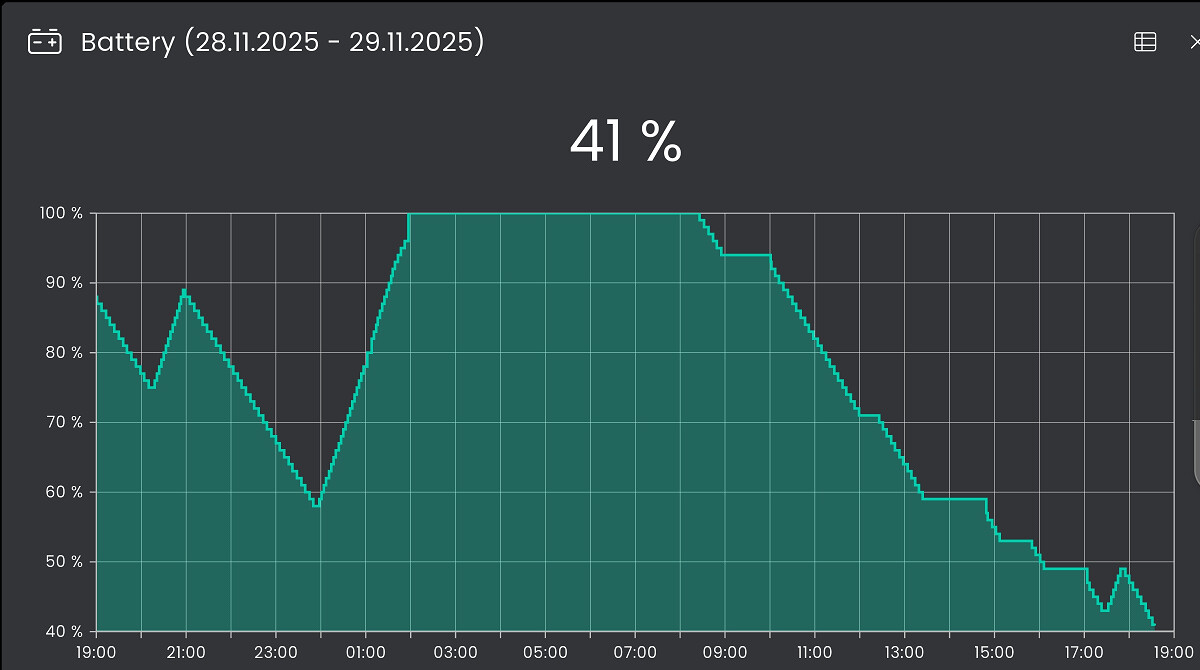
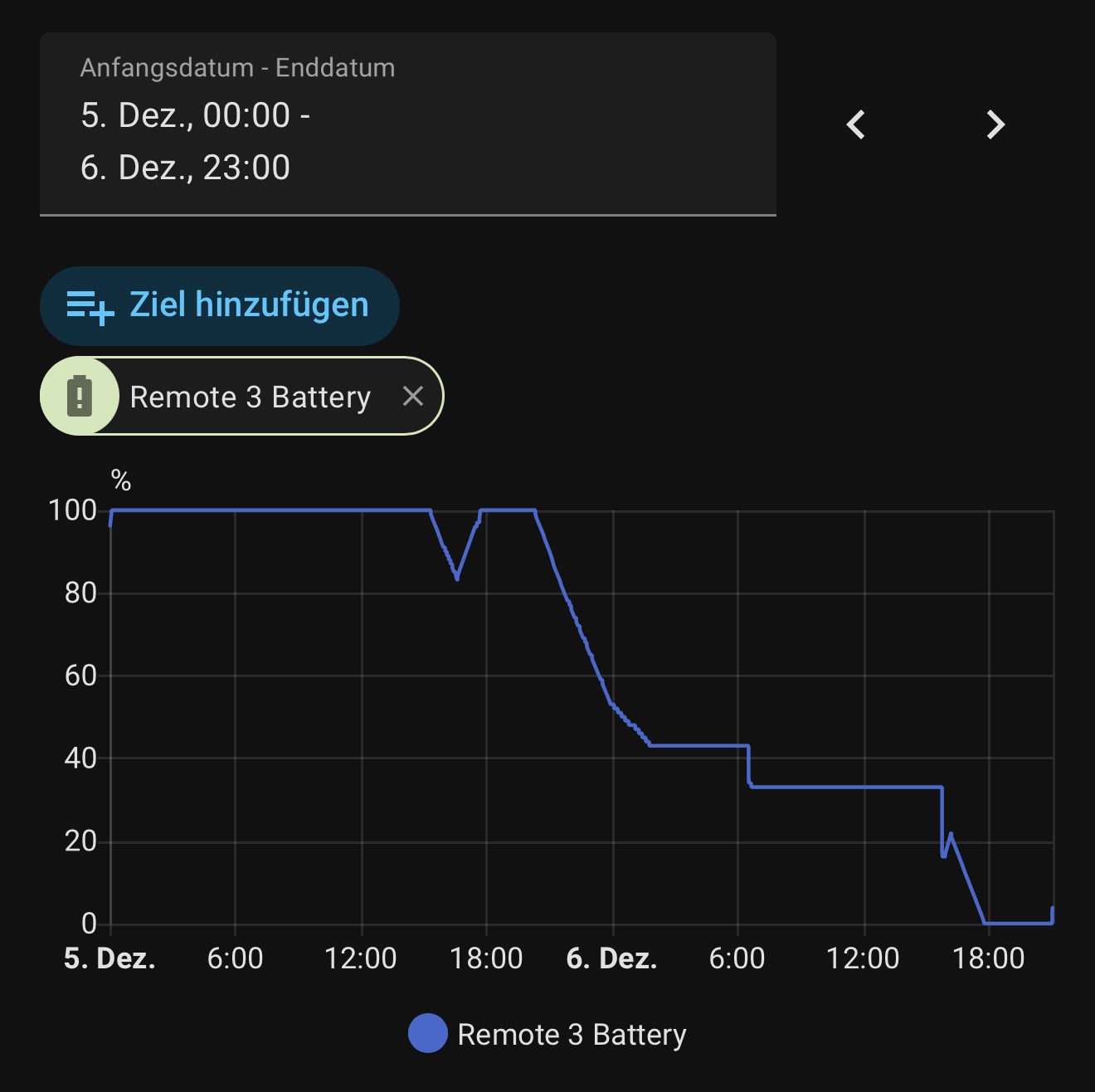
I’ve updated to latest beta firmware, but honestly the remote is unusable with these settings, battery totally drains after 4 hours.
And without these settings, it goes to deep sleep and when I take the remote in my hands I have to wait 15/20 seconds before it can send signals.
Unusable if I want to mute urgently, or switch tv channel.
I’ve reverted to my harmony remote hoping that a future firmware will solve this battery issue.
Since I don’t have a Remote 3 can’t really speak to this but isn’t it very simular to an android type device and usually it’s the screen that eats up battery life, is there a way to turn down brightness. Also most phone have a way to track battery usage is there app that could be installed to figure out what is eating the battery
I believe, there is a great failure in the concept: when using the remote with a dock, the communication should work via bluetooth instead of wlan. This would be much better for the battery life time.
The remote doesnt communicate via the dock though so I assume you are suggesting it should? The intelligence (rightly or wrongly from a design perspective) is built in to the remote and not the dock.
Sure the intelligence is build in the remote but that does not prevent to communicate via bluetooth to the dock and from there relay to IP. It would just provide a backup communication channel when wlan is not (yet) available. This has been suggested a while ago.
I agree.
Unfortunately, the remote doesn’t have any WAF.
Yesterday my wife watched a movie and forgot to put the remote back in the charging dock.
Now we wanted to have a family night in the home theater, and we can’t — because the remote is dead.
That’s absolutely terrible.
This battery life is just unacceptable.
After lots of testing, we had managed to integrate the remote quite well, but the battery issue is really annoying.
I really hope this gets fixed, because as it is now, the remote is too expensive for what it offers.
Unfortunately, I also have to complain about the battery life. Logically, the only sensible way to use the remote is to force it to stay awake during activities if you want commands to be executed without delay.
However, I’ve now noticed by chance that it also rapidly loses battery life even when not in use. I unplugged the cable from the dock in the morning because I had to charge something else. By early evening, the battery was only at 25%, even though the remote should have gone into power-saving mode at that point.
Too bad it was not decided to put all the brains in the docking station which is continuously powered. Remote could have communicated with the dock with BT LE or RF signals. Maybe UC will eventually make a better R4
Perhaps it’s because the remote was in the unpowered dock. I’ll run a series of tests to see if I can reproduce the issue. Beforehand, I’ll restart the remote to be sure.
I have the remote for almost 2 months now, but for the family it is a pain! Either when you pick it up you have to wait until it is ready to do something. Or you keep it awake and then the battery drains too fast.
It’s so bad that I stopped using the dock at all for emitting IR signals, I just use the internal IR. Unfortunately with that there is the issue with keeping a volume button pressed… And you have to point very precisely towards the equipment. I have “Wifi always connected” on and “keep activity awake”, because I use an Android TV device. Otherwise you would have to wait again when you pick it up, which is not practical.
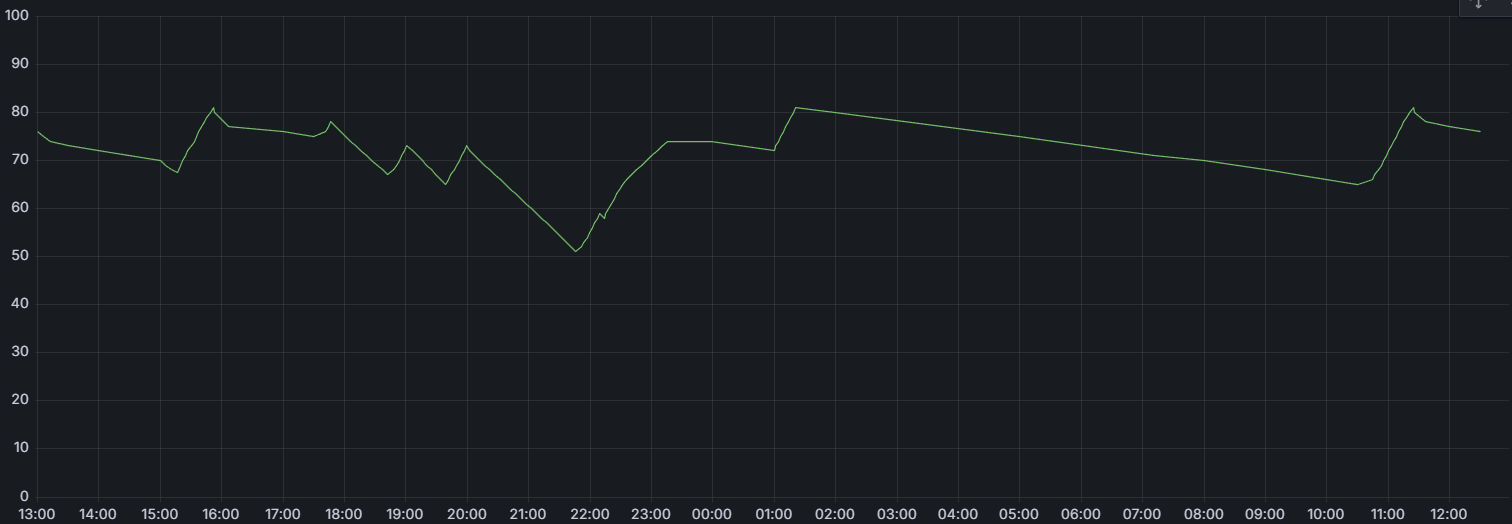
In 8 hours the remote loses 14% SOC when it is just sitting there in Wifi connected. When an activity is running it uses 25% in 2 hours.
My family now still uses the Harmony because of that. I reluctantly force myself to use the Remote 3 with every latest firmware in the hope things will improve.
I’ve added a wireless charger to the TV table so I can always put it there. My smart home checks the SOC every 30 minutes and if SOC is below 50% uses a smart switch to power the charger, sends a wake command to the remote, because it sometimes doesn’t start to charge otherwise. It also sends a notification to my phone like “put the remote on the charger!”.
It doesn’t matter if the smart home is collecting this data or not: battery life is equally bad, so that’s not the reason.
I don’t know how to solve this. If the dock has Bluetooth, then the remote could send signals to it via BT instead of waiting for IP to work. Also make starting an activity more relaxed: I control Android TV via BT, the amplifier via IR. But the activity cannot start unless the IP connection to the Android TV is established - which is only used to show what’s running in my case. Just give me an option to skip that - and show the information later, when the connection is back.
Ultimately a remote has to work like this: you pick it up, press a button and it works immediately. I cannot explain my kids or anyone else they have to count 21,22,23 and then they can press a button.