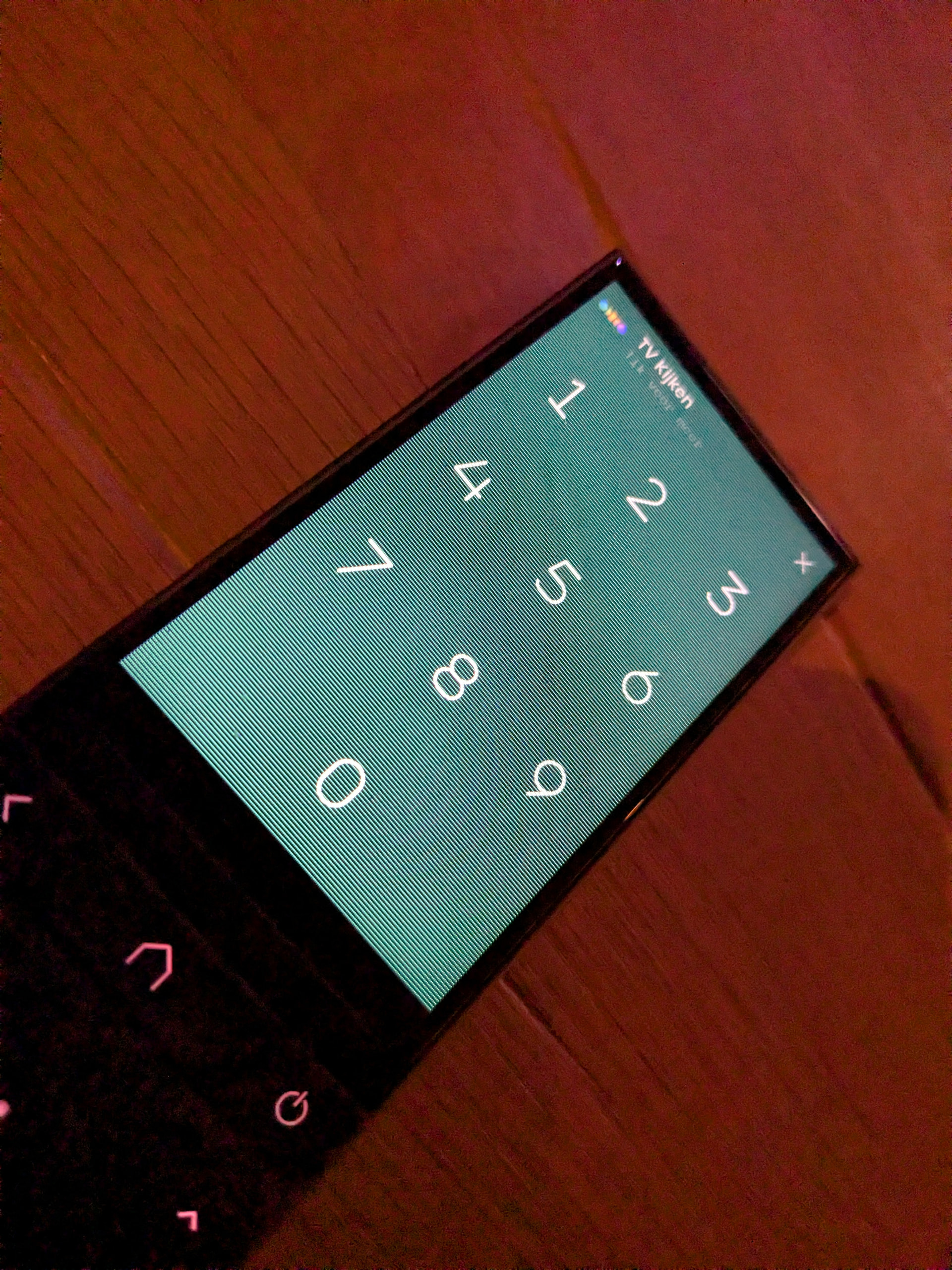
I had a circumstance where the R3 screen lost its correct rendering. That is, on waking up the screen went pinkish with horizontal lines running down it. It took me by surprise so I didn’t think to take a photo of it , but the only way to correct it was to reboot the remote. It has been 24 hours now since then and it hasn’t happened again. Yet. So just wandering if anyone else has seen this issue. If it happens again, I’ll capture a photo and send to support, but a bit concerning!
Are you on latest firmware 2.6.9? UC changed something in the firmware because it happened a few times in a former version.
Ralf
Yes the System Version is 2.6.9 so the latest. Web Configurator also advises the software is up to date.
I had yesterday the same issue and only a reboot could solve the problem. When it happens again I will make a photo of it.
Same thing here, but it’s green. But as described the only fix is a reboot
Happened to me too about 2weeks ago, before the last fw update. Rebooted and never seen it since.
OK I will raise this with UC Support and refer them to this post. There is obviously still an issue.
I placed the log with UC and am now waiting for a response which may take days.
Latest firmware has also a change concerning this problem.
Ralf
I have the latest firmware 2.6.9 and with this firmware the problem occured.
Beta firmware 2.6.12 was released yesterday
OK, I will select Beta and download the latest Beta firmware.
As promised I have had a response from UC Support as follows; “Thank you for reaching out. We appreciate your time and feedback.
We are aware of the screen issue, and for now, a simple reboot will provide a fix. Our team is constantly working on improvements and fixes for upcoming updates.
Please keep an eye on the release notes.”
You know, I spent 45 years in the IT industry, including providing customer support (in my early days) and I have to say that this response is lacking; “and we are sorry for the inconvenience whislt we rectify the issue” which would be a fundamental inclusion by a customer service representitive focused on the customer. But hey, what would I know!
Anyway as we all now know they are working on this and possibly the version (in beta) 2.6.12 will fix it.
I had this issue yesterday, on the second day of using the remote. System version is 2.7.0.
A reboot fixed it and it has yet to reappear.
It might be a good idea if you let their support know given it was expected to be resolved in 2.6.12 and you are on 2.7.0
I’ve had occasional issues with the screen turning to a purplish hue with visible horizontal lines - does my attached image reflect what you experienced, @Slaids?
When this happens, the remote is fairly unresponsive (but not completely). Rebooting the remote resolves the issue immediately. On at least one occasion, I think it was resolved after waiting several minutes.
My remote is running 2.6.12 and it reports it’s up to date, even after manually checking for updates.
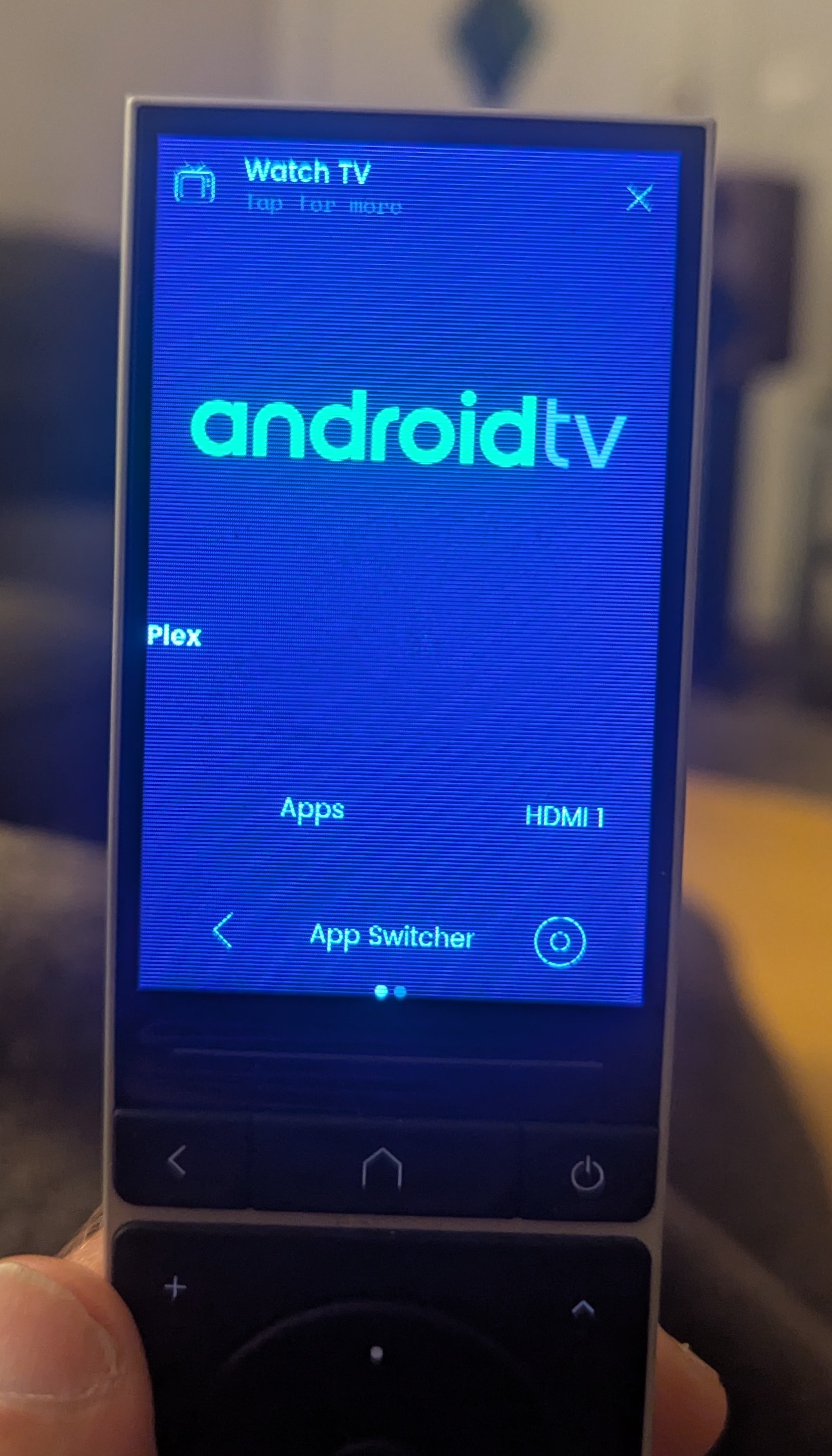
The screen symptom is not the same as I had but it does present in different ways. You need to update your software. I’m currently on 2.7.2 and about to go to 2.8.2. The versions higher than yours are Beta, but that aside, they have been very stable for me and have fixed the screen issue. To “see” the Beta software for download you need to turn on Beta Updates in the Configurator “Settings” menu. Following update you may need to reboot the remote and / or clear browser cache if you see any issues with Configurator after update. I suggest you update to at least 2.7.2.
Just to clarify, when you update, you cannot choose which version you update to. If you update now, you will automatically update to 2.8.2.
Not sure about that. I currently have the option to upgrade to either 2.8.1 or 2.8.2. As I have taken the latest version when available I haven’t been 2 versions behind before and only seen the one upgrade option. Not sure if anyone else can clarify.
I experienced exactly the same behaviour on 2.8.1 BETA 2 times as of now.
Just out of nowhere the screen turns to this.
First time it fixed itself automatically after a sleep cycle.
Second time i rebooted the remote.
Since then nothing happened anymore.
Looks like a software thing, maybe if the remote is on without rebooting something goes out of whack.
No log files taken though, will do it if it happens a next time.