Newbie Questions on Home Assistant

Hello to everyone,

While still awating for the Remote 3 to come, I have tried to get accustomed to basics including Home Assistant.

I have installed it on my NAS Synology. Philips Hue lights are working well - I’m afraid this is all what I can do for the time being.

My question is for the universal player which I am using. It comes from a Chinese brand called Pannde, Model name is PD6 X. Long story short, its IR remote is based on the Oppo 205, I then guess the integration for Oppo / Magnetar should work.

Yet this machine differs on some aspects. The most annoying one is the display, that only shows the elapsed time since the beginning of the movie when reading DVD/BR/4K, or the beginning of the track when reading CD/SACD.

I am counting on the Home Assistant integration to get the possibility to get more basic information - e.g. chapter/track number, remaining play time. Not sure more advanced information such as the program title / chapter is available though. It would be great, but maybe I’m just dreaming…

Questions are -

  • is it possible to get this basic information on the Remote 3 itself, since not possible to have it on the Pannde?
  • Not sure I fully understand how Home Assistant works, but I guess the information to be displayed on the remote, if feasible, has to come first from the Pannde, then to the Home Assistant on the NAS, to land eventually on the Remote itself. It is correct?
  • The Pannde has no Wi-Fi connection, only a LAN socket to play music from networks. If my understanding on how it works is correct, may it be used to convey the information to the NAS?

Sorry if my questions are stupid, I’m just trying to understand better, and to prepare what can be prepared for when the Remote arrives.

Thanks in advance for any information you may share!
Never heard of Pannde but the R3 can learn IR codes so that should work. Whether the Oppo integration would work from an IP perspective I have no clue. Same would apply to the HA Oppo integration - now idea if this would work or not or what entities the Pannde would supply to HA even if it does work. I fear you may be out of luck in terms of the additional info you are looking for.

If you already have the player and home assistant up and running, you should be able to install the integration on home assistant, connect to your player and start testing with it. Then you can get an idea of what you can or can’t do with it, if anything.

I would expect a media player entity from such an integration, which you can then share with the remote when it arrives.

I don’t know the player, nor the integration, so can’t provide any real help

Thanks iordish!

Not sure I understand the difference between HA Oppo integration vs. 'standard" Oppo integration. Which one is the best? The HA integration looks more complex to me, I guess there must be an advantage of having it developped?

I guess the 'Standard" Oppos integration is to be found here - GitHub - henrikwidlund/unfoldedcircle-oppo: Unfolded Circle integration driver for the Oppo Blu-ray players · GitHub

Presumably the HA Oppo integration is available there - GitHub - henrikwidlund/hass-oppo: Home Assistant integration for Oppo and Magnetar Blu-ray players · GitHub

Both files have been developped by yourself if not mistaken. I guess there was a reason to have to do it twice?

Thanks Daan!

Yes I do have the player. Home Assistant is up and running (version 2026.10.1). Will try it tomorrow… It starts to be late in Old Europe!..

The Home Assistant Oppo integrations was written by Samsonov and is available through the community store (HACS). This nis an integration for Oppo written specifically for Home Assistant. What you are calling the ‘standard’ Oppo integration is the one you mention above written by Henrik specifically to work with the Unfolded Circle remote. They are therefore designed to work with these different platforms.

If you load the Oppo integration within Home Assistant from HACS and try and

configure it it should give you a good idea as to whether you will be able to control your Pannde player over IP or not.

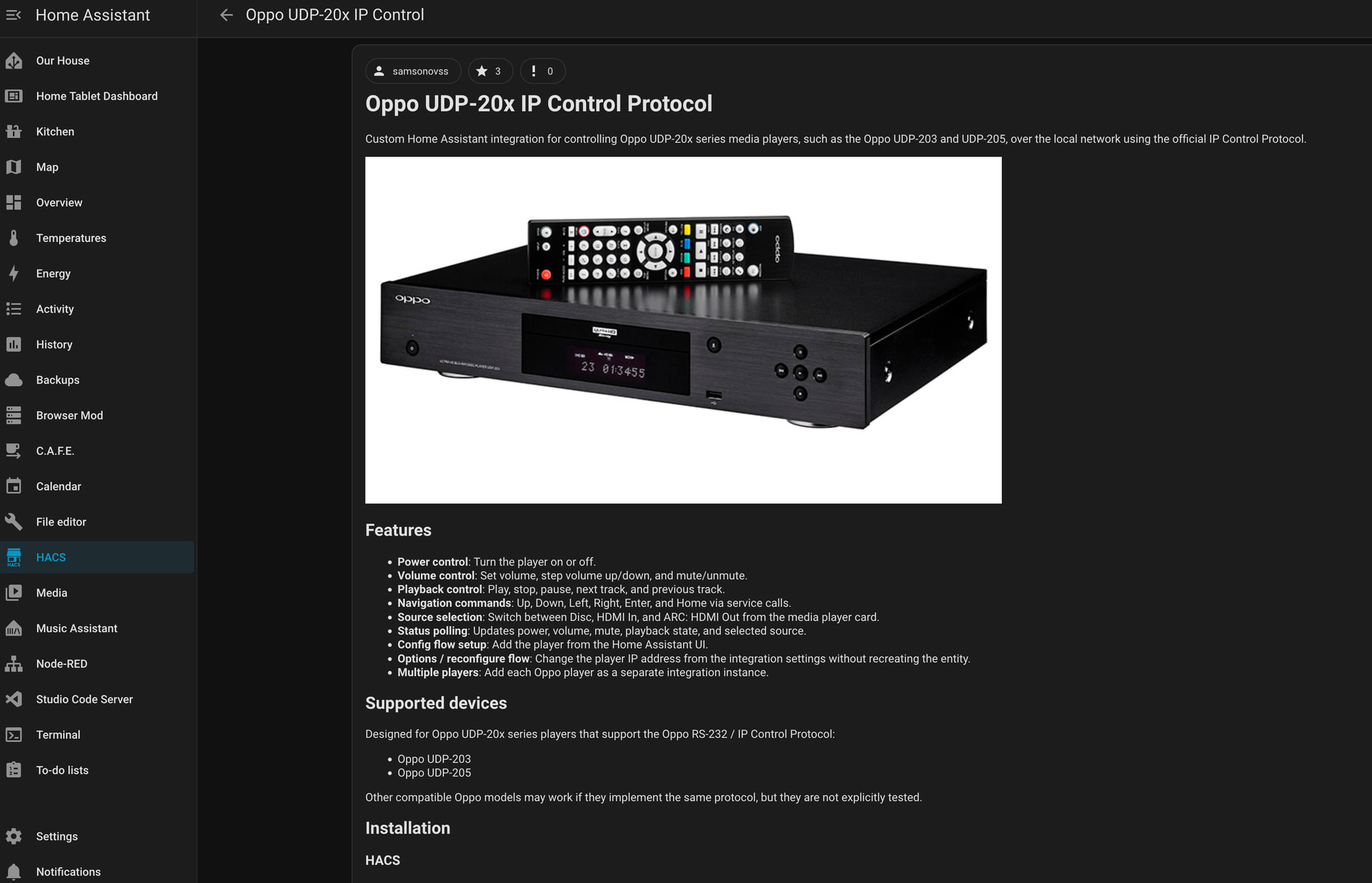
Doesn’t look promising… I managed to install HACS, The Oppo UDP-20x IP control protocol, to get the Pannde IP address recognised, and nothing seems to be working…

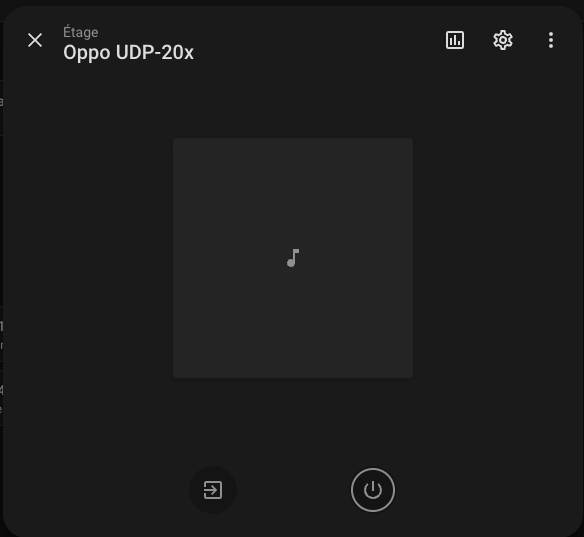
The below screenshot reflects all what I can get - sorry this is partly in French. When trying to switch it on, no response…

Maybe I’ve done something wrong, but I assume that reaching this level means all should be OK? Besides, from the player standpoint, it ‘sees’ the network, especially the folders where it could play music from on the NAS…

Last chance, there is a possibility to control it through a RS-232 protocol and connectivity. Is there a possibility to link such communication channel with the Remote 3?

If not, I might just cancel my order - the latest delivery schedule communicated by Unfolded Circle has expired yesterday, no news yet for another time frame which is not so much likely to be better respected than the 4 or 5 previous ones, and after 5 months of wait with very low visibility I really start to have enough…

From a Home Assistant perspective it appears that your player is not compatible with the IP commands for the Oppo. Obviously this means it will be the same with the R3. I believe there is a serial interface for the R3 but I personally have no experience of it. I am sure thought that you could teach the R3 your IR commands from the Pannde remote. Other than that sorry I couldnt help any more.

Thanks iordish!

Indeed there is a possibility to teach the IR commands from the Pannde into the R3, yet I feel if I can work this way only, the R3 might be completely overkilling. The only real integration will concern the Philips Hue lighting system!

I’ll investigate a bit the RS-232 protocol option, and if no luck, I’ll just cancel my order.

RS-232 currently only works through the Dock. You would also need to activate the serial tcp server on the Dock and some kind of companion integration like the request integration to actually use it with the remote as serial communication is not yet integrated as entity types.

Thanks Kenny!

Definitively out of reach for me I’m afraid… It has been a long journey to sort out Home Assistant, not sure to do another one with RS-232 if as difficult as it seems to me.

I really have to reconsider if I still want to wait for the Remote 3…

There might be some light in the end - I managed to monitor the Pannde from Home Assistant.

From what I understand, I have been trying before to check the connection when the Pannde was in Pioneer mode - which I am using by default. And this was not working.

When powered from the Oppo mode, it works. Very limited features, but it seems the HACS integration comes with limited features anyway.

That brings back the Remote 3 into the race… From what is described in Henrik’s version description, I understand much of the features it contains are based on the RS-232 protocol, which is exactly the same as for the Oppo when comparing the manuals side by side.

The question is to know if this version will work when the Pannde works in Pioneer mode - there is a RS-232 connector and it’s supposed to be working this way, yet no information whatsoever on the manual on the protocol and commands.

The other question is to know when the Remote 3 will be shipped. The latest deadline of October 13 has not been met, and since this morning itself the date of October 30 is mentioned on UC’s order tracking page.

Glad you got the HA integration working. It seems right that it would only work in Oppo mode as Pioneer is an entirely different manufacturer. The same will be true of the R3 if you want to use the IP integration provided for the Oppo that will be your best chance of getting this working over IP. To my knowledge there is no Pioneer Blu-Ray/DVD integration for UC - only for an AVR.

I have the old Pioneer BDP 450 which has some simple IP API.

Ralf

I am not going to comment on your other issues but regarding RS232: your dock has two 3.5mm stereo ports and you can use one for serial control.

  1. You will need a custom TRS 3.5mm stereo to DB9 (I assume) cable. The pin out is available here.

  2. In order to use the serial interface have a look at this integration.

I use a dedicated serial interface (Moxa) for RS232 control because I need multiple serial ports but this is the way to do it using the UC hardware / software.

And assuming it is running custom Oppo (Pioneer?) firmware you should probably start your RS232 testing from here.

I couldn’t find any direct Pioneer instructions but by I got this info with Chat GPT analysing the publicly available RTI driver:

1. Serial configuration
Parameter
Exact value
Baud rate
9600
Data bits
8
Parity
None
Stop bits
1
Hardware flow control
None
Software flow control
None
Command terminator
Carriage return (\r, byte 0x0D)
Receive framing
Line feed (\n)

2. Actual commands sent over serial

These strings come directly from the embedded JavaScript.
Function
Command sent
Power on
PN\r
Power off
PF\r
Play
PL\r
Stop
99RJ\r
Pause
ST\r
Slow forward
1SW\r
Slow reverse
5SW\r
Query player version/status
?Z\r
Query playback mode
?P\r
Query title, chapter and time
?A\r

For navigation, the driver wraps the remote-emulation codes in a different format:
Function
Command sent
Up
/A184FFFF/RU\r
Down
/A185FFFF/RU\r
Left
/A187FFFF/RU\r
Right
/A186FFFF/RU\r
Enter
/A181AFEF/RU\r
Top menu
/A181AFB4/RU\r
Return
/A181AFF4/RU\r

There is an important nuance: the driver maps some actions to remote-emulation commands rather than dedicated transport commands. For example, next and previous use /A181AF3D/RU\r and /A181AF3E/RU\r.

3. What this tells us

The driver also parses responses beginning with V, P, E and R, and recognises numeric playback-time responses. That gives us a useful starting point for implementing both control and status reporting in Home Assistant.

What remains unverified: the source identifies the commands the RTI driver sends to a Pioneer UDP-LX player, but we haven’t tested them against a physical LX500 or LX800. The driver was developed against an LX500 running firmware 1.02, so I’d treat LX800 compatibility as likely rather than guaranteed.

And this with Google Gemini:

The Pioneer UDP-LX800 (and the matching UDP-LX500) utilizes a clean 2-character or 4-character ASCII command syntax terminated by a Carriage Return (\r / 0x0D). No additional prefix or framing headers are required for direct string commands. [1, 2]

Core Command Syntax Rules

  • Formatting: Direct uppercase ASCII string.
  • Termination: Every command must finish with a Carriage Return: \r (represented in hex code as 0x0D or programming code as \r).
  • Case Sensitivity: Strict uppercase. [1, 2, 3]

Essential Exact Command Strings

Function Exact ASCII String to Send Hexadecimal Equivalence
Power On PN\r 50 4E 0D
Power Off PF\r 50 46 0D
Play PL\r 50 4C 0D
Stop ST\r 53 54 0D
Pause PA\r 50 41 0D
Tray Open/Close OP\r 4F 50 0D
Next Track/Chapter NF\r 4E 46 0D
Prev Track/Chapter NR\r 4E 52 0D

Feedback Patterns

When a command is received and executed successfully, the player outputs an acknowledgement string followed by a carriage return and line feed (\r\n):

  • Success response: OK\r\n
  • Error response: ERR\r\n

Are you building custom scripts using terminal utilities (like Putty or Hercules), or mapping these strings directly into a network/serial controller macro interface? Let me know if you need the syntax layout for tracking specific disc statuses or timecodes!

I have a Pioneer BDP 450 and with these codes I can control him over IP!

cursor_up:

  Type: tcp-text

  Parameter:

    address: 192.168.178.74:8102

    text: "/A184FFFF/RU"

yellow:

  Type: tcp-text

  Parameter:

    address: 192.168.178.74:8102

    text: "/A181AF63/RU"

This is part of my custom entity for the request/http integration. The complete file is on the git page of this integration. You must configure the integration to send a CR at the end of the command.

Btw. Do not trust KI make sure that the commands are valid for your player. Perhaps test them before with a simple telnet client.

Ralf

Thanks to iordish, HarmonyFan, reven6e for your answers and contribution, much appreciated!

Actually I was remaining silent as I have started a communication channel with Pannde directly, the manufacturer of the PD6X manufacturer. This has not been complete yet tough - I guess I will get more information after the week-end is over.

There was confirmation the machine is using the Oppo 203-205 RS 232 protocole and codes - he sent me exactly the same document as the one shared by reven6e.

It’s more than just a mere confirmation. In the Pannde manual, the command list is limited to the first part only (A. Command that maps to a remote control button). The document sent confirms the second (B. Query commands) and the third parts (C. Advanced commands) are also present. It’s better indeed to know the Query commands will be available, as this is this section that includes the commands I’m more interested in (Query Track/Title, Query Chapter, Query Track/Title elapsed time, Query Track/Title remaining time, etc…).

The last bit which remains unclear is to know if this will work in Oppo mode only, or if it can fly when in Pioneer mode as well. Mail sent on Friday evening, might have the answer by tomorrow.

Thanks again for your support!

1 Like

Unfortunately I haven’t received any feedback from Pannde.

I’ve tried with the help of Gemini AI to build an integration file that looks like reven6e’s one.

It looks like this -

shell_command:

# — Alimentation & Tiroir —

pioneer_udp_power_on: ‘echo -e “PO\r” | nc -w 2 192.168.1.20 8102’

pioneer_udp_power_off: ‘echo -e “PF\r” | nc -w 2 192.168.1.20 8102’

pioneer_udp_eject: ‘echo -e “OP\r” | nc -w 2 192.168.1.20 8102’

# — Contrôles de lecture (Transport) —

pioneer_udp_play: ‘echo -e “PL\r” | nc -w 2 192.168.1.20 8102’

pioneer_udp_pause: ‘echo -e “PA\r” | nc -w 2 192.168.1.20 8102’

pioneer_udp_stop: ‘echo -e “ST\r” | nc -w 2 192.168.1.20 8102’

pioneer_udp_next: ‘echo -e “NF\r” | nc -w 2 192.168.1.20 8102’

pioneer_udp_previous: ‘echo -e “PB\r” | nc -w 2 192.168.1.20 8102’

pioneer_udp_forward: ‘echo -e “FF\r” | nc -w 2 192.168.1.20 8102’

pioneer_udp_rewind: ‘echo -e “REV\r” | nc -w 2 192.168.1.20 8102’

# — Navigation & Menus OSD —

pioneer_udp_home_menu: ‘echo -e “HM\r” | nc -w 2 192.168.1.20 8102’

pioneer_udp_top_menu: ‘echo -e “TM\r” | nc -w 2 192.168.1.20 8102’

pioneer_udp_popup_menu: ‘echo -e “PM\r” | nc -w 2 192.168.1.20 8102’

pioneer_udp_up: ‘echo -e “RU\r” | nc -w 2 192.168.1.20 8102’

pioneer_udp_down: ‘echo -e “RD\r” | nc -w 2 192.168.1.20 8102’

pioneer_udp_left: ‘echo -e “RL\r” | nc -w 2 192.168.1.20 8102’

pioneer_udp_right: ‘echo -e “RR\r” | nc -w 2 192.168.1.20 8102’

pioneer_udp_enter: ‘echo -e “ET\r” | nc -w 2 192.168.1.20 8102’

pioneer_udp_return: ‘echo -e “RET\r” | nc -w 2 192.168.1.20 8102’

# — Réglages Audio / Vidéo / Sous-titres —

pioneer_udp_audio_track: ‘echo -e “AU\r” | nc -w 2 192.168.1.20 8102’

pioneer_udp_subtitles: ‘echo -e “SUB\r” | nc -w 2 192.168.1.20 8102’

pioneer_udp_display_osd: ‘echo -e “DI\r” | nc -w 2 192.168.1.20 8102’

pioneer_udp_pure_audio: ‘echo -e “PDIR\r” | nc -w 2 192.168.1.20 8102’

pioneer_udp_video_preset: ‘echo -e “VP\r” | nc -w 2 192.168.1.20 8102’

# — Entité Lecteur Multimédia Virtuel avec Unique ID —

media_player:

  • platform: universal

    name: Pioneer UDP-LX800

    unique_id: pioneer_udp_lx800_media_player

    commands:

    turn_on:

    action: shell_command.pioneer_udp_power_on
    

    turn_off:

    action: shell_command.pioneer_udp_power_off
    

    media_play:

    action: shell_command.pioneer_udp_play
    

    media_pause:

    action: shell_command.pioneer_udp_pause
    

    media_stop:

    action: shell_command.pioneer_udp_stop
    

    media_next_track:

    action: shell_command.pioneer_udp_next
    

    media_previous_track:

    action: shell_command.pioneer_udp_previous
    

I got mixed results to tell the least. If I boot the Pannde in Oppo mode, the integration I got through HACS is available and the commands are functional -

If I boot in Pioneer mode… nothing.

It might be linked to the icon next to the Pioneer UDP-LX800 mention, which unless mistaken shows “cast off”, yet not sure what it means and how to solve it…

On a side aspect, I managed to order an original Pioneer UDP LX-800 remote control. It will allow me to check when I get it if the Pannde in Pioneer mode recognizes IR Pioneer codes. I guess this should help to confirm somehow the Pioneer IP codes could by extension work on the machine… if I manage to do it right.