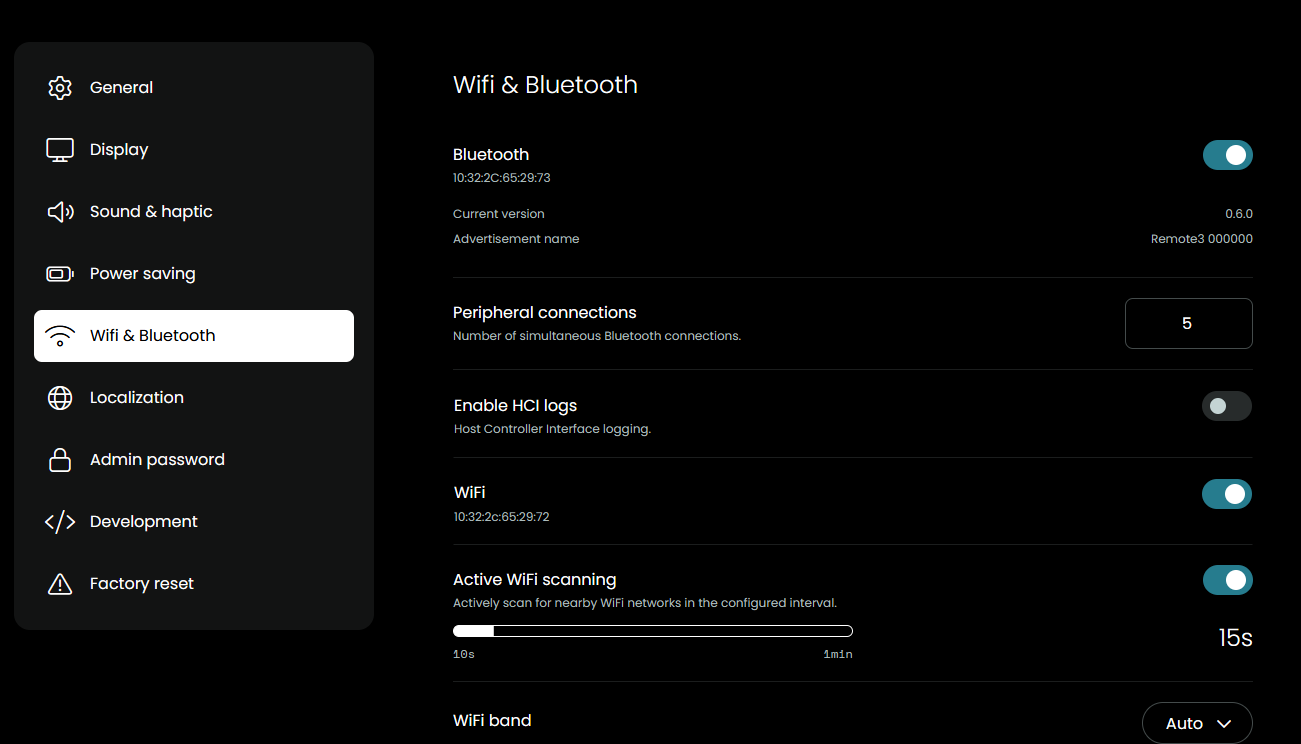
I spent countless hours trying to fix the WiFi signal strength on my R3. I have used numerous routers and access points and while at time the R3 has some signal strength, most of the time it has the WiFi symbol with a red line through it or an empty space where the WiFi icon is supposed to be. On very rare occasions (less than 10% of the time), the WiFi icon appears and shows some signal strength. The lack of an signal even happens when I am right next to the router. This makes no sense to me because every other device I have connected to the router shows strong signal strength. I have reviewed all the network requirements and can confirm that I satisfy them all.
I have reformatted the R3 and have even reinstalled the FW to set it back to the factory settings, but none of this works. I can only conclude that my R3 has a damaged WiFi antenna.
Does anyone else have similar problems or do you think I have a WiFi antenna problem?
P.S. I apologize for a few threads I have started as I now think almost all of my issues relate to the WiFi signal strength (or damaged R3 WiFi antenna).
It happens almost always and unfortunately unlike you it doesn’t connect after a short time. What’s strange is that sometimes (although rarely) it shows a WiFi connection.
as an fyi, I already have activated prevent sleep for all activities.
until a few days ago i have same issues. In my case the „trick“ was as follows:
Changed my Router
Since latest Firm, deselect Wifi Scanning in Background
Changed WiFi Connection to 5G instead of 2.4G
Prevent from Sleep for Activity
Since i changed like above, R3 works like a charm. No connection issues anymore. All commands are directly as they should. Only IR (intern, Blaster/Emitter) and Battery Life is very weak… Every Day i have to put the R3 in the dock for loading. How long others Battery R2/3 Users last?
I have already done step 1 so I’ll work on the others. Two things:
If the R3 is on 5G and the dock is on 2.4 (which they have to be), will the R3 still communicate with the dock?
What’s also strange is that when I go into WiFi settings on the remote, it often shows that there is good signal strength, but when I go back to the remote’s home page, it shows WiFi with the red line through it.
For me, the re-connect issue is the biggest issue that needs to be resolved for the R3. I have actually gone back to using the R2 with the “keep WiFi connected” option enabled and the user experience is so much better. My R3 only takes about a second or two to connect, but even that is too long and causes complaints from the rest of our household.
Since they figured it out for the R2, I remain optimistic for the R3.