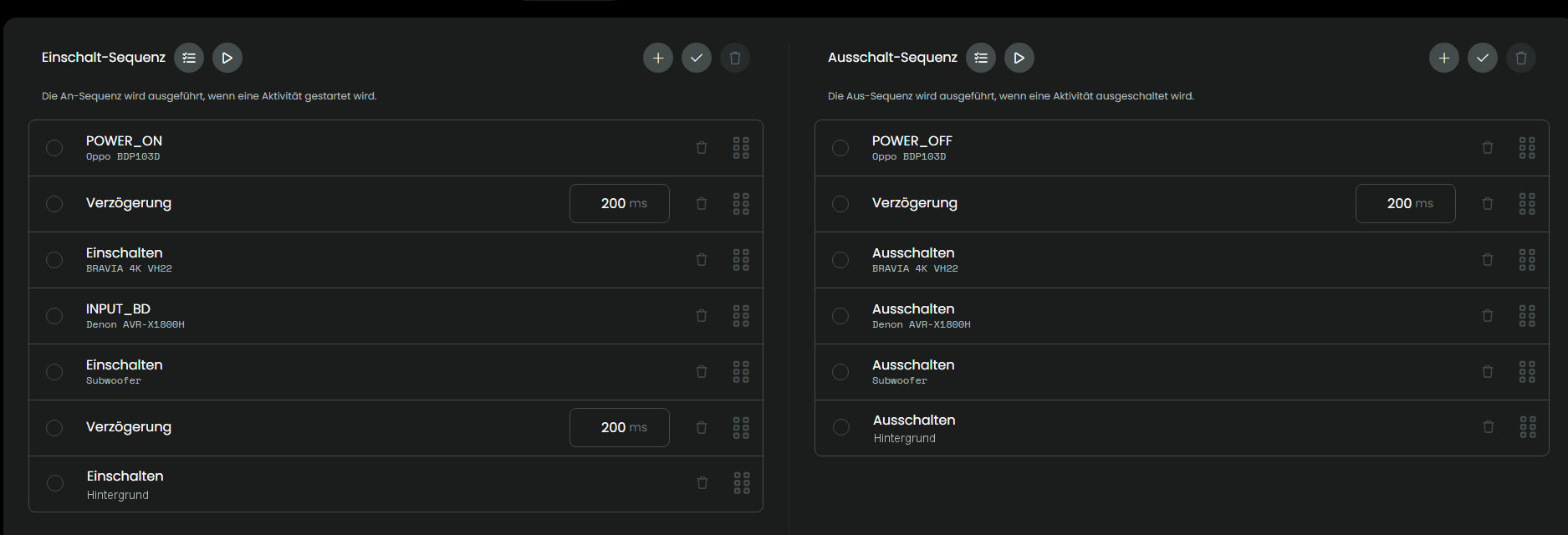
Since I received various error messages, I completely uninstalled and reinstalled the integration. Afterward, I set up the subwoofer as an entity, added it to the activities, and—everything is working as expected.
Now I’m waiting a few days before setting up the background light as an entity and using it in the actions as well.
By the way, my activity group has reverted to its original state.
Bad news. After successfully integrating the “Subwoofer” entity, I integrated another entity, “Background,” today.
Result: The “Subwoofer” entity is no longer running and is reporting an error. Even in activities that don’t have/use the entity “Hintergrund”.
“Subwoofer” is the first entity. “Hintergrund” is placed after “Subwoofer” and after a delay of 400msec.
It looks like two entities don’t work together.
Subwoofer code:
The log doesn’t include any logs from the request integration. But you seem to have general WebSocket connection problems with other integrations as well and they don’t connect according to the core log. Try to restart the remote.
I restarted the remote. No success.
I am getting the error message:
No information found
This can ber found inside the LOG-File too:
2026-09-19 08:49:15.165225 +00:00 core ERROR [Radio] error executing activity command requests.main.remote-custom-subwoofer:remote.off (error policy: continue_transition, transition step: false): No information found
And this happens even though the “Background” entity isn’t even part of the “Radio” activity.
This error affects all activities that include the “Subwoofer.”
I have to delete and reinstall the HTTP integration, then add the “Subwoofer” again, to get it working. After that all Activities work including “Subwoofer” without any problem/error.
You need to provide logs from the integration itself and not just the core logs. Make sure to check the requests integration in the services list when downloading logs right after the error happens.
The snippet your posted is from the core log. I need logs from the request integration itself that also aren’t included in your complete log file. All your messages only start with the timestamp and core.
I suspect that the requests integration can’t be started or connect to the core for some reason and that’s why there are no requests log messages. Try to only download the reuqests log messages. If the file is empty the integration couldn’t be started after the last reboot.
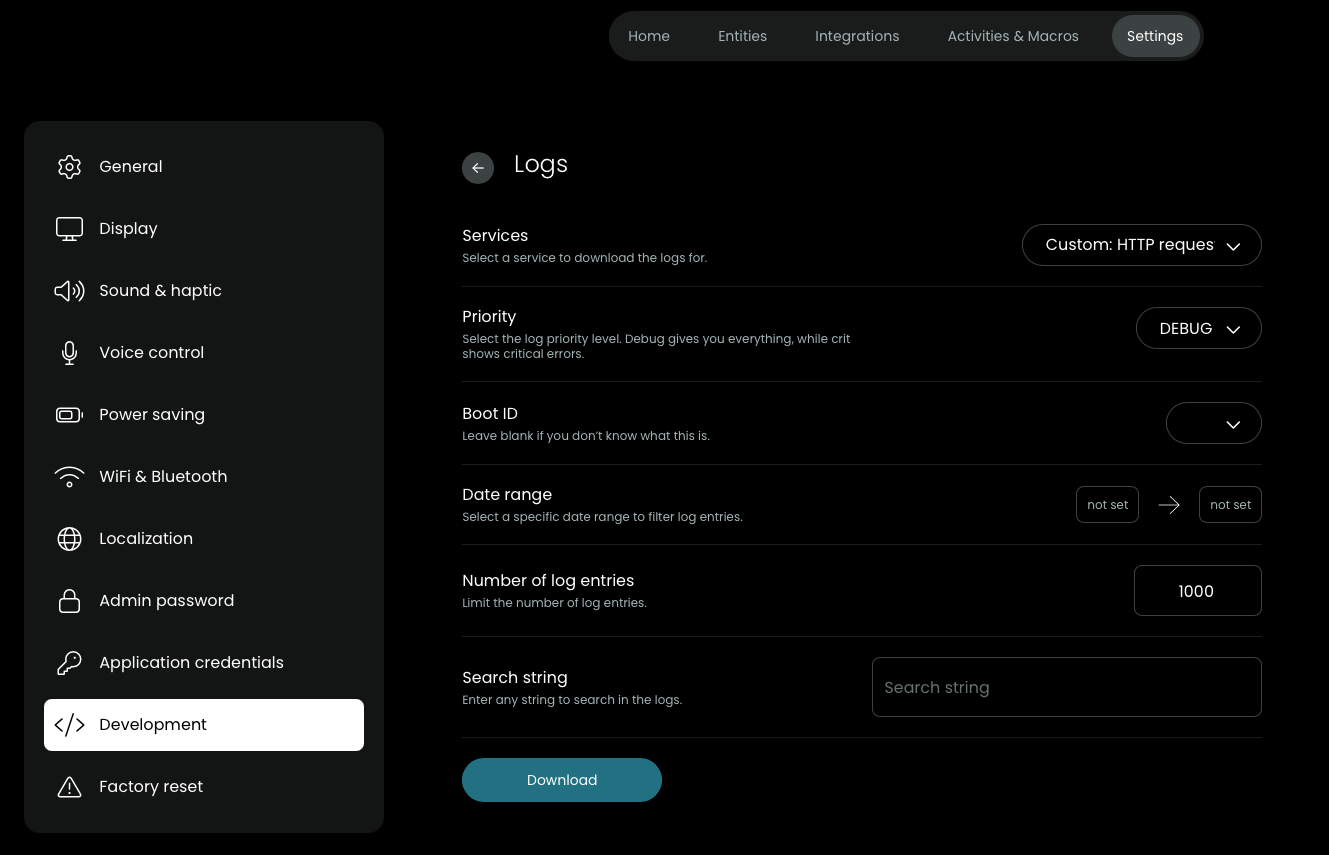
Go to Settings/Development/Logs and use the following settings. The important part is to choose only Request from the services dropdown and download them right after an error happened:
And to rule out a possible misconception: You need to put both entitiy configrations into the custom entity config textfield during the setup process. If you delete the first this it will also make the first entity unusable.
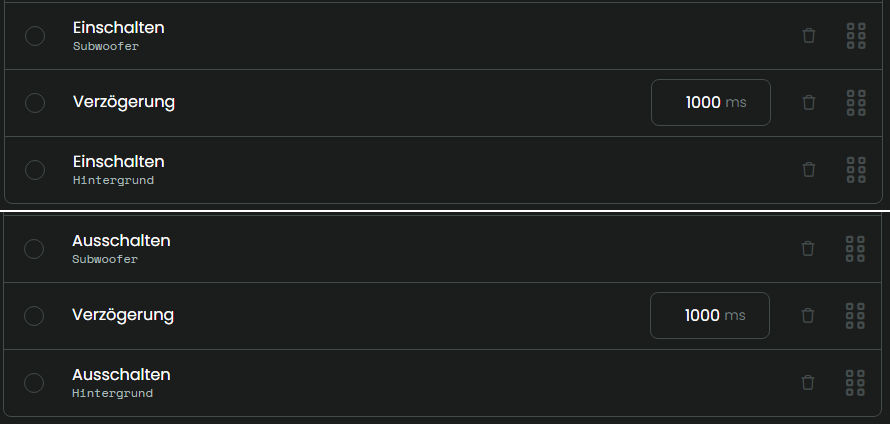
To ensure the “Hintergrund” executes, I have to insert a 1000 ms delay between “Subwoofer” and the “Hintergrund” when both are in the same sequence.
Otherwise, the “Hintergrund” isn’t executet.
Is there any way to change this so “Hintergrund” is executes without a delay?
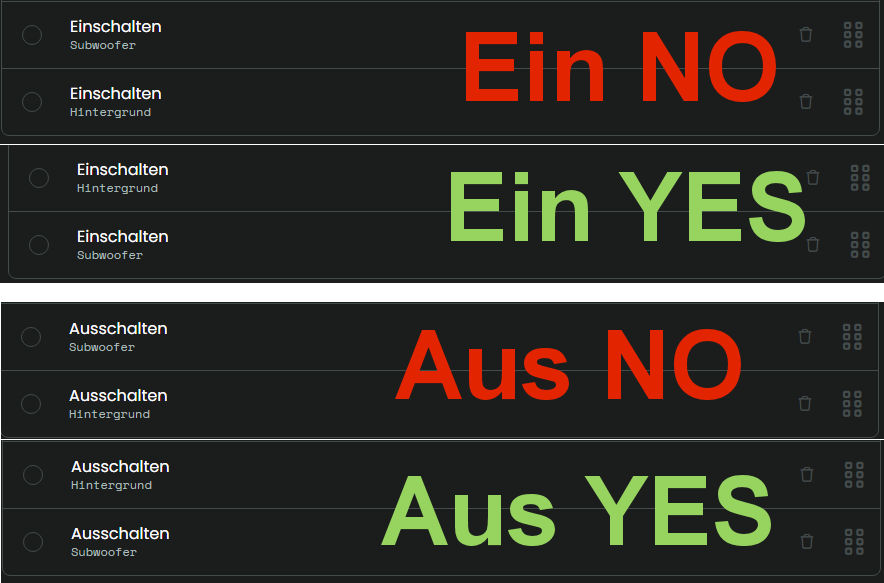
If “Hintergrund” is the first element in the sequence it is executed.
There are no integrations errors in the log and all command are successfullly executed. Both media player and remote entities are using the same function to send a request.
The subwoofer and background units are both simply RF sockets, so that can’t be the reason. The LM doesn’t have a logging function, but you can see when it’s transmitting by the front LED. And it doesn’t do that for the background unit when it is the last one in the sequence.