How do define hdmi input on receiver for activity?
So when is swap activity back and forth the correct hdmi input on the receiver is selected…
How do define hdmi input on receiver for activity?
So when is swap activity back and forth the correct hdmi input on the receiver is selected…
Depending on the integration you need to use the input source command of the media player entity to select the input.
Where on the entity do i define that… can flnd no mention of input source command..
Now when is swap between two activities nothing happens…
because i don’t know where or how to tell it to trigger a specific input command for a specific activity.
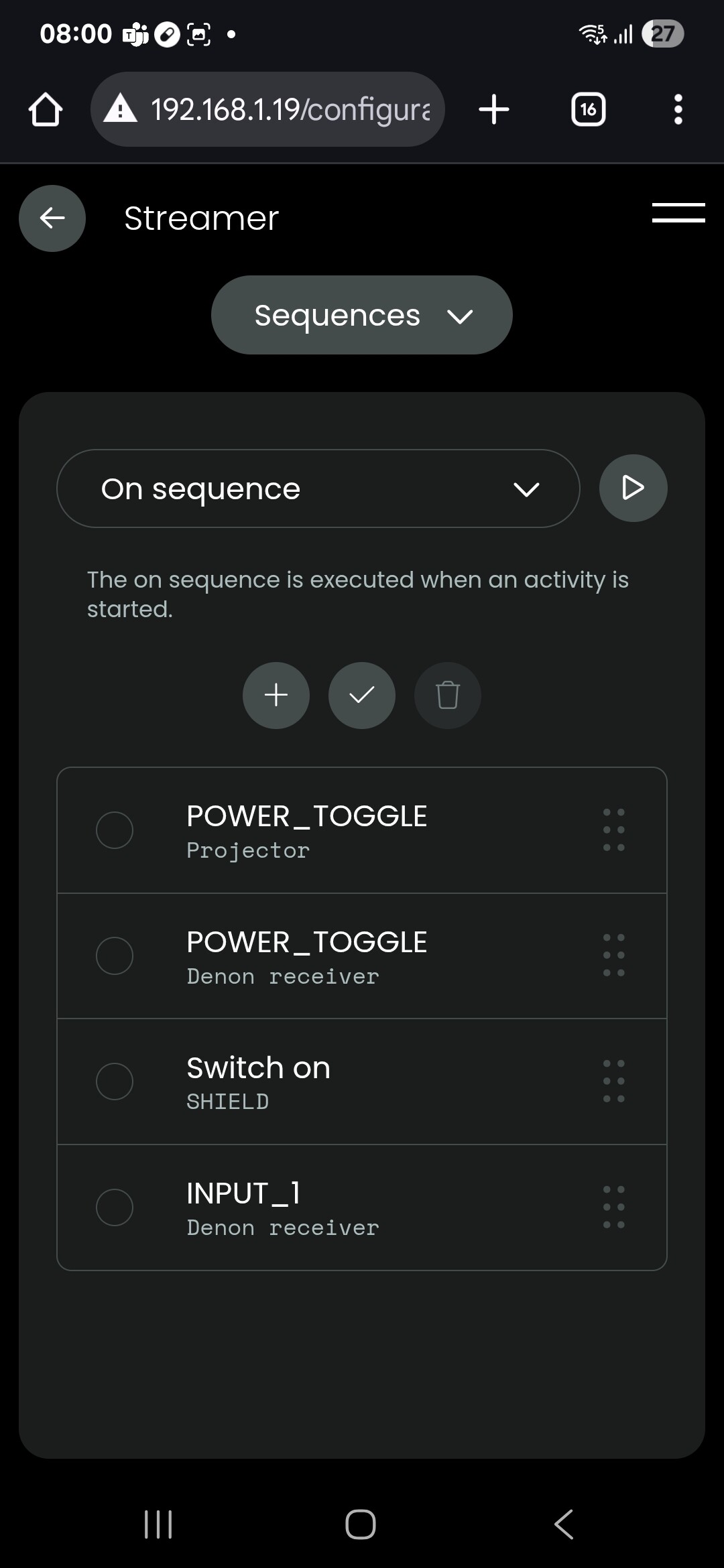
Are you using the Denon integration? It’s a command you can add to the on sequence and then select the input of the receiver.
I did this but that only works the first time you start the activity… i need it to send that command every time i select let’s say… watch TV…
If i select watch Blu-ray then watch TV and Blu-ray again… the last switch won’t do anything… and will be switching depending on what i am doing and i don’t want to turn of activities in-between because most devices are shared and it takes a while to turn of and start the projector…
There need to be a sequence in addition to on and off called activity inputs (runs after on sequence and also every time i select the activity) so i can define commands that fix the input selection…
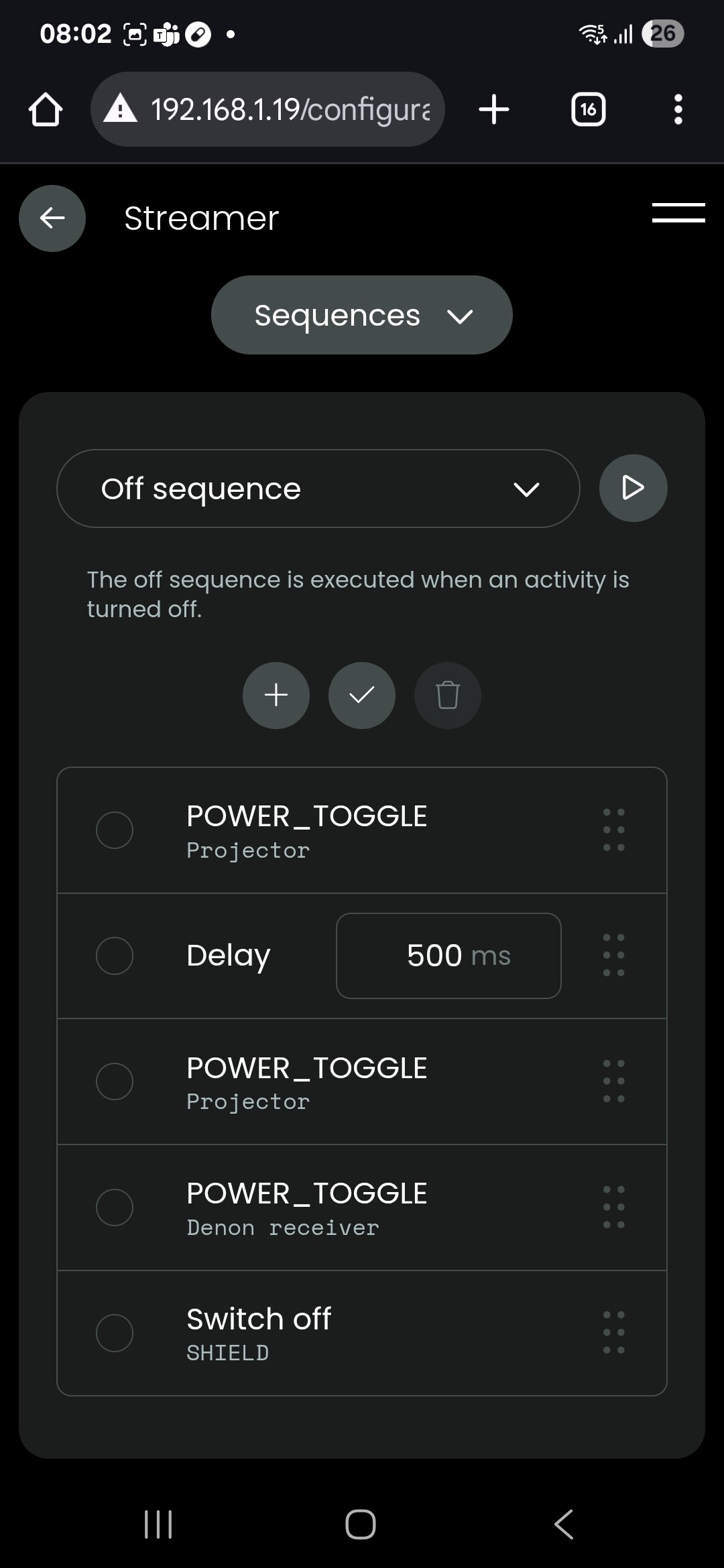
Please post you on and off sequences. I’m assuming you are using activity groups?
I’ve tested groups and no groups… doesn’t make any difference… groups only seam to have a organization benefit on the dashboard
It looks like you are using IR for your Denon. There is a dedicated Denon integration for AVR were you see also the names you gave this input. Which Denon do you use?
Ralf
Activity groups are not the groups you find in the customize your remote section but under activities and macros. Put everything in one group and the activities will switch between each other and won’t be on at the same time.
Also use dedicated power on and off commands as toggle commands are not supported in groups and will lead to unwanted power states. If you’re using the Denon integration like Ralf mentioned you wan find them in there as well as the input source command. You don’t even need to use a power on command. Using the input source command will turn on the receiver and switch to the selected input. There is a setting on the Denon receiver itself for that that should be activated by default.
I use X4400H
My non of my devices have dedicated on and off commands … at least not on the remote as I needed to teach the commands… i can test the wifi integration…
I will do some more exploring
For other ir devices that only have a toggle command you can also create a POWER_ON and POWER_OFF command that are both using the POWER_TOGGLE code. This will help you in activity groups.
I set up activity group on the “customise remote” page, if I set an activity group, in the activity page, how do I put it on the remote (circle 2)
Thanks
I almost got it working… found the correct groups and created one… and also using the integration instead of IR for the Denon…
The problem now is that when the the Denon turns off it no longer accepts any commands… just getting errors.. seamd i am forced to use IR for startup and it takes a very long it seams for it to reconnect
You don’t have to add activity groups anywhere in the remote ui. The term group is a bit missleading. It has nothing to do with the groups you find in the customize your remot section to organizing activities in a groups for the ui. They are just grouping activites that can’t be on at the same time.
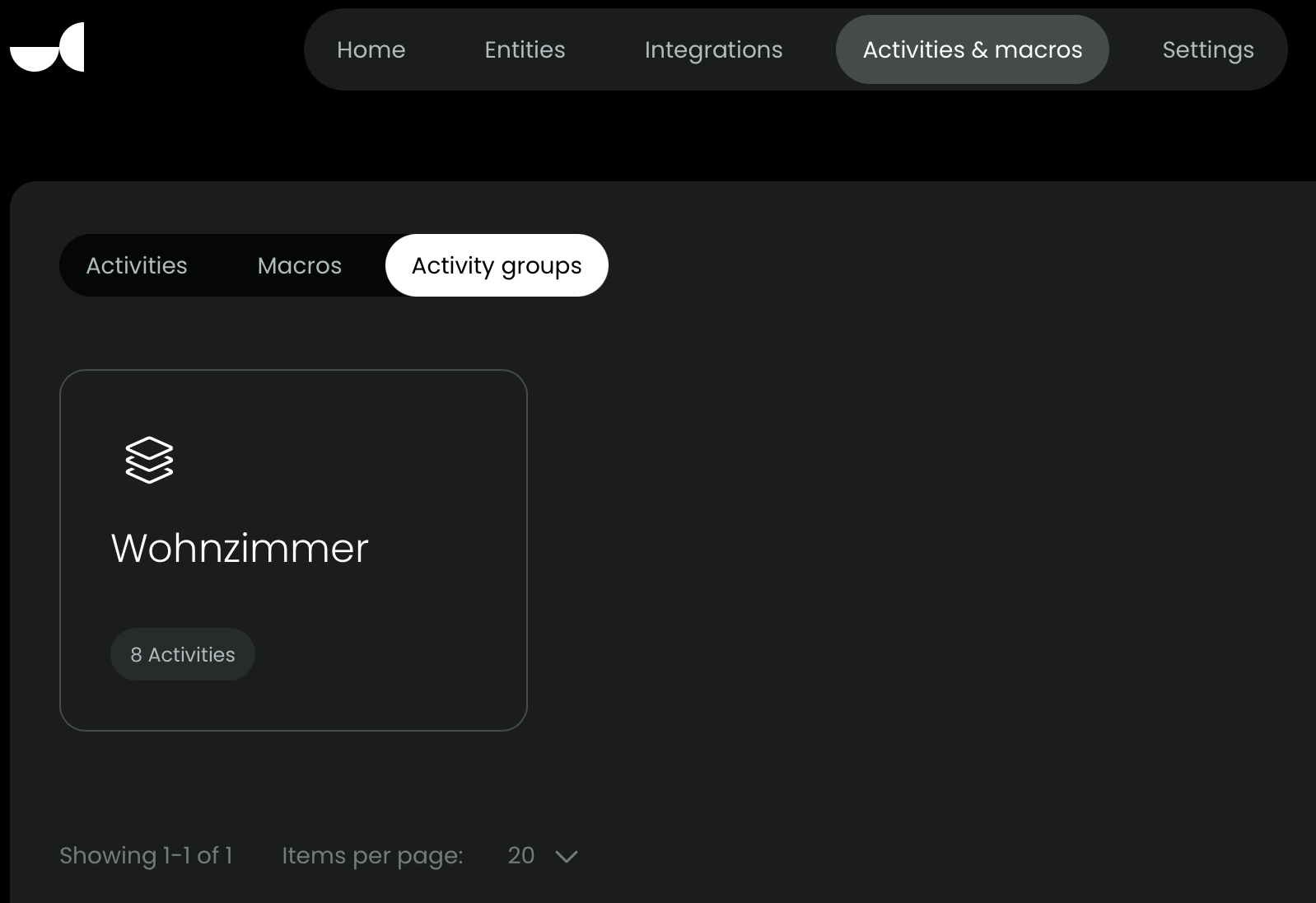
You can find activity groups in the activity & macros top menu:
Have you checked that the network connection is kept alive active after the reciver is turned off? There should be a setting in the receiver to set this
So “activity groups”, is a behaviour?.I don’t have to put the activities in a group on the remote?, or do I put them in an activity group and as a group on the remote?
Just add all activities to a single actvitiy group (the one on my screenshot). That’s it. You may need to change some settings in the group depending whats in you on and off sequences but in most simple scenarios it should work out of the box.
I fixed the receiver setting to allow network integration even when it’s turned off. Now everything works… but if your forced to use IR are you then out of luck? The group for activities should have it’s own sequence for input swapping per device.. to make it work for IR