What if 2 activities want to use the same IR device in different rooms at the same time? You can add several IR entities of the same device and configure each to a different output port. I did it last year for 3 Samsung TV. I think this makes more sense for larger installations.
I don’t get your problem. Why should IR not work? The only thing that happens with IR is that the input may be switched again to the same input because for the remote it’s just a command in the sequence while it knows it’s an input when using a media player entity and can skip it.
That’s because of the power toggle commands you used in your sequences. They are handled as normal instead of power state commands in activity groups.
You need to replaced the toggle commands with dedicated power commands like I mentioned earlier. You can use the code for the toggle command for both of them. The remote just needs the specific command names for activity groups.
Ok you mean to train the ir commands for toggle to power on and power of and use them instead?
I might test that…
Also it would be nice if i could define the double off with delay that my projector requires, on the projector instead of in each activity… can maybe macros be added to sequences?
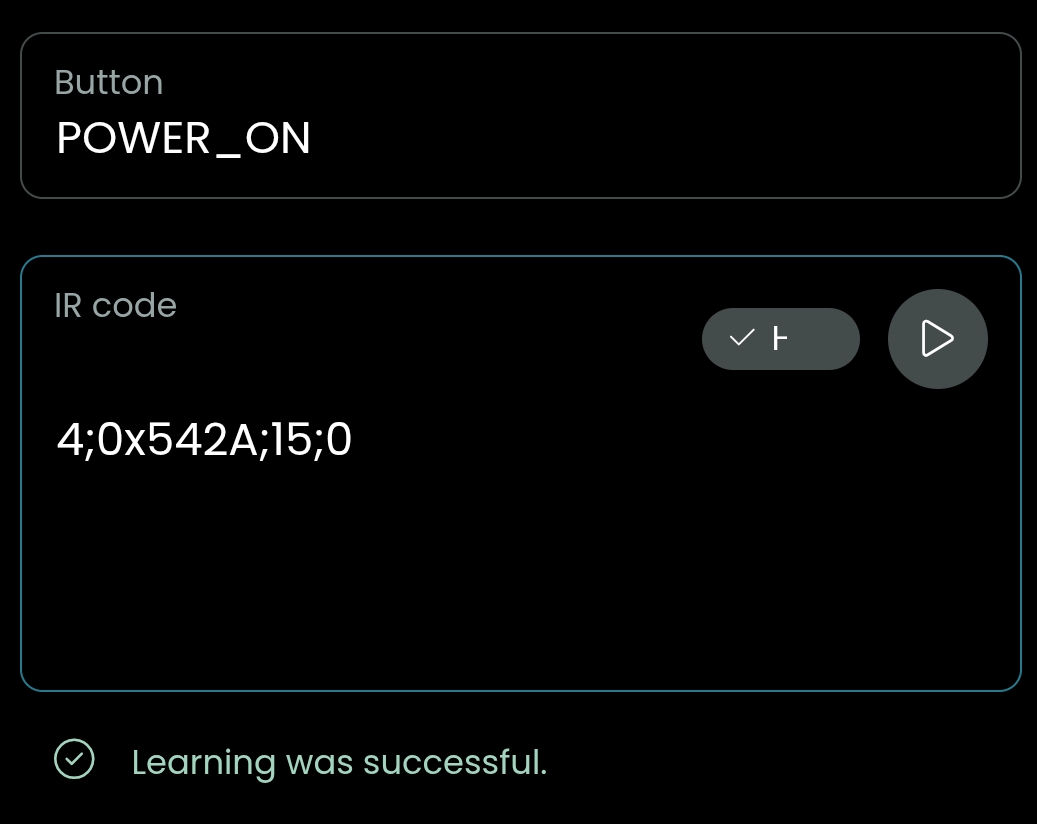
Yes, just make sure to name them exactly POWER_ON and POWER_OFF (in capital letters and with underscores). You don’t even need to re-learn the code. If you edit the remote entity you can add and edit commands and also see the actual code. Just copy it and use it for the two new commands. Mor infos about activity groups can be found here: https://support.unfoldedcircle.com/hc/en-us/articles/13215168236188-Activity-groups
If you want to simply repeat a command you can use the „IR command“ command which lets you manually enter the command name with an additional repetition parameter.