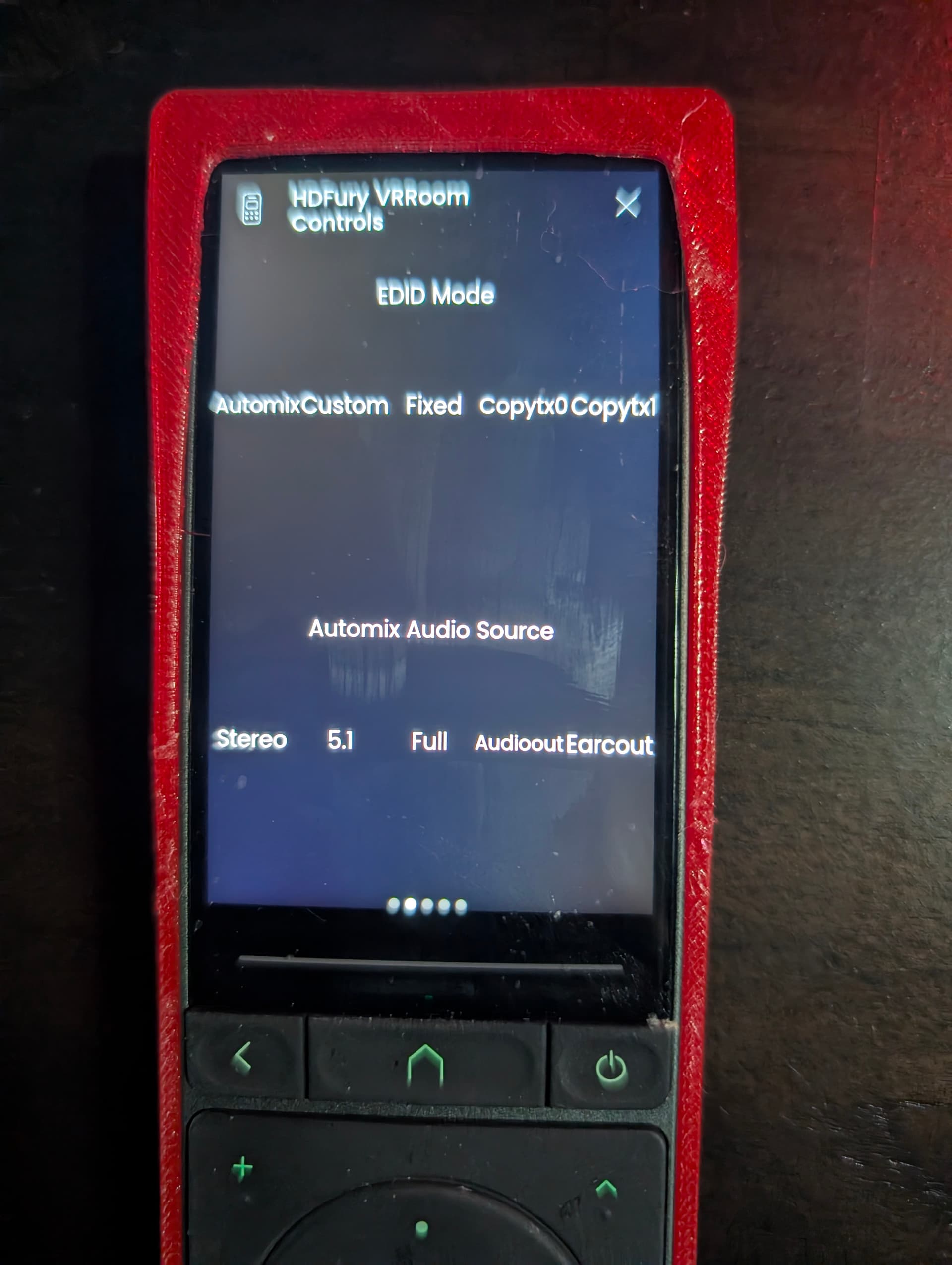
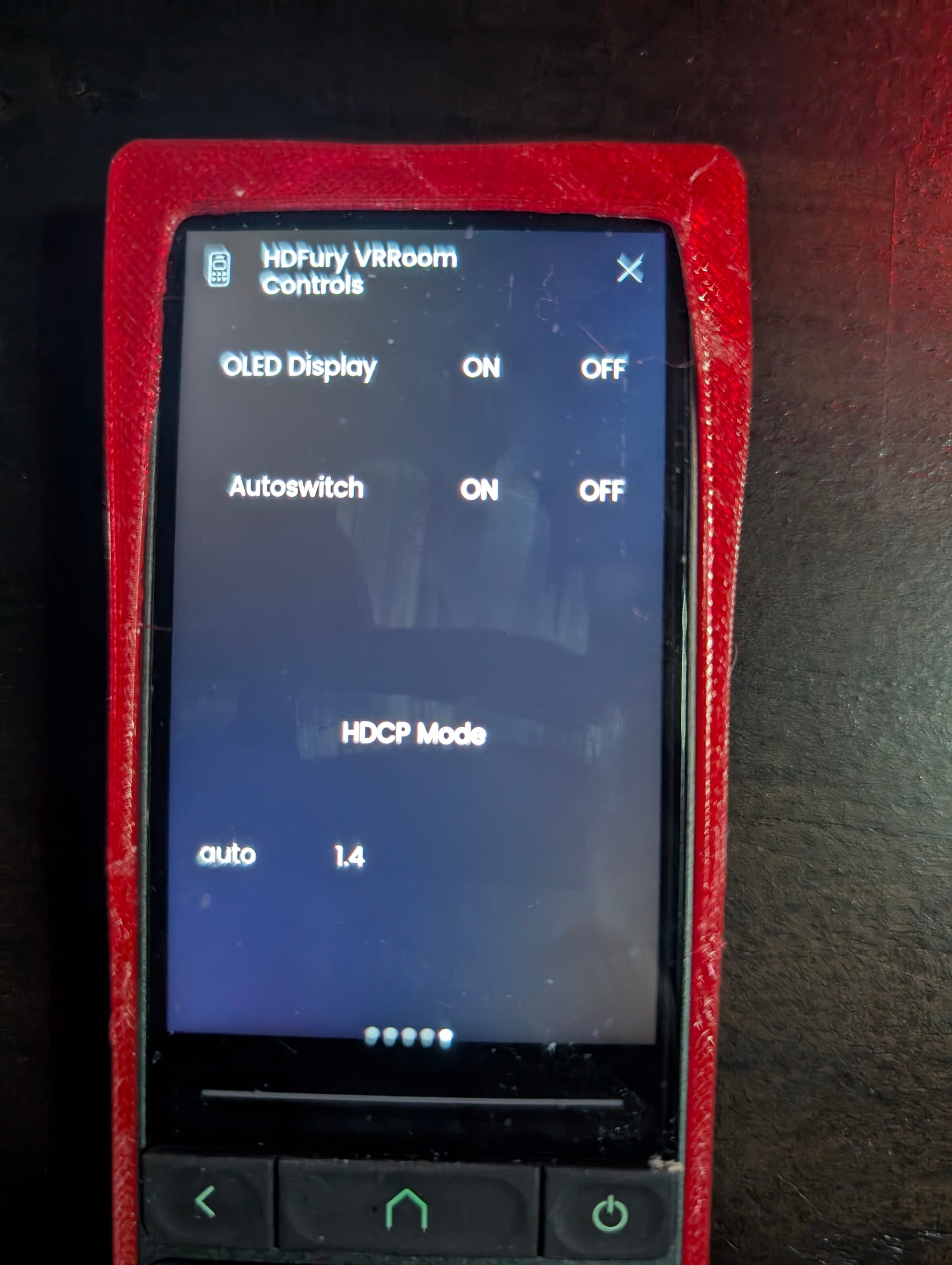
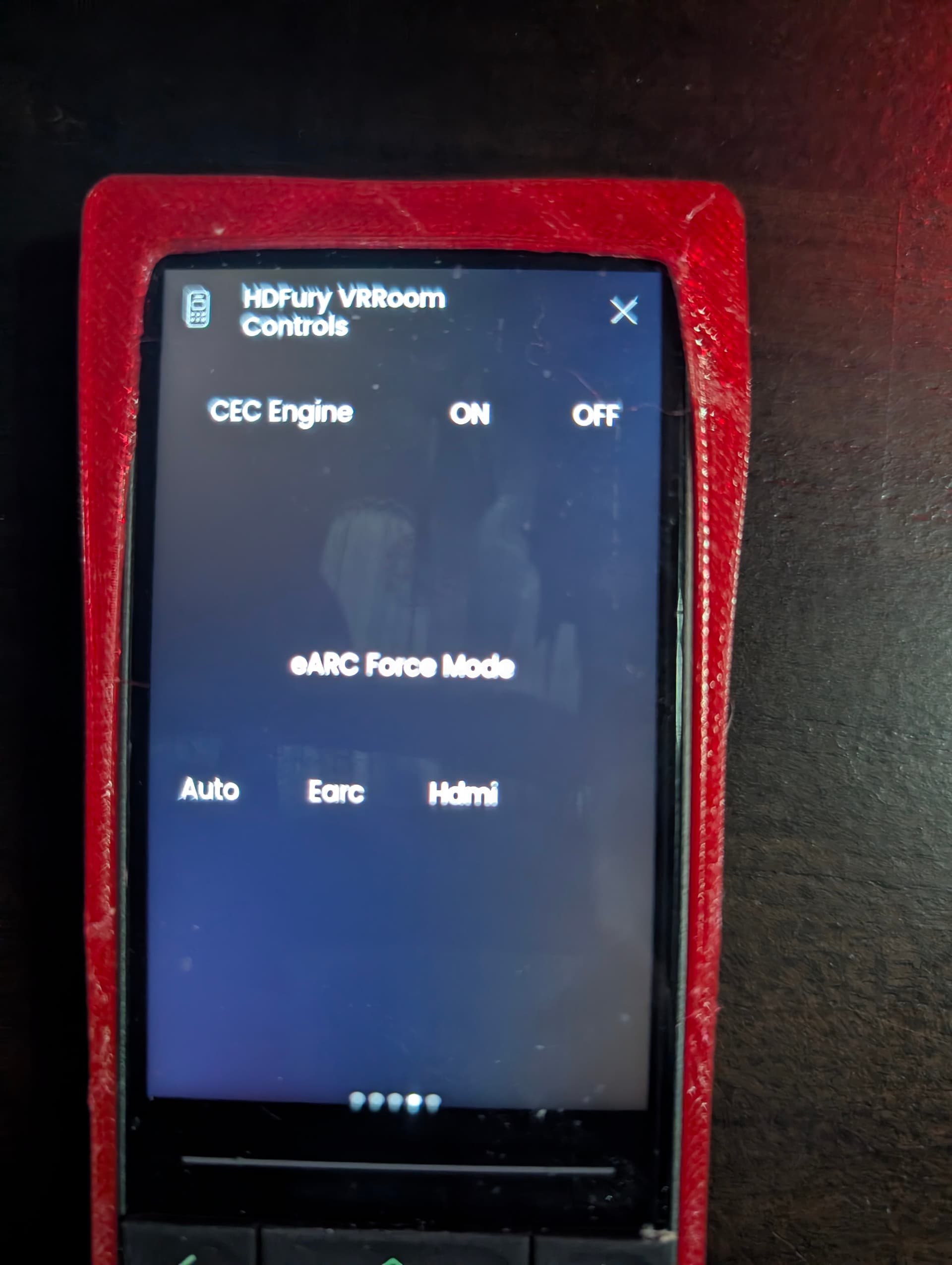
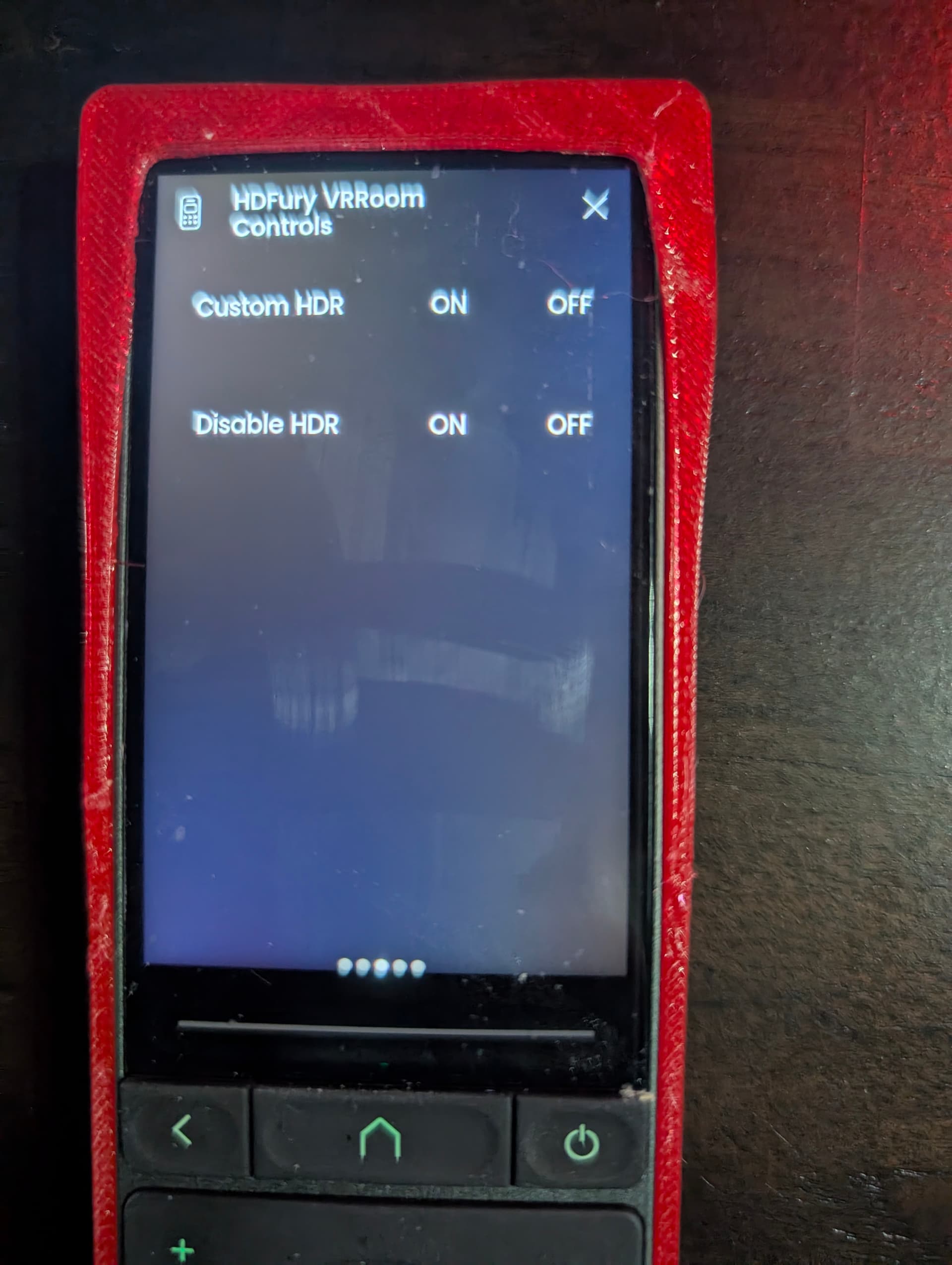
Hey Guys, i have built a new custom integration to control an HDFury vidoe/audio processors.
If you are not familiar with HDFury - it is a line of HDMI signal management devices that solve compatibility issues and optimize audio/video performance in home setups, with the 8K VRROOM being the flagship model for modern HDMI 2.1 systems. It acts as a “traffic controller” for your devices, handling 8K/60 and 4K/120 signals, fixing handshake problems, splitting and downscaling video to multiple displays, extracting full-quality audio like Dolby Atmos for AV receivers or soundbars, and enabling features like HDR and Dolby Vision on devices that normally wouldn’t support them. Home theater enthusiasts use it to integrate projectors, older receivers, or complex multi-display setups without sacrificing performance, while regular users benefit from eliminating black screens, audio dropouts, and making all their devices work seamlessly together.
One of its main advantages is that it enable Dolby Vision for Projectors who support HDR10+ (Perfect fit for use with my Epson Projector Controls integration)
This integration will allow you to control the HDFury device over IP as well as get a live dynamic information on the signal input and output.
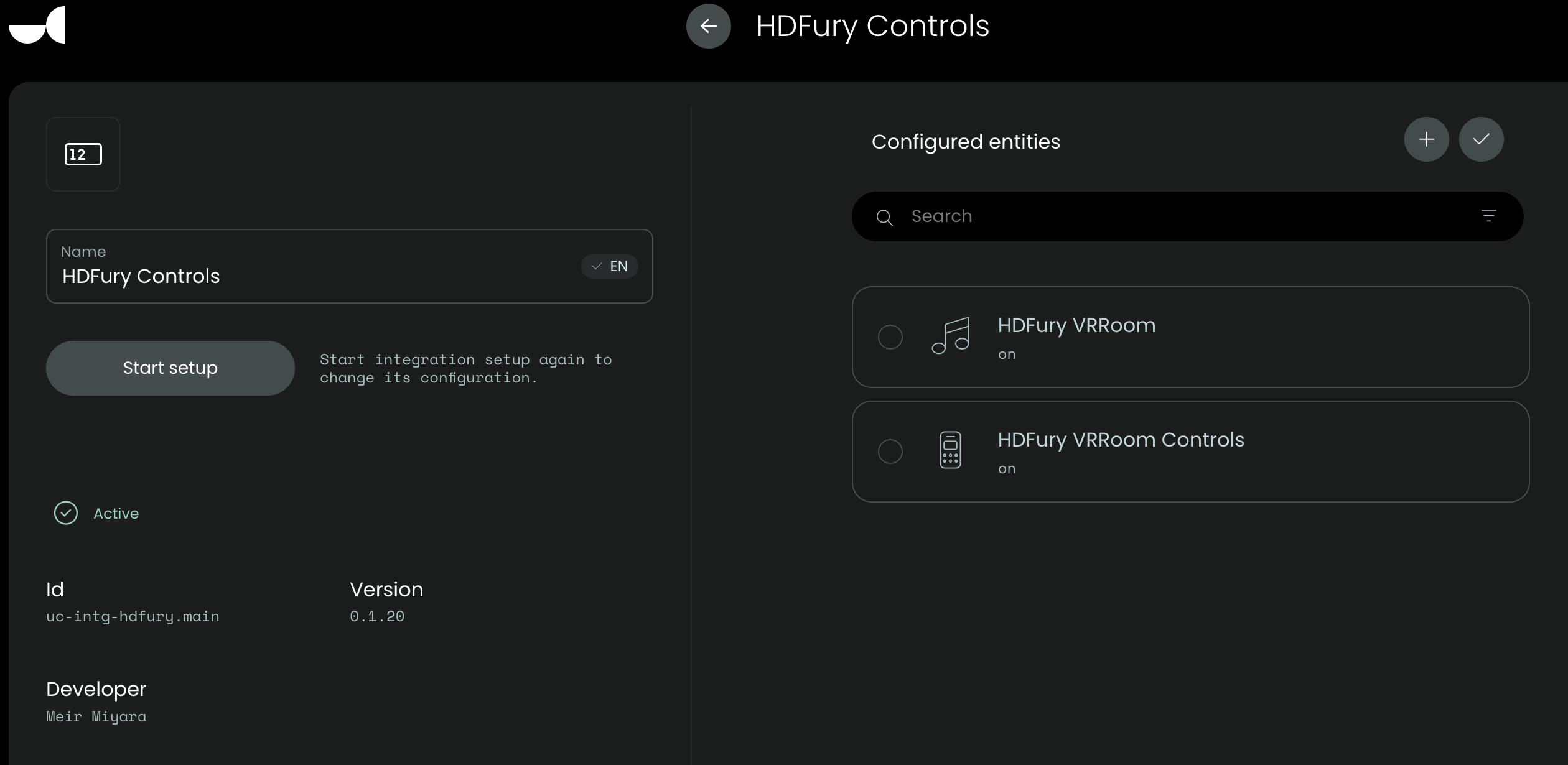
This integration will expose both Media Player entity as well as Remote entity.
Please pay close attention to the README.md file and of course, your device need to be connected to the same local network and have IP INTERRUPTS set to on (All in the README.md File).
Thank you so much, and i hope you enjoy this integration. This integration was made possible by the hard work and inspiration from others in the Unfolded Circle community.
Disclaimer: This integration was built and tested against the HDFury 8k VRRooM model, i do not have other models to test against. Theoretically they should all work. I added logic that if the button does not exist, it will just not work and the rest will.
the new version strip all buttons from the media player entity and suppress the alarm (no longer red error for unused buttons). All buttons will be on the remote entity, the media player entity will just show input/output dynamic data. this is cleaner and better.
oh, just realized you wanted the input output from the media player. sorry, not at home ill try to take one later. or you can just install and check for yourself:)
HI there, I was so excited to see that you have put this together, however, I can’t seem to get it to work. I have done what you say about setting IP Interrupts to ON, and put the port that is on the device in the Unfolded circle set up. The only thing I need to use it for is to change the HDMI setting source with different activities. I added the “input select” sequence with the HD Fury VRROOM and chose the input in the drop down but nothing is changing when I start the activity. Can you let me know what I am missing here. Thanks in advance!!!
Thanks for building this custom integration. I was recently interested in the HDFury 8K VRoom but passed on it as I did not find any integrations for it on GutHub or Discord, then the weekly UC whats new had your post and I was sold, I ordered it this weekend. My use case is to future proof my setup and gain what I needed a few more HDMI ports for my Receiver and the HDFury answers this need. I look forward when I get the device later next month to using your integration but wanted to say Thanks for this, your time and effort.
Hi. are you able to access your HDfury via web? did you make sure that the port you set it open on the firewall? is the Fury and the remote on the same network?
Yes I can access it on the web portal as well as their app,. And yes the remote is on the same network as the Fury. Can you tell me what exact sequences I need to have in the activity?
Need a bit more information, screenshots, logs. What exactly are you trying to do? Can you describe in details, so I can either replicate or understand your setup and issue.
Is the remote integration working by itself and you trying to add to an activity?
Ok, what is weird, the HDFury VRRoom Controls is showing up as an entity in the web interface but not on the remote itself. So I am not able to test it on the remote. But I am able to add the entity and sequence in an activity. All very simple activities, for example., Activity called Watch Shield. Sequence, turn on JVC projector, turn on Denon Receiver, turn on Shield, then I added the HDFury VRRoom Controls and choose the input that the Shield is plugged into. Then I start the activity on the remote and it errors out,. Then I delete the sequence in the activity for the HD Fury and everything turns on as it should,. I then can use my Vertex app and manually choose the input that the Shield is on. So I am at a loss as to what to do next…
After setting up the integration, did you click add to actively add the hdfury media player and remote in web configurator?
Also, you really need to download the logs, the logs will reveal alot more and will expose the issue. Also add some screenshots.
It works perfect for me and others, something during your setup is flawed (perhaps). Also, the app uses ip. This integration uses telnet, make sure you add the actual media player and remote entities and that they both show on. Before setting up an activity.
Settings, development, logs, choose only the hdfury from the drop down and download the logs
Make sure to first replicate the issue and then quickly download the logs, mark the time stamp where you press the button and if does nothing, then download the logs.
You most likely won’t be able to upload them here in this forum, so find me on discord so I can take a look at the logs to try to figure out what’s not working for you.
The screenshot looks good, it showed both entities up and connected.
Befiore I do the logs thing, can you please give me step by step instructions on how to add the commands into an activity. As I mentioned earlier, I only added the HDFury Vrroom controls in my activity. Do I need to add the other one HDFury Vrroom also in the sequence? It may be something as simple as I am not setting up the activity and sequence properly. Thanks so much for your help with this.

 really appreciate it !!!