Has users with previous IR issues seen an improvement with time and updates?

I’m one of the lucky ones to have receieved their Remote 3 and Dock 3 however as a non “Home Assistant” user I am totally reliant on the IR capabilities of the new remote. Unfortunately a few of my system components are proving impossible to control with the Remote 3 via IR despite the configurator confirming learning the new IR codes has been successful.

All my current components work perfectly with the Harmony Elite control but 3 of these units out of 9 fail to respond to any commands sent from the Remote 3. I have tried various things to try to get the units to respond, so thought the issue addressed by the latest Dock 3 firmware (0.8.0) may have provided the solution, but it appears not.

To date I have tried various possible “fixes” including:-

a) moving the principal blaster to within a 1.5mtrs of the device being controlled

b) setting infrared output port to both default (all ports) and other available options

c) turning on the remotes personal IR emitter in the settings development pages

d) deleting and relearning the IR commands from both the OEM and Logitech remotes

e) assigning commands to an on screen button on the user interface instead of, and as well as, the physical power button.

f) double checking that the code learned from the OEM controller is being received consistently by the Dock/Remote 3 by learning the code several times and checking the code received is the same each time.

g) checking that during the learning process that the device being controlled actually responds to Harmony as it teaches the Dock 3, thus reinforcing the code being learnt is actually being sent and received properly by the device.

h) Confirmed that the other 6 devices (all IR) respond appropriately (although I haven’t checked all functionality only power toggle and one or two basic functions)

i) assigning the power toggle command for one of the three problematic devices to another working device entity to see if it was perhaps entity specific.

j) rebooted both remote and dock several times throughout the above processes.

Very frustrating but if anyone here has had a similar experience and can offer some practical advice (other than full integration as a few of my key devices are IR only!) then I’d love to hear from them, otherwise the remote might just be drawer bound for the foreseeable future!

To be sure: By principal blaster you are referring to the puck sized blaster and not the tiny extenders? In my experience the Dock itself is very weak and only the external blaster has enough coverage.

Have you tried to alter the last digit of the learned hex code? This is for the repetition. Some devices may need the command to be send multiple times and this may not be recognized in the learning process.

Do you have any devices which work via IR using the remote?

Otherwise and if your devices only support IR you could look into a Broadlink device that can act as an alternative to the Dock and even supports RF. There’s an integration available for these devices: GitHub - JackJPowell/uc-intg-broadlink: Unfolded Circle Integration for Broadlink Devices

1 Like

It helps if you post which 3 devices failed. Did you try generic codes provided by unfolded circle?

Hi Kenny, thanks for taking the time to respond and for your input. Covering your points and hopefully providing further clarity.

Yes I am referring to the puck type blaster and not the tiny little unit also supplied.

I haven’t touched the code received from the OEM or Logitech as I don’t know enough about the syntax or format of the codes. However I have now checked both the unresponsive and the responsive units they all seem to end in the digit “0”. Do you have any possible alternative figure(s) that you suggest I try?

As you can see for the above response yes I have other units which work OK with the Remote 3. I have a total of 9 IR based based devices 6 work perfectly 3 I can’t even get to turn on via a power on/toggle command.

I haven’t heard of the Broadlink device, I’ll check this out as a last resort though, as I’m awaiting a response from Unfolded Circle too!

I can’t thank you enough for taking the time to respond, it’s good to have some support from the community.

Bill

Thanks for the response, my question was generic in nature but for completeness I have three devices:-

PS Audio Stellar Phono PreAmplifier

Virgin Media 360 cable box (Ziggo Mediabox Next, the device used by Harmony OK)

Panasonic DMP-UB900 Blu-ray player (a couple of generic Panasonic blu-ray options exist for this on the configurator but these have not worked).

You can try these codes for the Virgin Media 360 cable box

key format code
Power_Toggle HEX 21;0x20C0260C;32;0
Red HEX 21;0x20C0A66D;32;0
Green HEX 21;0x20C0A66E;32;0
Yellow HEX 21;0x20C0A66F;32;0
Blue HEX 21;0x20C02670;32;0
Teletext HEX 21;0x20C0A63C;32;0
DVR HEX 21;0x20C0A649;32;0
Back HEX 21;0x20C0A64D;32;0
Help HEX 21;0x20C02681;32;0
OnDemand HEX 21;0x20C026F5;32;0
Menu HEX 21;0x20C0A6DB;32;0
Info HEX 21;0x20C0A6CB;32;0
Exit HEX 21;0x20C0264D;32;0
Guide HEX 21;0x20C0A6CC;32;0
VolumeUp HEX 21;0x20C0A610;32;0
VolumeDown HEX 21;0x20C02611;32;0
Left HEX 21;0x20C0A65A;32;0
Right HEX 21;0x20C0A65B;32;0
Up HEX 21;0x20C02658;32;0
Down HEX 21;0x20C02659;32;0
OK HEX 21;0x20C0265C;32;0
ChannelUp HEX 21;0x20C0A620;32;0
ChannelDown HEX 21;0x20C02621;32;0
Rewind HEX 21;0x20C02629;32;0
FastForward HEX 21;0x20C0A628;32;0
Record HEX 21;0x20C02637;32;0
Play HEX 21;0x20C02630;32;0
Pause HEX 21;0x20C02630;32;0
Stop HEX 21;0x20C0A631;32;0
1 HEX 21;0x20C02601;32;0
2 HEX 21;0x20C02602;32;0
3 HEX 21;0x20C0A603;32;0
4 HEX 21;0x20C02604;32;0
5 HEX 21;0x20C0A605;32;0
6 HEX 21;0x20C0A606;32;0
7 HEX 21;0x20C02607;32;0
8 HEX 21;0x20C0A608;32;0
9 HEX 21;0x20C0A609;32;0
0 HEX 21;0x20C02600;32;0
Mute HEX 21;0x20C0A60D;32;0
ChannelPrev HEX 21;0x20C026F2;32;0

Have you tried to learn IR with the original remote or the Harmony? If original try again with Harmony.

For your BDP a community integratrion exists but needs a patched firmware which is always a risk and need quite a bit computer knowledge.

Ralf

Thanks fbutler, I hope you copied and pasted that list!

I tried the first command, Power Toggle , that you supplied but it failed to switch on the box. The code the Harmony uses works just fine on the Harmony just not the Remote 3 for some unknown reason. The power toggle code the Harmony uses and learned by the Remote 3 is 21;0x20C0A60C;32;0. However as I said while that particular code works on the harmony it does not for the remote 3.

Cheers,

Bill

Hi Ralf,

Thanks again for the support - appreciated.

Just the Harmony was used for the Virgin Media box, but both Harmony and original remotes were used to try and teach the Remote 3 for the Blu-Ray and phono pre-amp.

The Virgin media box now works on RF not IR through the original Virgin remote. However some forums for the Harmony pointed me in the direction of the Mediabox Next codes on the Harmony site for this particular device and they work just fine with the 360 box and Harmony just not the remote 3.

I’ll leave the other suggestion well alone if it needs more than a casual computer knowledge :slight_smile:

Regards,

Bill

The last digit stands for the repetition count. 0 just means 0 repetitions, 1 repeats the code once, 2 twice and so on.

Thanks again Kenny, tried 1,2 and 3 no difference !

Hello,

if the IR intensity of the R3 or its companions is the weak point (did you check it by narrowing the blaster to the receivers?), then you may have a look here:

Cheers, tiki

Thanks Tiki, I have reduced the distance to less than a meter with no difference so suspect it may not be a signal strength issue, but I am still awaiting a formal response from Unfolded Circle.

Bill

Hi all,
I have the same issue like bill with one of my devices.
The DA2 DAC from Emmlabs does not respond to any IR command.
The commands are successfully learned from the original remote and my Harmony Elite.
EmmLabs experts responded that the learned codes are correct.
I tried during a long day and night all the actions that bill has listed in his first post…
All other IR devices are working as expected.
Spectral preamp works better with repeated codes.
Hope someone finds a new way to fix this.
cu

Hm. Sounds strange. Are you able to control the DAC with the Harmony remote? And did you use the Harmony remote to learn the codes with the UC dock? If yes, they should work with the R3 as well. The question is if the problem is with the IR codes or the strength of the IR signal. I would try to use the IR output of the R3 right in front of the IR receiver of the DAC (make sure to define the IR output in the IR entity). If that does not work, the problem is probably with the IR codes.

Hi heimspielvier,

Thanks for taking the time to respond.

I have managed to resolve the issue which was due to the IR Blaster being broken. I forgot that it wasn’t hot pluggable and I unplugged and plugged it back in without disconnecting the power first while sorting out my wires a few days after initial installation, causing it to be unserviceable. I’m waiting to order a new one from Unfolded Circle, in the meantime I noticed if I place my Dock on its side with the charge port facing forwards instead of upwards there is no need for any extender or blaster, it’s just an unsightly inconvenience, but one I can live with until the replacement blaster is dispatched.

Bill

Hi Guenter,

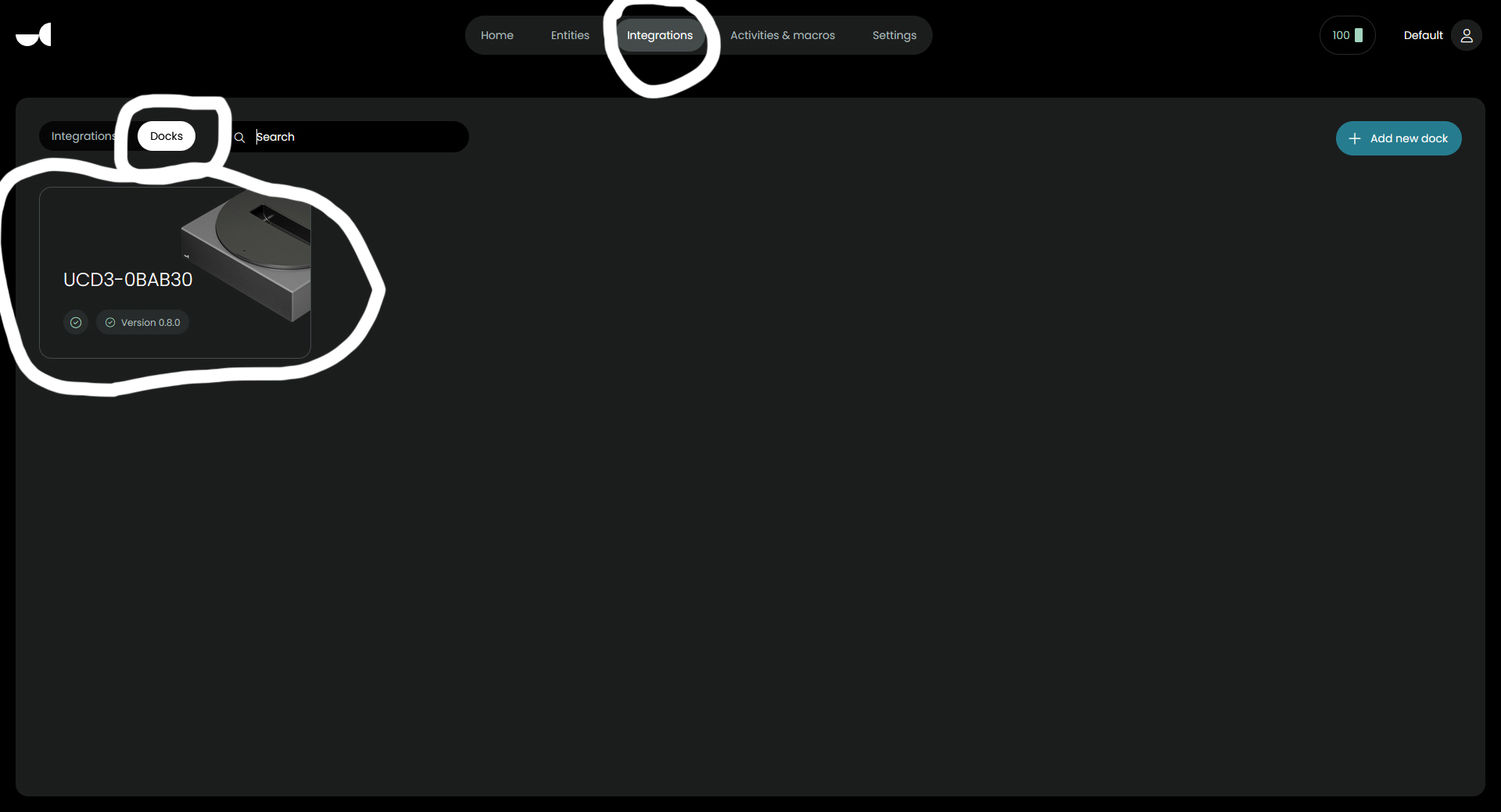
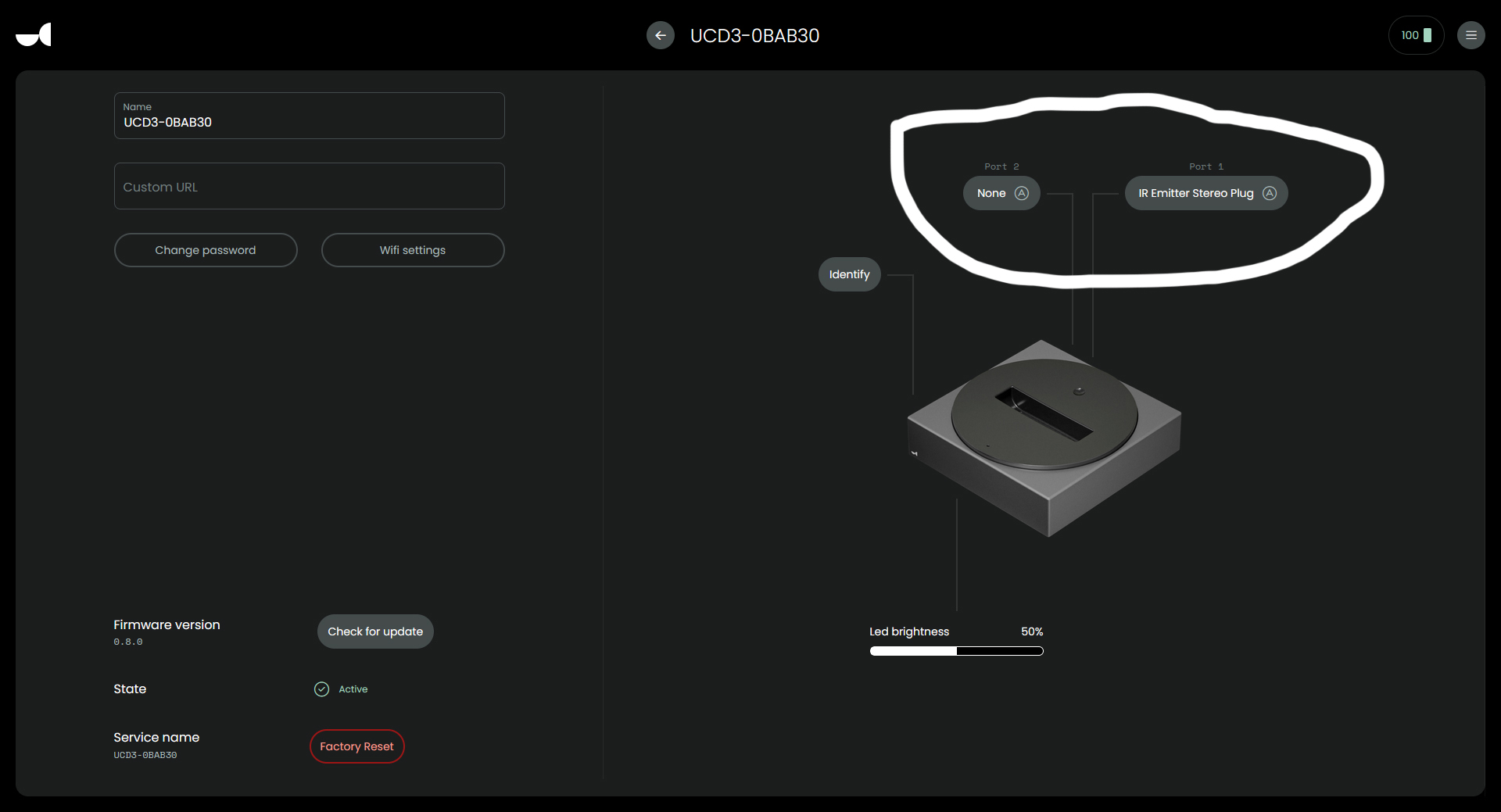
My problem turned out to be a faulty blaster due to me hot plugging it in (Plugging it in/out while the dock had power going to it). I was misled due to some devices adjacent to the units not switching on working OK. Turns out some devices were more sensitive to the low(ish) IR being received from the dock alone, or perhaps had narrower receiving angles. If you are using the blaster and extender, you can check whether the dock is seeing them by going to the Integrations page on the configurator and then choosing Dock from the tabs shown there, here you will see if the blaster is being seen by the dock or not. Mine wasn’t showing the Blaster as being connected. Of course you may be experiencing something totally different but that is how I found a resolution to my problem.

Bill

1 Like

Hi all,
thx for your answers.
I found the reason: the blaster has not enough power.
4.4 m to the DAC is too much for the poor IR receiver.
The receivers of all other devices seems to be better.
With a second blaster, it works more or less.
But I have to find a better place for the blaster (and the dock :thinking:).
cu

If you have two docks you can place one of them close to your devices and the second one wherever you want purely for charging.

i have 2 docks and i’m searching currently for a better place of the second one.