Hi all, so I’ve just upgraded from 2.7.0 to 2.8.3 on the R3 and been playing with all the new cool features like Denon Sensors and Voice Assistant in AndroidTV Integration and got it all working nicely. However, I noticed a new message when I start an activity with my HA Plex media player in it (which I use to get my Plex media artwork on my R3 remote) I get this “Some devices are not ready” message and when I hit Proceed - everything activates correctly and displays fine. It’s now an annoying extra step. Did the old 2.7.0 software just not check if this HA entity was available and the newer 2.8.3 does check before running the activity? Even though its says not ready, when I get into Plex and play the movie everything runs correctly. I don’t even know where to begin trouble shooting this. It displays my correct artwork in HA dashboard too. I still don’t get the timescale or times showing in R3 display though (I wonder if there’s something with this that it isn’t talking properly.
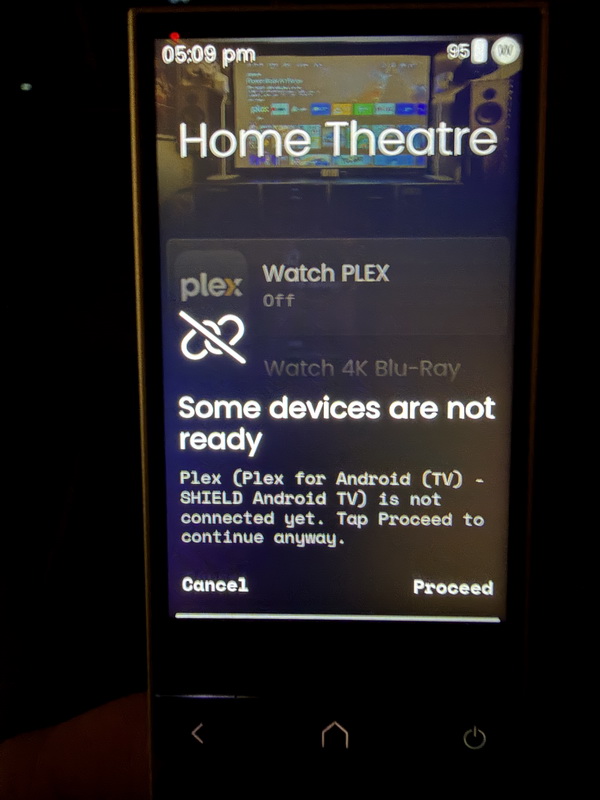
OK, so when I don’t have anything on I look at my R3 Web Configurator and it says its unavailable (because nothing is playing)
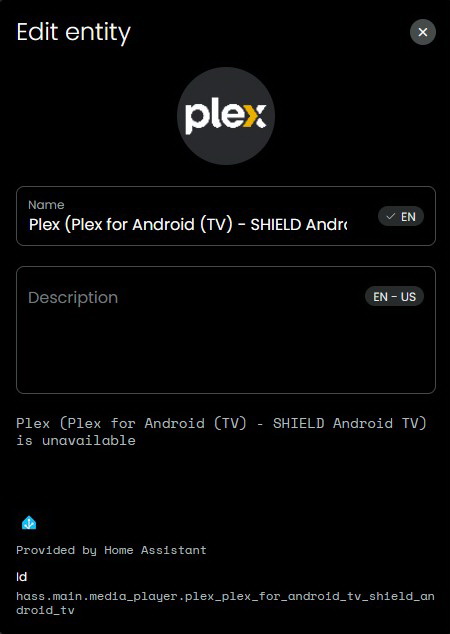
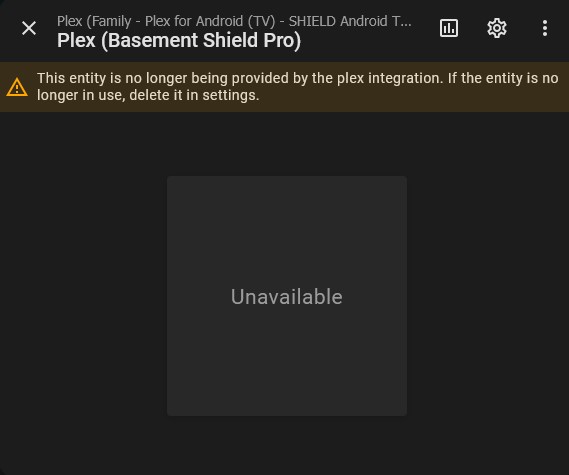
and my HA says its unavailable (because nothing is playing)
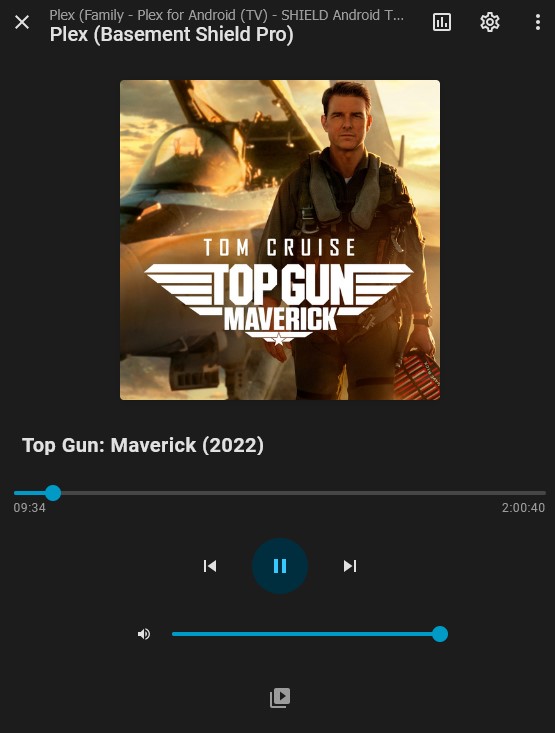
But when I play a movie, all the warnings go away and its available…
What has changed now with my R3 remote? Is there a checkmark to have my R3 remote to not check if something is available?
I have the same experience with my Denon AVR, same error message and when I tried re-adding it to the remote it would only add some entities (mute status, volume output etc.) and they immediately stopped working.
Hopefully it’s a bug that can be easily fixed.
What is your start sequence? You cannot use Plex in the start sequence before the App is running on your Android system.
Ralf
I found that if the item is in Home Assistant and is not reporting there, it gives me this issue too. re-authenticating the “missing” or offending item until HA sees it seemed to work for me.
Its a pain though that if this occurs, it keeps you on the last view of the integration ie remote etc even though all objects may be shut off
It was working fine for over 2 months (Nov & Dec) and then I played with upgrading my remote from 2.7.0 to 2.8.3 and playing with the new features did this problem crop up. I think it has something to do with HA end of things and something with HA not communicating with my Plex server. I’m running my HA in a docker container on my NAS and my Plex Server is on a networked desktop - my guess is there is some problems in communicating between the two and when that happens, it says the Plex service is Unavailable. In HA, you can see it switches from Idle to Unavailable - when its idle, the Remote 3 operates normally, when its unavailable, that’s when I get the message. I don’t know how to keep it in idle (if that’s even the problem)
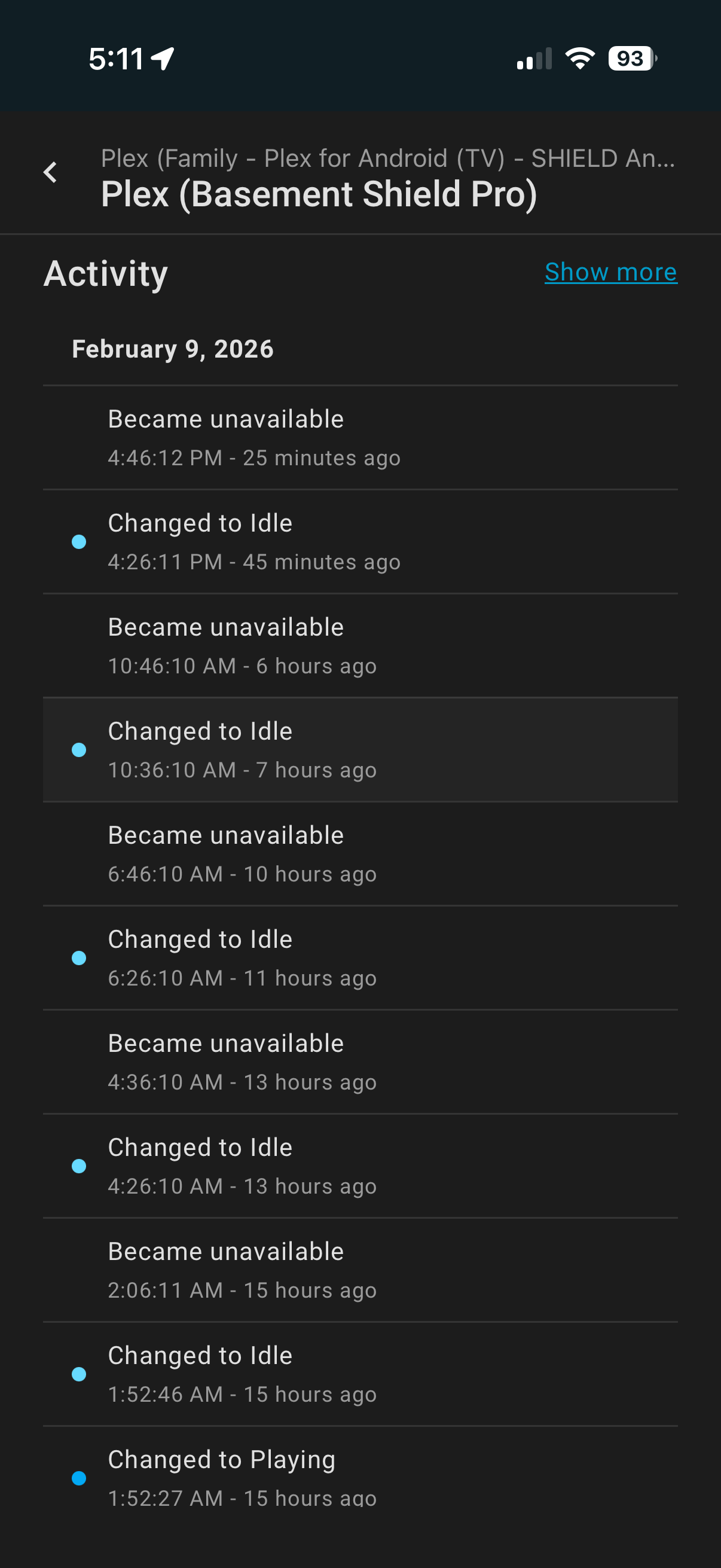
When that happens and I start my Remote 3 - it gives me the device is not ready click to proceed dialog. When I click to proceed, everything happens normally. The weird thing is everything was fine for 2 months beforehand.
@HarmonyFan I don’t have Plex in my start sequence explicitly but it’s one of the integrations that gets loaded because I have the Plex Media Player entity on one of my pages in the remote to give me the playing movie art.
@keoin How do you re-authenticate the offending item? Do you delete it and re-install it or is there some command to refresh the existing configured installation?
I’ve found something here from 2023 (as recent as 2025) but it’s marked closed. Does this mean they solved the problem?
On this thread; Plex clients (PlexAmp, Plex Player) show unavailable until they are active · Issue #96231 · home-assistant/core · GitHub
It says; “Your HA setup cannot scan for clients using UDP multicast because of networking restrictions or HA running in a container without host networking.” - I’m running my HA in a docker container - but I just learned HA to make my R3 remote work so I know nothing about docker containers or HOST networking - argh. This is so far out of my depth!
I do not use HA but a lot of docker container. Normally docker runs in bridge mode which means you must map any port you intend to use to the docker host. Host mode simple but might get problems as the docker runs then completely with the IP of the docker host which might create port conflicts.
Because mDNS is used by the R2/R3 host mode might be necessary because broadcasts are not routed.
Ralf
@wm.cheng the re-authenticate part can sometimes be just a reload or sometimes a re-configure (it depends on what item is offending) basically anything that is reporting as not working or not connected in the Devices and Services (red error box around the item) get it back talking to HA. At least this is what worked for me so far
Nothing I’ve tried seemed to work. Yes my docker is in HOST mode (I think the problem is getting to my desktop which runs the server). I tried re-loading the HA Plex entity and it didn’t do any difference. I haven’t deleted the HA Plex integration and starting over again yet. I wonder why it worked flawlessly for 2 months on the R3 firmware 2.7.0 - I wonder if it just didn’t check if a device was ready before. HA side of things seem to be such a dead end or its too out of my knowledge depth. Is there something on the UC Remote 3 end that I can ask it to not check for device availablity or not check just Plex before executing the startup routine/activity? Because everything works normally, just I have to click through this error to proceed - argh.
Hey @HarmonyFan I don’t have anything in the start sequence for Plex, just powering on my Amp, Projector, selecting input and nVidia Shield. However the HA Plex media player is loaded so I can see the movie artwork on my remote.
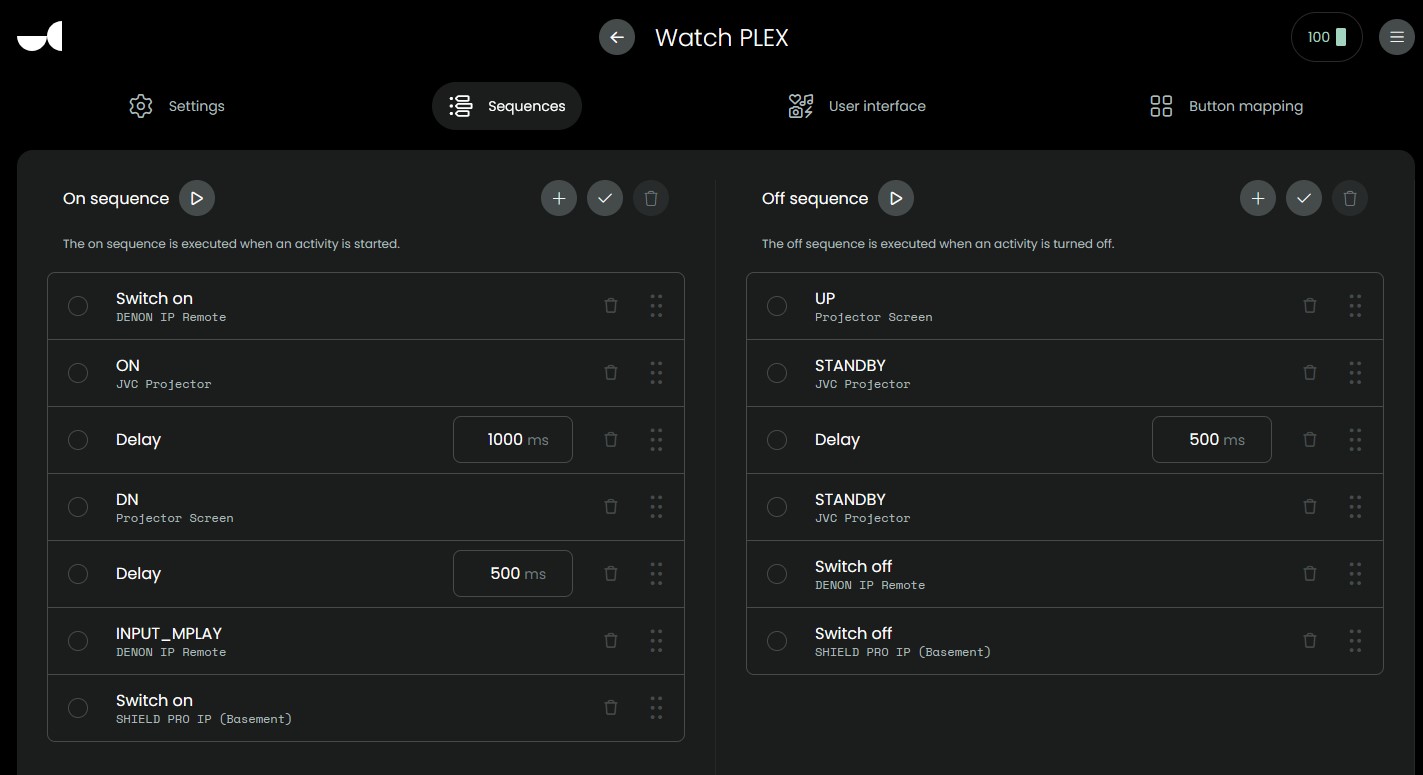
The remote displays the current step of the sequence. Which step makes the problem? WiFi active in standbay activated?
Ralf
Thanks for the replies, after not being able to solve this issue, I was able to find a workaround. I ended up using the UC Android TV Integration and its Media Player instead of the HA Plex Server Integration Media Player and its all working now. I no longer get this Device Not Ready message to proceed because I’m using the UC Android TV Media Player and the plus side is that it gives me back the timeline underneath the plex playing artwork. Perhaps I should have used this Media Player instead of the HA Plex Server one in the first place, but it was wierd that it was all working at the beginning for 2 months. I read that the horizontal touch bar works during media player functions but I haven’t been able to see how to get that working yet.
Did you configure the slider in button assignment?
Ah! Thank you so much @HarmonyFan !!! There was nothing to configure in 2.7.0 when I was setting everything up and I didn’t catch all the improvements in 2.8.3 now. Is there a list of all the new features since 2.7.0? I’m really loving all these new features!
On Discord all changes are published (Unfolded Chat). Biggest changes upto now for me are:
- Sensors in Activities
- Select widgets which offers a drop down menu with several options. Example switch sound track in Films with the Kodi integration. Denon will next get an update with a lot of selects.
- Voice support for HA and Android TV
- Resend option for upto 10 seconds if it fails to send a command
I am also waiting for the R2 update to get my remotes in sync again. Now the R3 is way ahead of my R2s.
Ralf
Thanks @HarmonyFan - this is great!
- DONE - love the sensors for my Denon Amp, especially love the smaller dimmer label and large readout - wish the readout size was customizable
- I wish I could select Subtitles from Plex (the androidTV integration keyboard “S” doesn’t seem to work). Would be great to select input on Denon
- DONE - love the voice commands in google for shield
- Don’t know where I’d use this for?
Hi,
1.+2. you will love the next Denon update. I think on friday a lot select options were added.
- Sound Mode - Input Source - Dimmer - Eco Mode - Monitor Output - Dirac Filter (if supported by the device) - Speaker Preset - Reference Level - Dynamic Volume
3.+4. I already used it to search in YouTube. Works good.
Concerning Plex perhaps the Plex integration gets something like Sensors or Select sometimes.
Ralf
Oh that sounds wonderful! How does one know about these integration updates? Will my existing configured Denon integration update by itself or do I have to do something?
- Look at unfolded circle git there you will see latest changes of most integrations from unfolded circle.
- Denon will only be updated with the next firmware. It could also run in docker with a little change but I wouldn’t do it.
Btw. Community integration also have a git repository where you can see changes.
Ralf