Hi,
I am getting the Same error. I do have Android TV, Hue Switches in my activity
The Message is Thai the android TV is Not responding. If I press try again everything is working Fine
Does anybody know how I can search for the reason.
Best regards
Hi,
I am getting the Same error. I do have Android TV, Hue Switches in my activity
The Message is Thai the android TV is Not responding. If I press try again everything is working Fine
Does anybody know how I can search for the reason.
Best regards
Which remote and firmware? For R3 and 2.8.3 there is an option in power saving direct in the settings on the remote. Resend command if it failed. Set the time to 10 seconds should avoid most of this messages.
Ralf
Hi Ralf,
I ve got version 2.8.3 installed on the R3, but I can not see the option you mentioned.
I ve been looking in the Web config in Einstellungen - Energie - There are only settings for the wakeup, timeout etc.
Stefan
Hi Ralf,
found the setting inside of the settings on the remote.
I will try this option.
Thanks / Danke
I Stefan
I have same issue randomly few times in week. It seems that remote loose wlan connettion. When I go wlan settings it show ssid connected but no ip address. Disable enable wlan helps.
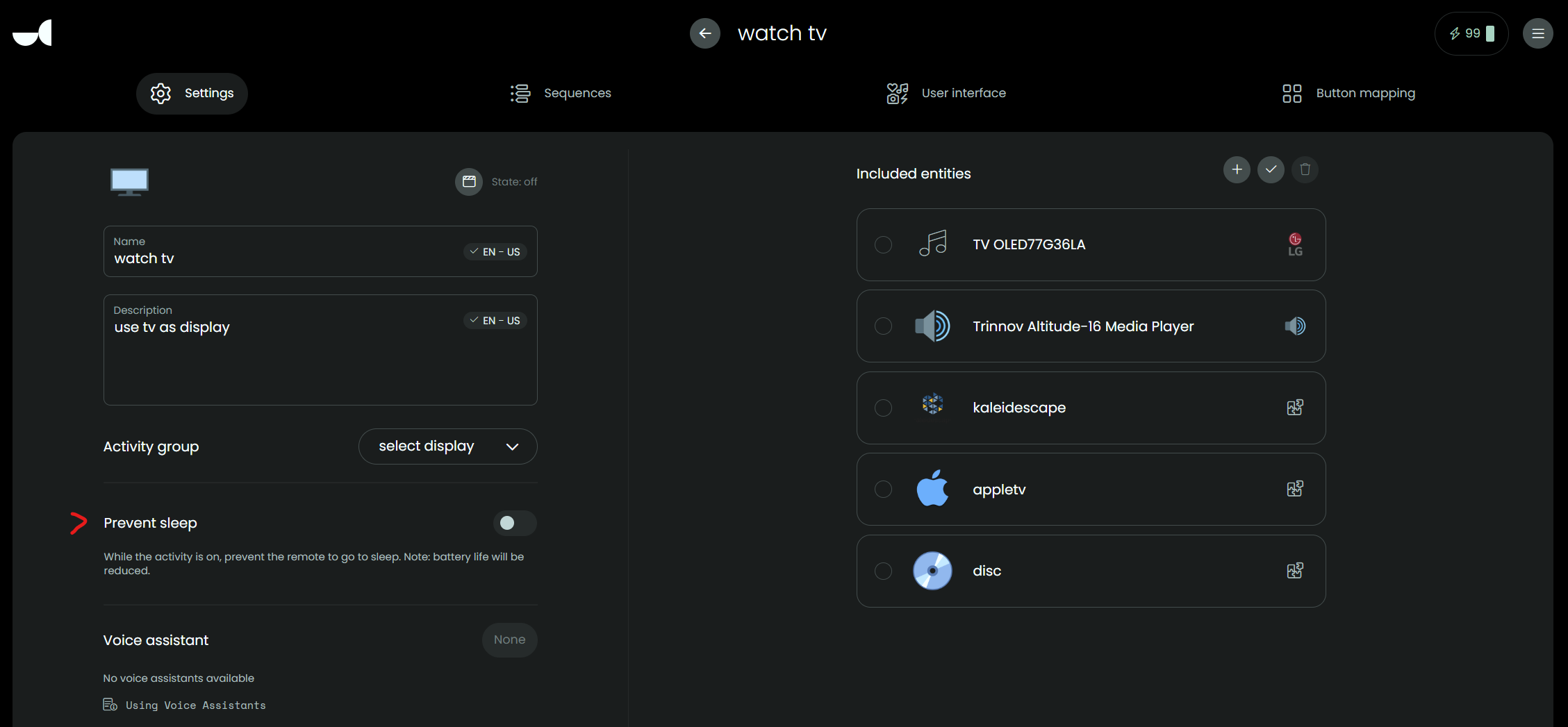
I get this same ‘device not ready error’ with the Trinnov Media Player integration also - ever since I updated the UC3 software to 2.8.3. It didn’t happen before the update.
With firmware update 2.8.4 you have the option to disable this check for each activity.
@kennymc.c Where can I adjust that setting?
On the settings page of each activity. The same place where you can also set to disable sleep for an activity.
I see the ‘prevent sleep’ setting but I don’t see an option to disable the integration check you mentioned. Am I looking in the wrong place?
Another thing I have noticed is that the Trinnov integration disconnects when I turn things off in the end which is unlike all the other integrations which stay connected. I have a total of 10 integrations and the Trinnov one is the only one that behaves like this (which is what is causing the ‘some devices are not ready’ error). Can’t figure out an option or setting to stop it from disconnecting in the end.
This feature was introduced with firmware 2.8.4 and you can find it in the lower left hand corner in the activity settings (below voice assistant).
oh! just realised I am running 2.8.3. My bad.
I guess 2.8.4 is beta software?
Still, I wonder why some integrations stay connected/activated while others disconnect/deactivate when powering off.
Sometimes it is because of the settings in the device configuration. My Philips TV for instance goes to some kind of Deep Sleep if not used for X minutes and this deactivates WiFi .
Ralf
You should ask the thread for this integration. Maybe it’s a bug. Integrations shouldn’t just disconnect.