Hi. So since about firmware v2.6.1, I believe, the remote (I’m still using a remote 2) does not wake for about 10 seconds or longer. Every update before has been solid, and this hasn’t been an issue in years. Well maybe not that long. But something changed starting with the v2.6.1 release. Wi-Fi shows a red slash icon and the remote is unresponsive for a while. However, it’s been rock solid before then. Any ideas? Or do I need to wait for another firmware fix?
You could give the 2.6.3 beta version a try.
Thanks. I’ve been on 2.6.3 for a couple days now though and the issue still persists. Support team sent an email today on Kickstarter and apparently there is a firmware fix coming up to correct this. I am not entirely sure if that was only for the Remote 3 though.
Do you have the “Keep wifi connected“ option activated in the power saving settings on the remote?
In an activity is I prefer “prevent sleep”. Drains battery but for me it ith worth it and remote still makes it a whole day of quite intens usage.
Ralf
I do the same since I often have connectivity issues after the remote wakes up from deep sleep. The only problem with that is the remote 3 will be fully drained in about 6 hours.
I have the keep WiFi awake setting enabled since it became an option. And this solved almost all connectivity issues. I do not have keep activity awake though, as that will drain the battery insanely fast. Like I said, this started happening after that one update. Maybe I need to go onto the web UI and do another reconnect.
UPDATE: Well, I did a manual Wi-Fi reconnect to the dock via the web UI. But I also then seen there was a FW update to 2.6.5. Not sure which of those was the solution, but it looks like I’m not longer experiencing this major delay after waking my remote. Works great now.
Where is this setting? I’m on 2.6.5 and in Power Saving I only have:
Wakeup sensitivity, Display timeout, Sleep timeout
Only available on R2 not yet on R3.
I have the same issue and it has not been resolved by any firmware update yet. Roughly 10 seconds delay if the remote has been sitting on the couch for some time and then you pick it up. Particularly problematic when adverts come on and sometimes the volume jumps, and you can’t turn it down for 10 seconds! Can anyone please help? I have a R3. Firmware 2.6.5.
Either use prevent sleep in activities or wait for Keep WiFi connected to be available on the R3
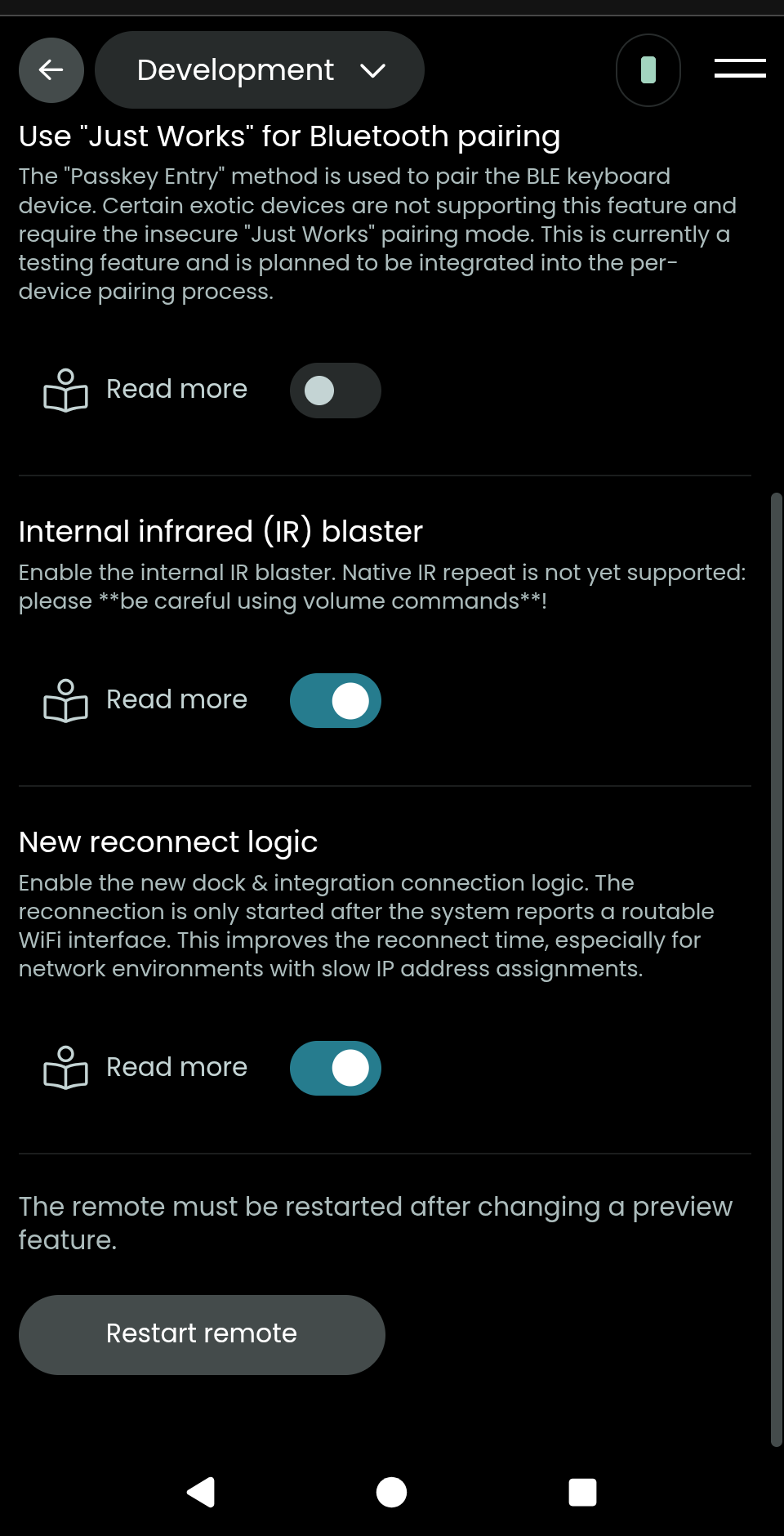
You have that “new reconnect logic” setting enabled?
I can’t find that setting anywhere? This ‘preview’ settings isn’t available on my remote. I updated the dock firmware earlier, but it hasn’t helped.
It’s not on the remote. You can only enable this from the web UI.
Once you find the setting, turn it on. Reboot the remote. Then you should be good hopefully.
It was already set. I restarted the remote anyway from the web UI. So far so good. If it happens again I’ll reply later…
Is keep WiFi connected available yet on the R3?
Not yet. Hopefully soon.
What is this keep WiFi connected setting?? Are you referring to the timer in the web UI? If so, that is mainly just to keep the remote alive longer for when you need to customize. Well, I can see how it helps in real usage too. But before that setting even existed, if it is the timer, once the new connect logic setting was added, all of my sleep disconnect issues went away pretty much.