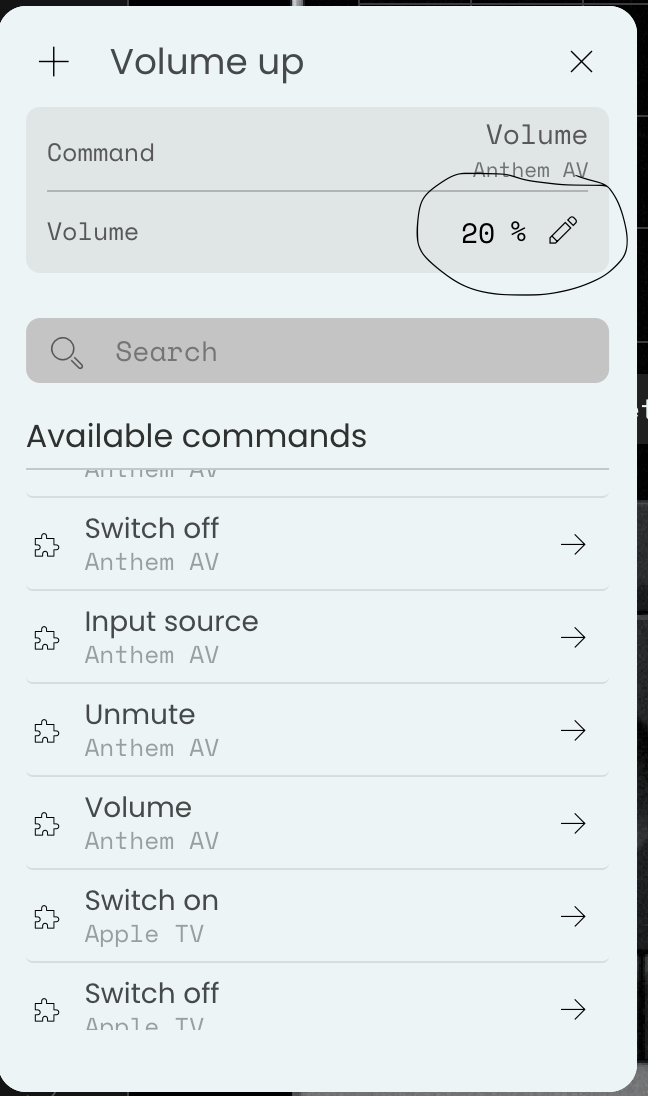
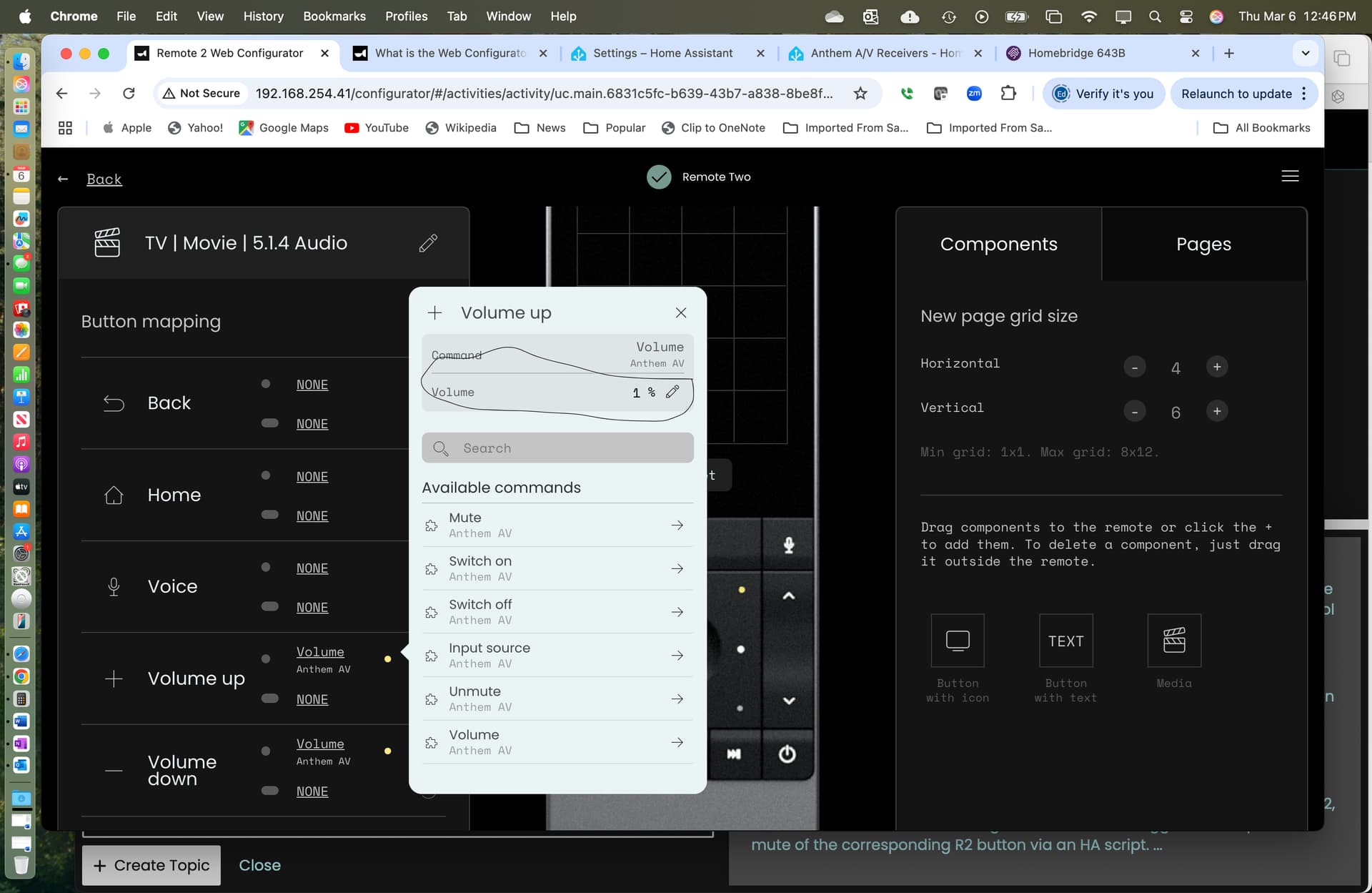
I’m having trouble controlling the volume in 1% increments on my Anthem receiver MRX-1140 using RC2 and Home Assistant on a RP5.
When I set up a TV | Movie | 5.1.4 Audio Activity, and edit the User Interface page, go to the volume. It defaults to 20% increments, I then edit to 1%, and it sticks to 1%. Yet when I use the Volume button the UC2, the Volume jumps in 20 increments. I using the Anthem Integration for Home Assistant (Anthem A/V Receivers - Home Assistant) which does not report a problem in this area.
Any ideas ?
If you’re using a receiver / processor Integration on Home Assistant, can you share UC2 your setup?
@kennymc.c Great call out - thanks. The integration does not have separate up and down available like say Apple TV. Maybe this is something I can request from the Integration owner. I have also asked for an update from Unfolded Circle given this feature request from a year ago.
Hi there! Total noob (just got my 3 today) but to save me some headache, how did you get your 1140 up and running with ‘generic’ codes? I have an MRX 740 and can’t get it running. I do use the IP access on it so would I need to use that on the Remote 3? I know that’s probably not an easy question to answer but the Anthem is complex with its own remote. Is there another group that lists their process somewhere? I’m actually in clinical applications in the medical field so I’m not techno illiterate but I’d rather not have to reinvent the wheel.
@Dssquared Welcome to the Unfolded Circle Community! I hope you’re enjoying your Remote 3 experience so far.
While my setup using Home Assistant (HA) and a Raspberry Pi 5 has been largely stable—especially with the Anthem IP integration—there are quirks that take time to untangle. I’ve mentioned a persistent volume issue elsewhere in this thread, for example.
That said, I still find the Remote 3 has capabilities that aren’t exactly plug-and-play. Some issues require deep digging, which can be draining when the solution isn’t obvious. When that happens, I take a breather and keep an eye out for software updates or new community insights—sometimes that’s when the best workarounds surface.
I skipped IR entirely because my gear’s racked in a utility closet, out of range. If yours isn’t, the dock might be a viable IR option. Personally, I went full IP where possible to simplify things long term.
Glad to compare notes and help however I can. If you’ve uncovered any gems or hacks, drop them here!
Creating integration are a bit beyond me, but would be great to have not only volume up/down but ability to switch arc profiles or change speaker levels. I just don’t know where to start finding what IP commands anthems support / provide for.
EDIT: i found the commands online but no idea how to implement as i cant’ find the files within HA to try and figure out how it works
If you provide a link to the doc I might be able to give you a custom entity configuration for the requests integration. But it depends on the command format and the protocol used by the receiver.
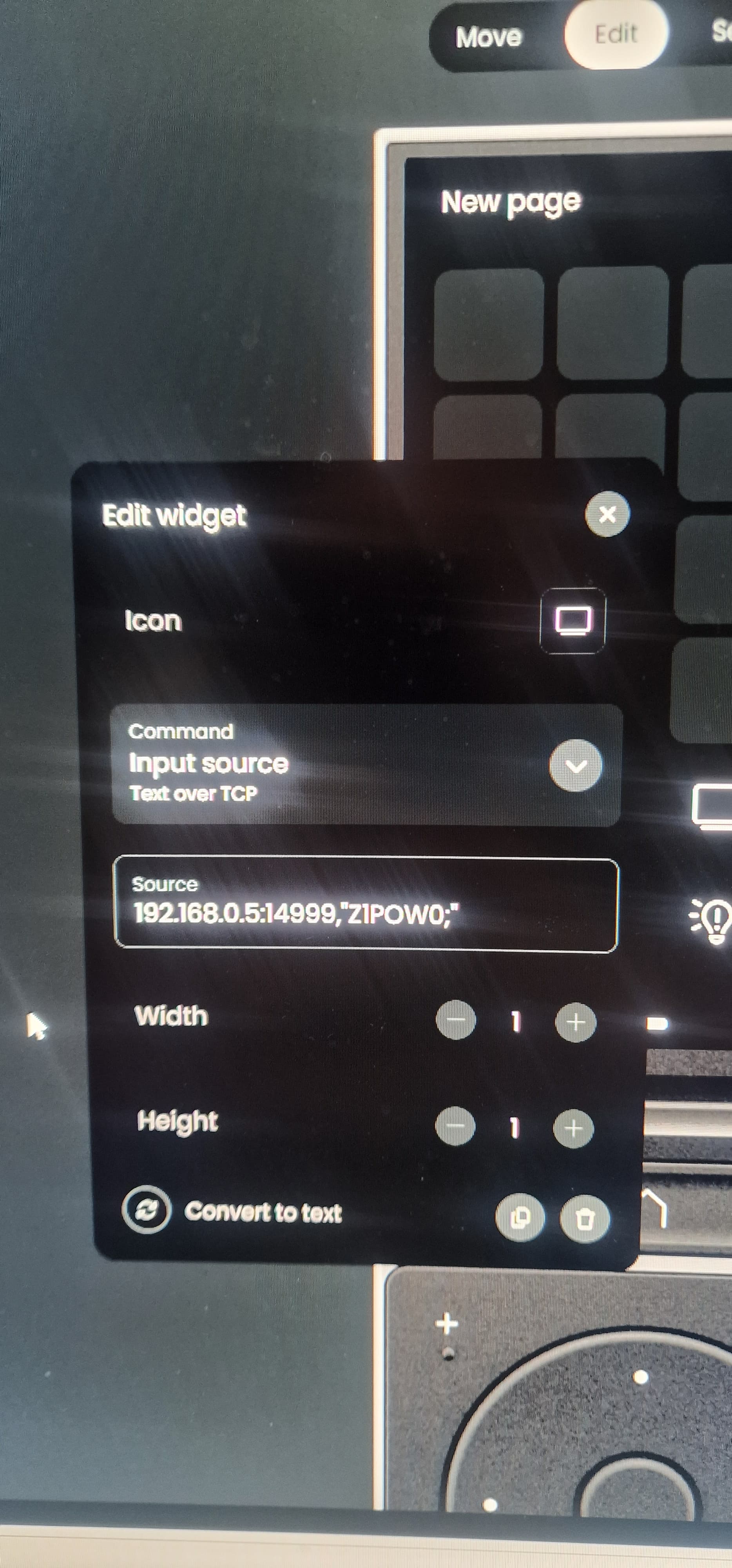
Can you try if this turns on Zone 1 when entering this in the source field for the text over tcp entity input source command:
ReceiverIP:14999,”Z1POW1;"
ReceiverIP:14999,”Z1POW0;" should power it off.
Make sure IP control in standby is enabled on the receiver. I’m not sure about the correct port number as it’s not mentioned in the doc and I found it somewhere else. Maybe it’s shown in the reciever menu.
I think the device just doesn’t support volume control, as I tried this and it doesn’t work, tried both volume up and down. Which might explain why it’s absent from the HA integration.
192.168.0.5:14999,“Z1VUP;”
However I think I get the approach now and can map the commands i am looking for, which is great. Will have a proper play at the weekend.
How would I use the reverse, get the response from the avr to the command and display it?
For example ISiSPp to show that it’s switched profile or show current profile
You should also look into the new custom entities feature as this will add power state handling and you can simply save your device config as a yaml configuration instead of creating new commands for each command and activity.
Getting a response from text over tcp is currently not implemented. You can only see the answer message in the integration log. Maybe i’ll add this similar to the http requests commands. But you would always just have a single outlet to show any responses for all text oer tcp commands.
In the end this integration will not replace a proper Anthem integration. But its a good workaround until someone will release it.
 Welcome to the Unfolded Circle Community! I hope you’re enjoying your Remote 3 experience so far.