When I started this project the goal was simple: change the button backlight, and maybe the screen brightness, from a button or a macro on the remote. With this latest release it has grown into almost a full replacement for the Unfolded Circle web configurator.
Remote Self-Control 1.0.0 is a custom integration that runs on the Remote 3 (and Remote Two) itself. You set everything up in a browser page that the integration serves from the remote. No PC, server or cloud is needed.
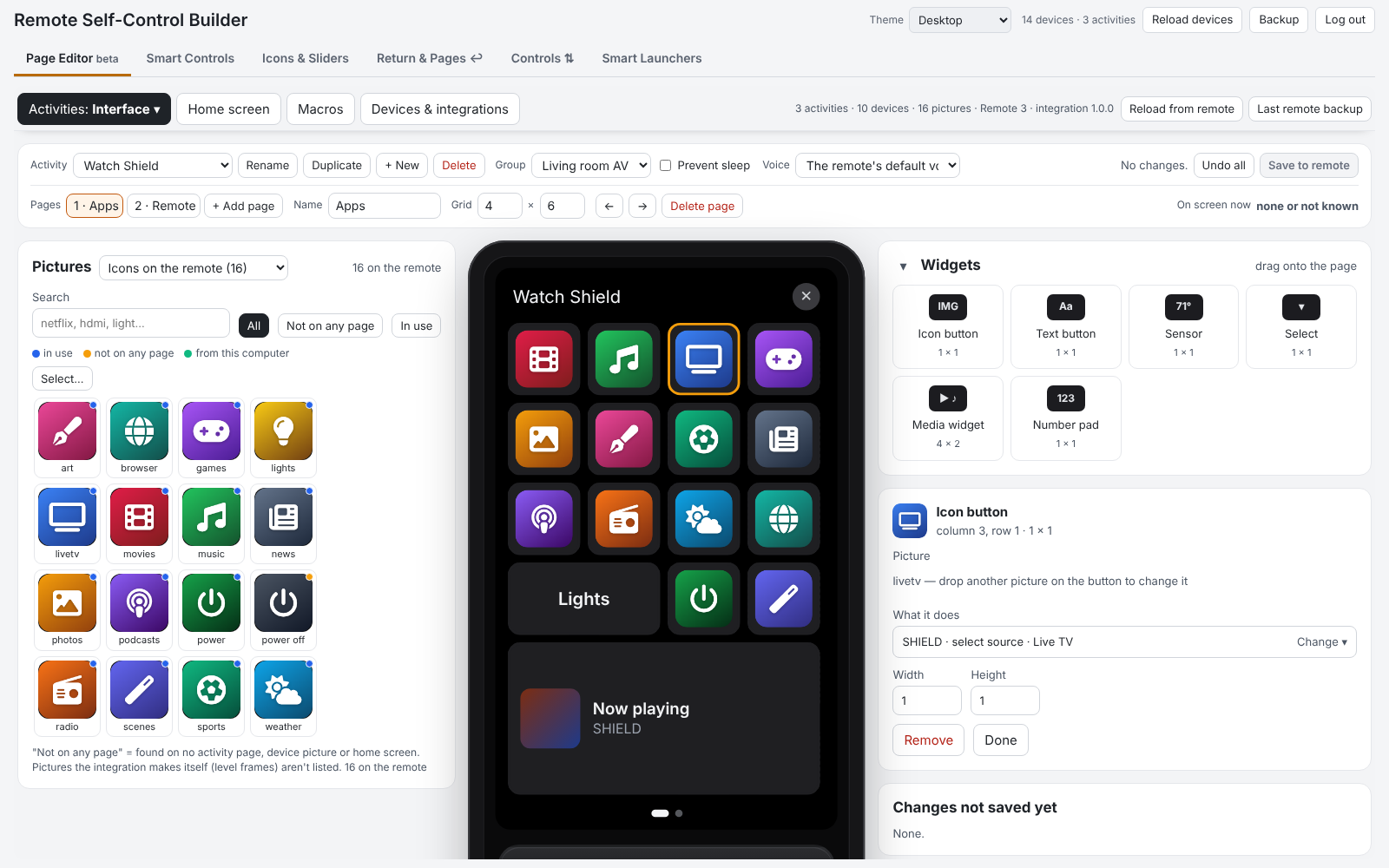
What’s new in 1.0: the Page Editor
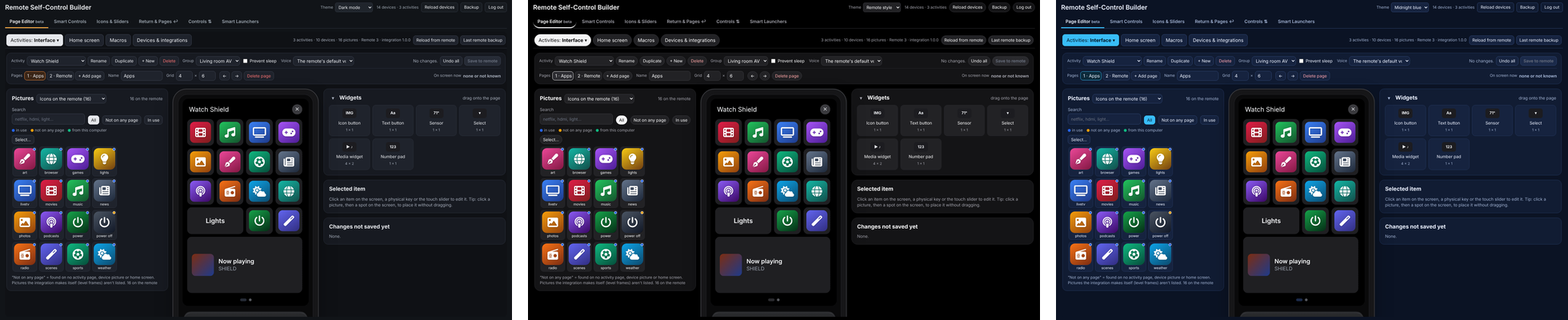
Edit your remote on a picture of it:
- Drag and drop pictures and widgets onto your activity pages. The Pictures window sits right next to the remote’s screen, at the same size the pictures will have on the buttons. It includes the remote’s own built-in icons and pictures from your computer.
- What it does: click a button, pick a device and a command, or just search (“shield movies”).
- Physical keys and the touch slider: click them on the drawing.
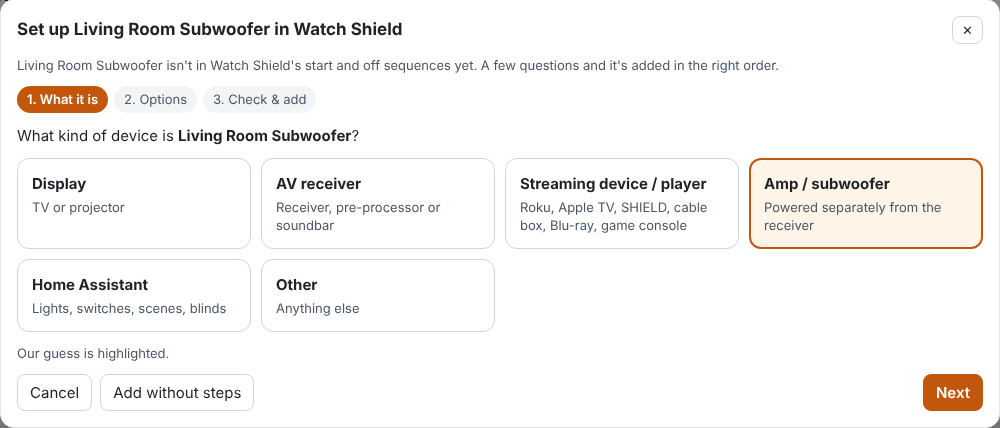
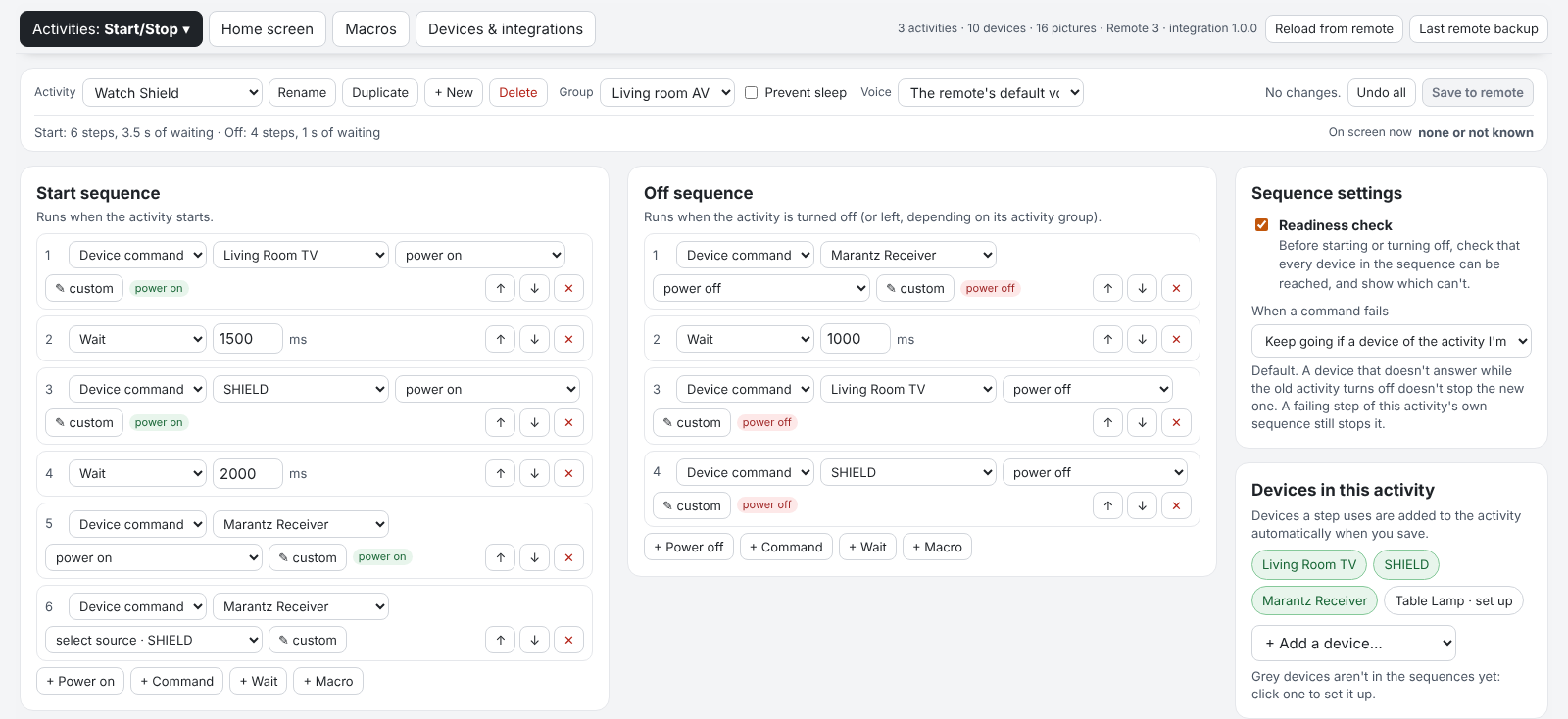
- Start/stop sequences with a guided setup. Add a new device to an activity and it asks what kind of device it is (TV, receiver, streaming box, amp/sub, Home Assistant…). It then puts the on/off steps in the right order, with sensible waits.
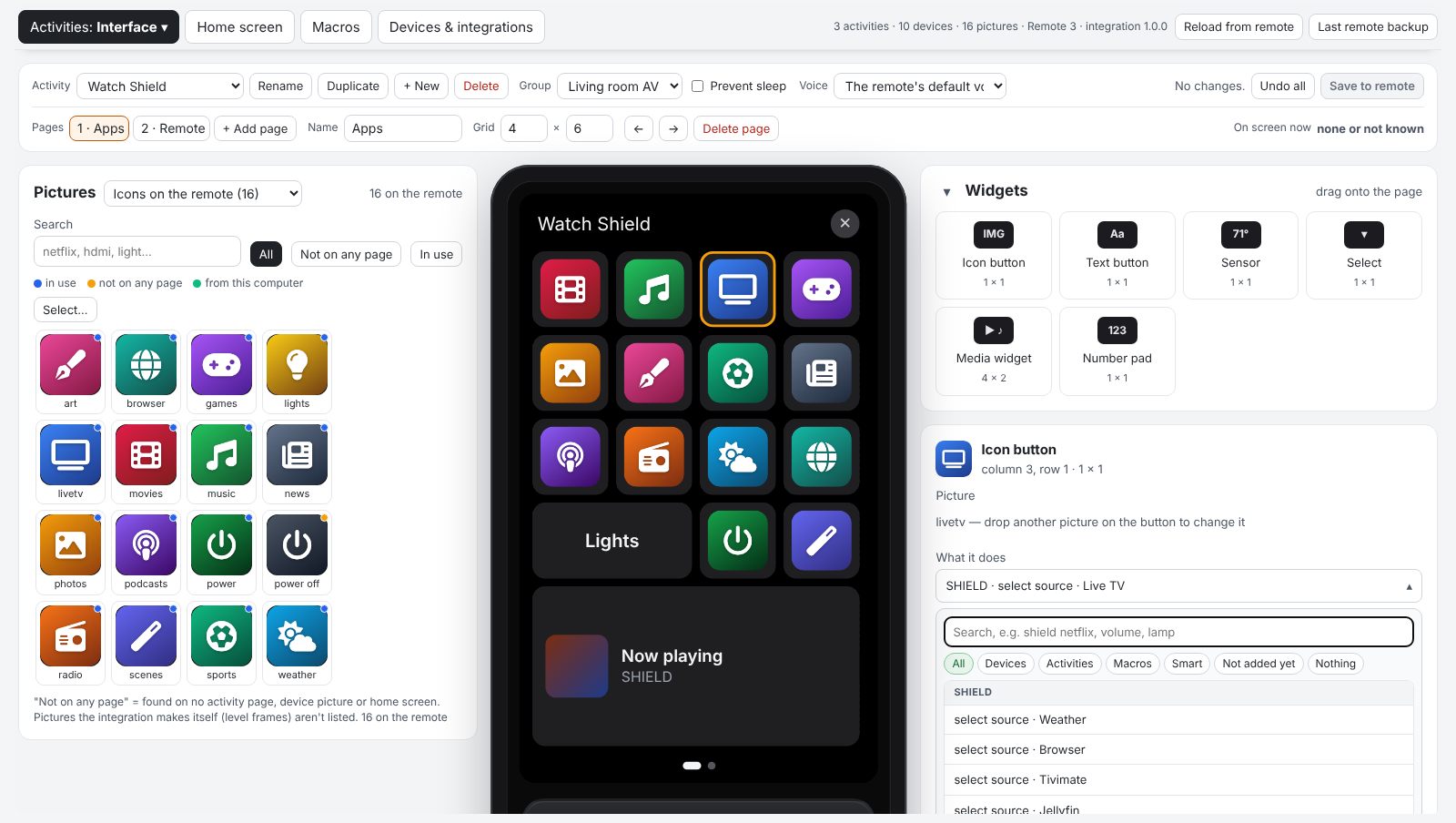
- Activity groups explained in plain words, plus home screen, macros, and devices & integrations.
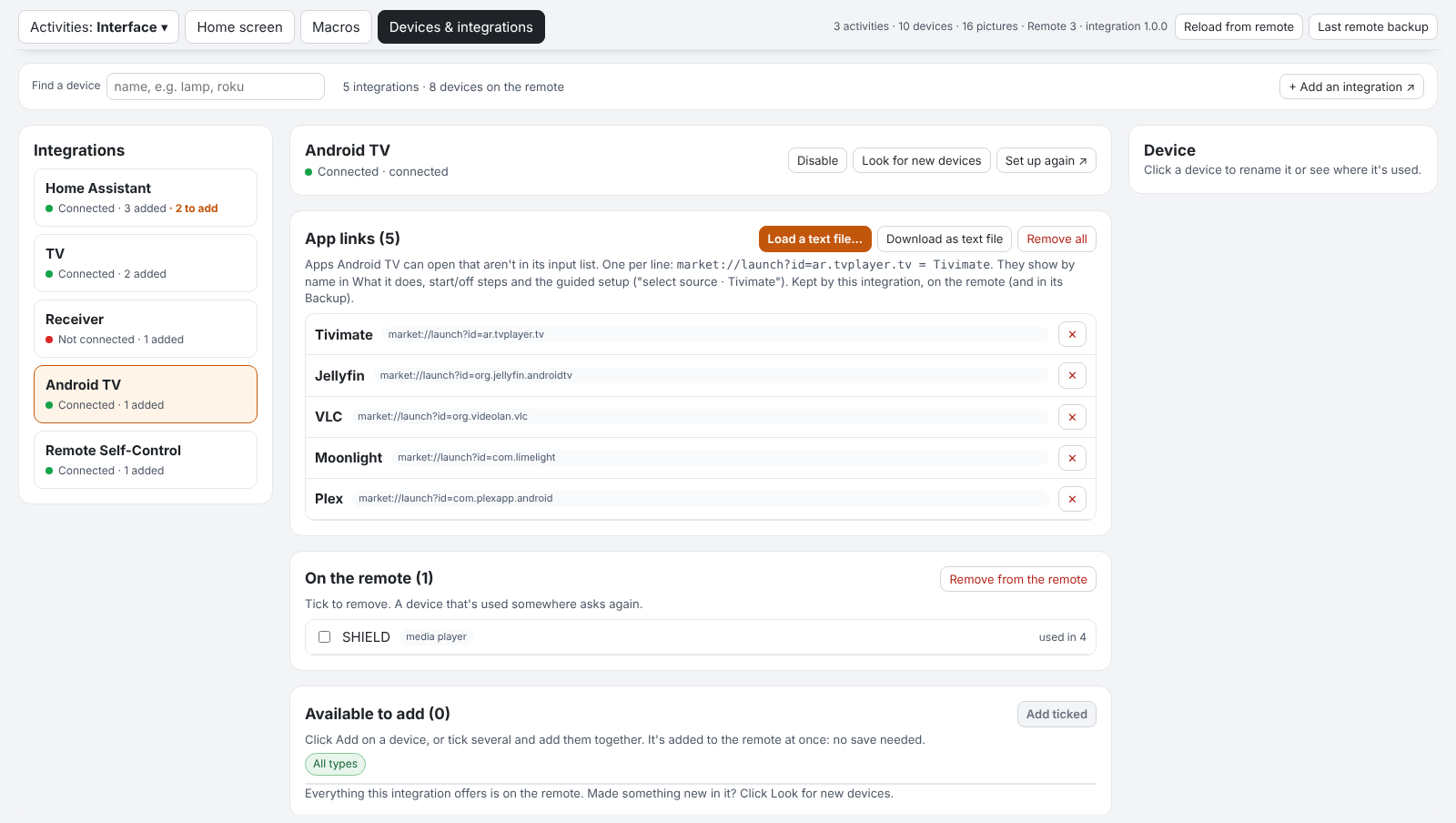
- Android TV app links: load a text file of
market://launch?id=… = Namelines, and Tivimate, Jellyfin and the rest show by name everywhere. - Themes: dark mode, remote style, midnight blue and more.
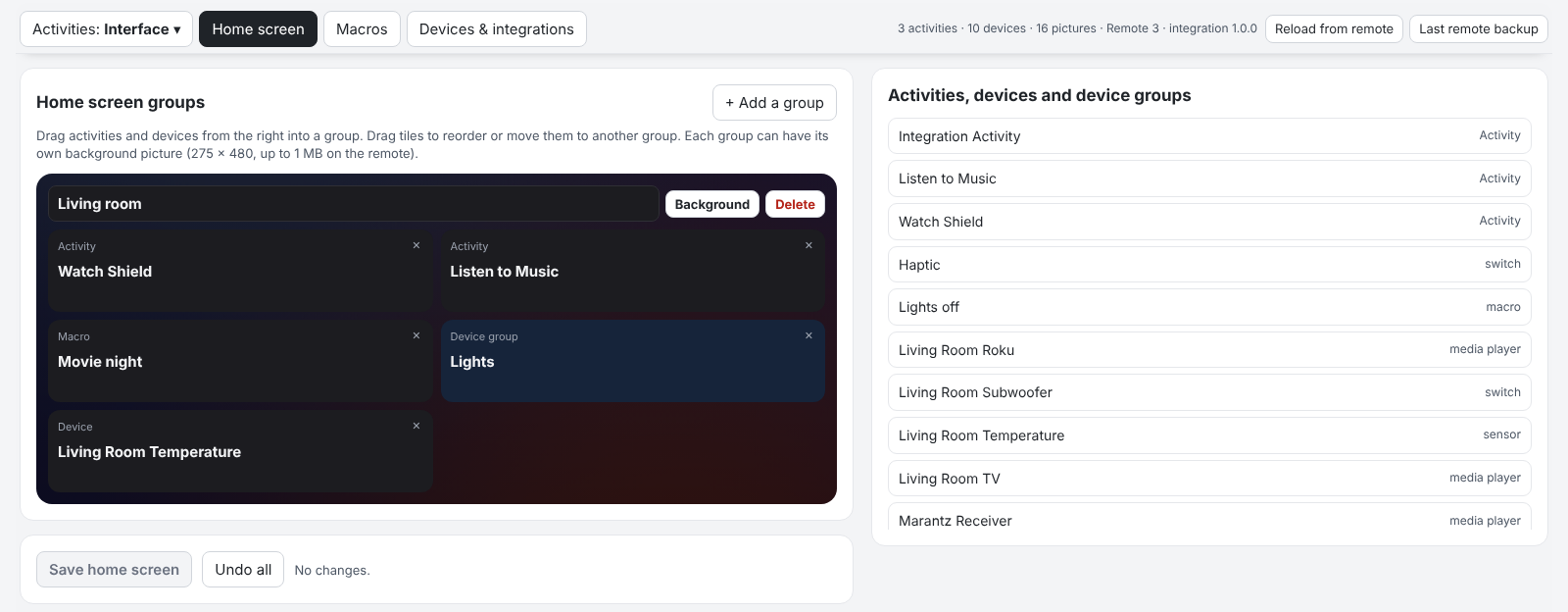
Safe by design:
- Before its first change of each visit it saves a full remote backup, the same file as the web configurator’s.
- It re-reads pages before saving, so it never overwrites something it didn’t change.
- It waits to save the activity that’s on screen until you leave it.
Everything else it does
- Smart Controls: buttons with if / else logic. “If the receiver is on, turn it up, otherwise the TV.” “If the Shield is playing, jump to the Apps page.” There are templates for Night Mode, smart volume, inputs that wait for the receiver to boot, and more.
- State icons: a button that turns green when the receiver is on.
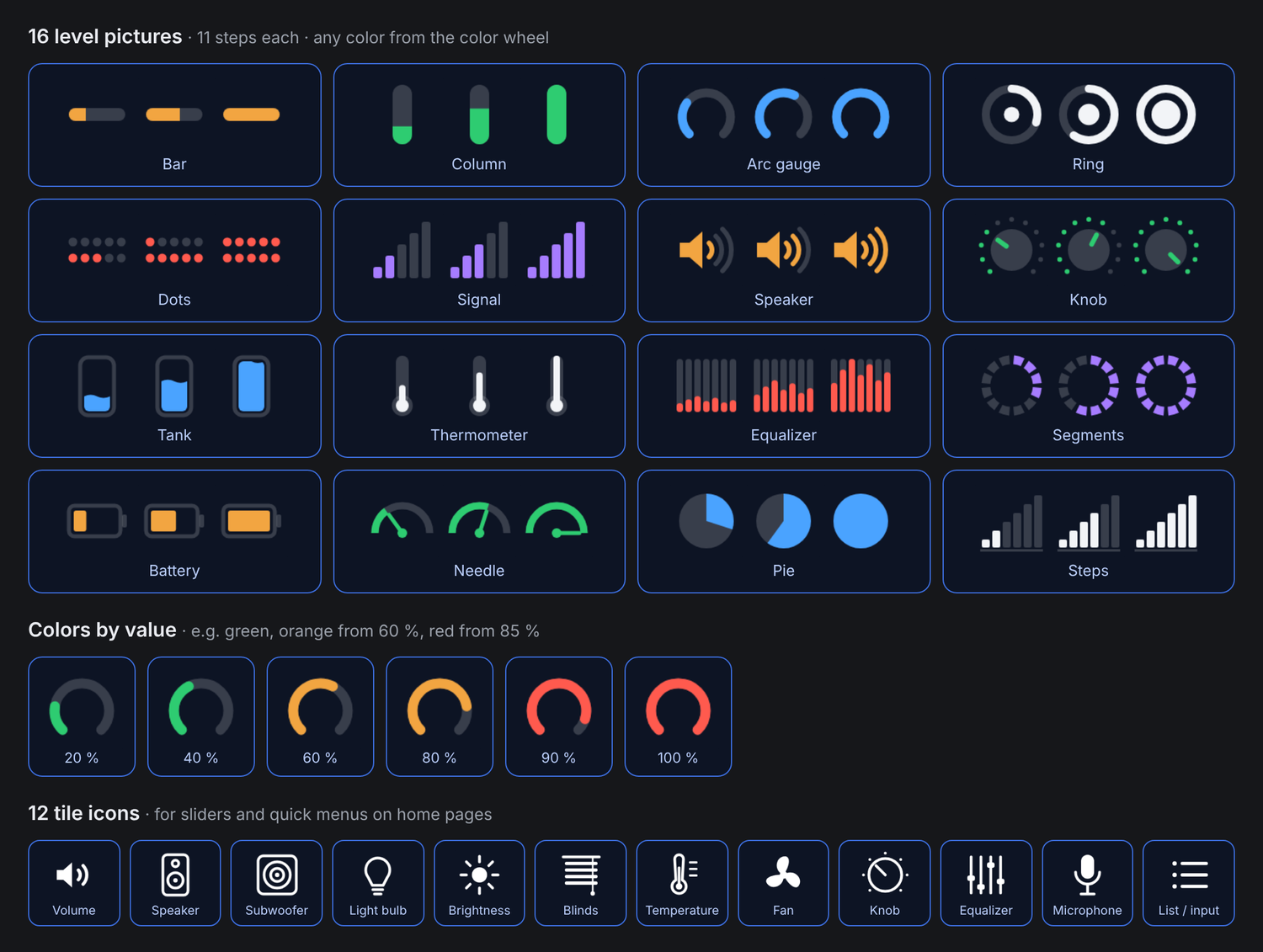
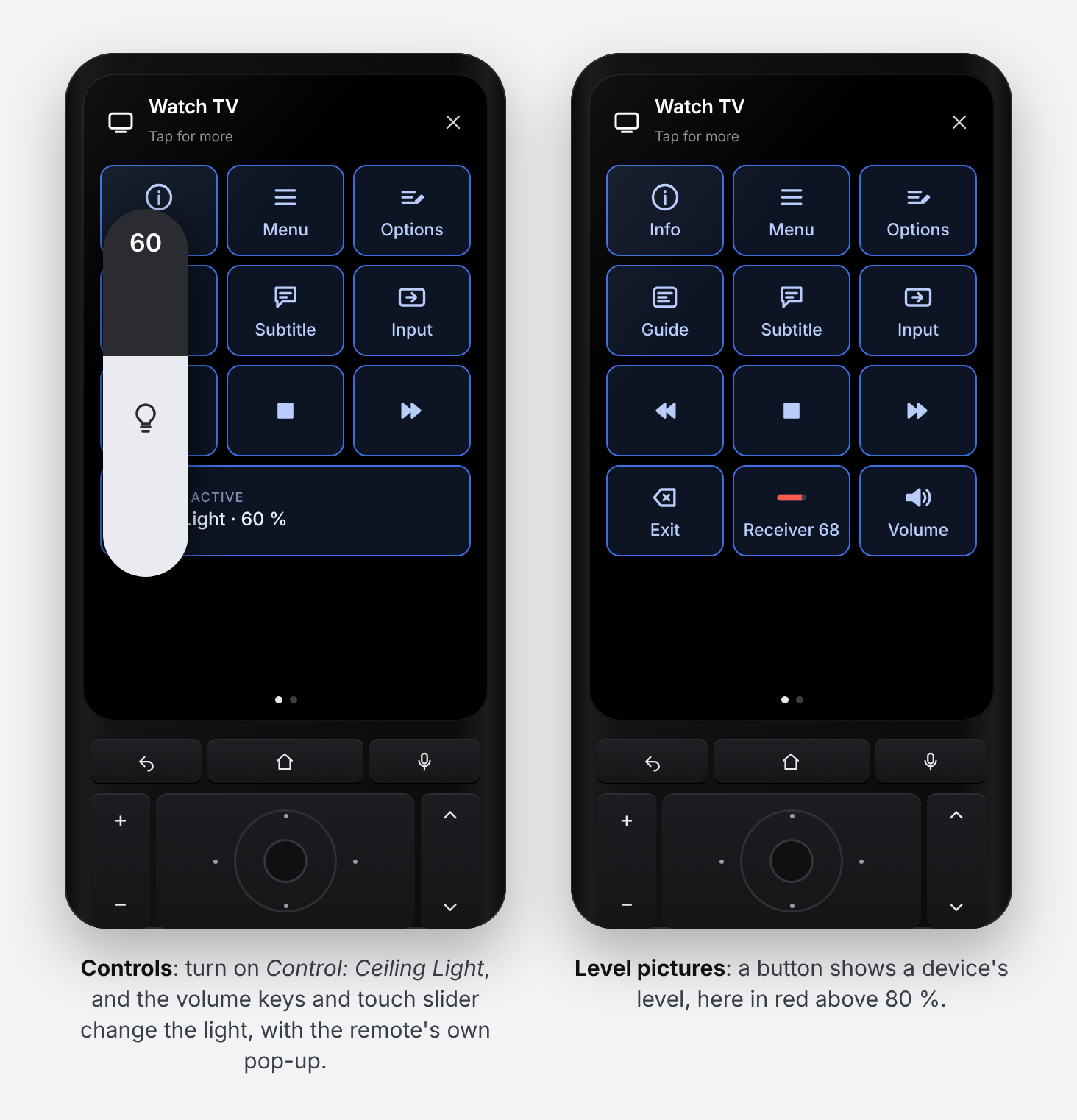
- Sliders and quick menus for any number or list on your devices, with the remote’s own pop-ups and the touch slider. Level pictures come in 16 designs (gauge, bar, battery…) and change color with the value.
- Controls: point the volume rocker and touch slider at a light or the screen brightness for a moment, with the remote’s volume pop-up.
 Return to the previous activity, page jumps and start pages.
- Smart Launchers: one button that opens whichever activity fits right now.
- The remote’s own settings as entities: backlight level and color, display brightness, sleep, sound, haptics…
- Backup and restore, including Integration Manager’s Backup Config.
Get it
- Release and install steps: Release Remote Self-Control 1.0.0: Page Editor · Sat32blk/uc-remote-self-control · GitHub
- README with walkthroughs: GitHub - Sat32blk/uc-remote-self-control: Unfolded Circle Remote 3 integration that controls the remote itself: backlight, display, sound, sleep, Smart Controls and a return-to-previous-activity button · GitHub
Please back up your remote’s configuration in the web configurator before installing. It changes activities, pages and settings. So far it has been tested on my own Remote 3, so feedback, bug reports and ideas are very welcome in this thread or on GitHub.