Hello! I’ve noticed in 3 sessions, the remote stops controlling my Nvidia Shield randomly, and it takes a while for it to reconnect in terms of minutes. Like 5+ minutes.
It does this at least once every time I’ve watched something in the last few days since setting it up the first time.
What can I do to mitigate the issue of Bluetooth disconnects? It’s Bluetooth, not Wi-Fi right?
I’ve got my Shield hardwired and have never had this happen with Harmony Elite before, but the Harmony is way more laggy than the Remote 3, so maybe there’s something it’s doing differently.
Why bluetooth to the Shield when you can IP?
1 Like
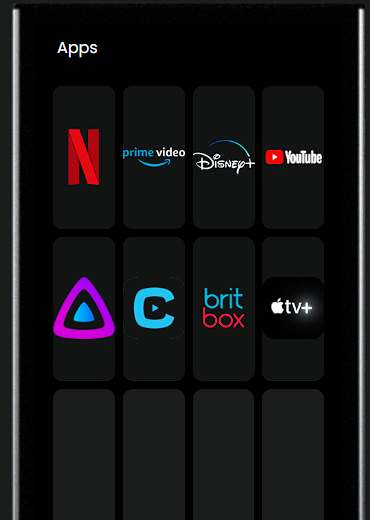
As @greg4168 posted, use the Android TV integration not BT to control a Shield. Much better experience. You can do things like setup your home screen to have direct app shortcuts like this:
1 Like
I think I’ve IP’d to it??? I’m not actually sure what the “Android TV” integration uses. My bad.
But if it’s IP, then the Wi-Fi is disconnecting and taking time (minutes) to come back. That’s the issue. And that makes more sense with what I’m seeing. Actually, Bluetooth would probably be more reliable.
Harmony uses Bluetooth right? I don’t ever have connection issues with it and the Shield. Harmony is laggy though; Remote 3 is not. Then again, Harmony stays connected  .
.
When I click these in my custom screen, they don’t do anything. The remote vibrates and nothing opens.
I think the question is how you set it up. Your original post says BT … which is why the assumption.
When you set it up, you can do it two ways:
- Entities: Add New … if you selected BT, then your Shield is being controlled by BT.
- Entities: Add New … if you scrolled down and selected Android TV and then Start Integration Setup you’re controlling it via IP.