Everybody seems to have super complicated and in-depth setups. I know it built for huge smart home instances, but I just want to replace my old TV Harmony remote. Is there a “dummies” guide to doing this? Keep in mind, that this is not my wheelhouse.
I only have 3 things that I want to use/control. I have all of the Entities, Integrations, and Activities, but this remote only turns on the TV and nothing else. None of the other buttons I programmed are working and I get a red error at the top of the remote window that says “The request timed out. Please try again”
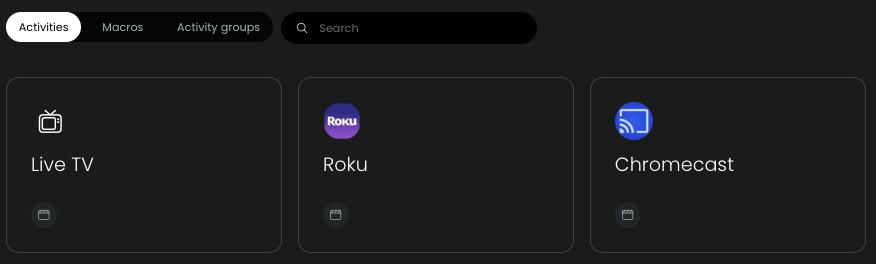
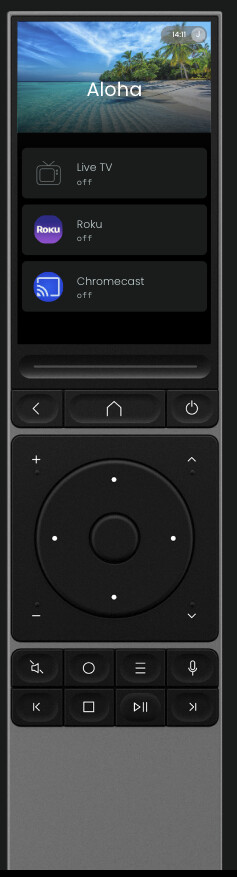
Here are my activities and the view of them on the remote preview:
- LG TV
This one is obvious - turn on/off and change channels for OTA tv.
I have the user interface and button mapping done.
The sequence I setup is:
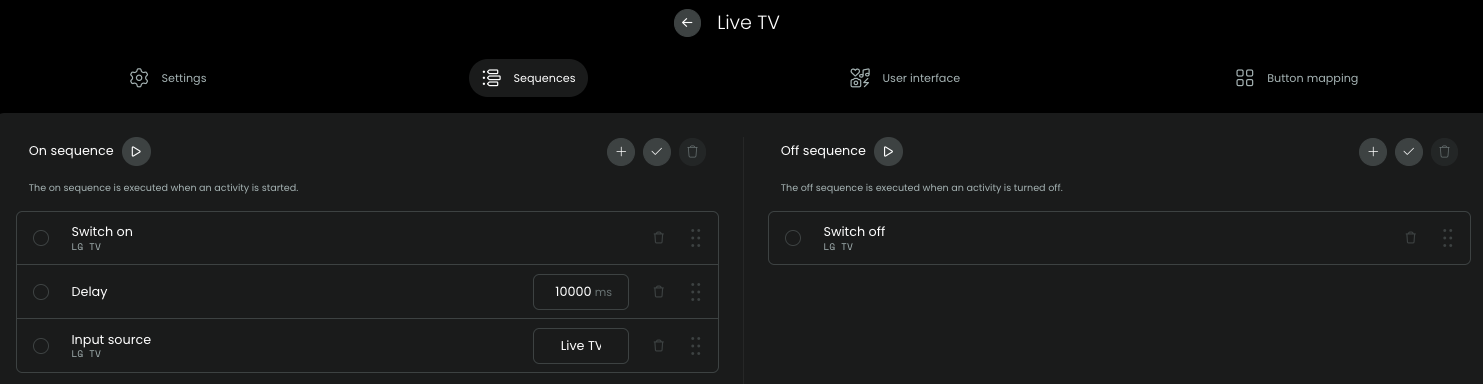
\* I included a delay and input source change, in case the TV was set to another input source when it was turned off the last time.
- Roku
This one I just need to turn on the TV, go to HDMI 1, and navigate the Roku
I have the user interface and button mapping done.
The sequence I setup is:
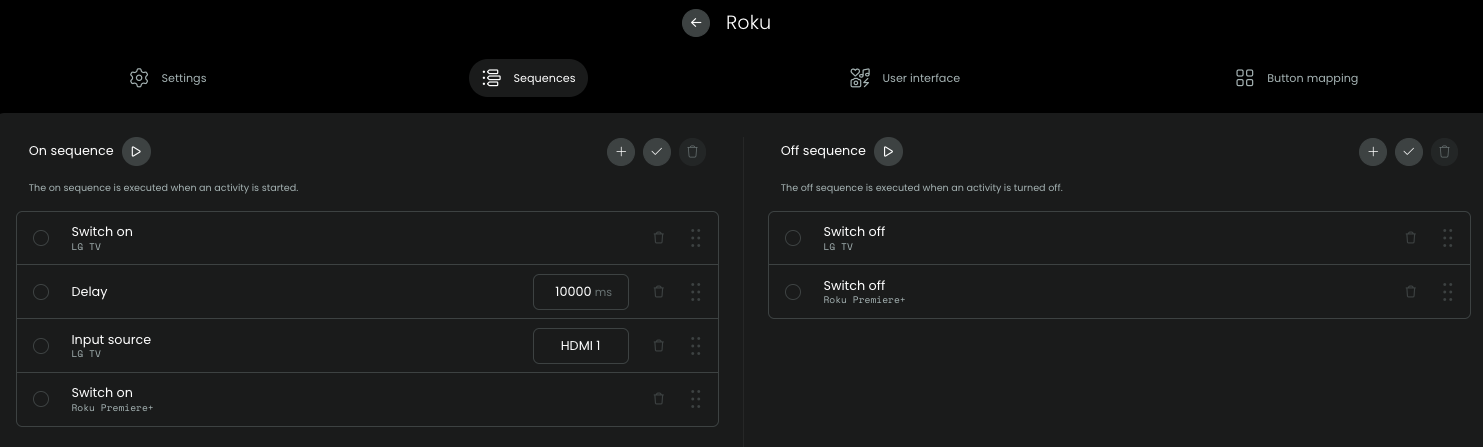
\* I included a delay and input source change, in case the TV was set to another input source when it was turned off the last time.
\* The Roku does not have an on/off function, but I only included it in the sequence because there were power options for the Roku in the sequence set up
- Chromecast
This one I just need to turn on the TV and go to HDMI 3 - nothing else (I will control video playback with my phone) - also I skipped HDMI 2 so I can add a Bluray player later.
I have the user interface and button mapping done - basic TV controls like volume etc.
The sequence I setup is:
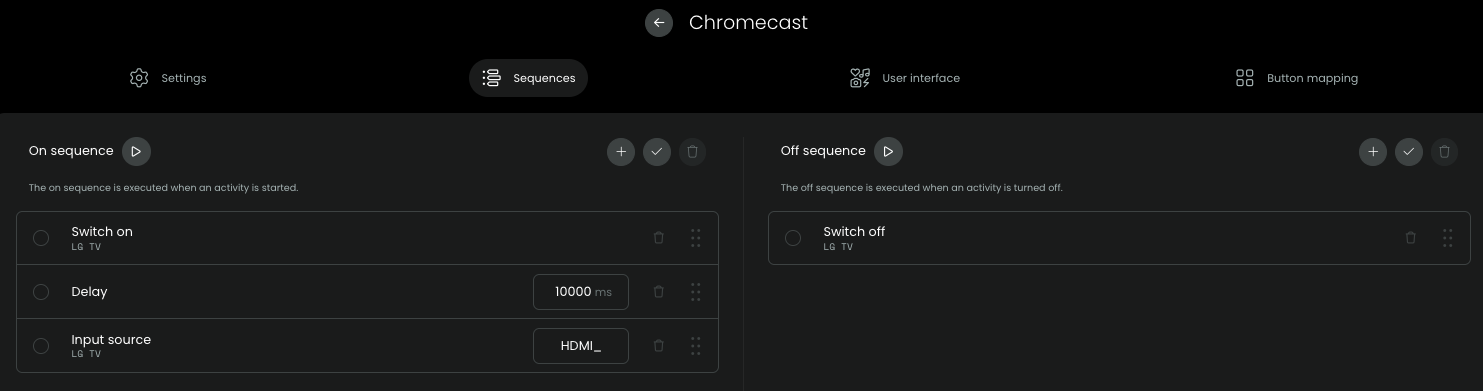
\* I included a delay and input source change, in case the TV was set to another input source when it was turned off the last time.
\* The Chromecast does not have an on/off function, so I did not include it in the sequence.
- Sonos
I don’t have this in any sequence because it doesn’t have an on/off function and I only use it for TV audio (plugged in via optical cable so it is automatic and there should be no programming needed on the remote).
I do have the Entity and Integration set up just in case I need it, but it is not part of any Activity.
The only other thing I need to consider is how to switch TV input during the same viewing session - for instance watching live TV and then I want to switch to Roku. Do I have to turn off the live TV using the sequence I have and then start a whole new session for Roku, or is there an easier way to just select Roku and then have everything switch over?
Sorry for the lengthy post - I just wanted to make sure that everything is on the table.
Thank you in advance.