New to UC remote , need help

Hello guys , received UC 3 remote last week , and i am now trying to set it up .

I have the following devices in my living room :

  • Philips 650LED903/12 TV
  • Sky Stream UK
  • Vu+ Duo 4k SE sat.receiver
  • AppleTv
  • SiolTv box ( my local IPTV provider for Tv channels )
  • GT Media V8 UHD sat. receiver
  • Fransat 4K CGV E sat.receiver
  • Zappiti NEO with RVideo app installed
  • Kaleidescape Alto
  • Aten 3in1 HDMI switch

I also have SkyQ UK sat.receiver , but it is not connected at the moment .

What i would like to do with the UC remote is to get rid of all the remotes i have now , and to control everything with UC remote .

Would also like to control lights ( Philips Hue ) , Velux roof windows and blinds , Mitschubishi AC units .

I have installed some integrations to the remote , but now i dont know exactly how to proceed .

I dont know if it is possible , but i would like to create some kind of " Favourites " list of TV channels , but from 3 or 4 different sources , all on one page .
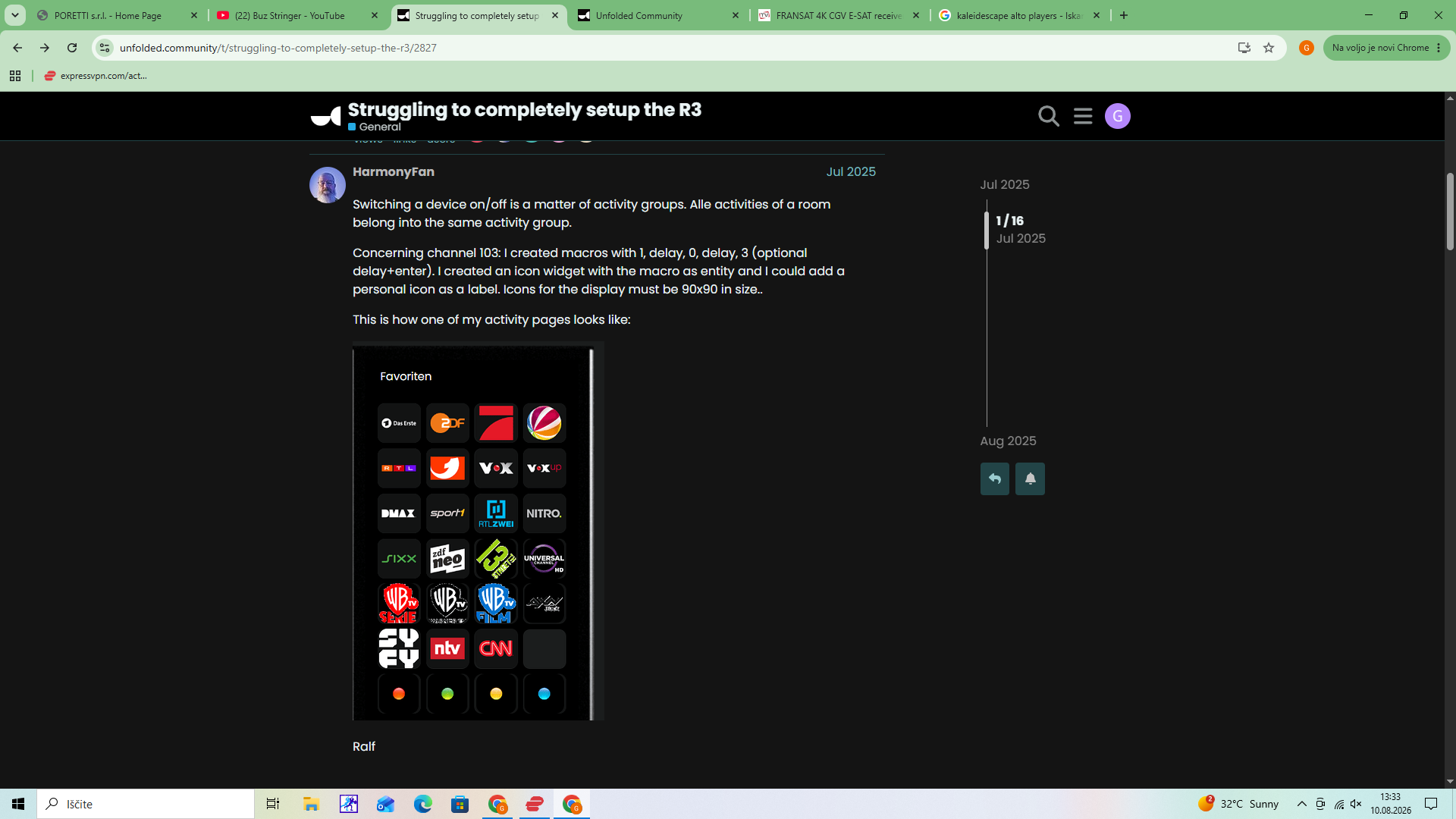
Something like this from HarmonyFan , but as said , from different sources .

So for example : SkySports News from Sky box , next button Ard from VU+ box , next button TV Slo1 from Siol box etc .

It would also need to be set up in a way that also Philips Tv would then switch to right HDMI input .

Is that doable with UC remote ?

I will also have other questions , but this is something i would like to start with .

Thanks

Gregor
Mixing sources is quite difficult. Best option is to create separate activities for each source. That is what I have done.

If you insist on different sources you must add all source entities to your activity and then create a macro for each channel. A macro should look like this

Switch input to source

Send digits to this source perhaps a short delay.

Ralf

Ralf , thank you for your reply . I realy like the page you have created on your remote .

That is what i had in mind when i was buying this remote . Hope i will learn enough to be able to set it up like this .

I have already stumbled at the first few steps . I want to add ne activity called " Watch Sky " , and when i am prompted to add entities to this activity , Sky of course is nowhere to be find from the dropdown menu .

So can someone help me how to add my Sky Stream box to the remote entitties ?

And also other sat. and IPTV boxes , for which integrations dont exists .

Thanks

I think stream does not yet work. Start with the VU+ and use the Dreambox integration. I also have 4 VU and my remote GUI looks similar to your post above.

Has your IPTV provider also an app which runs on Android? If yes it might work on your Philips TV which seems to use Android TV. My IPTV App runs perfect on my Philips OLED.

Ralf

Do you mean that i cant control my Sky stream box with UC remote ?

Not over IP but you should be able to use IR.

How would i do that ?

Create a new IR entity and populate it with the codes for the Sky stream box if you have them or alternatively use the IR learning function on the UC remote to learn the codes from your existing remote.

Heres a link to another users post on this New User: Sky Stream (UK) IR Issues - #4 by fbutler

Btw your SkyQ box will work with the SkyQ IP integration. Thats what I am using here in the UK and it works perfectly.

I dont have Q box connected at the moment , but i think i will have problems integrate it , as i am using it outside UK and need to have it connected to VPN router .

Thank you , but how to add all those numbers to the web configurator and where ?

Save them as a CSV file (including the key line as this is required). Then in the web configurator go in to entities and add an IR entity. You will be able to upload the file there.

Any specific issues with them when loaded I suggest you ask in the thread I linked to which is specific to Sky Stream as I dont personally own that box.

I have now also setup " Watch Apple " , again with only very few commands for now .

If someone can tell me how to create a buttons for immediate access of apps , i would really appriciate it . What i mean by that is as the Ralf has his remote neatly configured with buttons for quick access of apps and TV channels .

Add an icon widget to the remote, command is input source and if you are lucky you get a pop-up list of all installed apps. If you don’t get a list you can also enter names like Netflix. To add an icon to that widget click on top right from text symbol on the TV screen. Now you get a list of all possible icon. Select user defined on top and then upload an image you want to see for the app. The size must be 90x90 pixel.

Ralf

I did that , i didnt get a pop-up list and i just did as you said , but when i press the button , nothing happens .

Try simply enter Netflix or YouTube in the source line this should also work.

Btw. Discord is the best source for information and help for R2 or R3. Almost all devs are active there.

A good source for information and icons is https://unfolded.tools/

I do not have an Apple TV anymore so I am not a big help with it.

Ralf

If the sources list is empty try to restart the Apple TV

I did it , but still nothing .

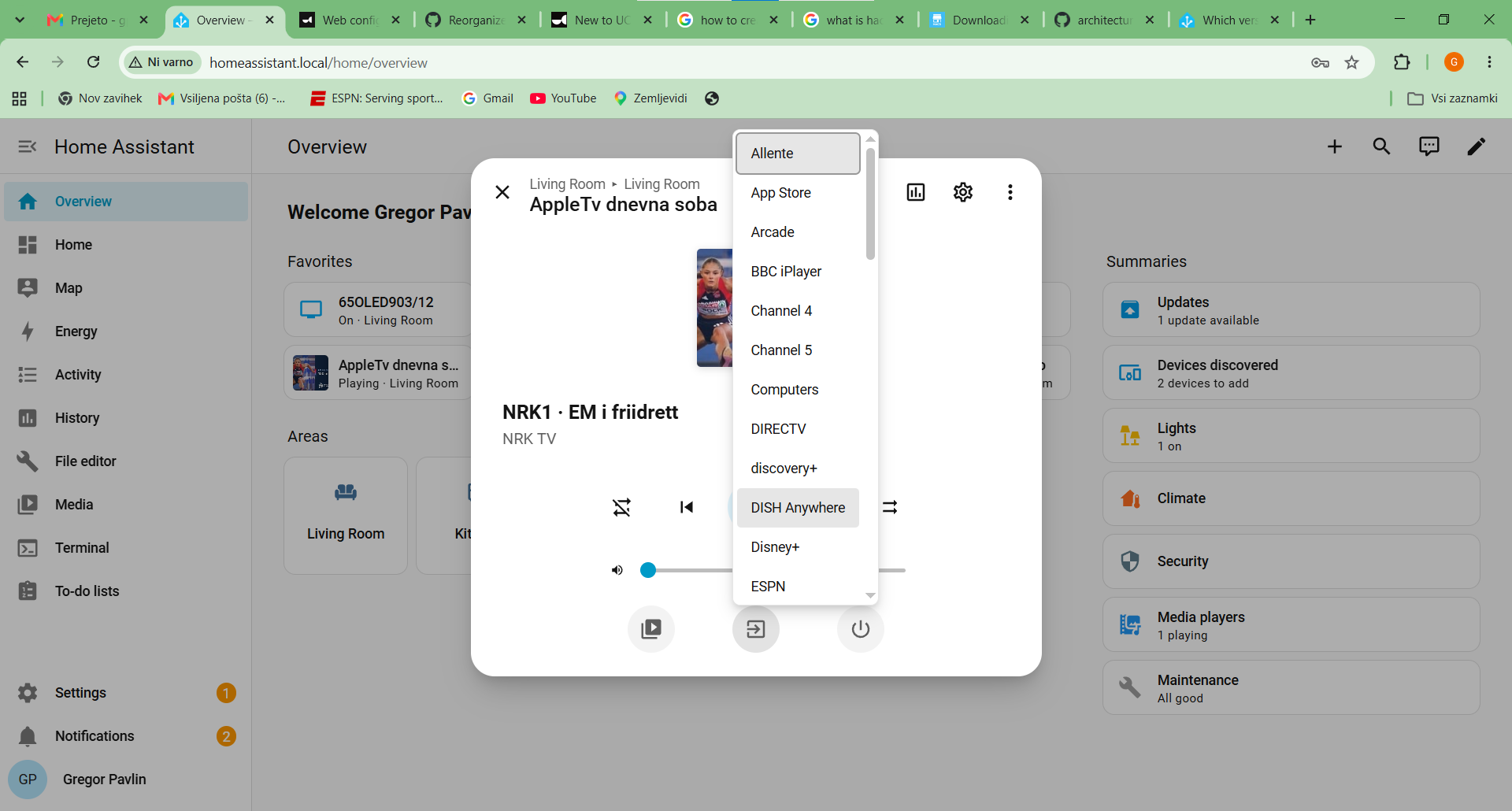
But in HA , when i push Sources button , it opens the list of all apps and i can jump from one to another instantly .