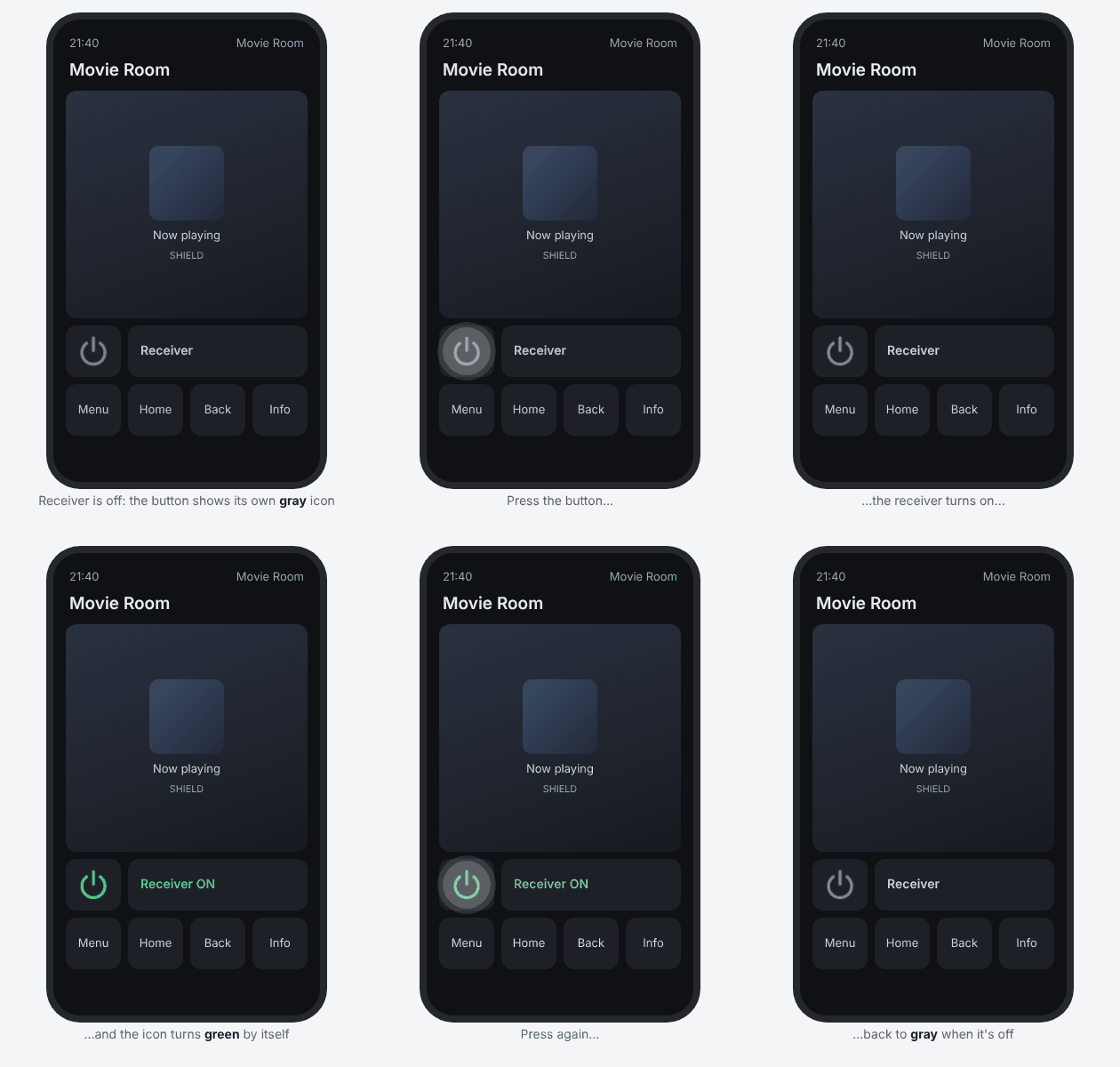
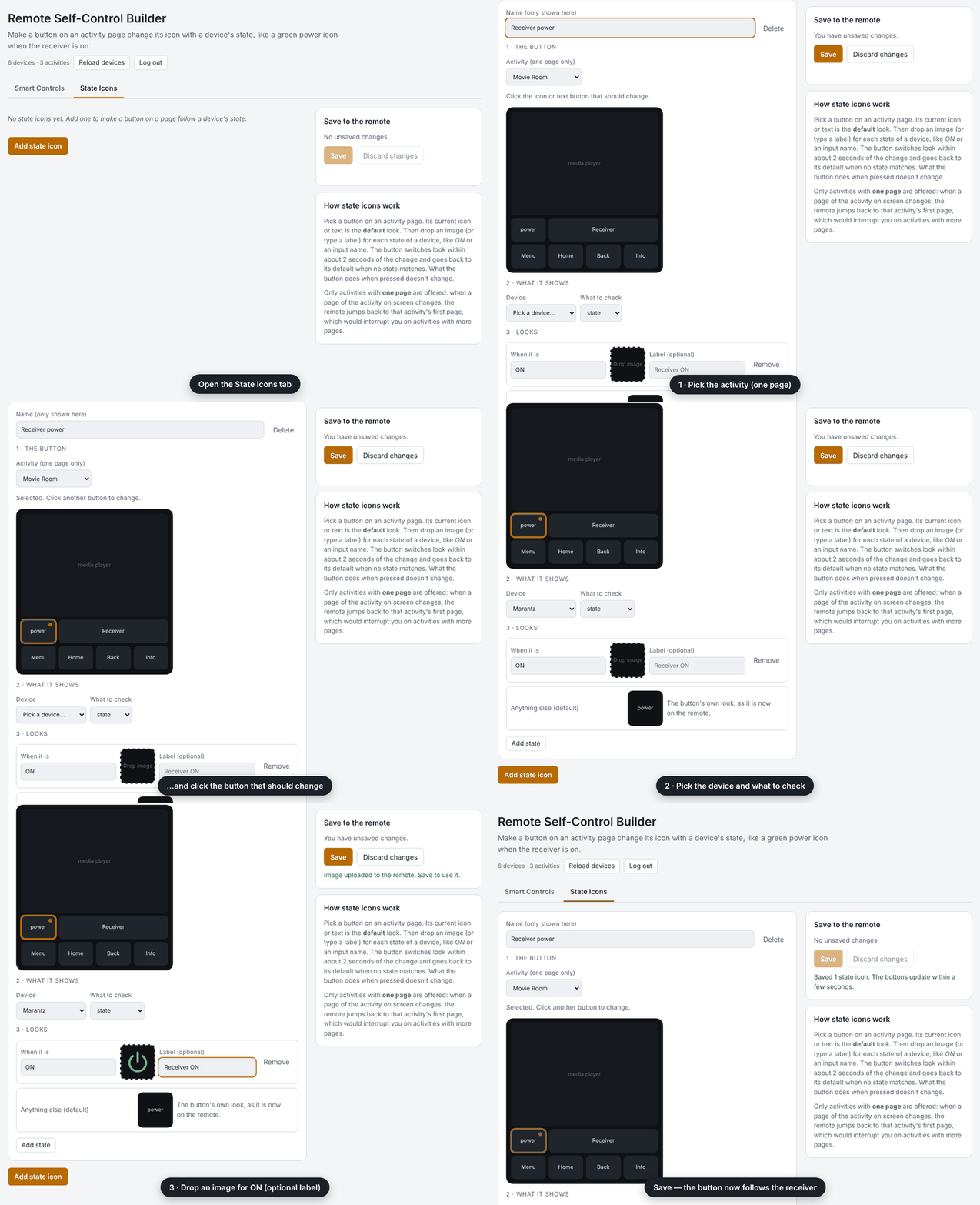
Hi all 
I’ve published a new custom integration for the Remote 3 (should also work on the Remote Two) called Remote Self-Control. It runs on the remote itself and lets the remote control itself: its own settings, smart if/else buttons, and a “go back” button between activities.
Beta: so far it’s only been tested on my own Remote 3. It changes settings, activities, pages and button mappings through the remote’s API, so please make and download a backup in the web configurator before installing.
 Highlights
 Your remote’s settings as entities
Button backlight level and color (12 presets), display brightness, display timeout, sleep timeout, wake sensitivity, Wake on LAN, sound effects and volume, and haptics. Use them in activity on/off sequences, macros, UI buttons and button mappings. Display Brightness and Button Backlight can also go on the touch slider.
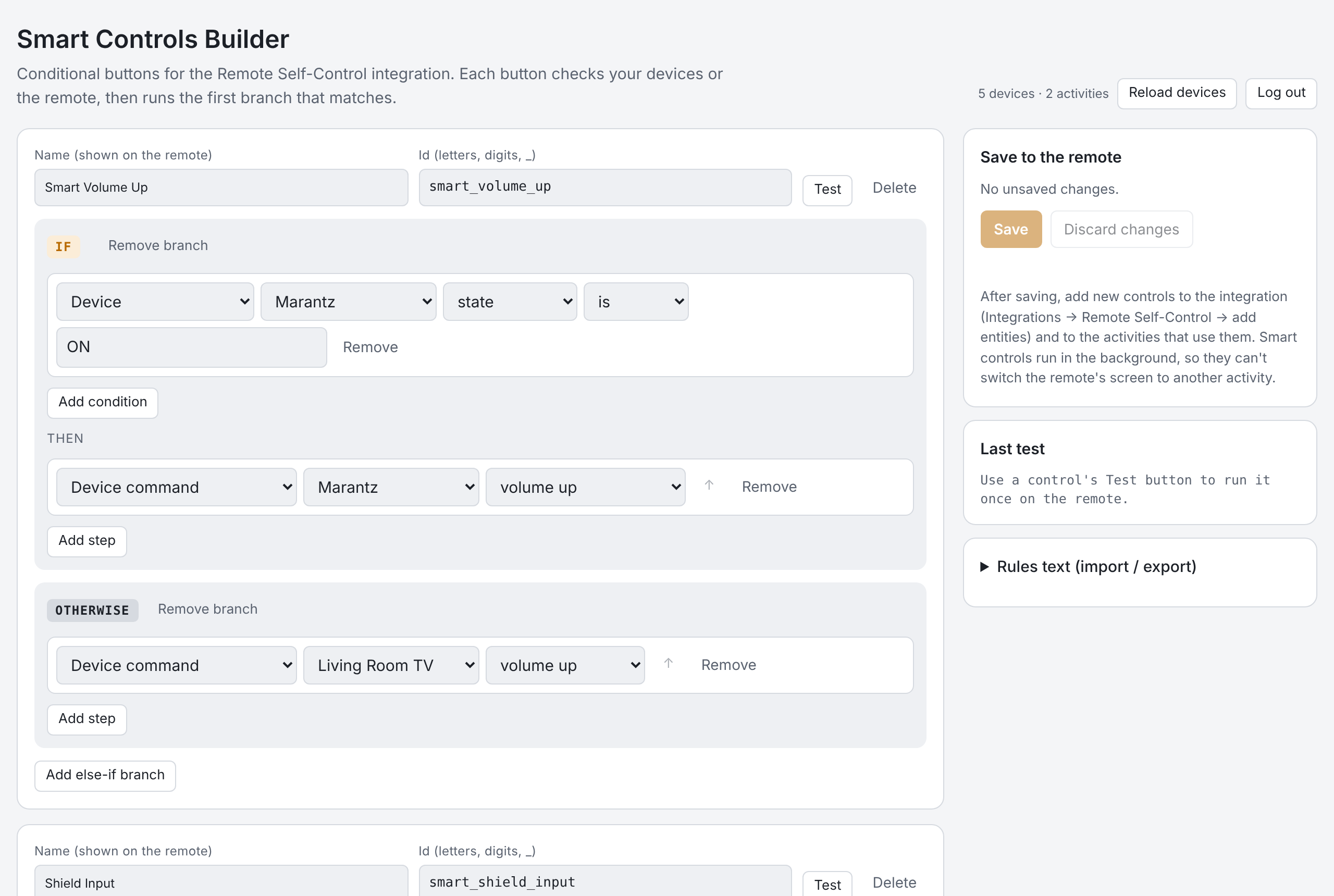
 Smart Controls: buttons with if / else logic
The remote’s macros can’t make decisions, so I added buttons that can:
- If the receiver is on, turn its volume up, otherwise the TV’s
- Switch the receiver to the Shield input, but turn it on first and wait until it’s ready
- Play/pause, or turn the player on if it’s off
- Night Mode: dim backlight to red 10 %, display 30 %, sounds off. Press again to get your exact previous settings back
- Backlight amber in the evening, cool white during the day
You build them in a builder page served by the integration (http://<remote>.local:10123/, log in with your web-configurator PIN). It lists your own devices, commands, inputs and sound modes, so you pick from menus instead of typing IDs. There are templates for common setups and a Test button to try a control before you use it.
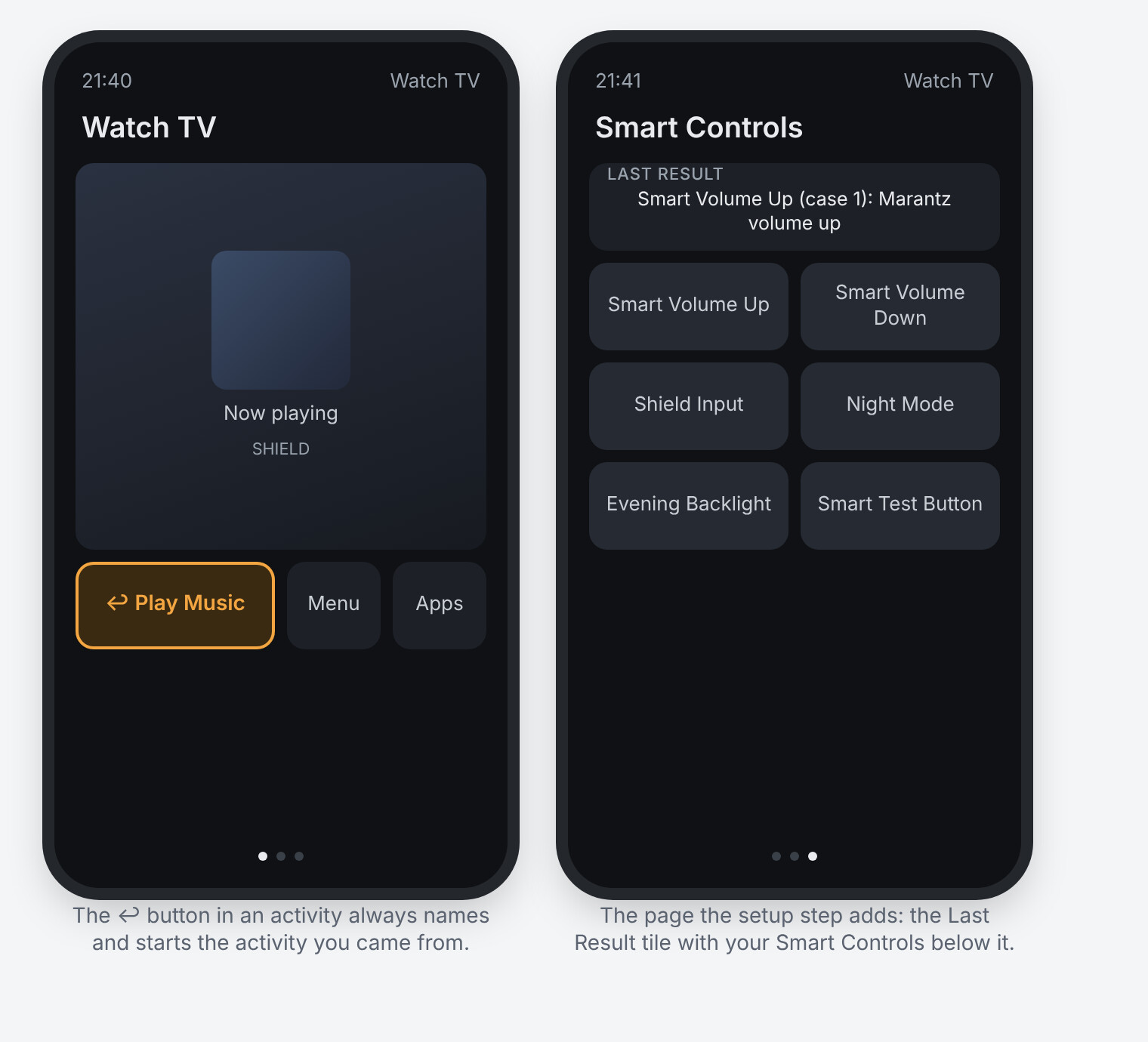
 Return to previous activity
Hop from Watch TV to your Home Assistant or Music activity and back with one press, whether or not the first activity was turned off. The integration keeps a " " text button (or a back-arrow icon) up to date on your activities, and can also put it on a physical button.
 Last Result tile
Shows what your last Smart Control did (or why it failed), right on an activity page. Very handy while building.
 Install
- Back up your remote in the web configurator.
- Download
uc-intg-self-control-0.4.0.tar.gzfrom the release: Release Remote Self-Control 0.4.0 (beta) · Sat32blk/uc-remote-self-control · GitHub - Web configurator → Integrations → Add new → Install custom → choose the file, then run the setup with your web-configurator PIN.
The README has seven step-by-step walkthroughs (smart volume, input with wait, Night Mode on a long press, the button, the touch slider and more): GitHub - Sat32blk/uc-remote-self-control: Unfolded Circle Remote 3 integration that controls the remote itself: backlight, display, sound, sleep, Smart Controls and a return-to-previous-activity button · GitHub
 Feedback welcome
Since it’s a beta, I’d love to hear how it works on your setup, especially on the Remote Two and other firmware versions. Reply here or open an issue on GitHub. Please include your remote model, firmware version and any log lines starting with [self-control] (web configurator → Settings → Development → Logs).
It’s open source (MIT) and not affiliated with Unfolded Circle. Thanks to UC for the open Integration and Core APIs that make this possible!
 Update: 0.5.0 (beta): State icons