I have a R3 remote and i have set up my devices (eventually) and want to have an activity just to watch my LG TV and stay on the menu screen, however when i attempt this it always connects to the HDMI input (from my previous Sky Q activity). Is there a command in LG integration that allows staying on the menu screen (to watch Youtube for instance)?
CEC disabled? Perhaps add a home command to the start sequence of watch TV.
Ralf
If you want you can even use the input source command and choose the app you want to use. Either in the start sequence or as an on-screen button
Yes, it’s disabled. It’s the only device being used. Received is off, pass through from is off (Fire Cube is always on - which is a pain), but still wont show the home page.
Tried set the activity to show LG’s Youtube , R3 didnt like that 
What do you mean by that? It didnt work? If the command is in a start sequence you might need to add a delay as the TV won’t accept app commands until its fully booted. Also try to test if it works from within the media player entity outside of the activity if you tap on the 4 squares.
As I said with home command you get to the home screen of LG if you want to start an app directly you must use input/source and select your app. It might be needed to add a delay between power on and home or app start. I do the same with LG channels in start sequence.
Ralf
Did you have a look at the settings of the LG itself? There is probably a setting to customise the input on start-up (e.g. last selected input or always on home screen).
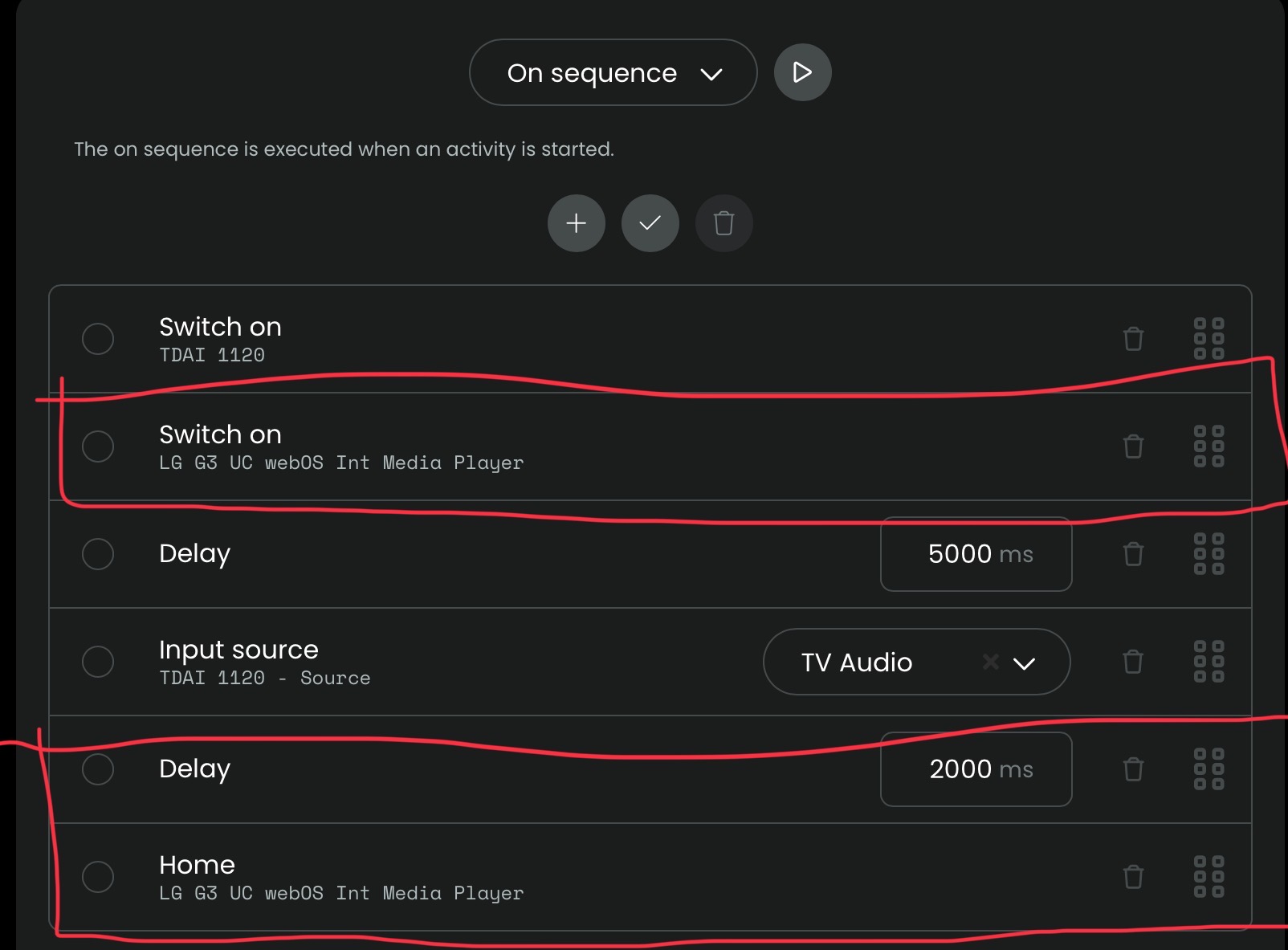
Here the on sequence for my LG TV activity. Ignore the TDAI 1120 commands. Play around with the delay to allow for the boot time of the TV.
I have the G4 , does it matter that mine does not say media player?, or is that just to reflect a different model number?
I tried both options, no change
Do you really use the IP LG integration?
Ralf
It’s the entity with the musical note icon. The other one is the Remote entity.
There should be two configured entities in your integration: media player (as @kennymc.c mentioned the one with the note) and remote entity. I just renamed them to make them easier to find (not sure what they were called originally):
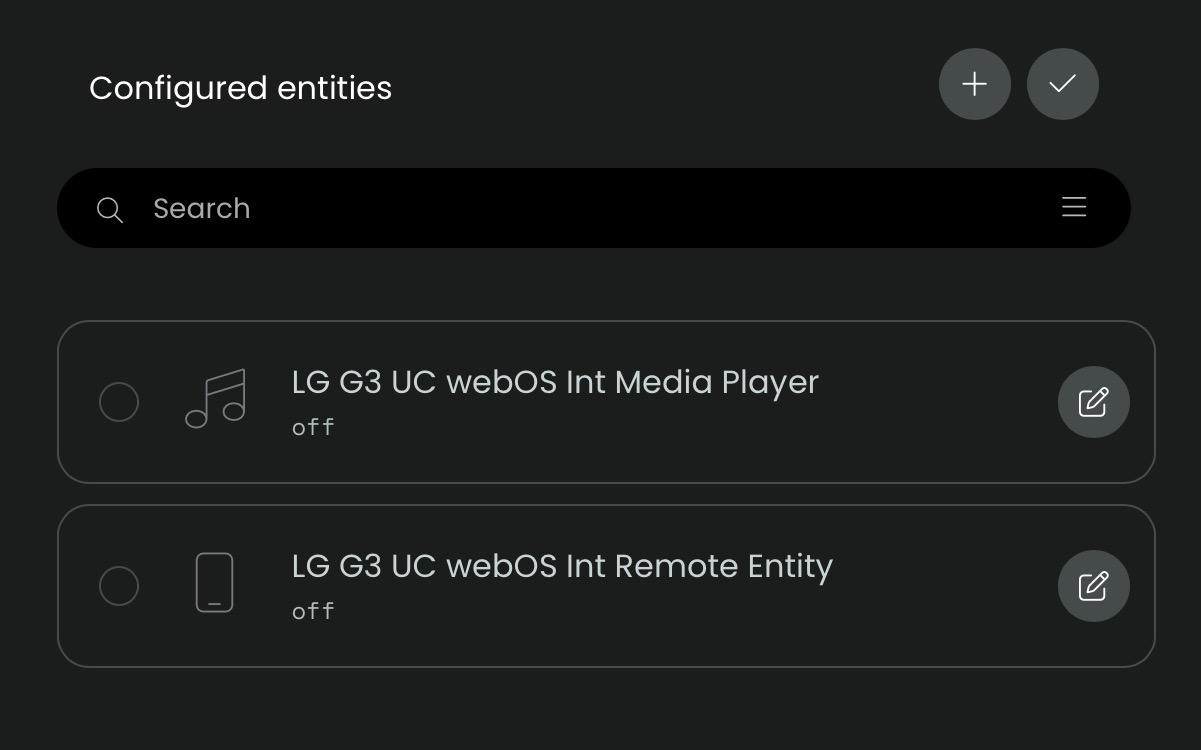
Thanks i deleted all except the media player (i know should have kept the remote entity ), i’ll have another go in the morning. One thing about the Harmony, set up was easy.
You can add the remote entity back under configured entities by clicking on the + symbol.
But there is quite a bit of overlap in commands between media player and remote entity, and the media player probably covers most of the commands you need.