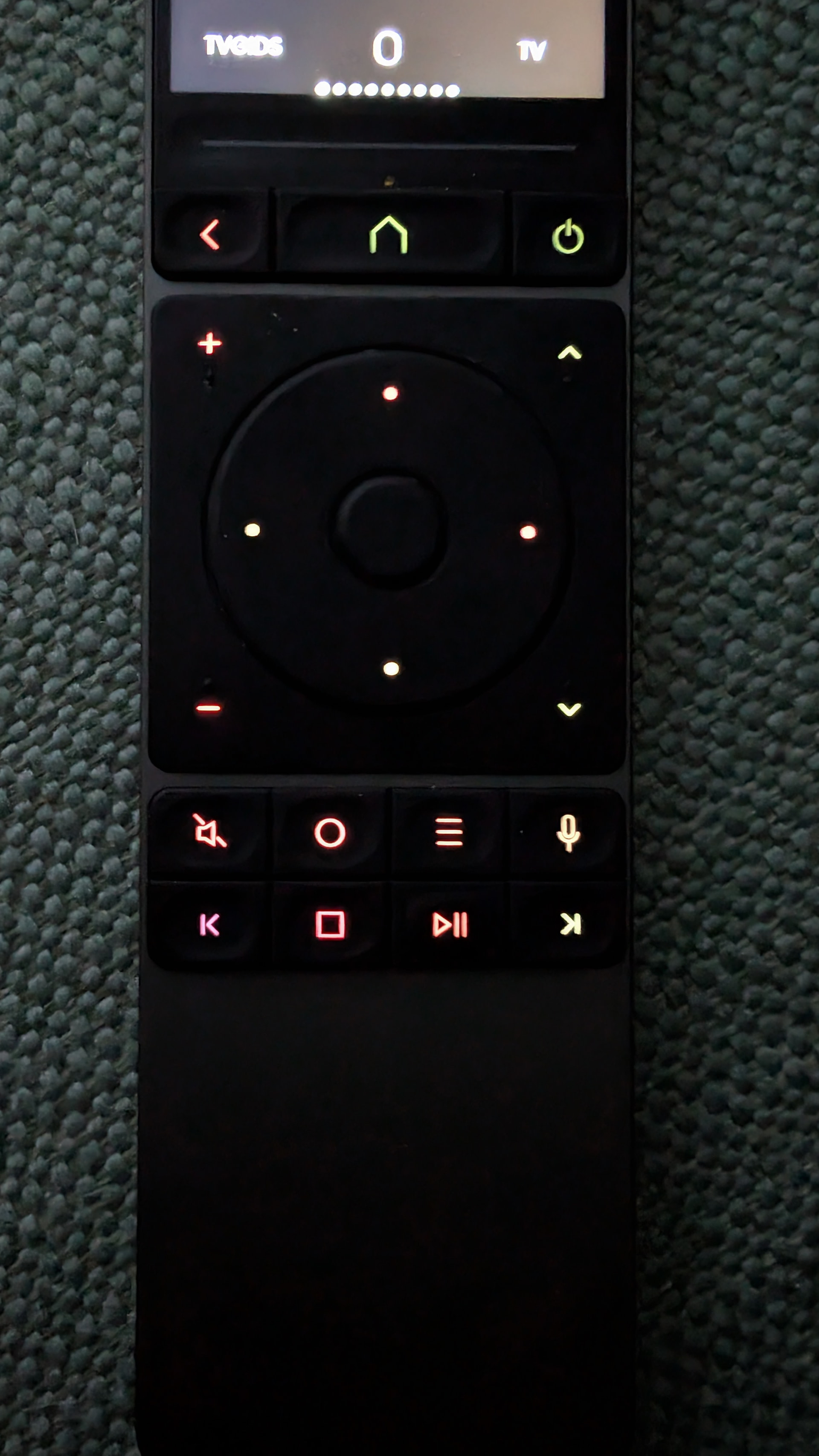
At irregular intervals the keyboard backlight leaves off if the remote is woken up. I then have to restart the remote to fix that which is annoying if an activity is running.
I haven’t found any reason yet when this happenes.
This is caused by the Keep Wifi conected in Standby setting. This activates Wake on lan on the remote. Check that no other device or your router is sending any wake on lan related packages.
There are also reports where Wake on lan packages are not the reason. But this seems to be very complicated to reproduce as so far no real repro scenario has been found. It’s likely that the WiFi chip itself is waking up the remote. But in all cases the issue dissappears if you disable this setting.
I’m afraid I wasn’t clear.
This isn’t about the Remote 3 unintentionally waking up due to “Keep Wi-Fi connected in standby mode.” That’s no longer happening to me because it is deactivated.
Let me describe the problem again:
I use the Remote 3 normally. The display and keyboard backlight are on. I put the Remote 3 down. The display and keyboard backlight turn off after the set time. Everything is working correctly.
After some time, I pick up the Remote 3 again. Now the display turns on, but the keyboard backlight remains off.
This happens intermittently and occurs with both “Prevent sleep mode” enabled and disabled.
The only solution is to restart the Remote 3 to reactivate the keyboard backlight, which isn’t practical when i.e. an activity is running.
I also occasionally have the problem that the button backlighting stops working. If I then go into the brightness settings and adjust it, the buttons only light up at certain percentages, and even then not in white, but in all sorts of colors scattered across the buttons. The only way I can fix the problem is to restart the remote.
The lower third of the remote control (front and back) gets very hot. This apparently causes the backlighting to fail after a while, which can only be fixed by restarting the remote. After that, the temperature drops again and the backlighting works as expected.
Once in a time I have problems with backlighting of the buttons on my Remote3. When the button backlight brightness is above 50%, I have no backlight at all. When the button backlight brightness is under 50% I have backlight. Only get all kind of different colors between green and red and not in the requested color white. After restarting the Remote3 this problem is away, but after a while the problem is back again. I am on the latest firmware 2.8.3.
I’ve also had the same issue with my R3 for several months now. I can add that I noticed that my R3 backlight stops working as I take it off the dock. That is, if I remove it from thr dock and the blacklist is working ar that moment, it will continue to work throughout that partuxular usage session (the backlight won’t just fail in the middle of me using the R3). It will only fail after it’s been sitting on the dock and some random time I next take it back off, it’s no longer lit. As others have said, a reboot is the only recovery.
So, I am in the habit now that each day when I fist remove the R3 from the dock, I first check to sse if the backlight has failed BEFORE I start any activity, and if so, reboot it rigjt then to get the backlight working again. Yes, quite annoying to have to do. If I do forget to check and go ahead and start my theater then notice a few moments later in the dark that the backlight isn’t working, I still reboot the R3 right then, then restart the same activity to get the R3 device states realigned. Again, annoying. I thought it must be a hardware problem. Can happen nearly every day, or go on and off the dock everyday for like a week without happening. I think I have noticed that if I don’t take it off the dock for a few days in a row, it’s much more likely to have the backlight failure the next time I do. Maybe overheating issue while charging that someone mentioned above?