IR compatibility

I have played around with the IR scrutinizer tool a little bit. Do the following Pronto codes work at all:

Stop/ Eject for the Disk Player: 0000 0073 0000 0009 0020 0020 0040 0040 0040 0040 0040 0020 0020 0040 0020 0020 0040 0040 0020 0020 0040 0CC8

Volume Up for DAC: 0000 0073 0000 000A 0020 0020 0040 0020 0020 0040 0020 0020 0040 0040 0040 0040 0040 0020 0020 0020 0020 0020 0020 0CC8

heimspielvier, I apologise but I have been very busy and I also ran into multiple problems with the integrations I installed on the remote. After all the effort to set up integrations, to define activities, to select entities, to define sequences, to customise screens, remote buttons etc, when I finally sat down to start an activity I got error after error. Oppo timing out. Vrroom not switching inputs. And so on. Frankly, I have wasted a lot of time to make this work and so far it really feels like wasted time.

So this time I am taking a different approach. I created a bogus activity and starting to run each command that I need in isolation. Oppo on / off. ATV on / off. Vroom on / off. And so on. Once I confirm that this command works for all my integrations, I will add vrroom. Oppo on / vrroom on. And the corresponding Oppo off / vrroom off sequence. Once I confirm that this works I will try Oppo on / vrroom on / switch vrroom input. Once I confirm this works I will try Oppo on / vrroom on / Lyngdorf on / switch vrroom HDMI input / switch Lyngdorf HDMI input. You get the idea. One step at the time so I can identify exactly what works and what doesn’t (while useful, the logs can be overwhelming). Once I hit a road block - vrroom not switching HDMI inputs for instance, I contact the developer and we work on a fix. This is what I have been slowly doing so far - working my way through problems and bugs to get to the point where triggering a specific activity will correctly start and switch the IP controlled devices. I am not done yet (the developer is for instance looking at the vrroom code to see if he can streamline the HDMI switching in a sequence) but getting there.

On a different note I have been in touch with the developers on Github and they are working on improving IR compatibility - you can read about their progress here . There are new beta firmwares for both remote and docks which are supposed to address some of the issues.

But all this takes a lot of time and effort. So for those of you who want a turnkey solution, UC is not it. Please consider a used Harmony or, if you have deep pockets, a C4 server. UC is for geeks, tinkerers and people with a lot of patience, some IT knowledge and time on their hands.

Heimspielvier, many thanks for the above codes, once I am done troubleshooting integrations, we will be back in business with IR. I have also installed the beta firmwares suggested by developers for improved compatibility and we shall see. I will continue to update this thread as I am making progress.

1 Like

I feel your pain and certainly would not recommend the remote to friends and family at the moment. For me it has been an interesting journey and learning experience (e.g. looking into Home Assistant).

In your scenario, I am wondering if it might be easier to get everything up and running via IR first (apart maybe from the dCS stack), either by learning commands using the hub or IR code sets from Globalcache or other sources. Once that is up and running, start replacing IR with integrations step by step. That is of course assuming you can reach all devices via IR using dock, blaster and extenders.

Or remote itself. The integrated IR transmitter is quite powerful with lastest firmware in my experience. Must be activated in settings, development, preview features. This also avoids communication problems with the dock.

Ralf

I have most of my HT in a metal rack / cabinet, without line of site to the remote and with no space to place the dock in front of the cabinet. So I would need a dock with individual blasters. The Harmony Pro 2400 hub had six blaster outputs with individual blasters taped to the sensors of each component. This is what I am still using. The UC dock has only two outputs. I would not be able to cover the whole cabinet with 2 blasters.

Why not use a splitter? Or are there codes that interfere with other devices?

Yes, that would probably work. I think there were two components using the same code if I remember well but they can be on separate ports.

I like individual ports sending individual codes but obviously this is not possible here so the splitter is a solution

Some good news. Today I managed to run my first activity - a file played on my Zidoo player. The player, Vrroom HDMI switch and JVC projector, all controlled through direct UC integrations, the Lyngdorf processor through a HA integration, the screen and Gryphon amp with IR.

I could not find RAW or Pronto codes and I was unable to convert the RC5 for either so I had to teach the remote codes using my Harmony remote as source which is lame. I am still unable to control the dCS stack with the UC because Harmony doesn’t have codes for Vivaldi so tomorrow I will give heimspielvier’s codes a try.

The activity started all components correctly, the screen was lowered, the preamp and Vrroom switched to the correct inputs. The buttons responded more or less as expected - the slider is not active yet and the volume buttons show a level on the screen which has nothing to do with the actual preamplifier volume. The steps are quite granular - I would like a smoother volume gradation but I am sure there is a way to achieve that (repeats etc). Also there is a lag in actioning the volume presses - it might be the Lyngdorf to HA assistant to UC integration that adds an extra delay but unfortunately still no Lyngdorf UC integration available so this will have to do for now.

The remote does go to sleep and, when woken up, it is not always immediately responsive. Picking it up also doesn’t wake it up automatically, one has to actually shake it to activate the backlight but responsiveness can be fine tuned in the power settings so I will play with that some more. The remote can be prevented from sleeping altogether but my one hour and a half activity used 10% of the battery. I imagine the power consumption would at least double if the remote wouldn’t go to sleep at all.

The playback bar displayed on the screen for the Zidoo player is a gimmick, it looks ugly and doesn’t display any video info, it’s literally a progress bar showing time and nothing more. I will try to play some Roon files tomorrow to see if it looks any better.

I don’t like the buttons or the button layout but I will concede that I have used a Harmony for years and this remote is simply different so I have to adjust to it. However the buttons are small, the backlighting weak (I will have to play with that as well), they are quite stiff, close together, not very well defined and not easy to press.

The screen looks great in the promos but the contrast is poor and colours quite washed out in real life. I understand that this is a downgrade from UC2 which is a pity.

Having said all this, the first activity controlled with UC ran smoothly and the hiccups were minor. Hopefully it will get better from here as there is still a lot to fiddle with.

1 Like

I still haven’t played with IR because I have new issues. Not dealbreakers, more of nuisances. Let’s take them one by one.

Using the Lyngdorf integration for HA to control the preamplifier, functions work as expected but the volume needs improvement. When pressing volume up / down a volume scale appears on the display, causing a bit of lag and temporarily covering whatever was on screen. The volume values displayed do not reflect the actual volume of the preamplifier so they are useless and I wish I could disable this visualisation on screen altogether but it’s probably not possible.

A second issue I have is the volume increments - pressing a volume button increases / decreases the volume by 0.1dB so a 2dB increase would require 20 presses. Assigning the long press on the keys to volume does not automatically send repeat volume + or - commands. One still has to press repeatedly to change it.

So my question was: is there a way to assign a long press to a finite / infinite number of command presses talking specifically about integrations and not IR, where one could invoke repeats? I assume creating macros is an option (a certain number of logical presses assigned to one physical press of the button) but I would like the Harmony behaviour - keeping the button pressed, the volume would increase / decrease until it’s released. Any ideas on how to achieve this?

The third question I have - the slider under the screen. What is the deal with it? It can not be assigned from the remote interface. It does not work on my Zidoo, Apple TV etc activity but it is active with Oppo players and it specifically controls their volume level, although I don’t use volume on my Oppo (I use the bitstream HDMI output with no processing). Anybody knows how to program this slider to control my preamplifier or anything else for that matter?

Repeated commands only if long press is not assigned.

Fixed number of repeats only if entity has send command and command sequences as commands. They are part of a remote entity.

Slider will be made configurable in the future at the moment it depends which media player entity is added when.

Ralf

Yes, it’s not possible. Media player entities can currently only use an integer volume scale from 0 to 100. But there is a feature request to support other values ( [feature request] Allow media entities to use dB reference values for volume instead of percent · Issue #492 · unfoldedcircle/feature-and-bug-tracker · GitHub )

As Ralf already pointed out you should not map anything to the same button for long press so the remote will repeat the short press command when long pressing the button. To compensate the very small volume steps you should use the remote entity if HA offers that for your device. Remote entities have a command sequence comand where you can separate comands with a comma. This is more efficient than creating a macro. Other integrations like Denon can also be configured to use different volume steps. Maybe you can also change this on the pre-amp?

The slider can currently not be configured and is always linked to set the volume of a media player entitiy. Some users have reported that the slider is linked to the first media player entity in the included entities list of an activity. Others noticed that it might be connected to the media player widget on the current page.

Another option for adjusting the volume is the text over tcp integration ( Discord ) where you could define volume changes in predefined steps using Lyngdorf’s network interface. E.g. Tthe command for the TDAI 1120 to increase the volume by 2.5 dB would be !VOLCH(25). The syntax for the MP-60 is a little different but this approach would allow you to change volume in bigger steps.

Thank you as usual for your prompt answers. The HA integration offers 8 entities in total but half of them are sensors, the player etc. No remote. I am not aware of a way of changing the volume steps on the Lyngdorf preamplifier.

I have removed the long press volume assignments. I will have a look at text over tcp.

It’s a pity that the brain of my system (the Lyngdorf processor) doesn’t have a dedicated integration and the HA integration is not built specifically with a remote control in mind. All the other devices with integrations have so far worked without any major issues, just the odd hiccup / freeze.

The Gryphon preamp on the other hand is playing up with the IR codes learned from my Harmony. Sometimes it works, sometimes it doesn’t. I will have to check the specific settings on the Harmony (repeats etc) to see if I am doing something wrong.

Thank you again.

Apart from the text over tcp integration, the red node add-in might be worth a look. Someone developed a workflow for a MP-60: Lyngdorf IP Control (flow) - Node-RED

Once installed you should be able to import the buttons as individual entities into the UC web configurator.

P.S. Happy to share the red note workflow for my TDAI 1120 but you would need to change the IP commands since they are slightly different for the MP-60.

Heimspielvier & all, another thing. I created an activity with my Zidoo player. I set up the screen to show me the player media info. I set up the volume buttons to control the Lyngdorf volume. However, regardless of activity (Oppo, ATV, Zidoo) the screen does not automatically display the playback info from the player as set up. It prompts me to touch the screen and then I have to manually select what I want it to display from a scroll down list containing all entities included in the activity every time I start an activity. Once I select the Zidoo media info I get the nice window with the poster of the activity, progress bar etc. But here’s another thing. Once the media player goes on screen, it overrides my volume key settings which no longer control Lyngdorf but the Zidoo player (so I keep getting a message that my player volume is fixed). Why is that happening and is there a way to avoid this behaviour?

1 - to automatically start the player media info on screen at the beginning of the activity, without user input and

2- to prevent the player from taking control of the volume buttons?

I have seen the same behaviour with Oppo.

I think you accidentally tap on the top bar after starting an activity. This brings up the entity list. Tap on the bar again (not the X) to get back to the activity ui. You need to add a media player widget to the activity user interface that links to the media player entity of the Zidoo integration.

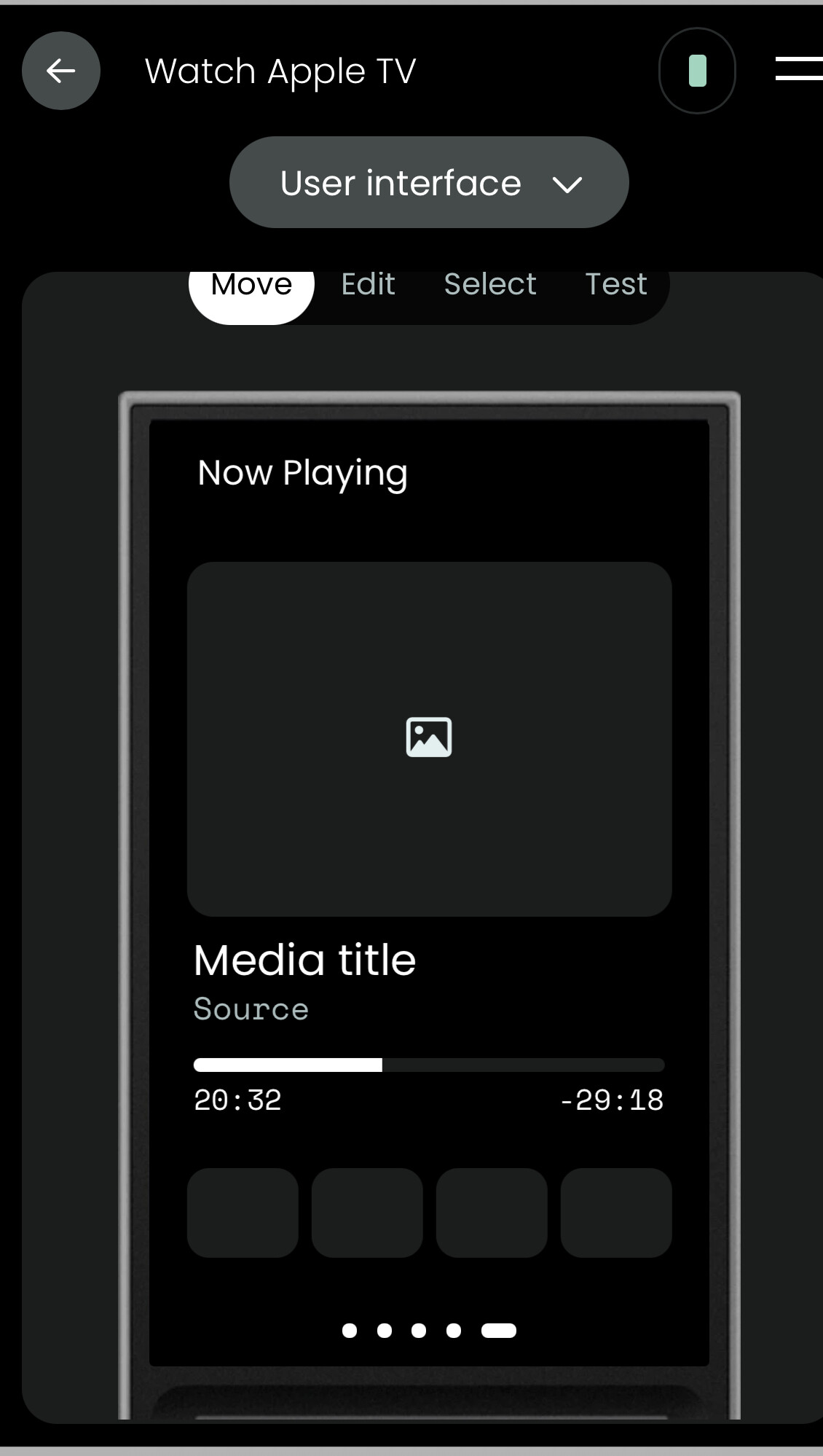
I am wondering how you added the media player to the activity. My suggestion would (as mentioned by @kennymc.c) be to create a dedicated page in the activity for the media player. A 4x6 grid should work fine. Below an example from my AppleTV activity:

Some updates on where I am today and to share some personal experience. Over time my most important hardware gained IP integration support and integrations gradually became more reliable. I still find the process of updating an integration unnecessarily complicated (check on GitHub, download update files, save them on the computer, delete old integration, install new integration, re-run setup) and, once you have about 10 receiving regular updates, this becomes a bit of a time waster. Jack has released an Integration Manager which is a step in the right direction but the task is still not automated but for a minority of Integrations (Jack’s own to begin with).

Currently I need IR for three products:

  • my Gryphon amp - no Ethernet interface / control
  • my Grandview screen - which I could also presumably control with a 5V trigger or a serial adapter which involves cable adapters that would have to be custom built
  • my dCS Vivaldi stack

For Gryphon I learned the IR codes from the remote however, even with the dock placed right underneath the amp, IR control would be hit and miss (mostly miss). The fix was using the IR blaster that came in the box with the docks. Not sure why Gryphon does not like the docks but the IR blaster now triggers it consistently. That was one.

Grandview- same story. I learned the codes from the remote. The dock placed on the floor, underneath the screen, does control the screen most of the time but there are still misses which is annoying.

The serial interface, even assuming I would figure out what adapter cables I need and how to program it, is still not implemented by UC as far as I can tell.

The trigger functionality - fair warning to those who might want to use it: the dock jack sockets at the back are 3 pin/stereo and use a special pin layout so DO NOT insert a standard mono trigger cable in these sockets because they are not going to work and you risk frying the circuits. Also the dock only delivers 5V so if you need a 12V trigger, you are out of luck. I am currently in the process of ordering a custom trigger cable with the correct pin layout from Design A-Cable to test the trigger functionality with the dock, assuming the screen works with a 5V trigger (it is supposed to).

The dCS Vivaldi stack is the most frustrating of all. IP control should be possible because Mosaic does it but dCS couldn’t have been less helpful. They were unable to advise on any of the issues below:

  1. Mosaic control interface

    • Does Mosaic use a documented or supported IP control API (HTTP/REST, WebSocket, or other) to control devices?

    • If so, is there any developer or partner documentation available for this interface?

  2. Power management

    • IP commands or API calls used by Mosaic for:

      • Standby

      • Wake

      • Power state query

    • Particularly in a Vivaldi stack where the DAC is linked to the Upsampler via serial.

  3. Input selection

    • How Mosaic performs input switching over IP.

    • Available input identifiers and whether switching is DAC-direct or mediated by the Upsampler.

  4. Advanced audio settings

    • IP control for settings exposed in Mosaic, such as:

      • Digital filters

      • Upsampling rates

      • Ring DAC / mapper options

      • Clock source selection and lock status

      • Output mode (fixed/variable), phase invert, balance, etc.

  5. Status / telemetry

    • Whether there are IP endpoints or mechanisms to query current state (power, input, sample rate, clock lock, etc.).

    • Whether Mosaic relies on polling or event/notification mechanisms.

  6. Multi-unit stack behavior

    • How Mosaic discovers and controls multiple linked units (Upsampler, DAC, Clock).

    • Whether the Upsampler acts as a control master for the stack or whether Mosaic addresses each unit individually.

  7. Third-party control

    • Whether use of the Mosaic control interface is supported or permitted for third-party control systems, and whether there are any restrictions or licensing considerations.

Which leaves IR control as the only option. And unfortunately their documentation provides IR codes in a format not currently supported by UC. Also, while codes from other legacy dCS DACs do work to some extent, they only cover about 70% of the Vivaldi functions and none for the streamer / clock. I checked GlobalCache, I checked Harmony etc. No database has codes specifically for Vivaldi. Which means I can not use Harmony to learn the codes. And the original dCS remote handset controls all components of the stack simultaneously - triggering a toggle on/off command sends 4 different IR codes at the same time: one for DAC, one for clock, one for upsampler and another for the transport. As I can’t isolate these codes, I can’t learn them.

So, as a last resort, I fired up ChatGPT, loaded the library of IR codes from the dCS manual and asked it to convert them to a UC compatible format. Four or five attempts later, it generated CSV files that UC accepted but here comes another twist in the story.

The screen on my remote started to bulge out recently, particularly on the left edge. I am not sure if there is a battery swelling up underneath, whether it’s some glue points failing (a glue spot is visible on the protruding edge of the screen) but I have looked after the remote well, I have never dropped it so I was not expecting a hardware problem after less than 6 months of light use. The remote is now with UPS on its way back to UC for “inspection” and the dCS project is on hold.

But overall I am in a much better place now than a few months ago and hopefully, assuming that UC and independent developers continue to work on the project, it will become a valid Harmony replacement at some point. This early hardware problem does raise some concerns for me as I have had Harmony remotes for years and they are still going strong. I would also like to see, maybe in the fourth iteration of the remote, a dedicated server hardwired to the network because one of the ongoing points of failure for the remote is internet connectivity, going to sleep in the middle of an activity, small antennas requiring a strong WiFi signal etc. Harmony, C4 - all the major installer platforms have a dedicated server connected to the local network by cable, the remote handsets being just control points. The remote handset running server means high power consumption, heat and limited hardware processing power because of space, cooling and power limitations. I also find the screen quality middling (I understand UC dropped the ball with the generation 3 screen compared to generation 2) and the button quality underwhelming from an ergonomic and functional point of view.

If the server was housed in a UC dock the hardwired Ethernet connection would have been bulletproof, always on, and the remote would have only needed basic Bluetooth and / or WiFi connectivity as a controller.

But all these issues aside, UC is now usable and, if the network connectivity would be more reliable, it would be a solid alternative to Harmony for me at this stage.
Just to add if UC does ever decide to put the intelligence in the dock it would be good to be able to select which dock in a multi dock system where for example one maybe connected to ethernet and another not. Especially as typically the one connected to ethernet would be in a rack or AV cupboard whereas the dock being used to charge the remote is more likely to be close to the user and therefore on WiFi. Appreciate this is not always the case but hence why having options is always good.

What intelligence in the Dock? Don’t expect much as the is a lot ESP32 build into the dock.

Ralf