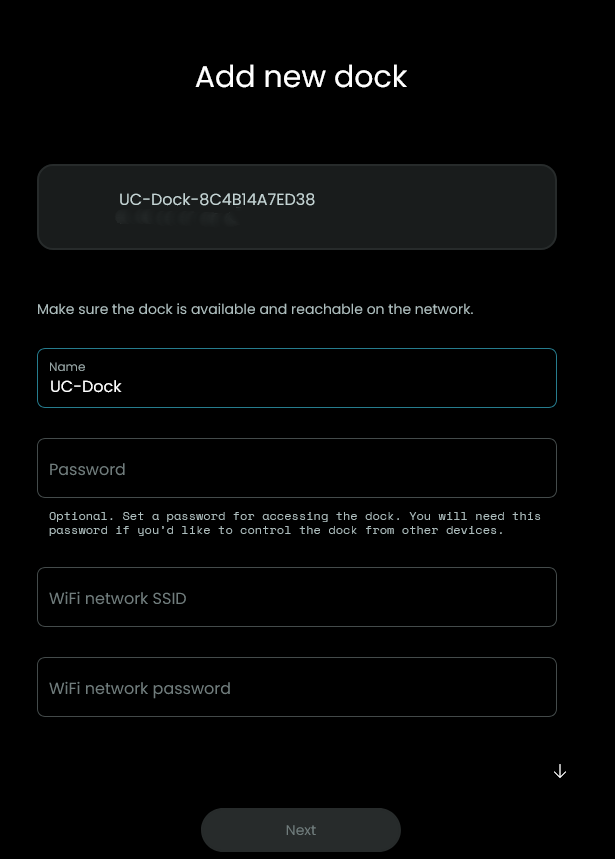
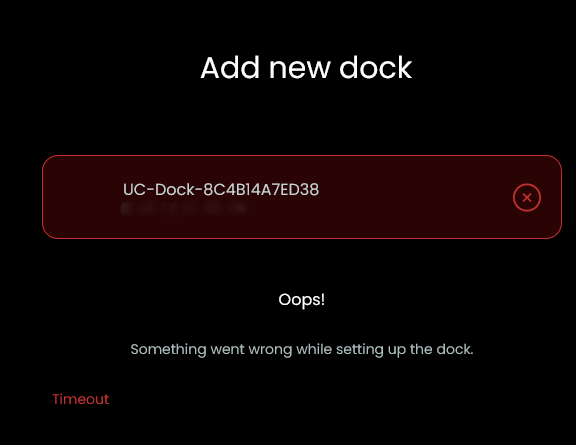
I recently purchased a new router and have been trying to get my Dock2 to connect. The remote (R2) connects perfectly but does not have IR, making it useless.
So far, I have factory reset the dock at least a dozen times in the past day. It makes absolutely no sense to me why the dock can’t detect my local SSID and connect. When I enter my network SSID and PW, it fails. Repeatedly.
After all this time, I figured UC would have resolved these issues. Any help would be appreciated.
What makes no sense to me is this:
Make sure the dock is available and reachable on the network.
How the hell can it be available and reachable on the network if you haven’t been able to connect it in the first place???
In addition, the lack of WiFi detection is a huge fail in this department. Why the Dock can’t pick up the network credentials but my Remote sees it just fine is a puzzlement.
Are you using the latest beta firmware 2.11.0? Recent betas changed and improved a lot of WiFi related things.
The remote itself also has an IR emitter but you need to activate it first in settings/development/preview features and then choose it as the output device for each infrared remote entity.
Yes, I just updated yesterday. I thought I did set the IR’s for ‘both’ early on, but it seems that also may have either broken or been changed.
In the meantime, the issues with WiFi configuration persist. Amazing that a crappy $40 remote can manage this without a hitch, but a $400 remote can’t.
If it sounds like I’m frustrated, that’s because I am.
That’s where I’m at now. At least I have the dock recognized on the network by ethernet, but it’s still not connecting via WiFi and draping a cable across my living room furniture is a fashion accessory I wasn’t expecting. I don’t understand why network discovery on the dock would work differently than on the remote, it just makes this painful. Look for SSID’s, connect, add PW, done.
I guess the Dock is running the latest firmware 0.10.5 as well? Maybe your SSID is not a 2.4 GHz network? Keep in mind the Dock only supports 2.4 GHz Wifi unlike the remote. Can you successfully configure the Dock using the Ethernet connection? If this works try to use a manual url as described here and configure Wifi later: https://support.unfoldedcircle.com/hc/en-us/articles/20018912602524-Manually-add-a-Dock-in-the-Web-Configurator
By both you probably mean Default (all outputs). This is the port setting of the Dock and not the device settings that’s on top of it. Without the preview option beeing enabled it’s not possible to set the internal emitter and it’s also not possible to use an Dock and the internal emitter at the same time probably because of possible interferences.
No, the FW version is 0.10.0, I have tried the ‘check firmware’ (when connected via ethernet) and there is no other option available.
I know for a fact that my network is 2.4, I name the two bands (2.4 and 5) with different SSIDs, and the Remote connects perfectly.
Yes, I’ve connected the Dock via ethernet, and followed the instructions you linked to. When I attempt to enter my SSID and PW, there is no confirmation of connect, the dock just shows ‘connecting’ and when removing the cable, I am unable to send IR codes to the TV. This is the part where the lack of network discovery to see the network and connect is inexplicable.
The dock should just work, I know, especially since it’s such a nice looking, expensive piece of hardware.
I had my dock connected over Ethernet and never had network issues with it, but it couldn’t send more than 2, maybe 3 IR commands in a row without failing.
I replaced the dock a while ago with a Broadlink mini for the IR stuff.
They’re dirt cheap, have a bazillion times as strong IR signal and there’s a 3rd party UC integration for it (I’m using it over home assistant so I haven’t tried it, but I assume it’s working)
It shouldn’t have to be like that, but it is what it is I guess
It hasn’t failed a single command yet and if it breaks, I can get a new one in a single day