I’d like to connect devices directly to my Samsung Q99C soundbar instead of to the my Samsung TV. The soundbar has 2 HDMI inputs so I’d like to be able to select the input source via an integration. I’ve added the soundbar via my SmartThings Home Assistant integration and it appears as a listed entity. However, when I try to add that entity to an activity, it does not show up as an available entity. Does anyone know how to fix this or any work around?
Have you added it to the remote using the Unfolded Circle integration in HA? If not then select that integration and click on the gears icon and you should see an option to add entities to the remote.
Yes I added it to the remote using the HA integration but it isn’t adding that specific soundbar as an entity. The soundbar is definitely in HA and I’ve run the HA integration a few times and have even “selected all” for entities to add, but it still doesn’t add the soundbar.
Install the unfolded circle integration IN home assistant through hacs.
This allows you to select the entities in home assistant you want to share with the remote.
I had issues where the home assistant integration on the remote did not and would not sync entirely.
Thanks. I added that to Home Assistant but it’s asking me for a Host and PIN code?
curious, is it supported in smartthings? have you tried smartthings integration (sorry for stepping in from the current HA discussion).
It’s in my Smartthing HA integration but that doesn’t carry through to the R3. Is there a direct SmartThings integration for the R3?
I just added that, but it’s asking me for my SmartApp’s Client ID and SmartApp’s Client Secret. Do you know how I get those?
I realized that for the UC HA integration the Host is the IP address and then i just added my PIN, but the soundbar still does not show up as an available entity. I have no idea what my SmartApp’s Client ID and SmartApp’s Client Secret are though or how to find them
for the smartthings integtation you need to read the readme instructions and build your smartapp but i feel as it will be too overwhelming for you. so going back to HA, have you exposed the soundbar to the remote? which home assistant integration you used, need to understand how you set this up
I’ve done a few different things in HA. First i added the SmartThings integration in HA and my soundbar does appear there. I then added my HA integration to the web config and when I was asked to select the entities, the soundbar was not one of the entities I could even select. I tried a few times but ran into a dead end.
The next thing I did was add the Unfolded Circle integration into HA. I successfully completed that and it asked me for the entities I want to add and yet again, the soundbar was not an option.
That’s what I’ve done so far.
isntall this home assistant unfolded integraiton. Release v1.0.3 · JackJPowell/hass-unfoldedcircle · GitHub
then go to home assistant, devices, find the unfolded remote, click the gear icon, add devices and expose the sound bar like that. then go to the remote, to the home assistant integration and see if u see it then. also, will be super helpful if you share screenshots, hard to give guidance blindly.
Have you checked the home assistant integration on the remote to make sure it is not in the “unconfigured” entities ?
I was trying to add some selects last night that got transferred but were left unconfigured, therefore unable to be seen or added by the unfolded circle integration in home assistant.
I have managed to get the entity to appear in my list of entities in the Web configurator, but it won’t let me add that entity to any of my activities. I’ve been working with Gemini and have gotten a bit closer by adding some code to HA but we haven’t been able to get the perfect code yet for those inputs. What’s a shame is that i know it works because when I use the SmartThings app I am able to pick the exact sources I want. That’s why i was hoping for the direct SmartThings integration.
im confident we can get this to work , but my recomendation remain the same. you need to share screenshots of what it is your doing, it make sense to you because you physically sit in front of the screen as you do it, for us we need to try to understand what it is your doing. you should also comment of what from our advice you attempted or not so we can try to help building blocks. but that is up to you… it shouldnt be this complex, if you do it correctly.
if you take the chance to follow my smartthings integration steps ,you will have direct smarttthings integration, if you choose the home assistant route, really need to see what you have configured and go from there .. my integration IS a direct smartthings integration. Home assistant will work too with less complexity steps.
Thanks and you’re right. I will do that, but probably will do that tomorrow. I did manage to get the client ID and client secret for the smartthings integration and after entering it I got to a page that said i needed to click on a link and then log in. The link was not clickable and so I copied and pasted it and then logged in but got this error message: ‘redirect_uri’ could not be validated
I’m going down two parallel paths trying to get this to work. One path is trying to get the R3 SmartThings integration to work. The attached screenshots are from the Developer Workspace. I’m unable to “verify” my app registration. Picture 1 shows the end of my project where I am unable to “deploy to test” because it needs to be verified. When I click “verify” here or in the “Automation Connector” (picture 2) I get the popup with a countdown (picture 3), but nothing happens. I’m sure I’m doing something wrong?
Although I have my Client ID and Clent Secret, I’m not able to finish the integration in the R3 web connector and I assume that’s because my developer project is still in draft?
I’ve been using Gemini to get me this far but admittedly I’m somewhat out of my depth here so any help would be really appreciated!
I’m separately also trying to do something in Home Assistant and with Gemini’s help I’ve used the soundbar Device ID to create it as a separate device and then used some code to allow me to switch the input sources in the soundbar. I then added that device to my HA R3 integration and it does give me the soundbar sources options within web configurator, but they don’t work (i.e., they don’t switch the soundbar sources). I’m sure that’s due to the wrong naming convention. Anyway, so as not to muddy this this up, I’ll post more about that (including pictures) after I work through trying to get the SmartThings integration to work, unless you think it would be better to start with this approach first?
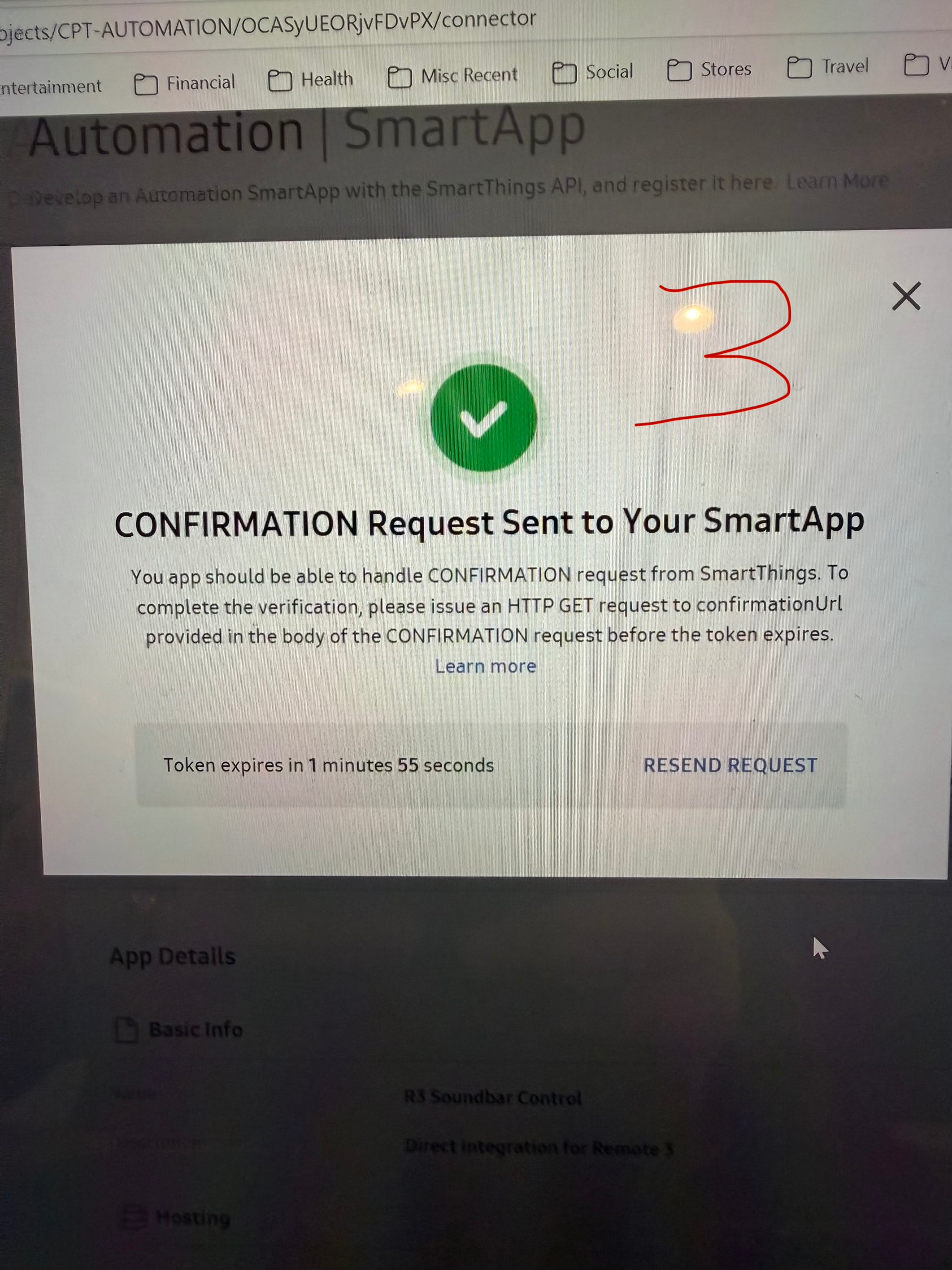
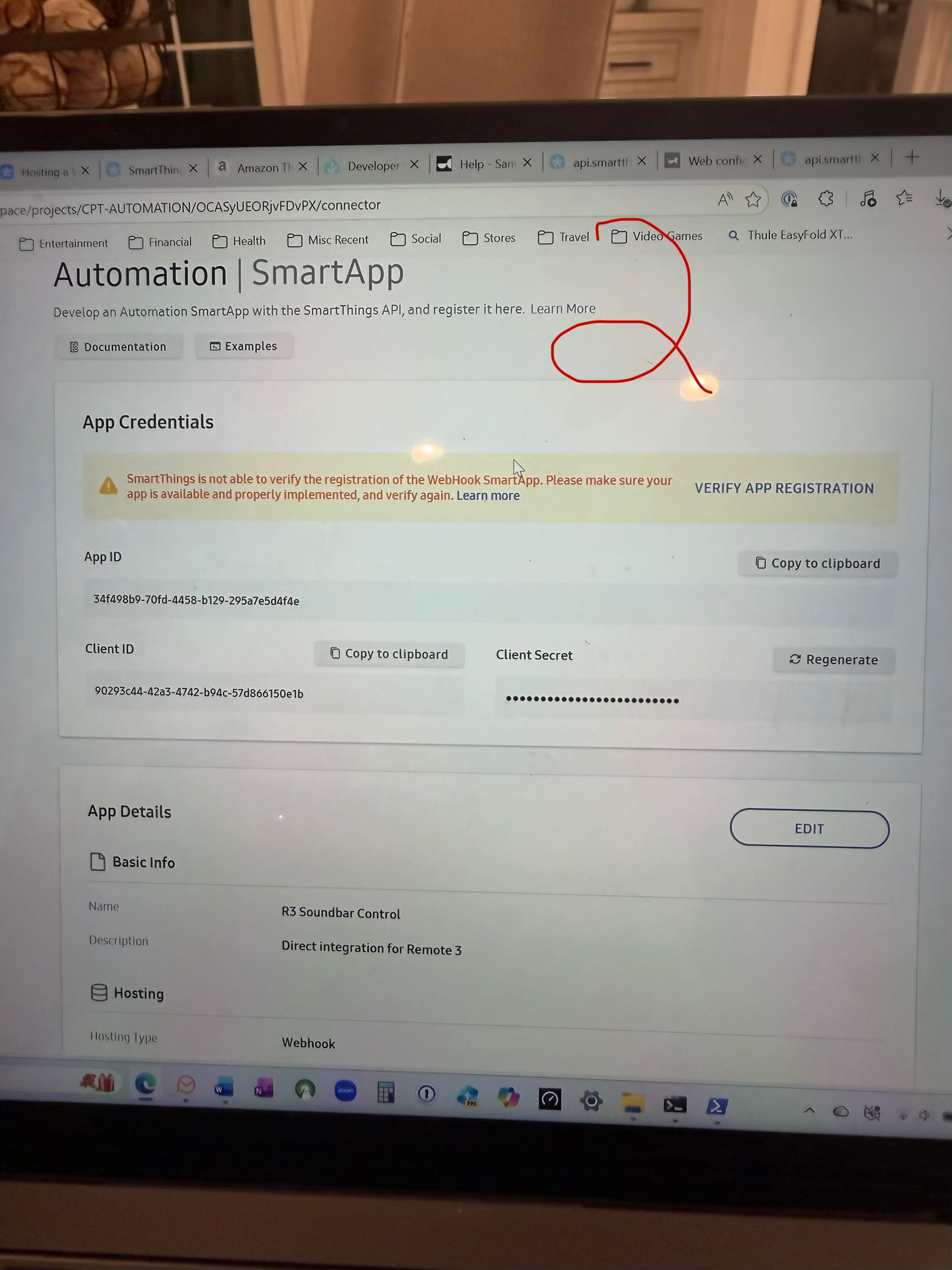
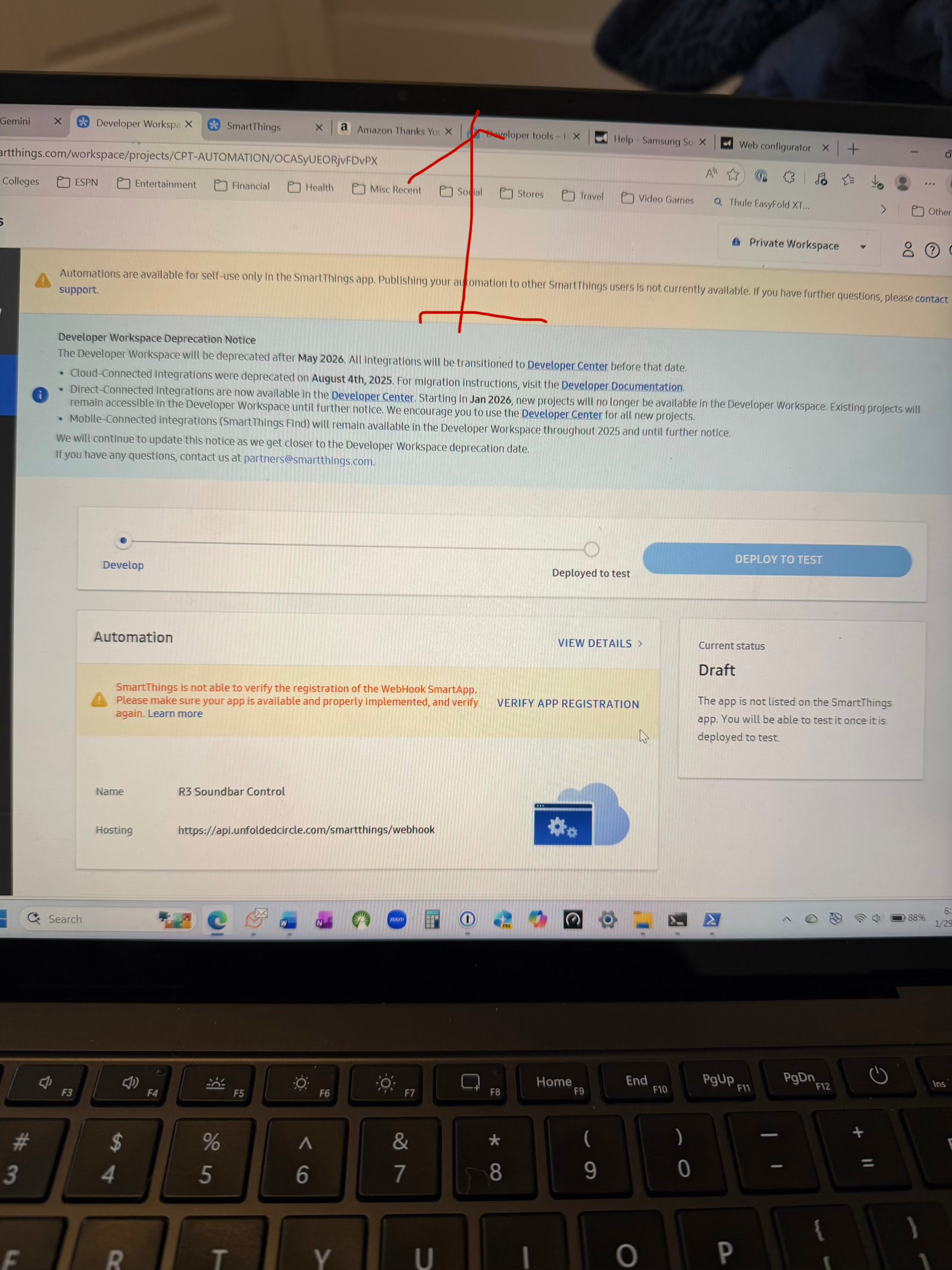
i can comment on the direct smartthings implementation (as i developed it), you are using the web, which is incorrect. you need to use commandline and follow the guided steps exactly as they are in the readme file starting from this section: Step 1: Create SmartApp.
you can consult with gemini to understand better, or tell gemini to read the readme file (feed it the link) and tell it to simplify evenmore, however i did write the readme in a very simplistic step by step guide, if you use that it will work.
Awesome - I’ll go with that.