I’ve been trying out this integration to send commands to Home Assistant to then send commands to an attached serial device. This works with a custom entity, however the response feels very sluggish even with fire and forget set.
Because using the HA integration I have to have both a remote and a switch entity for power states to work and also using “Send command” from the HA integration truncates the serial commands down to a single letter and so I have to have a command map that translates that back to the actual commands I want to send.
In essence, it works but it’s clunky. I’m aware of RS232 on the Dock, but I wanted to see if I could get something better working before that update comes and possibly not have to have the dock near those devices if possible (my HA machine was already near those devices).
How many commands did you try. I have 1 yaml with 45 commonds.
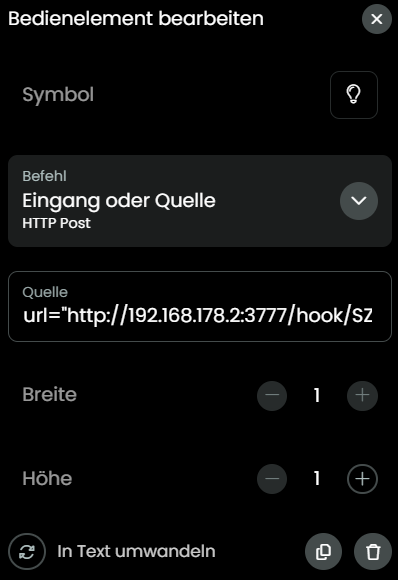
Of course you can send single commands. You must know if it is POST/GET and the add the entity to your activity, select either POST or GET and in the source line enter the URL.
I’ll have a play with the single commands and maybe only use a custom entity for power on and off commands so that states are set correctly for activity switching.
How many commands are in your config shouldn’t affect the performance of the integration.
If it’s just the response that’s slow it’s most likely your network or the device it self. Try to lower the timeout if you enabled fire and forget.
Also keep in mind that with remote entities the command is automatically repeated 4 times by the remote itself if you press and hold a button. This can cause issues with slower devices and also can’t be disabled. It’s by design according to UC. In the future there will be an improved long press handling integrated by UC.
It may be that it shouldn’t, but going from 12 commands to test, to the full 53 per entity I want for two custom entities results in a slow response on the device, even with fire and forget enabled. This is with single taps of the buttons, so it’s not the long press causing an issue.
I know the devices can accept commands quick enough as firing off the script in Home Assistant manually is still plenty fast.
Accodring to a log it takes less than 500 milliseconds from a command being received and processed to getting a response from the device. I wouldn’t call that slow.
You could try to run the integration externally as this might improve the speed of reading the custom entities config file.
The delay is not just a little, it’s very noticeable.
In my logs at 03:07:13.214, the command is received. However, the HTTP request isn’t actually initiated until 03:07:13.625. That is a 411ms delay occurring entirely within the driver’s configuration/parsing logic before the network is even touched. As the config grows, this ‘pre-send’ delay increases, creating a noticeable lag on the physical remote.
Also, even though I have fire_and_forget: True set (as seen on line 23), the logs show the driver is still waiting to process the server response and update internal entity attributes (lines 16–21) before it fully finishes the task.
I don’t have an easy way of running it separately as I don’t have a docker setup.
This same chain used through the Home Assistant integration is a lot faster, so I don’t think it’s my network or the device itself.
It’s cleaner to use your integration and power states work properly, but HA is a lot faster.
I guess I’ll just go back to the Home Assistant way instead.
This processing has nothing to do with fire and forget. Fire and forget just prevents to send an error command response if no response has been received from the device. Instead the integration will always sends an ok message to the core.
I will try to cache the entity config so it doesn’t has to be loaded from the yaml file every time a command is sent.