Hi,
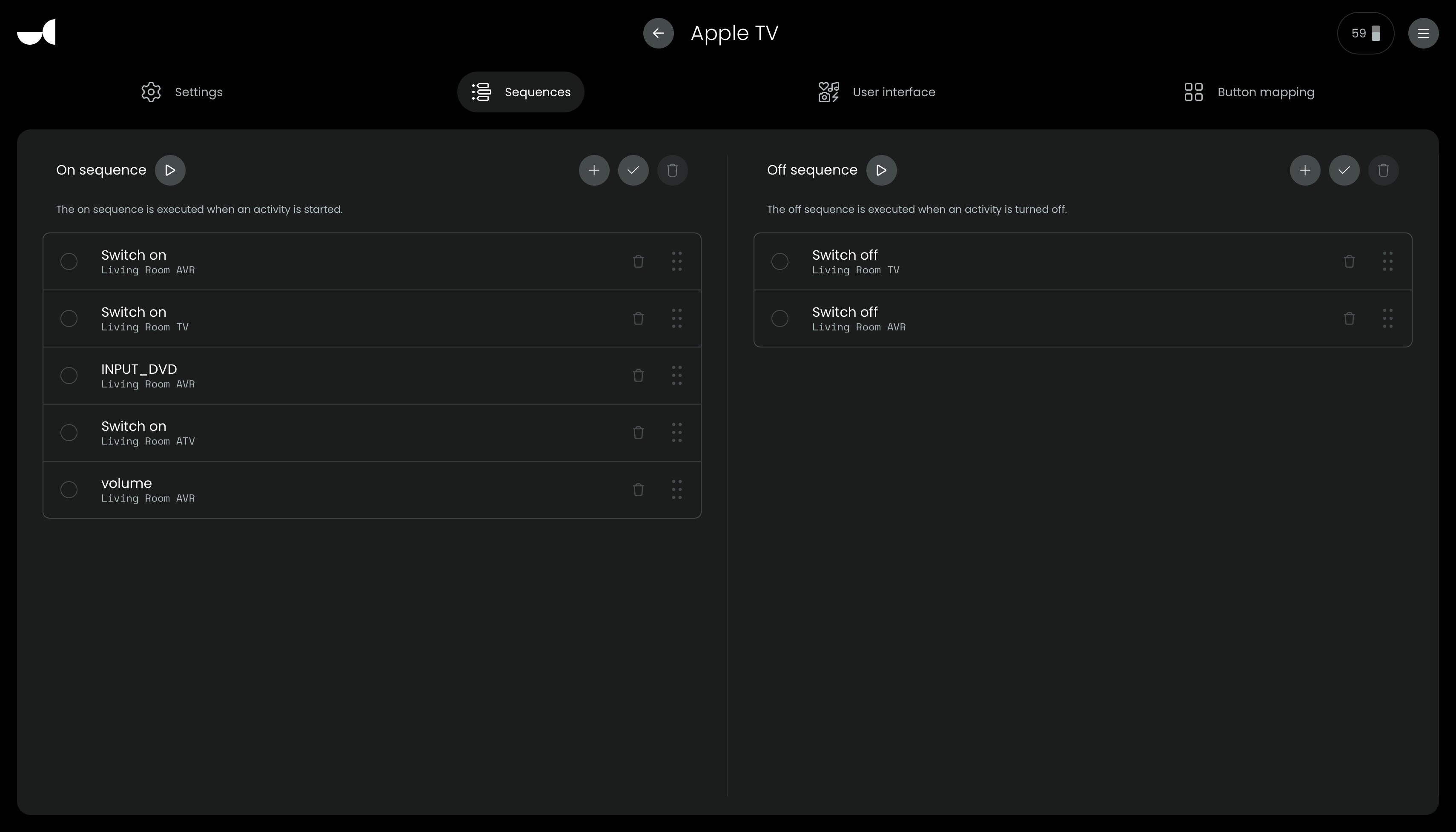
I‘m using the Denon-Integration in my activities. I would like to set volume at a certain number when starting the AVR. Somehow this doesn‘t work at all. See also enclosed picture.
Do I have to use delay before or after using the command? Or how do I make this work. Maybe important I do have a Marantz AVR… but normall Denon and Marantz use the same codes…
You can set a default power-on volume in the settings of your AVR, but I guess you already know that.
I guess you want to set a default per activity.
The 3ms and 6ms aren’t very long delays, maybe you can test with a few seconds…
But what you could also do before that, is assign a (onscreen) button to setting the volume a certain level. That way you can test if that functionality works. After that test with the order of actions in the power-on sequence, and maybe some delays.
Yes, that‘s correct. Wanted to set a default per activity. But seems like a good idea to first test the functionality… so will test accordingly. thanks for your input and help!
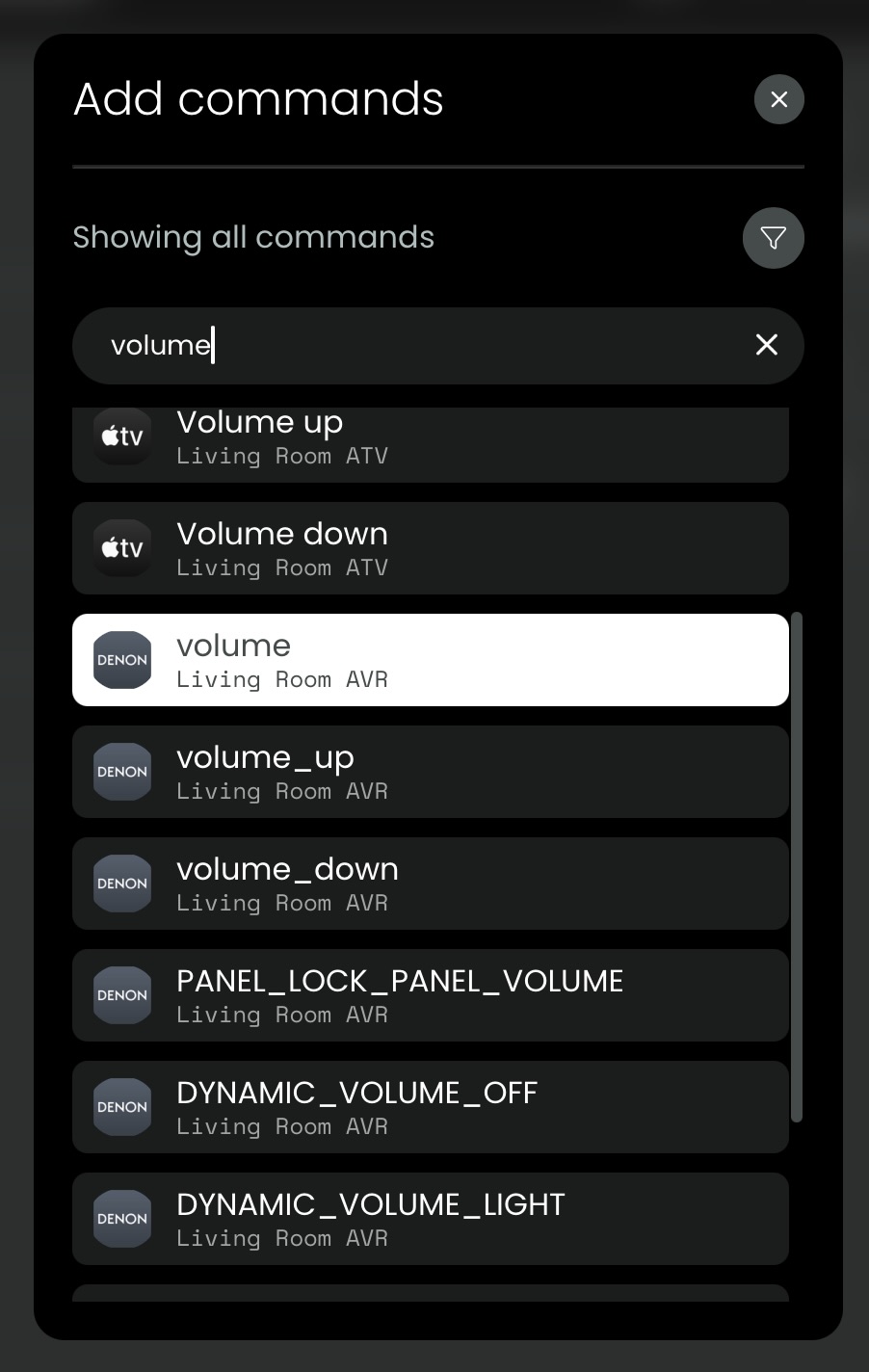
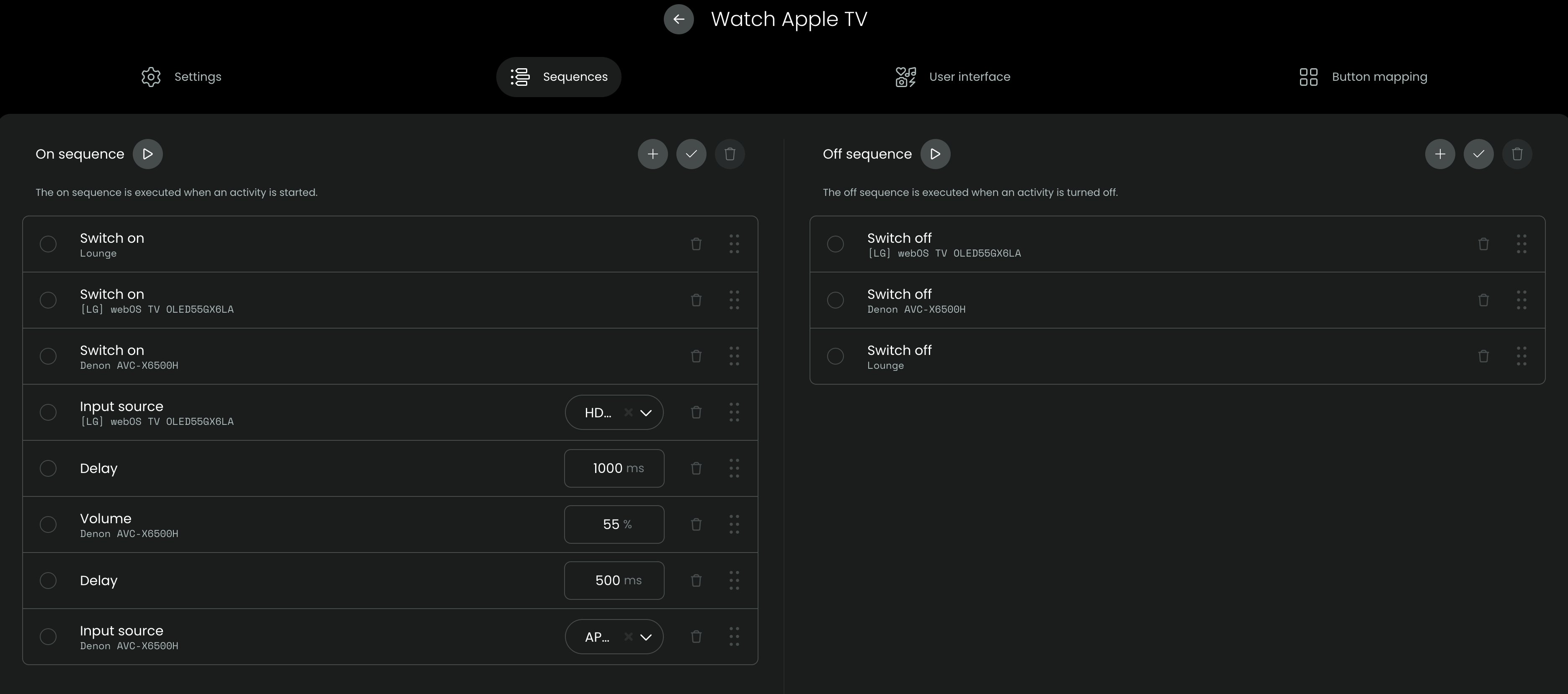
Not sure if you’re still active but I’m looking to accomplish the exact same thing, i.e. set specific volume levels on a Denon receiver for each activity. I only read English but I can see you put some command in the Start sequence which specifies the volume percentage on the Denon receiver and gives you + / - adjustment buttons. I can’t figure out how you got that. I have a volume command for Denon, but it doesn’t give me any adjustable parameters.
I am using the built in Denon integration, control via IP.
Am i right that this means you are using diffenrent inputs on your AVR for each acitvity?
If so you can adjust volume on each input on the AVR himself. That is the difference (+ nn dB / - nn dB ) from Power-up-volume which should be set too.
Strange. I have a Denon AVR and thisn provides me with a drop down percentage which I can set. Is your Denon AVR switched on when you’re trying to set these sequences up? Don’t know if that matters for volume but it definitely does when trying to select user defined HDMI inputs.
The fact that you have drop down selectors for both your Denon AVR (volume) and your LG TV (source select) tells me something must be bugged with mine.
I’ve seen reports of other people not seeing dropdown boxes for various things and I seem to fall into that category. I have two Denon receivers (x4700h & x6200w) and two LG TVs (C8 & C2 OLED). Both are used in different activities with no overlap. For instance, the LG C8 and Denon x6200 are both tied to one activity which doesn’t share any other entities, but does share the Denon and LG integrations; for reference, that is a Bedroom Activity which includes an LG C8/Denon x6200/Apple TV 4K. Any other gear is included in Living Room Activities which don’t include any of the three bedroom entities. I don’t know how useful that information is, but it’s an interesting data point which seems like there would be an integration level issue vs an entity.
Rebooting the remote doesn’t change anything. It’s possible that removing the entity and/or the integration and starting from scratch may fix it but after spending the past week getting everything finally setup the way I want, I don’t want to try that right now. Especially considering the amount of button mapping and screen customization I’ve done for the Denon receivers. Maybe once some time has passed, the appetite will be there.
edited to add: Good call on the AVR power setting. It doesn’t seem to change anything here, but it’s just a good thing to keep in mind in the future. Everyone should always power on any entity they’re working with
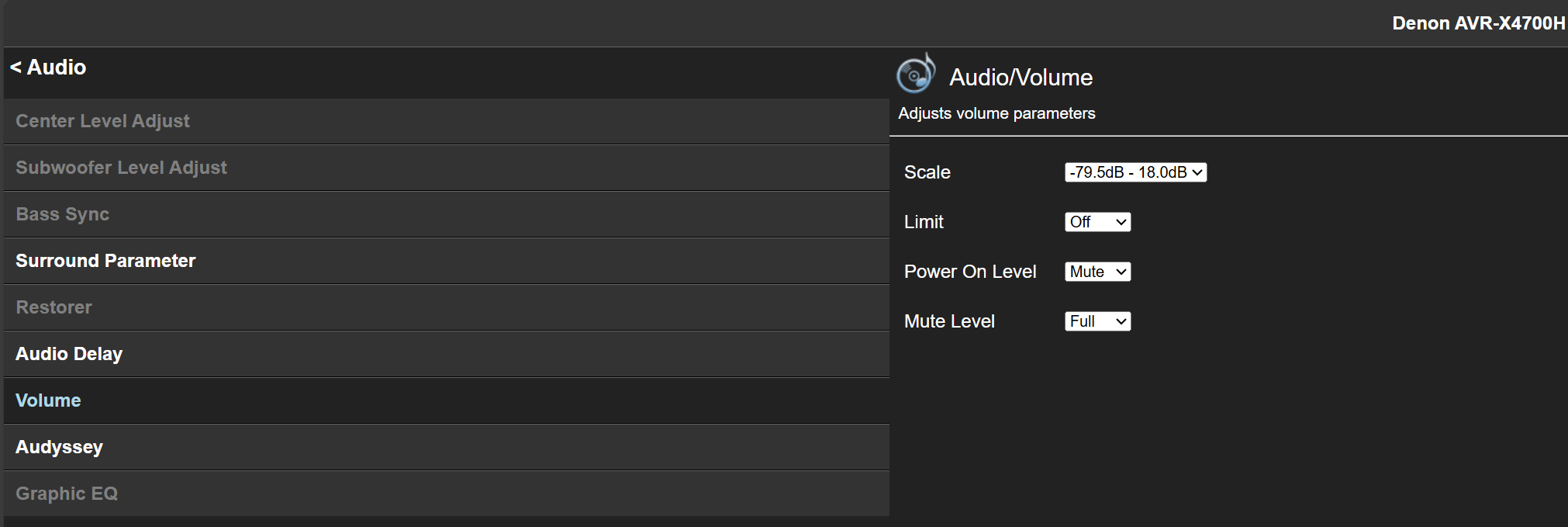
Can you take a screenshot of your AVR web gui for this setting or a link to the manual? The only thing I know of is setting the power on level but that is not per source, it’s for everything. When I look at the manual for your AVR, page 130, it’s sleep timer functions. The likelihood we’re looking at different manuals is pretty high so I scanned around a bit and don’t see anything. Now that you brought up adjusting this on the AVR itself, it sounds familiar but I can’t find anything in the Web GUI, other than the setting I just pointed out.
Thank you for setting off the proper “doh!” button in my brain. I thought for sure it would be the other way around, meaning the remote entities would contain things like input drop down menus since it’s a more “advanced” function and it seems counterintuitive that these functions would be under the media player entities. Could be that’s just my brain.
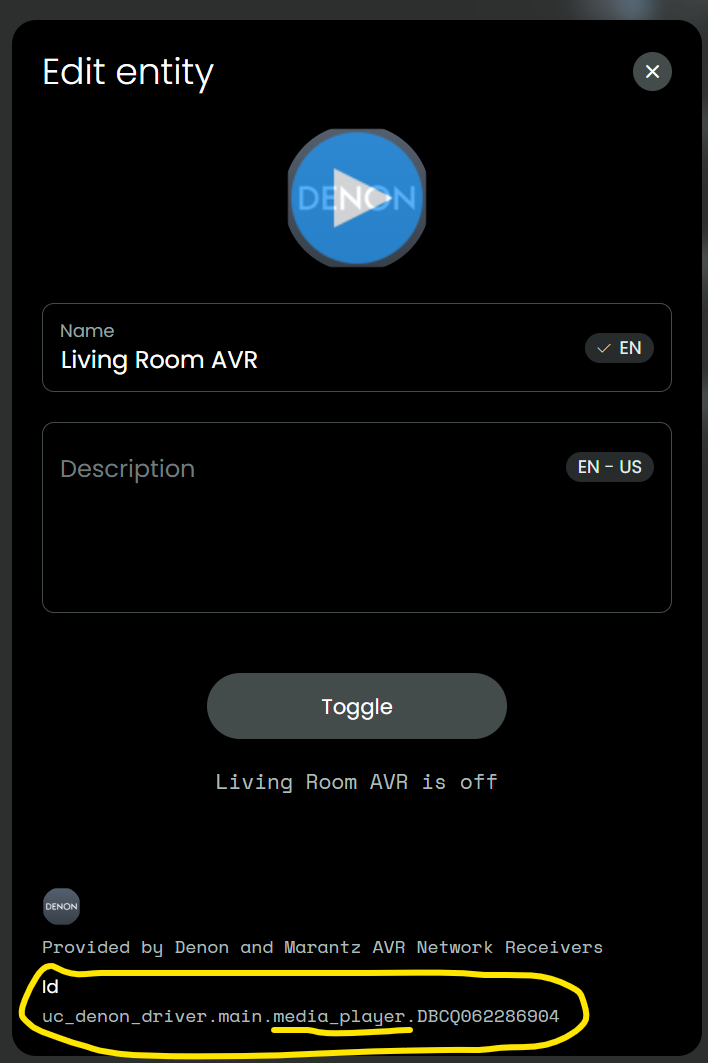
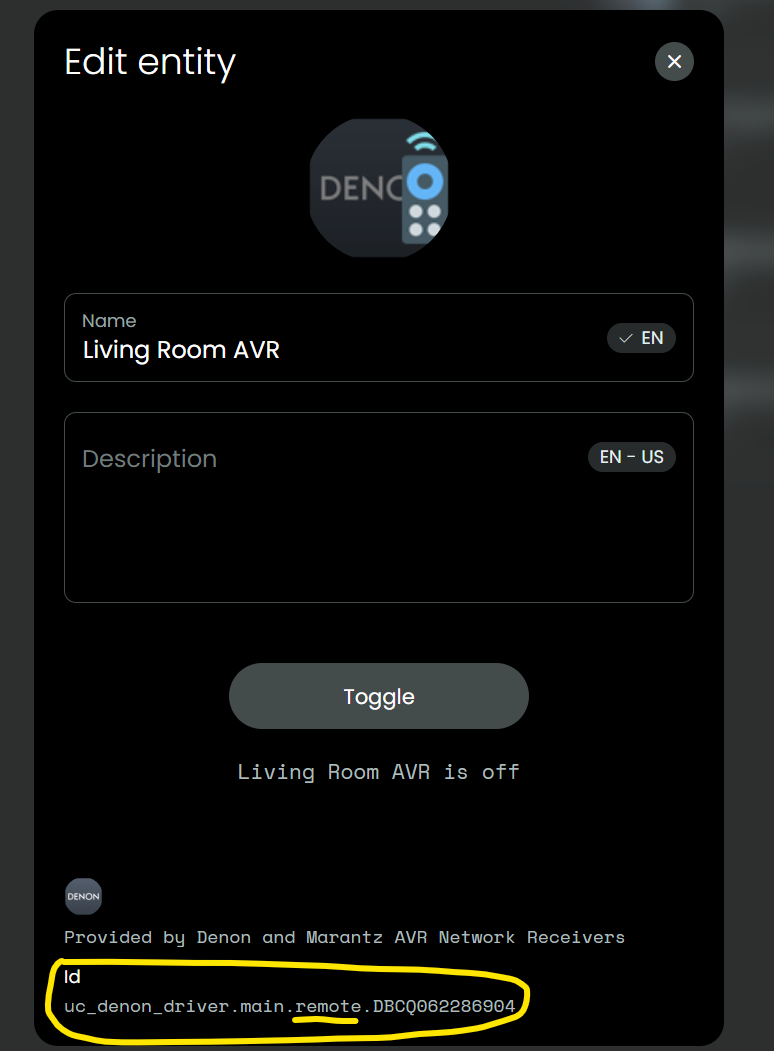
I even went to the trouble of creating media player and remote entity icons so I wouldn’t mix them up. I didn’t want to accomplish it with naming conventions because I want the cleanest possible display on the remote and “Denon x4700 AVR Living Room Remote” or whatever looks terrible to me. The remote entities get little remote control overlay icons, the media player entities get the blue play button overlay icons, and the activities icon have no overlay. That way I have dedicated screens as well. The first screen on the remote is activities, and the second screen is a mix of remotes and media player entities, and I can always determine what is what by a quick glance at the icon. Even beyond that, I was verifying the type of entity based on the entity ID (underlined in a screenshot).
All that said, none of the organization matters if I’m choosing the wrong entity! I was convinced that the remote entities were correct. I’m honestly still not sure what the difference is between the two. Anyway, once I chose the media player entity instead, I get the drop-down menus for both AVRs and TVs. Thank you for making me look at it all again, for the tenth time lol