Hi everyone — first-time poster. Short pitch, and a little show-and-tell.
I think the Remote 3 is the best universal remote I’ve ever touched. Premium hardware, clean integration story, proper DPAD and touchbar feel — and critically, it’s open source. That last part is what actually convinced me to put my still-very-much-working Logitech Harmony 650 to rest and move over. I wanted a remote I could change, not just use.
One small itch though: the stock analog-clock charging screen is… fine, I guess, but a little boring. Since the source is right there on GitHub, I thought I’d take a crack at replacing it with a proper configurable screensaver system. Here’s what came out the other side.
 30-second demo on YouTube Shorts (yes, I made that Dr. DOOM outfit in case you were wondering.)
What it does
Five themes:
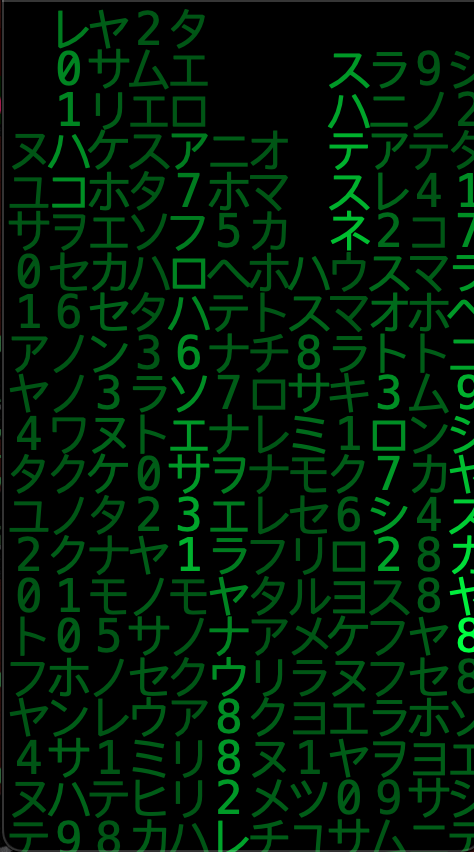
- Matrix Rain — GPU-accelerated (custom
QSGGeometryNode+ texture atlas, single draw call per frame), 108 tunable properties, full glitch engine (stutter / reverse / chaos / direction-trails), 9 color modes (green / blue / red / amber / white / purple / rainbow / rainbow-gradient / neon), 4 charsets including katakana, hidden message overlays, DPAD 8-way direction control with smooth gravity-lerp. - Starfield — warp-speed star tunnel with configurable depth, trail length and gradient colors.
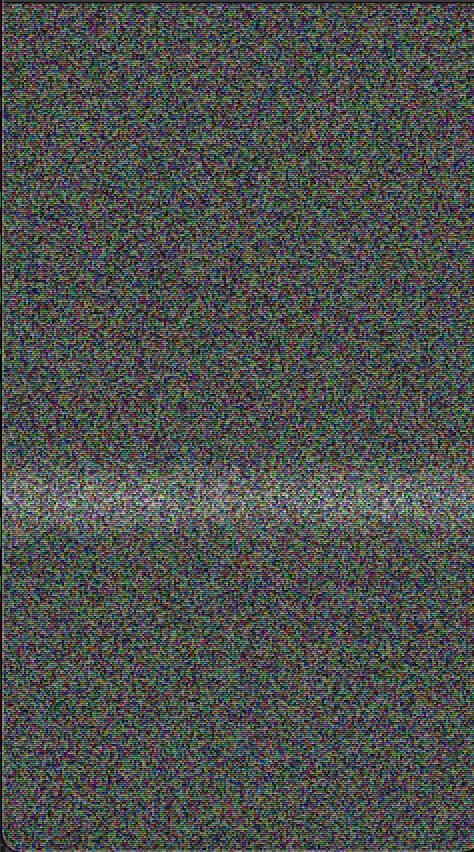
- TV Static — single-pass GLSL fragment shader composing analog snow + VHS chroma bleed + CRT scanlines + rolling tracking bar + channel-flash bursts. Chunky-pixel analog feel with a proper CRT-collapse shutdown animation.
- Minimal — big digital clock with locale-aware date, Poppins or Space Mono, independent time/date gradient color pickers.
- Analog — the UC stock analog clock promoted to a first-class theme (with its own sweep-and-fall shutdown animation).
One Matrix easter egg worth calling out: optional auto-rotate mode sweeps the rain direction through a continuous 360° arc with smooth curved trails (coprime-gravity spawn so every row and column gets visited on the way round — no dead zones). The rotation speed is a slider, so it’s as slow or as fast as you want: dial it down and it’s hypnotic on a docked remote, dial it up and it’s a blur.
Nine screen-off animations — Fade / Flash / Iris / Wipe / Wave / Genie / Pixels / Dissolve / TV-Static CRT collapse — play right before the display blanks. Event-driven off the core’s Normal → Idle transition with self-calibrating dim-phase measurement, so they always finish cleanly synchronized with the hardware display-off.
Per-theme overlays — clock (position, font, gradient color, docked-only), battery level (color-coded by charge, configurable text size).
Interactive (Matrix) — DPAD changes rain direction via gravity-lerp (no respawn), touchbar adjusts speed, tap zones change direction, long-press slows, triple-tap closes. Everything individually toggleable.
Install, revert, and the safety net
-
Repo: GitHub - mmadalone/Madalones-Defolded-Circle-3: UC Remote 3 custom firmware mods — screensaver system and screen off animations. Fork of unfoldedcircle/remote-ui (Qt 5.15, QML, C++17, GPL-3.0). · GitHub (GPL-3.0, fork of
unfoldedcircle/remote-ui, basev0.71.1) -
Release:
v1.2.2ships as an ARM64 static.tar.gzinstallable via the stock/api/system/install/ui?void_warranty=yesendpoint -
Revert to stock at any time, one curl command:
curl -X PUT "http://<remote-ip>/api/system/install/ui?enable=false" \
    -u "web-configurator:<pin>"
Stock UI is always there as the fallback. This is a supported UC3 API — it cannot brick the device. Save the command before you install.
Caveats (please read)
- Tested only on my own Remote 3 running firmware 1.9.x. Other firmware versions and hardware revisions are not validated. If the custom UI fails to start on your device, the revert command above is the backstop.
- Voids warranty (the install endpoint literally requires
?void_warranty=yes). The revert endpoint restores stock and hands warranty state back to UC. - This is an independent hobby mod, not affiliated with or endorsed by Unfolded Circle. UC didn’t ask for it and they don’t have to support it. Blame me if it breaks.
How it was built (full disclosure)
Every line of code in this project was generated by Claude (Anthropic’s CLI coding agent, claude-code) through iterative conversation. I’m not a C++/QML developer — my background is elsewhere. The loop was: describe a feature or a bug in plain English, Claude wrote the implementation (usually spanning the C++ renderer, the config bridge, the QML wrapper, the settings sub-page, and the tests in one coherent change), then we rebuilt via the Docker ARM64 toolchain, deployed to my actual Remote 3 over the stock install API, and tested dock/undock/wake/thermal on real hardware. Anything that didn’t hold got another round. Every fix in every release was validated on the device before shipping.
All user-facing docs in the repo — READMEs, install guides, release notes, this post included — are human-reviewed and corrected before they go out. The AI writes the draft; I proof every claim, every screenshot reference, every curl command against the actual device, and rewrite anything that reads hallucinated or vague. If you spot a factual error in the docs, it’s a bug and I want to know.
The metaphor I keep coming back to: I’m the architect who can’t hold a hammer. I know what I want the building to look like, I can read blueprints, I can tell you when something’s wrong, but I’m not the one pouring the concrete. I didn’t want to hide that authorship story — if it changes how interesting the project is to you, fair enough. I thought the result was worth showing either way.
Feedback, bug reports, roasts, requests — all welcome
This is a love-letter to the Remote 3 and its open-source ethos, not a product. It runs happily on my device and I’d love to hear how it runs on yours — or if you think the Matrix defaults are too much, too weird, or not weird enough (the theme is deliberately tunable precisely so you can calm it down or push it into chaos, whichever). Reply here, open a GitHub issue, or just tell me the idea is dumb — all of it welcome.
Thanks to the UC team for making something worth modding in the first place.