I’m experiencing an issue with charging but other posts on similar issues have not helped me resolve this.
I received my Remote 3 and Dock 3 a couple of months ago and initially powered it up and did some basic setup to ensure that everything was working properly. I don’t recall having a specific issue charging the remote on the dock at that time but do recall thinking that it was a bit temperamental.
Last week I set aside some time to set up the remote properly but, as the dock had been unpowered, the battery on the remote was dead. I placed it on the dock to charge but nothing happened. I left it for 30 minutes - still nothing. However, pressing the power button for a few seconds resulted in:
-
Remote showing low battery screen and “Charging”
-
Dock showing “Charging”
-
Charging stops after a second and dock indicates not charging (bolt with line through it)
I could consistently reproduce this behaviour and discovered that the remote would remain charging for as long as I kept the power button pressed. Again, one second after releasing it charging would stop.
I repeated this several times for testing/diagnostic purposes and on one occasion charging did continue after I released the power button on the remote. At this point I assumed the issue was gone, left the remote to charge and it eventually booted. Once the remote had charged to ~10% I removed it from the dock and placed it back again. Neither it nor the dock showed any indication of being docked and there was no attempt to charge the remote. The previous technique (holding the power button for 3 seconds) still activated charging intermittently but, again, charging would stop just after releasing the power button.
Eventually, I gave up and used wireless charging to charge the remote. While the remote was charging I read a post that suggested that some older firmware versions for the dock could/did cause charging issues so I decided to manually update the dock firmware using the ESP Tool however, despite WebSerial being able to see/pair with the dock, I constantly got a “Failed to open serial port” error so eventually gave up . (Other than this and the charging issue, the dock seemed to be functioning as expected - e.g. I could connect to its IP and see its status etc.)
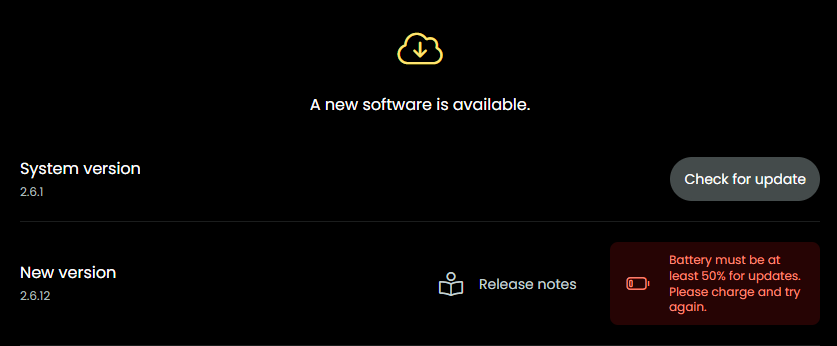
Once the remote was fully charged, I connected to the web configurator and used it to upgrade the firmware/software on both the dock and the remote (currently running 0.8.0 and 2.6.12 respectively). This did not help.
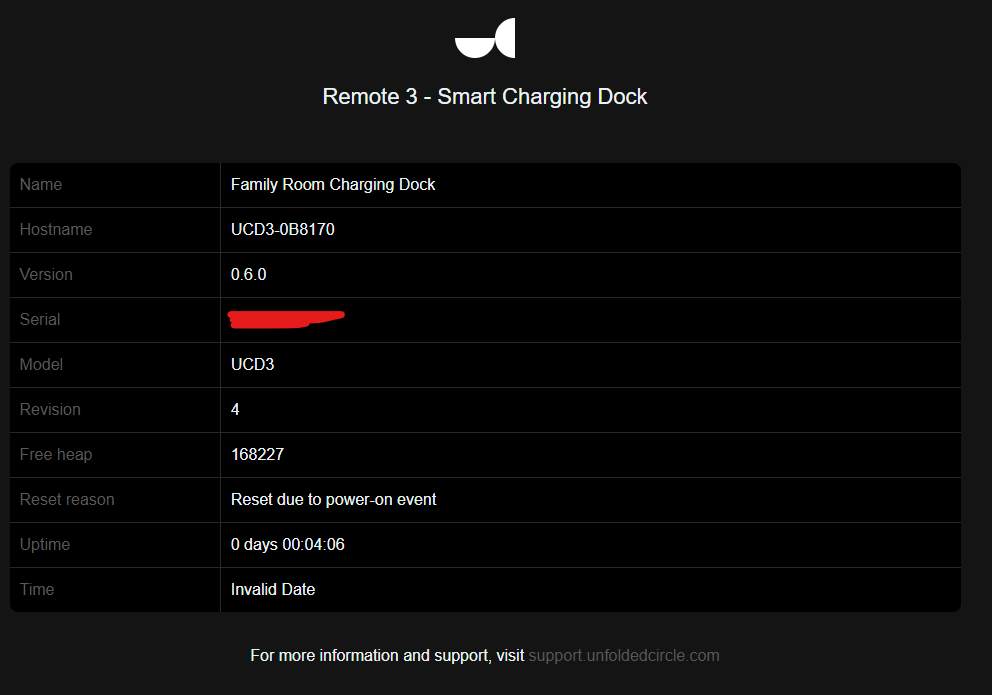
I also tried connecting the dock to PoE but the issue remains. I’ve also noticed that the status page for the Dock reports “Invalid Date” for the Time and if I view the Dock on the Remote, its state seems to be in a Connecting/Active/Reconnecting loop.
To summarise:
-
Placing the Remote on the Dock has no effect - neither the Remote nor the Dock give any indication of a connection and charging is not initiated.
-
Both Remote and Dock are running the latest software/firmware
-
I have tried power-cycling and factory resetting the Dock on multiple occasions
-
I’m using a 65W charger (capable of 3.0A @ 5V) and the cable that came with the Dock
-
Same issue if the Dock is powered with PoE
-
Dock WiFi seems to be in a Connecting/Active/Reconnecting loop
-
Pressing the Remote power button for a few seconds while docked occasionally results in the Dock displaying “Charging” but it stops as soon as I stop pressing the power button
If it helps, I monitored the power draw of the Dock and it is ~0.76W (~0.15A @ ~5.1V) and does not change when the remote is docked. Also, the voltages between the dock pins are:
-
Pin 1 - Pin 2: ~2.8V
-
Pin 1 - Pin 3: ~5.1V
-
Pin 2 - Pin 3: ~1.2V
I’m completely out of ideas so would greatly appreciate any help/guidance from anyone. Thanks!
 .
.