Hello.
I noticed that when using a background image, its hardly visible on the screen.,
Any recommendations about how to prepare it in case it needs some adjustments?
The ones I used for testing just came directly without treatment.
There is no way to make a picture brighter if it gets dimmed afterwards anyway. I think dimming the background could be by design to improve the visibility of the white text on top of it. But it could also be a bug whith the gradient that ends too high up. Only UC could tell if this is really wanted.
Thanks, then I know I am not alone. Lets see if something comes up here…
I have the same issue. The background image can be barely seen.
Yeah, this is actually bothering me a lot. I do not want a “white text” at all. I just want the bg image - but it gets this stupid overlay that cannot be removed. I already tried editing the image, increasing contrast etc. - nothing helps. It looks so CHEAP and WASHED OUT, like an lcd from the 90s. I HATE IT.
1 Like
Which background image?
This one:
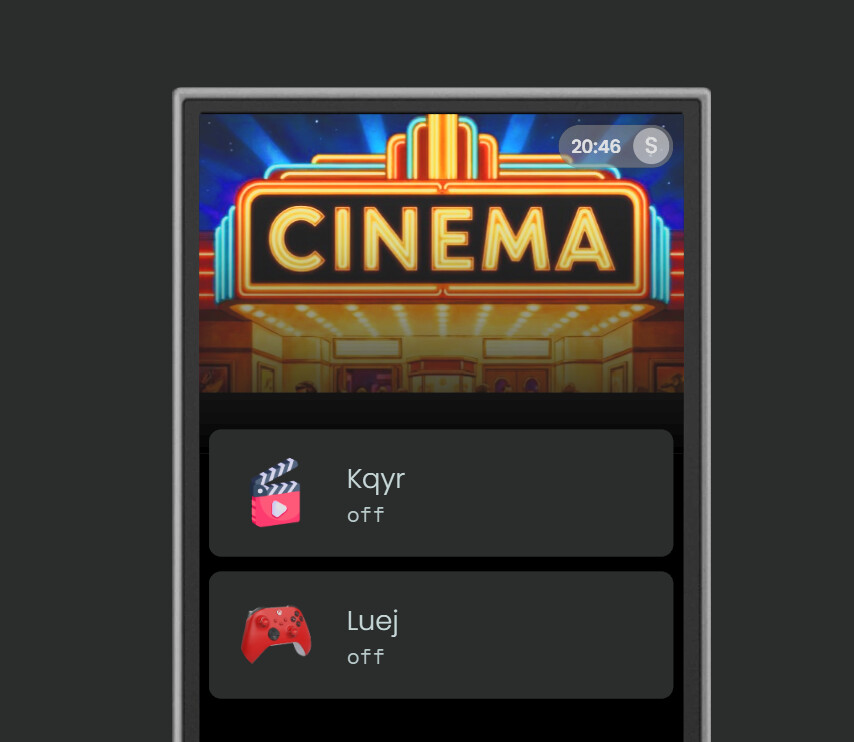
This is a screenshot from WEbConf of course. On the R3 itself it is super washed out, hardly visible.
I think this is intentional because it is overlaid with the page name.
yeah, I know. But I do not want the page name, which is why I removed it.
And I would want to be able to have some settings there like “enable/disable overlay” or such.
In general this Beta 2 WebConfig (which is the only one apparently) is extremely lacking.
I mean, it even lacks a simple “reboot” button for the R3.
Search if there is a feature request and if not open one.
I find the R3 web configurator very responsive it is a lot faster than R2. Do you have many entities for instance from HA?
Ralf
I am not saying it is not responsive. I am saying it lacks so many features.
Sorry I am old, it is late and I’m not native english speaking so you can easy mix up lag and lack.
What do you miss? Add a couple more options and I already hear complains that it is so complicated.
As I said, example:
- no “Reboot” button
- No background overlay control
- no settings on e.g. “Media Player” widgets apart from “size” (e.g. no settings about the title, general settings, as well as color, size etc, image position and/or size)
- no settings regarding fonts (size, color, positioning) - for example on Homepage - activity buttons.
- no settings / configuration of Integrations without the complete Setup restart
- a useless “search” function when adding integrations (one would think it searches some kind of “Store” to find an integration, but it doesn’t - it is just a local search)
- no possibility to set a permanent PIN or even better DISABLE the PIN for webconfig
- no settings for entities apart from name/description
There is a reboot button hidden under development/preview features.
Reboot: settings, development, preview features, reboot. I wouldn´t place such a function prominent in a configurator because it is normally not neccessary.
Media widget has already feature requests. Especially with Android TV only title will be delivered. More sensors came with the last update. So there is progress in this direction.
Settings of integrations depends on the integration. Some can be reconfigured some not.
Search in integrations. I think they have some kind of store in mind. A list of supported devices is already available which is the first step to prepare this. The image manager has already such a function.
Settings for entities depends on the entity. If it is a remote entity you can create a GUI and button mapping. So you can define a device entity with your own layout. Harmony called it device mode.
Now (almost) all Kickstarter backers should have their remote I thing software development will be ramped up. I noticed it already in the last weeks.
Ralf
Long press the power button on the remote until the reboot and restart buttons appear on screen. Hold the respective on-screen buttons to reboot/restart the remote.
He was talking about the web configurator.
Ralf
Ah my bad, I missed that part  .
.