I have the Apple TV integration installed, how in the world do I get an activity setup with Apple TV?
1 Like
I’ve created two activities already….issue is Apple TV integration is not showing so I can add it to activity.
Did you complete the setup of the integration and then added the entity? There is bug where the entity is not shown after the first setup. You either have to click on the + button in the Apple TV integration settings or run the setup again.
this helped, thank you
I this still working now? I have the Apple TV integration ready but I can’t add it in an activity, because is not show to be add. I can’t add this “integration” as an entity (but I can do it with sonos integration as well)
When you paired the entity is not automatically added. Open integration do you see the entity aus active? If not press + then you should see the entity and could add it.
Ralf
Hi, thanks for the answer, I also tried this before. When I press + and give the option to “add integration” sonos integration is added, but Apple TV seems to jump to the next screen before I touch anything and is not added
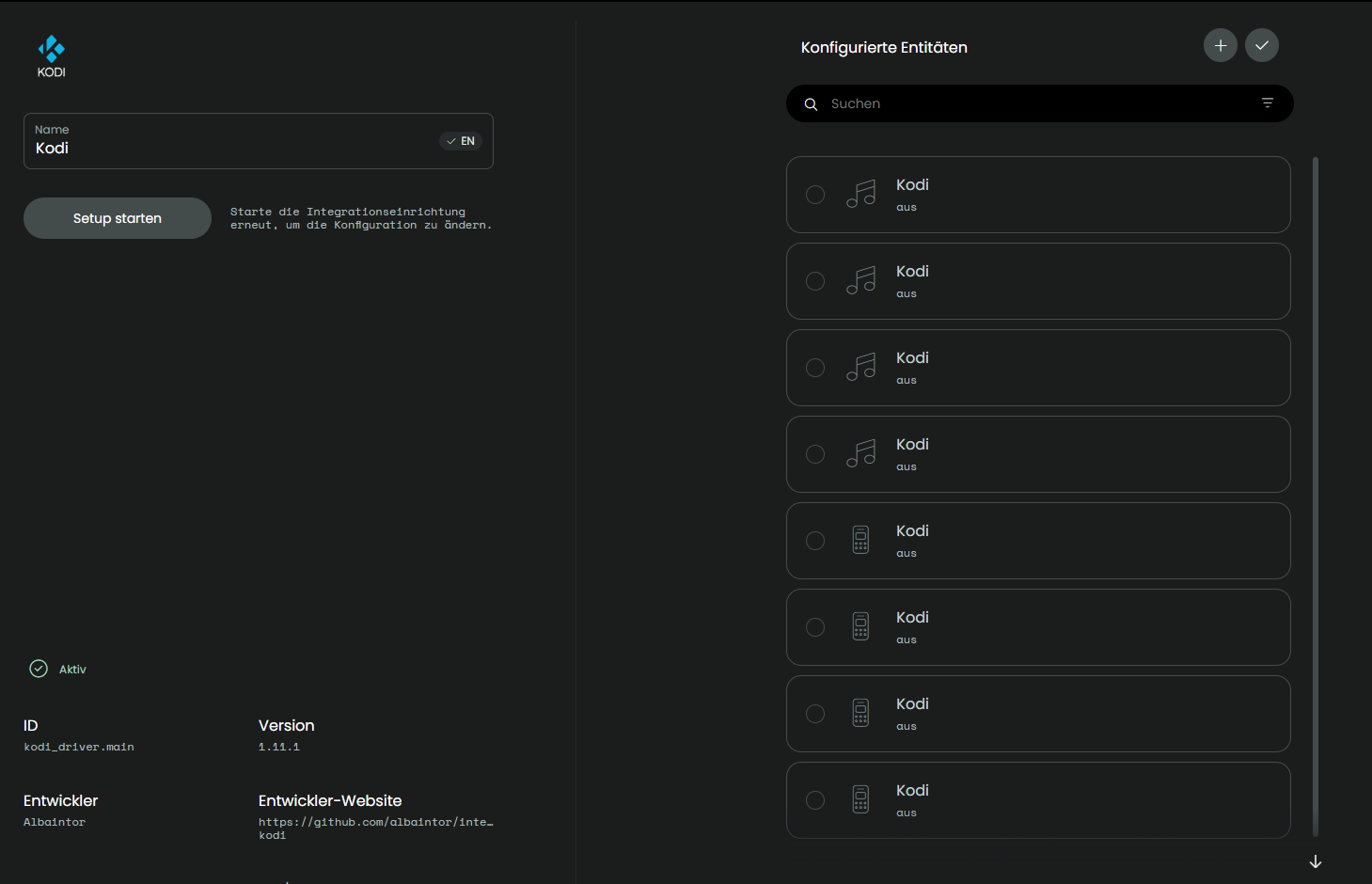
When you open integration (NOT Setup) you should see the entities on the right if you use a PC or tablet. On the right side the Apple TV entity must appear and if not press + on top right the you get a list of paired devices and you could add it as an entities.
If it does not help please provide screen shots from what you tried.
Ralf
1 Like
It woks thanks a lot