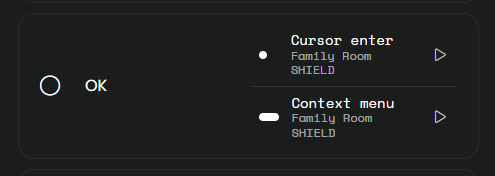
With the Android TV integration, I don’t understand how to wire up the remote buttons so pressing and holding the “OK” brings up the context menu. On other remotes, I can do that, but with Remote 3, it just presses “OK” a bunch in a row.
With the Android TV integration, I don’t understand how to wire up the remote buttons so pressing and holding the “OK” brings up the context menu. On other remotes, I can do that, but with Remote 3, it just presses “OK” a bunch in a row.
You can get that to work by assigning opening the context menu to the long press of the center dpad button.
 :
: