I’m using a Netgear router for my wireless Internet home connection. It was working fine till I rebooted the router a few times and the Remote3 was not able to detect my original 5GHz SSID; only the 2.4GHz and the other 5GHz-2 connection.
After Research:
The Netgear is an excellent router — but it does automatically use DFS channels when “Auto” channel selection is turned on, especially on the 5GHz-1 and 5GHz-2 bands. That’s exactly what’s preventing my Unfolded Circle Remote 3 from seeing my 5GHz-1 Wi-Fi connection.
I found out that my 5GHz connection has changed from “Connection 44” to “Channel 100(DFS)“
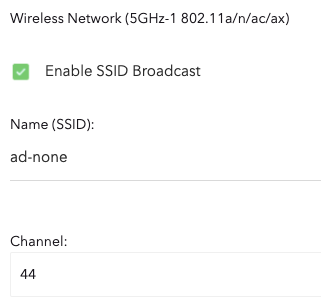
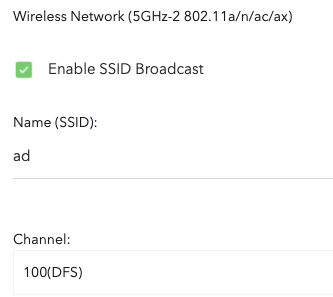
I was always able to detect my NON DFS 5GHz connection in the Remote 3, but I was adamant about resolving the issue of why I was not able to detect my original SSID, which most of my home equipment is connected to.
An important note to remember here is: if your TV was connected to the DFS 5GHz-1 connection, you then must reconnect to the non-DFS connection just like the remote 3, or else they will not communicate at all, none whatsoever! Keep in mind that there is a bug and a well-known issue with Netgear routers, specifically in this issue, scenario or subject matter.
Here is the reason why the remote 3 is not able to connect to DFS Wi-Fi connections:
Basic routers have two 5 GHz bands: one on normal channels (36–48) and one on DFS channels (100–144) that share frequencies with radar systems. Because the Unfolded Circle Remote 3 isn’t certified to use radar-regulated channels, it simply can’t see or connect to any Wi-Fi network operating on those DFS frequencies. That’s why the SSID on channel 100(DFS) “ad” is invisible to my remote, while channel 44 “ad-none” network works perfectly — the remote’s Wi-Fi chip only supports standard, non-DFS 5GHz channels for compatibility and stability.
Hope that helps!
Cheers