I would like to update my Samsung TV integration (v0.6.7) with the Integration Manager. The manager says “version too old for automatic update.” How should I proceed?
Upgrade manually. Only the last 2-3 version support the automatic update.
Ralf
1 Like
Cool. Please confirm the docker container parameters you are using. I want to make sure you are using the right env variable. I had a mistake in the readme.
In the next release, my plan is to add the ability to perform “upgrades” in this case but they will not be able to preserve your configuration and selected entities.
Can you share logs? Tell me more about your setup. Running on the remote? R2/R3?
I’m running on remote 2, I’ve deleted the integration for now, I’ll reinstall tomorrow and post the logs.Many thanks
Thanks @JackPowell. Here is the docker compose I used:
services:
  uc-intg-manager:
    image: ghcr.io/jackjpowell/uc-intg-manager:latest
    container_name: uc-intg-manager
    network_mode: host
    environment:
      - UC_INTG_MANAGER_HTTP_PORT=8088
    volumes:
      - /volume2/docker/UnfoldedCircle:/uc-intg-manager-data
    restart: unless-stopped
This does look good! I have been working with some other users too and just released an update that may help. Pull the latest and try again.
(Remind me, do you have any other unfolded circle integrations running on this host?)
@dlorde I just released 1.2.1 Release v1.2.1 · JackJPowell/uc-intg-manager · GitHub
If nothing else, I should have much better logs to tell me what is going wrong. But hopefully it fixes the problem too. If it doesn’t work, send me logs.
I re-pulled the image and restarted the remote. But still the same thing  “Service is currently not available, please try later.”
DEBUG:ucapi.api:Publishing driver: name=intg_manager_driver._uc-integration._tcp.local., host=Teletraan-II.local.:9090
INFO:ucapi.api:Driver is up: intg_manager_driver, version: 1.2.1, api: 0.5.1, listening on: 0.0.0.0:9090
I don’t have any other UC integrations running on this host. In fact, the only other custom integrations I am using are direct installs, not docker.
I tried setting up docker as well. Same error as Mike above.
Try to change the host to an ip address. To do that make sure to enable the extended mode toggle at the end of the list of integrations when adding an integration in the web configurator. I also had problems when using the mdns .local address of my Unraid server that runs the Docker container although the cotainer was running in host mode.
Try this. Go back to add the integration and at the bottom of the searching for integration screen is a toggle to turn on advanced options. When the integration manager shows up, make sure you have the advanced toggle to true and select it. You should be taken to a screen to enter the address details. Then update the driver url to the following:
ws://{server-ip}:9090/
Your server ip is the ip address of the server running docker. Then hit continue. See if that works any better.
Looks like @kennymc.c beat me to it.
Same outcome
Try to use a port scanner like nmap to test if the used websockets port is actually open on the ip of your server.
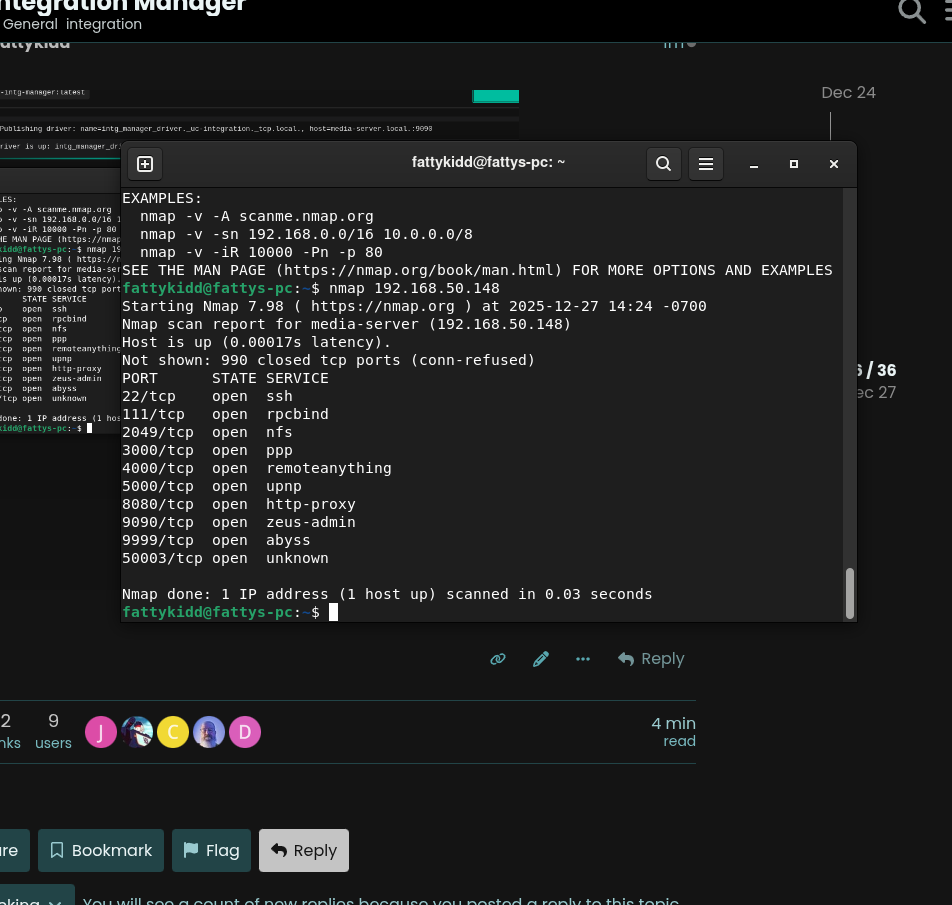
Baby steps. I was able to add the integration. And it LOOKS like it is working in the Web Configurator. But when I try to access http://[remote-ip]:8088 in a browser I get “This site can’t be reached” / “refused to connect”
Refused might mean remote not charging.
I just checked - it is in the dock, 100% charged.
1 Like
OK, I deleted the old integration and installed & setup the new one, and it worked first time.
Just did some upgrades and I’m very impressed! This is a nice piece of software 
1 Like