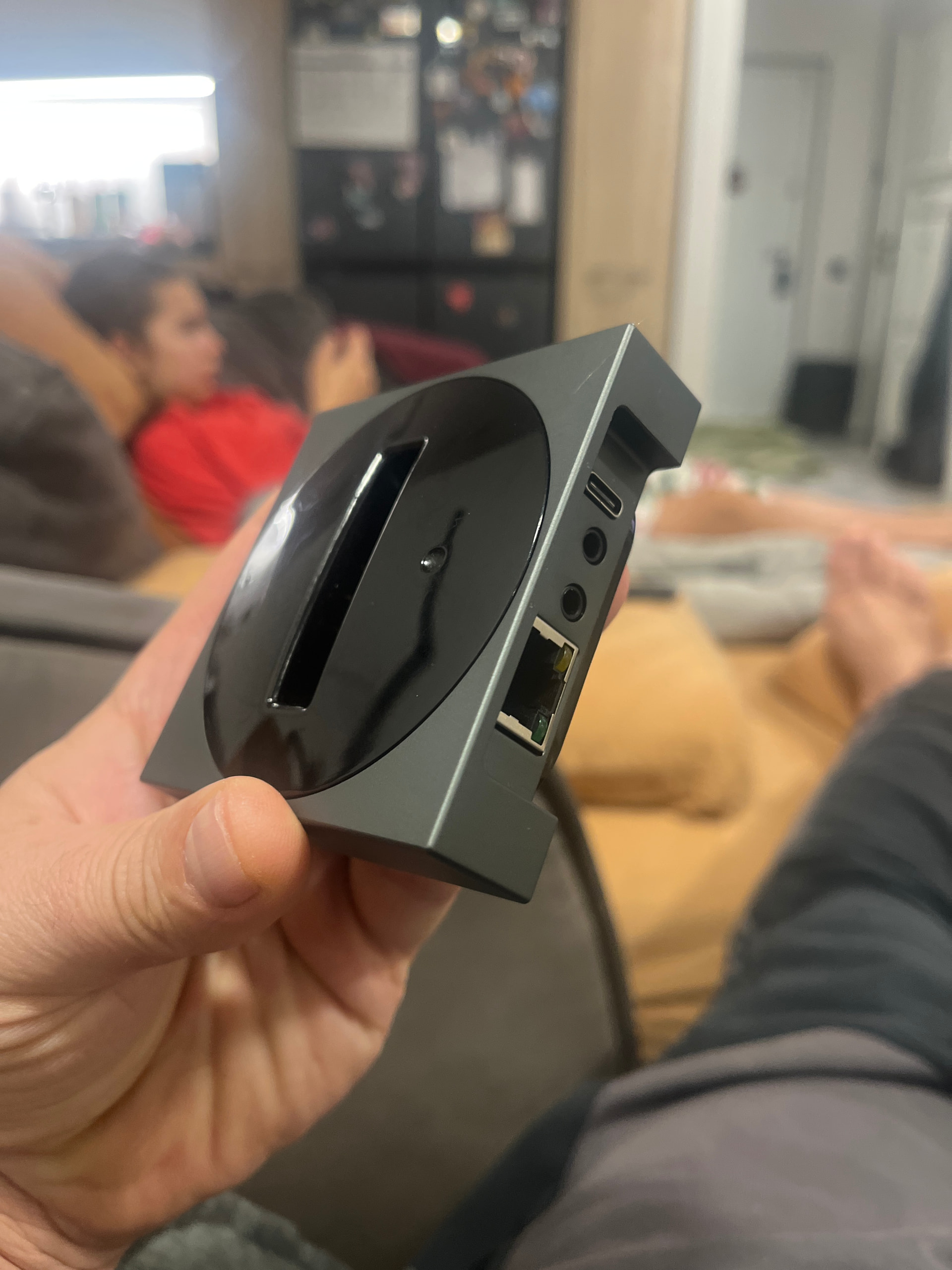
I just tried to access my Remote 3 over the web and realized that my remote went out of juice. Then I checked my Dock 3 and found out that it does not charge the remote, nor showing any signs of life. I tried various power sources as well as various USB cables, but no luck.
Any idea what else I could try ? Can a dock just die from one day to the other ? Without the dock can I even charge my remote somehow ? If not - I am afraid - I will need to completely retire this project
Did you also try PoE? Is the Ethernet port led on? Do you see anything on the display after power cycling the dock?
As a workaround you can use wireless charging to get the remote working again.
Thanks for the advices. I tried everything. The dock also does not work with POE. There is absolutely no signs of life in any format, no LEDs, no display, no nothing
At least I could charge my remote with a Qi2 charger, which actually takes very long. But I am afraid my setup needs the dock as I have at least one device which can only be controlled via an IR remote Yeah, I know the remote can also send IR signals
I’m using a Broadlink R4 mini for my IR needs. I personally use it over Home Assistant, but there’s a Broadlink integration for the remote apparently.
They’re quite inexpensive, easy to come by and perform a lot better than the UC dock. I have the Remote and Dock 2, which has terrible IR power. That lead me to replace it
Looks like you need to send the Dock to UC.
For Remote Two there is an alternative 3d printed wall dock. At least Remote Two apparently only needs 2 pogo pins to charge as the electronic is all in the remote. I don’t know if this is also the case for Remote 3 but this could be an interim solution for faster charging until your Dock is repaired.
I experienced the same issue with the Unfolded Circle Remote 3 charging station twice.
The first time, I sent the device in for warranty repair. However, when exactly the same problem occurred again, I decided to investigate and repair it myself.
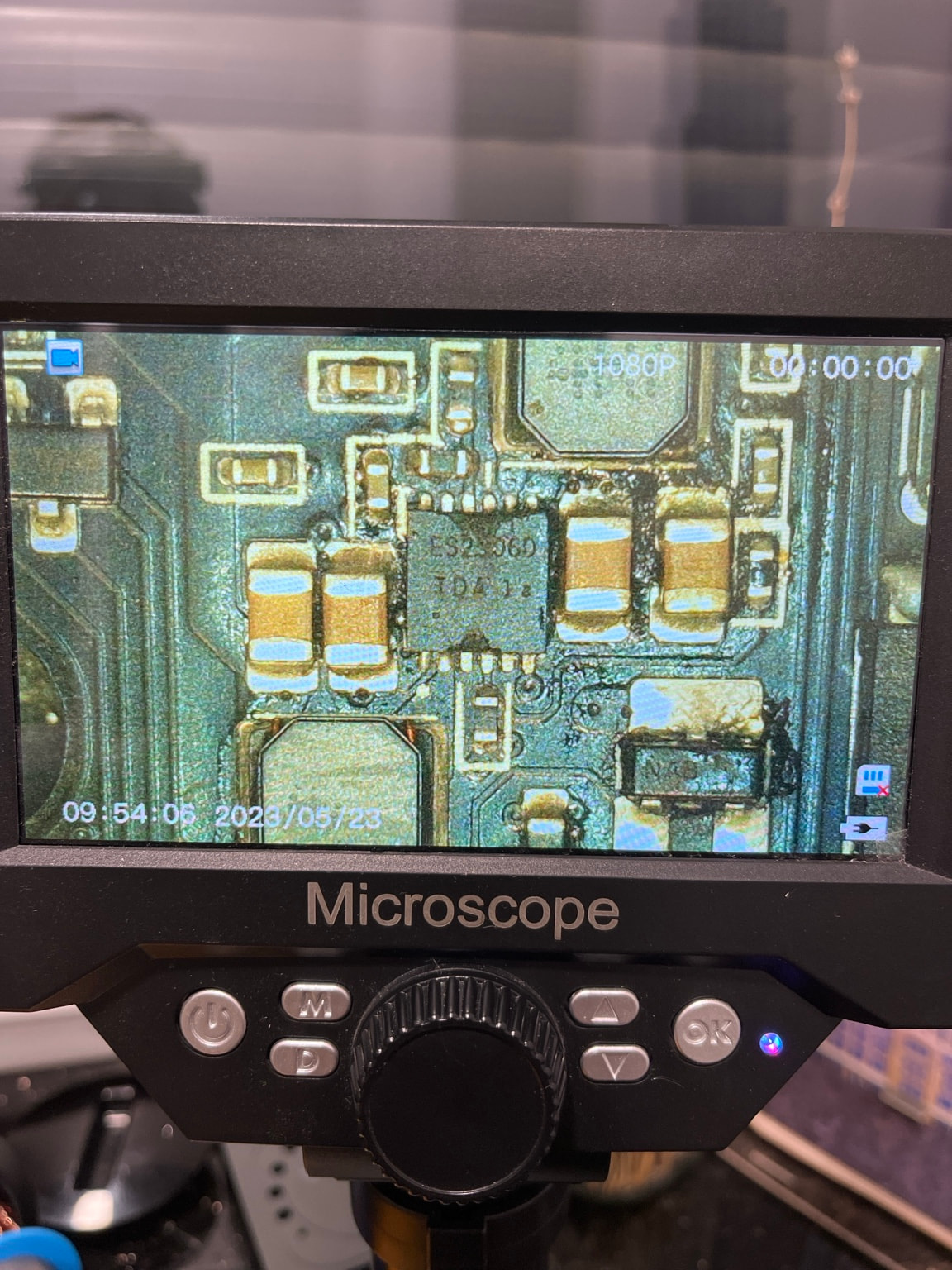
I discovered that the issue was caused by a faulty PAM2306DYPAA voltage regulator. Replacing this component completely resolved the problem, and the charging station is now working normally again.
I strongly suspect that both failures were caused by the high-power GaN (Gallium Nitride) charger I was using to power the station, although I haven’t confirmed this through electrical measurements.
I’ve attached two photos to help others identify the faulty component:
Photo 1: A close-up of the PAM2306DYPAA voltage regulator under my microscope, showing the chip and its markings.
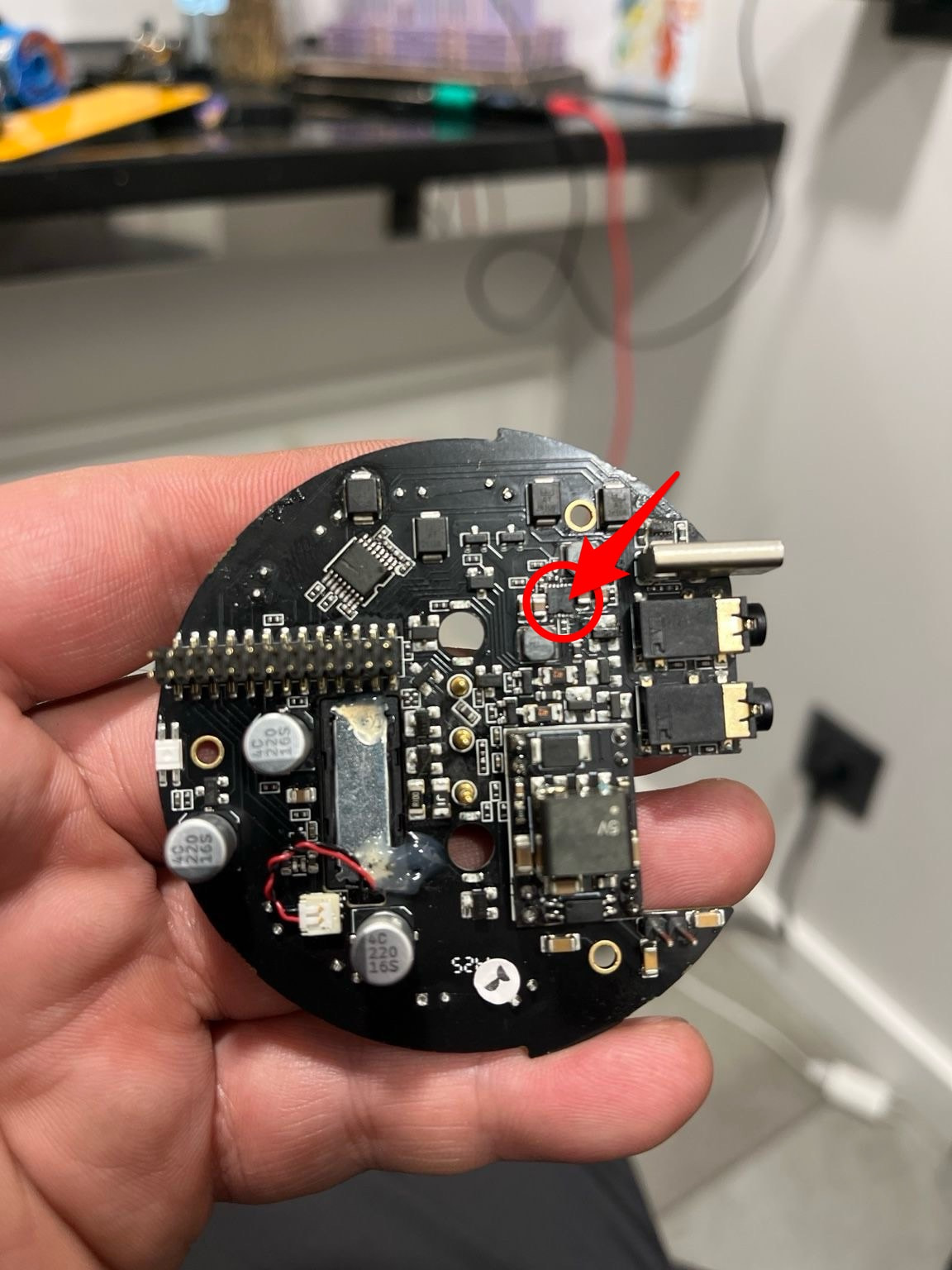
Photo 2: An overview of the charging station’s PCB, with a red arrow and circle marking the exact location of the component that needs to be replaced.
If you’re experiencing similar power-related issues with your charging station, I recommend checking this voltage regulator before considering replacing the entire board.
Hopefully, these photos and my experience will help others repair their charging stations instead of replacing them!
Wow … this is amazing information and yes, recently I also changed my charger to a powerful GaN charger, so very likely the same thing has happened to me.
I just do not know if I am brave enough to open the box and do the soldering myself
And there is a question/ask for the developer … maybe if they replace these components, then maybe they should use a “stronger” power regulator.
Actually, this is already a robust and reliable voltage regulator, so replacing it with a “stronger” one shouldn’t be necessary.
And don’t worry, disassembling the station is actually quite simple!
First of all, make sure you have the replacement chip (the one we’re discussing) in your hands before starting the repair.
There are just three Phillips screws hidden under the rubber pad on the bottom of the station.
After removing them, carefully lift the glass panel on top, then gently slide the circuit board forward and upward, away from the rear connectors.
Once you have the module in your hands, it simply separates into two parts connected by male/female pin headers.
If you’re not comfortable with soldering, any electronics repair shop should be able to replace the chip quickly and easily. It’s a fairly straightforward job for an experienced technician.